
A low battery or a loose connection is the most common reason you find a momcozy m5 motor not working, and you can usually fix this by simply charging the device or cleaning the contact points. You should check the power level first, as the motor won’t engage if the internal battery charge is too low to sustain the suction cycle. If it’s fully charged but still silent, inspect the small pins where the motor connects to the flange for any milk residue or debris.
Why the Momcozy motor stops working
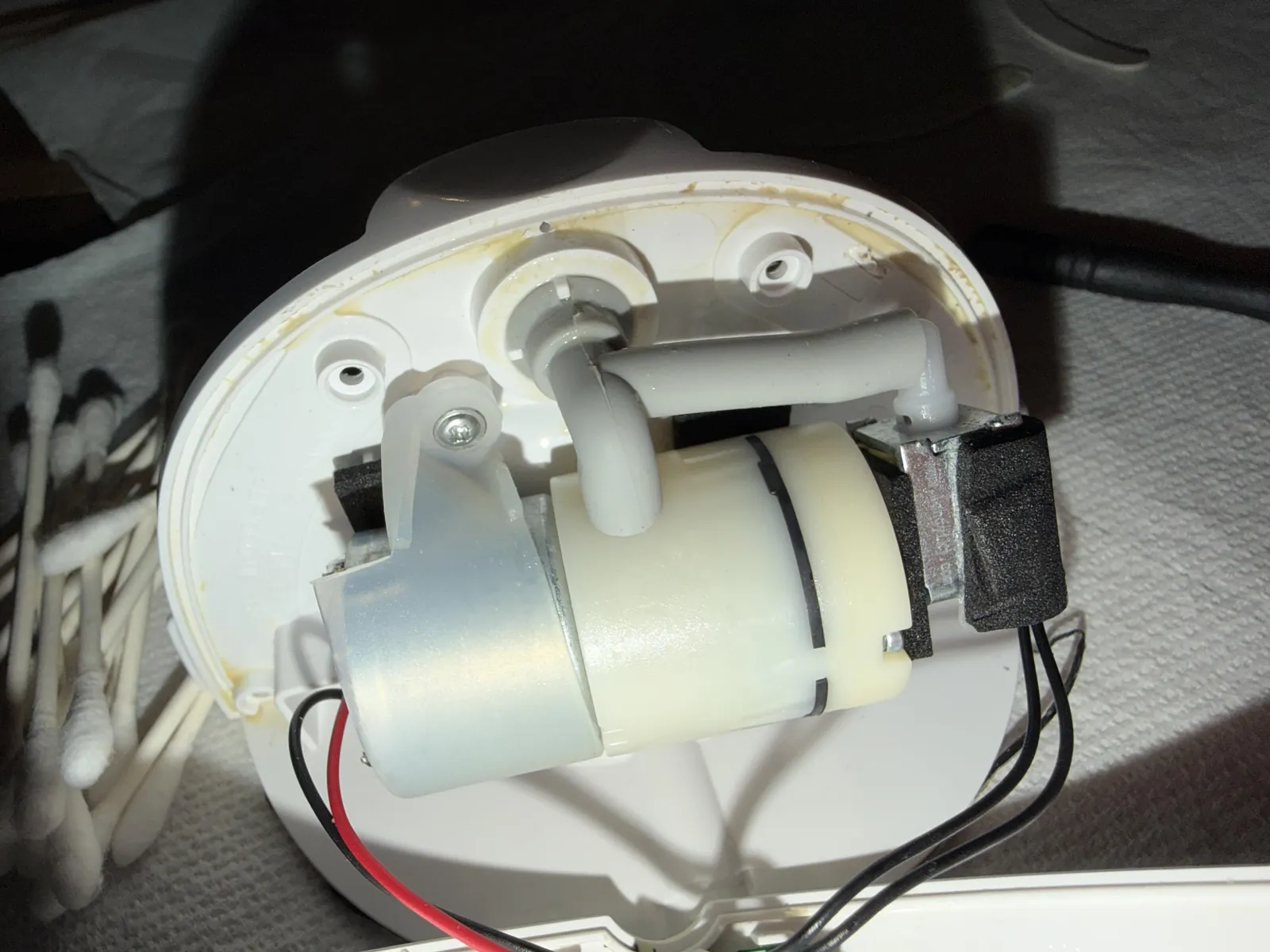
The following table lists the most frequent issues that stop your pump from running. If you find your device isn’t responding to these basic checks, contact the manufacturer for warranty support.
| Cause | How common | How to confirm it | Fix it yourself? |
|---|---|---|---|
| Low battery | Very common | Status light flashes red | Yes |
| Dirty contact pins | Common | Visible milk or dust | Yes |
| Flange blockage | Common | Motor runs but no suction | Yes |
| Software glitch | Occasional | Unresponsive to buttons | Yes |
| Water damage | Rare | Liquid inside motor unit | No |
| Internal component failure | Rare | Strange noise or burning | No |
Most users mistake a blockage for a motor failure. If the motor hums but produces no suction, inspect the valve membrane for tiny tears or debris. Even a microscopic hole prevents the necessary vacuum seal. Replace the membrane if it shows any wear.
Avoid charging the device with high-wattage laptop adapters. These often exceed the motor’s voltage requirements and can fry the internal circuit board. Always use the original cable and a standard wall outlet. If the device smells like ozone or plastic, stop use immediately; this indicates a short circuit that risks fire. Never attempt to open the motor housing, as this voids your warranty and exposes sensitive electronics to permanent damage.
Resolving battery and charging issues
A depleted battery is often mistaken for a broken motor because the device won’t show signs of life when you press the power button. To confirm this, plug the charging cable into the motor unit and wait for the charging indicator light to activate. If the light remains off, ensure the wall adapter provides the correct voltage by checking the specifications printed on the Momcozy official support page.
If the motor doesn’t charge, try a different USB-C cable or wall block that you know works with other electronics. A faulty cable is a frequent mistake that costs users time and unnecessary worry. If you plug it into a known good power source and the light still doesn’t turn on after one hour, the battery or the charging port has failed.
Check the charging port for debris or lint. Use a dry, soft-bristled brush to gently clear the opening, as even a small obstruction prevents a solid connection. If you see bent pins inside the port, the device won’t accept a charge regardless of the cable used.
This is a hardware issue that you can’t fix at home. Don’t attempt to open the motor housing, as this voids your warranty and exposes internal components to moisture. If the unit remains unresponsive after these steps, contact support with your order number ready to initiate a replacement.
Cleaning the contact points

Milk residue can build up on the electrical pins between the motor and the flange, preventing a proper connection. If the motor is charged but doesn’t start, carefully inspect the gold-colored pins on the motor unit for any sticky film or dried milk. Use a clean, dry cotton swab to gently wipe these pins until they’re shiny and free of debris.
Don’t use liquids or metal tools to clean these pins, as this can cause permanent damage to the delicate electronics. A single drop of moisture or a scratch from a screwdriver will corrode the contact surface, leading to intermittent power failures that are impossible to troubleshoot later.
If the pins look damaged, bent, or pushed into the housing, the motor won’t work regardless of how clean it is. This is a physical failure that requires a replacement unit. If the pins remain flush with the casing rather than springing back when pressed, the internal spring mechanism has failed.
You should reach out to the company for a replacement rather than trying to force the pins back into place. Attempting to pry them out almost always snaps the internal wiring, which voids your warranty and turns a simple exchange into a total loss.
Clearing suction path blockages
Sometimes the motor is working, but it sounds different or feels like it has no power because of a blockage in the air path. Inspect the silicone diaphragm and the valve to ensure they aren’t torn or improperly seated, as these parts control the vacuum pressure. If the diaphragm has a small hole, the motor will work, but the pump won’t create the suction required for milk expression.
Check that the flange is snapped firmly onto the motor unit and that no silicone parts are pinched in the seal. If you hear the motor running but feel no movement, the airflow is likely escaping through a loose connection. Test this by placing your finger over the flange opening; if you feel no pull against your skin, the leak is between the motor and the collection cup.
A common mistake is reusing worn membranes that have lost their elasticity. If the membrane looks wavy or stretched, replace it immediately, as it can’t maintain the necessary pressure seal. If you have replaced the silicone parts and the motor still fails to produce suction, the internal pump mechanism may have reached its limit. This happens over time with heavy use, and the only fix is to replace the motor unit.
Rare motor issues
Software freezes: The motor becomes unresponsive to button presses. You can often resolve this by letting the battery drain completely and then performing a full charge.
Liquid damage: If milk has entered the motor housing through the air vent, the internal circuit board will likely corrode. Don’t attempt to dry it with heat, as this accelerates oxidation. If you hear a faint clicking sound or smell ozone, the unit must be replaced immediately to prevent a short circuit.
Mechanical wear: A grinding sound indicates a broken internal gear. This is a terminal failure requiring professional repair or a new device. Don’t force the motor to run, as the debris from the gear can strip the drive shaft.
Overheating: The motor shuts down automatically if it runs for extended cycles in a hot environment. Allow the unit to cool for 30 minutes before trying again. If the motor triggers a shutdown after less than five minutes of use, the internal thermal sensor is failing.
What a professional repair involves

Fixing a motor that has failed internally requires specialized tools and access to proprietary parts that aren’t available to the public. If your troubleshooting steps don’t resolve the issue, a professional repair usually involves replacing the entire motor module rather than individual components. This process is time-consuming and often costs as much as buying a new unit, which is why most support teams prefer to handle these issues through warranty exchanges.
You can determine if you’re eligible for a replacement by checking your purchase date against the manufacturer’s warranty policy. If you’re outside of the warranty window, you’ll need to pay for a new motor unit. Avoid third-party repair shops, as they often lack the official parts needed to maintain the safety and performance standards of a breast pump. Always verify your warranty status on the manufacturer’s website before spending money on a replacement or a repair service.
Frequently asked questions
Can I fix a motor that stopped working after getting wet?
No, you can’t safely fix a motor that has had liquid inside it. If milk or water enters the internal housing, it causes immediate corrosion on the circuit board that will eventually lead to total failure. You should stop using the device immediately to prevent a short circuit, and you must contact the manufacturer to request a replacement unit.
How long should the battery last before it fails?
A lithium-ion battery in this pump typically lasts for several hundred charge cycles, which equates to a period of regular daily use. The exact lifespan depends on how often you charge the unit and whether you let the battery drain completely before plugging it in. If your pump is aged and doesn’t hold a charge, the battery has reached its end.
Is it safe to use a stronger wall charger?
No, you should only use the charging equipment provided by the manufacturer or a cable that matches the specific power requirements of the device. Always use a charging adapter that meets the manufacturer’s recommended voltage and current specifications. Always check the manual for the recommended input voltage to ensure you’re using a compatible power source for your specific model.
How do I know if the motor is just loud or actually broken?
A healthy motor produces a consistent, rhythmic sound, while a broken motor often makes a grinding, rattling, or high-pitched screeching noise. If the sound has changed significantly from when the unit was new, the internal gears or the motor shaft are likely damaged. If you hear these strange noises, stop using the pump immediately, as it may stop working entirely during your next session.
Does it matter if I use a different brand of flange?
Yes, using a flange from another brand can prevent the motor from creating a proper seal, which makes the motor work harder than it should. The motor is calibrated to work with the specific resistance of the original parts. If the seal isn’t perfect, the motor will struggle to maintain vacuum, which causes the unit to overheat and shortens the life of the internal pump.
Conclusion
If these quick fixes don’t get your pump running smoothly again, don’t hesitate to reach out to the manufacturer’s support team. They’re usually happy to help with warranty claims or replacement parts. You shouldn’t have to struggle through your pumping journey alone when a simple chat could get you back on track.
