
The fastest method for how to hide office in living room setups is placing a folding room divider behind your chair or shutting your gear inside an armoire desk. Closing doors or folding panels takes under 10 seconds and cuts visual clutter right away. This guide covers the measurements, furniture styles, wire routing, and fire safety codes you need to keep a dual-purpose room neat and functional.
Blending a Workspace into Shared Space
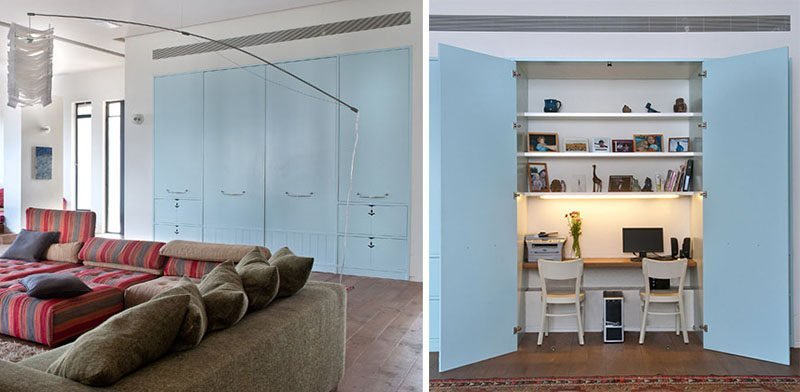 Photo: www.contemporist.com on Google
A hidden living room office is a full workstation that vanishes from view when your work hours end. It’s designed for remote workers living in apartments or shared family homes without a spare bedroom.
The biggest misconception is that you need a huge budget or built-in carpentry to conceal computer equipment. In reality, freestanding folding screens, corner desks matched to your wall color, or converted storage cabinets do the job just as well. When furniture matches the room’s primary color palette, the human eye skims over it rather than seeing it as a cluttered office corner.
The basic method
- Measure your available floor area with a standard tape measure, marking out at least 36 inches of clearance behind the desk for chair movement.
- Select a primary concealment method based on the wall layout: an armoire desk, a closet conversion, or a 3-panel folding screen.
- Position the desk next to a grounded wall outlet to prevent long power cords from crossing walking paths.
- Mount a single 6-outlet, surge-protected power strip to the underside of the desk surface using 2 wood screws or high-strength mounting strips.
- Plug your computer, monitor, and phone charger into this single mounted strip, leaving only one main power lead running down to the wall.
- Bundle the dangling cords tightly against a desk leg using 4 to 6 hook-and-loop cable ties spaced 6 inches apart.
- Place your storage boxes, paper trays, and work gear inside closed bins on the lower shelf, keeping all bright plastic office supplies out of sight.
The single judgement call that makes or breaks this setup is chair selection. A black mesh ergonomic rolling chair immediately signals “cubicle,” spoiling the living room aesthetic. If your work shifts are under 4 hours, swap the task chair for an upholstered dining armchair with supportive lumbar padding; if you work 8-hour days, keep the ergonomic desk chair, but roll it into a hallway closet or slip a neutral fabric slipcover over it each evening.
Key numbers and settings at a glance
Here are the standard clearances, working times, and equipment dimensions to check before building your concealed workspace.
| Situation | What to use | How long | What to watch for |
|---|---|---|---|
| Shallow wall recess | 3-panel folding screen (6 ft tall) | 15 minutes setup | Screen stability around active pets |
| Empty wall alcove | Pocket doors or ceiling track curtain | 2 to 3 hours install | Fabric dragging along baseboards |
| Living room corner | Closed secretary desk or armoire | 1 hour assembly | Depth inside: needs 20+ inches for laptop |
| Open floor layout | Low bookcase placed behind desk | 30 minutes setup | Unfinished back panel of the bookcase |
| Small formal lounge | Lift-top storage coffee table | 10 minutes setup | Awkward typing height while on a couch |
What separates good results from bad ones
Color matching and visual mass
Experienced decorators always match their office furniture finish directly to existing living room pieces. If your coffee table and TV stand are walnut, buy a walnut secretary desk. Setting a white laminate desk against a beige wall draws the eye straight toward your work gear. Painting the desk the exact paint shade as the wall behind it makes the furniture visually recede into the background.
Physical cable control
A visible rat’s nest of black power cables ruins even the most expensive cabinetry. Clean setups route every cord along the inner, hidden edges of the furniture legs. Professionals leave 3 to 4 inches of cord slack near monitor hinges so cables don’t pull loose when adjusting screens. Never pinch power cables behind heavy cabinet bases, as this crushes the protective rubber insulation.
Common problems and quick fixes
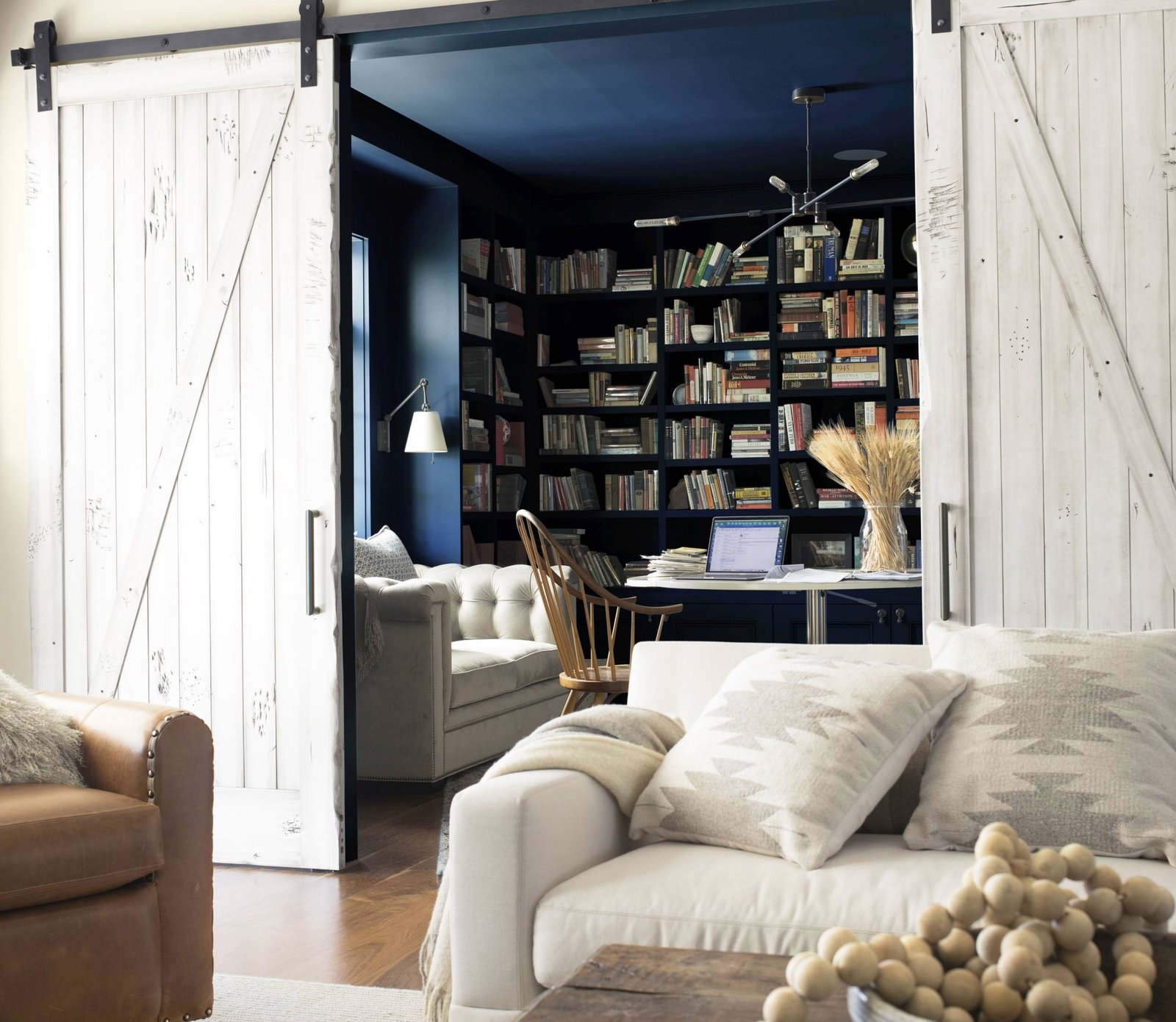 Photo: www.homesandgardens.com on Google
| What you notice | What it usually means | What to do first |
|---|---|---|
| Cabinet doors won’t close | Monitor screen is too wide or deep | Rotate monitor to vertical or use a shallow desk mount |
| Electronics feel hot to touch | Lack of airflow inside closed furniture | Drill two 2-inch vent holes in the rear cabinet board |
| Tripping over the floor wire | Desk is placed too far from the wall socket | Add a flat rubber floor cord protector along the baseboard |
| Background looks messy on video calls | Living room clutter is visible on camera | Position a folding privacy screen directly behind your chair |
Electrical Safety and Clearances
Concealing electronics inside small spaces creates real fire hazards if done incorrectly. The CPSC electrical safety guide warns against running power cords under carpets or rugs, where normal foot traffic damages wire insulation and traps dangerous heat. Always route lines along room perimeters instead.
Check the wattage rating printed on your surge protector before plugging in space heaters or laser printers alongside your computer. A standard home circuit in North America has an amperage capacity that a technician should evaluate, and overloading it will trip your breaker panel. If your project involves installing hardwired outlets inside an existing closet, hire a licensed electrician to pull the proper permits and complete the wiring to your local electrical code.
Keeping the space orderly
Maintaining a hidden workstation requires a strict end-of-day routine. Clear your desk surface every evening: shut down the laptop, slide notebooks into a drawer, and close the armoire doors. The habit takes 2 minutes and signals a clear mental boundary between your work shift and family time.
Dust accumulates faster inside enclosed furniture desks due to the cooling fans in computers and monitors. Wipe down the interior shelves and vents once a month using a dry microfiber cloth to keep dust bunnies from clogging computer heatsinks. This varies by model — check the label on your computer hardware for specific air intake warnings.
When to use a different approach
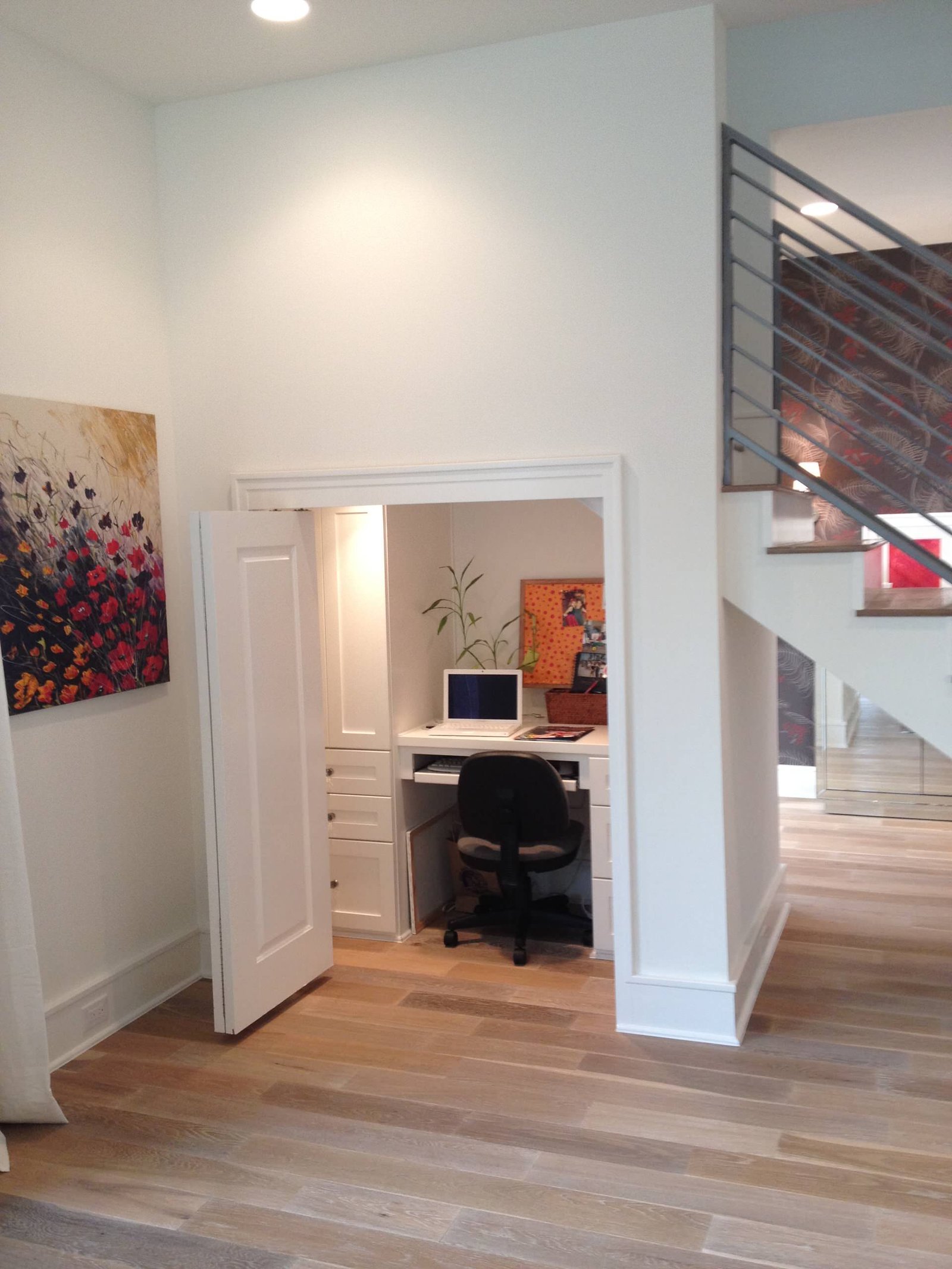 Photo: www.houzz.com on Google
Hiding your office behind screens or inside cabinets is the wrong choice if you run a full workstation with three large displays, external hard drive arrays, and desktop tower cases. Deep electronics generate too much heat for closed cabinets, and screens wider than 34 inches won’t fit inside standard living room armoires.
This approach is also not for workers who host in-person clients or record daily voiceovers. If you require client privacy or quiet sound isolation, convert a basement space, build a dedicated garden room, or rent an off-site shared desk instead.
Frequently asked questions
Can you put an office in a small living room?
Yes, you can fit an office into a small living room by choosing an alcove desk, a corner secretary unit, or a floating wall desk. These compact designs take up less than 6 square feet of floor space while holding a complete laptop workstation.
How do I hide computer wires in the living room?
Use adhesive cable raceways running along the top of your room’s baseboards, and paint them to match your wall trim. Under the desk, mount a multi-plug surge protector beneath the desktop so cords remain off your floor and hidden behind furniture panels.
Will electronics overheat inside a closed desk cabinet?
Yes, running high-power electronics inside a closed cabinet creates heat that can throttle computer performance. Always open the cabinet doors fully while working, or cut circular ventilation openings in the rear panel to allow warm exhaust air to escape freely.
Is an armoire desk comfortable for full-time work?
An armoire desk works well if its keyboard tray sits between 28 and 30 inches off the floor. If the surface is too high, your shoulders will cramp, so pair it with a height-adjustable chair to keep your elbows at a comfortable 90-degree angle.
What is the cheapest way to hide a desk?
The cheapest way is hanging a floor-to-ceiling curtain on a tension rod or ceiling track right across the desk alcove. Neutral cotton or linen curtains cost very little and slide open easily during the day while concealing clutter at night.
Related guides

5 thoughts on “How to Hide Office in Living Room: 5 Fast Design Solutions”