
The cl error code on lg dishwasher models simply indicates that the child lock feature is currently active. Your machine isn’t broken, and you don’t need to call a technician for this specific alert. To confirm this, look for a small padlock icon or the letters “CL” glowing on your control panel display. If you see this, the buttons on your dishwasher won’t respond to your touch until you disable the setting using the specific button combination for your unit.
Understanding your dishwasher controls
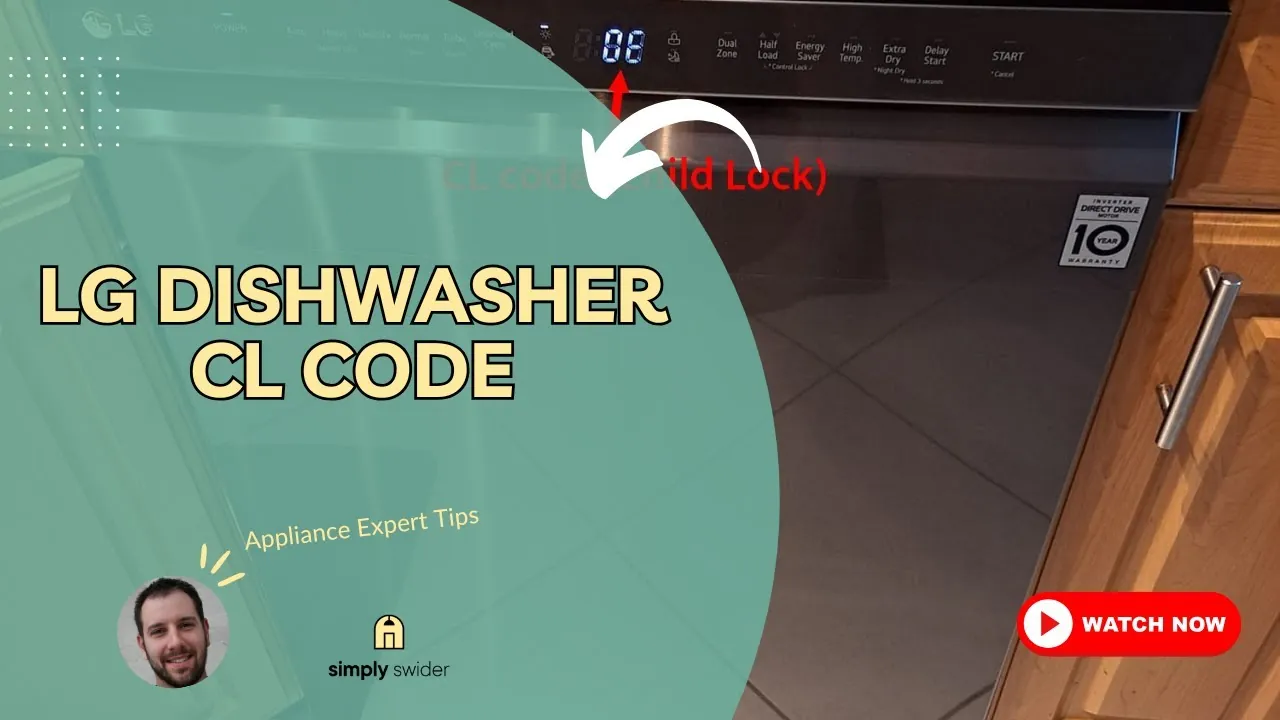
The control panel uses codes to tell you what the machine is doing or why it’s ignoring your commands. A code doesn’t always mean a mechanical failure; often, it’s just a safety feature that you have enabled by accident.
| What you notice | What it usually means | What to do first |
|---|---|---|
| CL on the display | Child lock is active | Press and hold button |
| Door won’t open | Cycle is still running | Wait for cycle end |
| Beeping noise | Cycle is finished | Press power button |
| No lights at all | No power to unit | Check your circuit breaker |
| Water in bottom | Drain hose is blocked | Clean the filter mesh |
| Flashing icons | Sensor error detected | Unplug for 60 seconds |
If your dishwasher fails to start despite showing power, check if the “Delay Start” timer is engaged. Many users mistake a countdown for a broken board. If you see a number like 2, 4, or 8, the machine is waiting for that many hours to begin. To override this, hold the Start/Reset button for three seconds to clear the queue.
When the drain hose is blocked, you’ll notice water pooling at the base after a cycle. Before calling a plumber, inspect the air gap or the garbage disposal connection. If the dishwasher is new, ensure the installer removed the plastic knockout plug inside the disposal inlet. Leaving this plug in place prevents all drainage, regardless of how clean your filter mesh remains.
Distinguish between a hard error and a temporary glitch by observing the rhythm of the flashing lights. A rapid, erratic blink suggests a faulty sensor requiring professional repair. A slow, rhythmic pulse usually indicates a communication error between the control board and the user interface. Unplugging the unit for a full minute resets the processor and resolves most of these software-based hang-ups.
How to deactivate child lock
This feature exists to prevent children from starting the machine or changing settings while a cycle is in progress. When it’s on, the control panel locks all buttons to ensure the cycle runs without interruption. You likely turned it on by accidentally holding down a specific button for 3 seconds or more during your last wash.
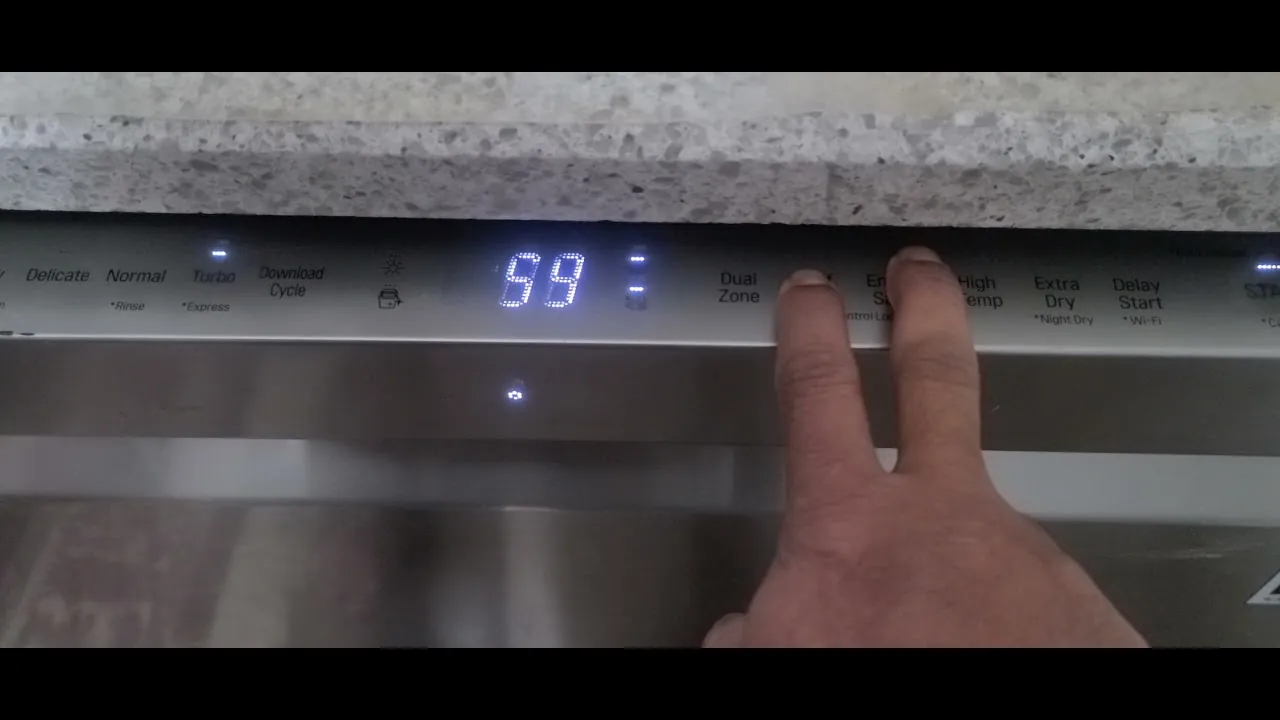
To turn it off, locate the button on your control panel that has a small padlock icon printed underneath it. On most models, you must press and hold that specific button for 3 to 5 seconds. You’ll usually hear a chime, and the “CL” light will disappear from the screen. If your model doesn’t have a dedicated padlock icon, check the buttons labeled “Temp,” “Rinse,” or “Spray” as these often double as the lock toggle.
If you see a blinking key icon rather than a solid “CL” code, the machine is in a protected state that requires a simultaneous two-button press. If the machine remains unresponsive, unplug it from the wall for exactly sixty seconds to force a hard reset of the control board.
A common mistake is assuming the lock is broken because the buttons don’t click or beep when pressed. In reality, the machine is working exactly as intended by ignoring your input. If the screen remains blank after you attempt the unlock, the door latch sensor may be stuck. In this case, pull the door firmly toward you while pressing the unlock sequence again to release the mechanical tension.
If you’re unsure which button controls the lock, look for a small line connecting two buttons on the faceplate. This indicates a secondary function that activates only when both are pressed at once.
Why the lock stays active
Sometimes the lock stays on because the software failed to register your input, or you released the button too early. If you hold the button for exactly 3 seconds and the code remains, try holding it for a full 5 seconds. The interface requires a deliberate, sustained connection to clear the software flag.
If that fails, perform a hard reset by unplugging the dishwasher or flipping the circuit breaker off for 60 seconds. This duration is critical; it allows the capacitors on the control board to fully discharge. Without this pause, the board may retain its error state in volatile memory.
When you restore power, the machine returns to its default state. If the lock persists after a full minute of power loss, the issue is likely a hardware failure in the control board rather than a software glitch. In this case, the button sensor has likely lost its physical connection to the motherboard.
If you don’t know where your breaker is, look for a panel in your garage, basement, or utility closet.
This feature is standard across almost all digital models. However, if you have an older model with physical mechanical buttons rather than a touch panel, the lock might be a physical switch on the side of the door. If you see such a switch, slide it to the “off” position to regain control.
Avoid the common mistake of repeatedly tapping the button in frustration. Each rapid tap interrupts the system’s scan cycle, effectively resetting the timer and preventing the lock from disengaging. If the light blinks but doesn’t turn off, you’re likely triggering a secondary diagnostic mode instead of the unlock command. Wait for the light to stabilize before attempting the 5-second hold again.
When the display shows other codes
If you see a code other than “CL,” such as “OE,” “IE,” or “HE,” these indicate actual mechanical issues rather than a locked control panel. A “CL” code is distinct because it prevents the machine from taking new commands, whereas other codes appear while the machine is trying to complete a task.
If you see “OE,” your drain hose is likely kinked or clogged. Check the hose behind the unit for sharp bends before calling for help. If the screen flashes “IE,” the water supply is restricted. Ensure your inlet valves are fully open and the mesh filters are free of sediment.
If you have already tried the 5-second hold and the hard reset but the panel is still unresponsive, the issue might be a faulty control board. This is a rare situation, but it happens if the unit has been exposed to extreme moisture or power surges.
Many users mistakenly assume a flickering screen means the board is dead. If the display pulses, contact a professional technician to inspect the power supply, as this requires specialized equipment and safety training.
If you suspect a hardware fault, don’t attempt to open the door housing or touch the internal wires yourself. A capacitor inside the housing can hold a lethal charge even when the unit is unplugged.
If the buttons remain locked or the screen stays stuck on “CL” after a full power cycle, contact a qualified service technician. They have the tools to test the ribbon cables and the main control board safely. If the technician finds a fried board, expect the repair to cost roughly half the price of a new unit. Weigh that against the age of your machine before authorizing the work.
Frequently asked questions
Can I run a cycle while the lock is on?
No, the dishwasher won’t start a new cycle while the lock is active. The child lock is designed to disable all buttons, meaning the start button won’t respond to your input. You must disable the lock first to select a wash program or press the start button. Once the cycle begins, you can re-enable the lock to ensure the settings aren’t changed during the wash.
Is it safe to keep using the dishwasher with this code?
Yes, it’s perfectly safe to keep using the dishwasher when this code appears. The code is simply a notification that you have activated the safety lock feature. It doesn’t indicate a leak, a motor failure, or any electrical hazard. As long as you can unlock the panel to start your wash, the machine will function exactly as it should without any risk to your home.
How long should I hold the button to unlock it?
You should hold the button for 3 to 5 seconds to successfully disable the lock. The specific button varies by model, so look for a small padlock icon or the word “Lock” printed beneath one of the buttons. If you hold it for 5 seconds and the light doesn’t go out, ensure your finger is covering the entire touch-sensitive area of the button.
Does it matter which button I press to unlock?
Yes, you must press the specific button that controls the lock function on your specific model. While many LG units use the same buttons for the lock feature, the layout can change between different series. Check the labels on your control panel for a padlock icon or the word “Lock” near a button. If you press the wrong button, the machine will simply ignore the input.
Why does the code come back after I unlock it?
The code may return if you accidentally hold the lock button down again while selecting your cycle settings. This is a common mistake that happens when your fingers brush over the control panel. If it keeps coming back, try to press the buttons more deliberately and avoid resting your hand on the panel while making your selections.
What happens if the power goes out?
The dishwasher will usually remember its state, and the child lock will remain active even after a power outage. Once the power returns, the “CL” code will likely still be on the display. You’ll need to perform the standard unlocking procedure of holding the lock button for 3 to 5 seconds to clear the code and resume normal operation of your machine.
Conclusion
Once you’ve successfully deactivated the lock, your dishwasher should return to its normal routine immediately. If you’re still having trouble getting the cycle to start, don’t worry; just check your user manual for model-specific tips. You’ll be back to washing your dishes in no time, and everything’s going to work perfectly.
