
A human-machine interface, or hmi, is a dashboard used to monitor and control industrial machinery. These devices bridge the gap between digital data and physical output by translating machine code into visual graphics, allowing workers to manage processes ranging from simple temperature adjustments to the coordination of robotic assembly lines.
Key Takeaways
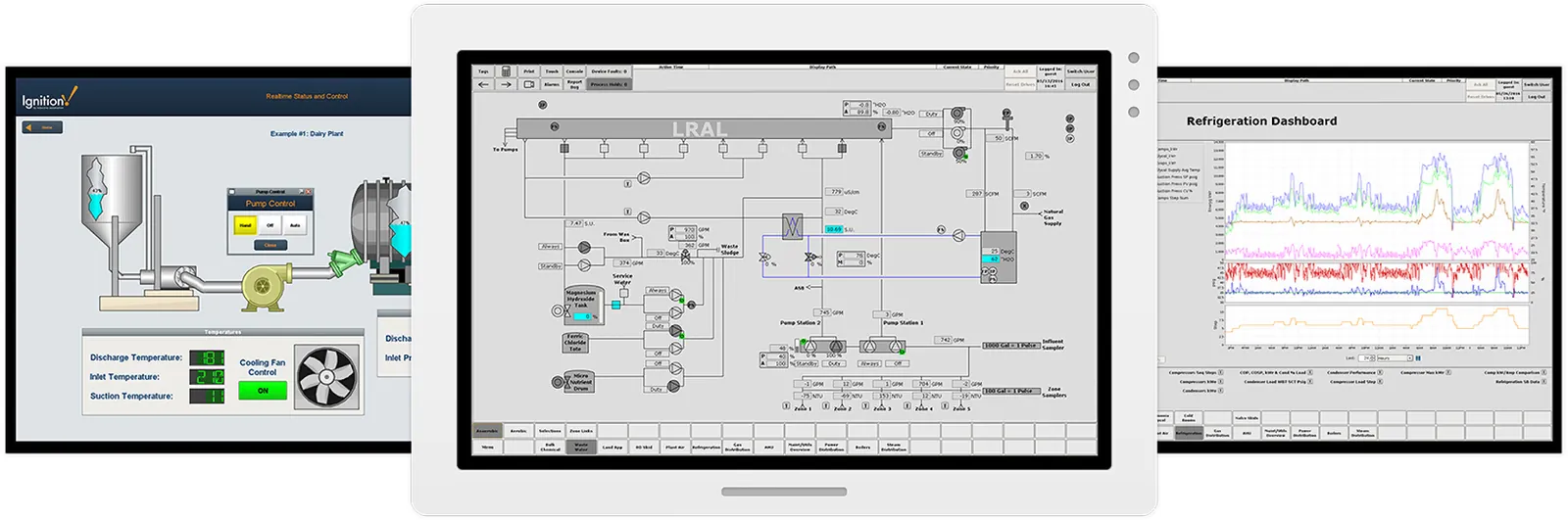
- HMIs act as a centralized control hub, reducing the need for manual switches and physical gauges.
- Operators use these interfaces to receive real-time alerts about system health and potential mechanical failures.
- Integrating an HMI allows for faster troubleshooting by pinpointing exact error codes in complex automated networks.
- Modern HMI systems support remote access, enabling engineers to monitor facilities from off-site locations securely.
- Choosing the right hardware depends on environmental factors like vibration, dust, and extreme temperature fluctuations.
What Is An HMI Exactly?
At its core, an HMI is a visual communication bridge. It sits between the human operator and the Programmable Logic Controller (PLC) or other control systems that drive industrial processes. Rather than requiring an engineer to read thousands of lines of code to understand if a conveyor belt is running at the correct speed, an HMI provides a screen with a graphic of the belt and a numerical readout of its speed.
Control systems architecture relies heavily on these interfaces to ensure that operators have the situational awareness needed to make split-second decisions. Without an HMI, an operator would be “blind” to the internal state of the machine, relying solely on physical observation or trial and error. The interface serves as the primary input and output point for data exchange, allowing for both monitoring (reading data) and control (writing commands).
Where Are They Used?
Because industrial automation is ubiquitous, HMIs are found in almost every sector of the modern economy. Their primary purpose is to simplify the management of complex sequences.
Manufacturing and Production
In manufacturing, HMIs are the standard for controlling production lines. They manage everything from the pressure in a hydraulic press to the timing of a packaging machine. Operators use them to start and stop sequences, change production quantities, and monitor the consumption of raw materials.
Energy and Utilities
Utility providers rely on HMIs to manage power grids, water treatment plants, and natural gas distribution. Because these systems are often spread across massive geographical areas, the HMI provides a “big picture” view of the entire network.
Food and Beverage
In the food industry, hygiene is paramount. HMIs used here are often made of stainless steel or specialized plastics that can withstand high-pressure washdowns with harsh cleaning chemicals. They manage temperature, mixing speeds, and sterilization cycles to ensure compliance with health standards.
Common HMI Hardware Types
Choosing the right hardware is essential for long-term reliability. The environment dictates the build quality, screen technology, and connectivity requirements.
| Hardware Type | Ideal Environment | Best For |
|---|---|---|
| Embedded Panels | Clean, indoor factory floors | High-speed data visualization |
| Ruggedized Terminals | Outdoor or extreme heat | Durability and vibration resistance |
| Mobile HMIs | Large warehouses or logistics | Flexible, on-the-move monitoring |
| PC-Based HMIs | Complex, multi-system control | Advanced software and data logging |
How Do HMIs Communicate?
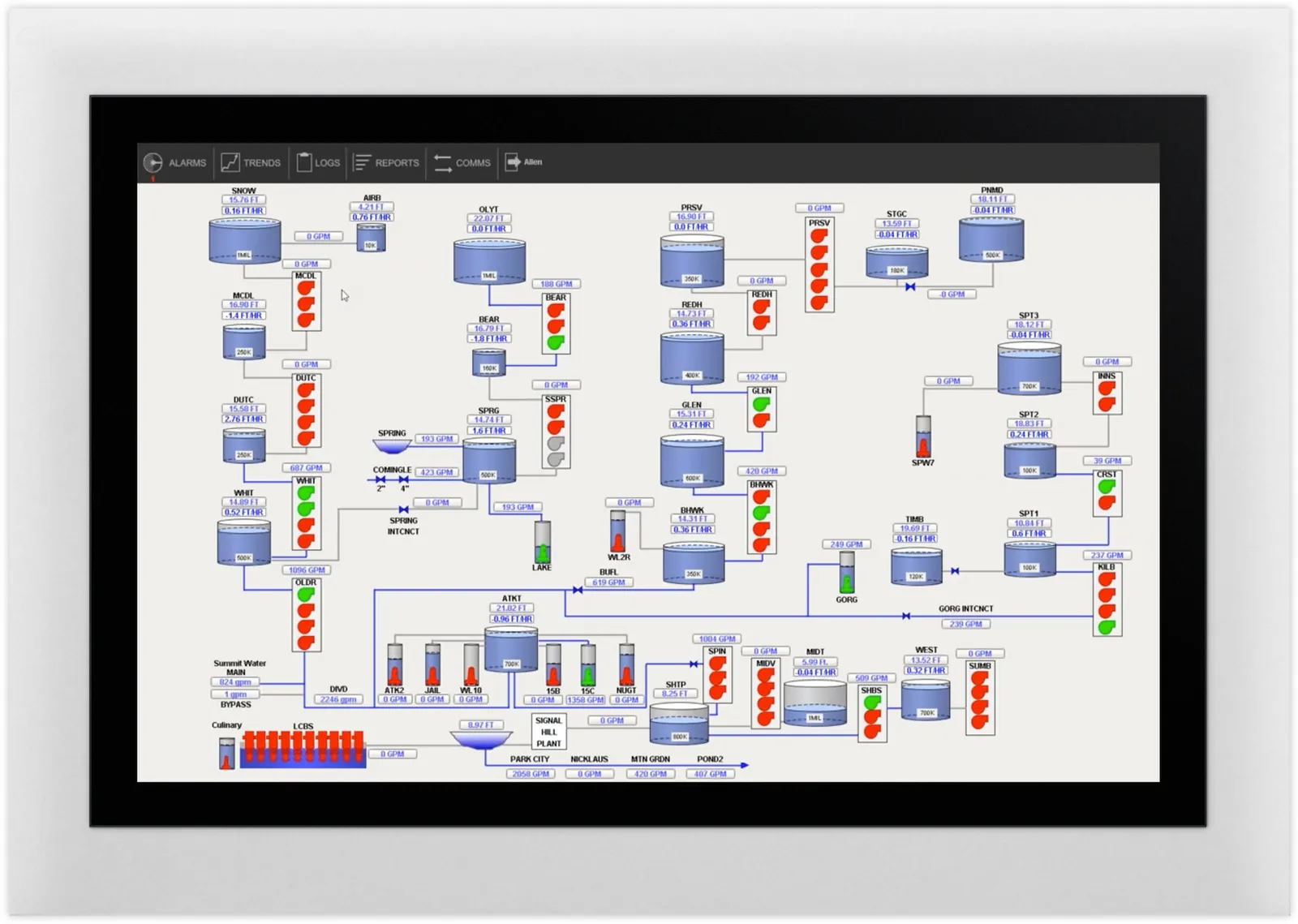
An HMI is useless without a way to talk to the machinery it controls. It uses specific communication protocols to exchange data packets. The most common language used in the industrial world is Modbus, though many modern systems have moved toward Ethernet-based communication for faster speeds and greater bandwidth.
Data exchange protocols ensure that the information displayed on the screen is accurate and synchronized with the actual state of the machine. If the HMI displays “Motor Running,” it’s because the PLC has sent a signal over the network confirming the contactor is closed. This real-time synchronization is critical for safety; if a delay occurs, the operator might attempt to perform maintenance on a machine they believe is inactive, leading to severe accidents.
Essential HMI Features
When evaluating an HMI system, look for these core capabilities that improve efficiency and security.
- Alarm Management: A system that prioritizes critical alerts so operators aren’t overwhelmed by minor notifications.
- Data Logging: The ability to store historical data for trend analysis and predictive maintenance.
- Remote Access: Secure, encrypted portals that allow authorized personnel to view system status from a tablet or laptop.
- User Authentication: Multi-level access controls that prevent unauthorized changes to critical process parameters.
Troubleshooting Common Issues
Even the most robust systems encounter problems. When an HMI stops responding or displays incorrect information, use this systematic approach to isolate the fault.
| Symptom | Potential Cause | Troubleshooting Step |
|---|---|---|
| Screen is blank | Power supply failure | Check voltage at the terminal |
| “Communication Error” | Broken network cable | Test Ethernet or serial connection |
| Touch is unresponsive | Dirty or damaged screen | Clean with non-abrasive solution |
| Data not updating | PLC connection lost | Restart the HMI communication driver |
Warning: Always ensure that you have locked out and tagged out the machinery before attempting any physical maintenance on an HMI connected to high-voltage equipment, as live circuits can cause severe injury.
How HMI Systems Are Used and Selected
Size matters in the industrial world. A screen that’s too small makes it difficult to press the correct buttons, while a screen that’s too large might be impractical in a cramped control booth.
Ergonomic design principles should guide your selection. Consider the viewing distance, the ambient lighting of the facility, and the number of operators who need to view the screen simultaneously. A high-contrast display is often necessary for areas with bright overhead lighting, while a screen with a matte finish can reduce glare.
Pro Tip: When designing your HMI interface, prioritize the “three-click rule”—an operator should be able to reach any critical control screen or emergency stop function within three taps of the main navigation menu.
Brands and Market Leaders
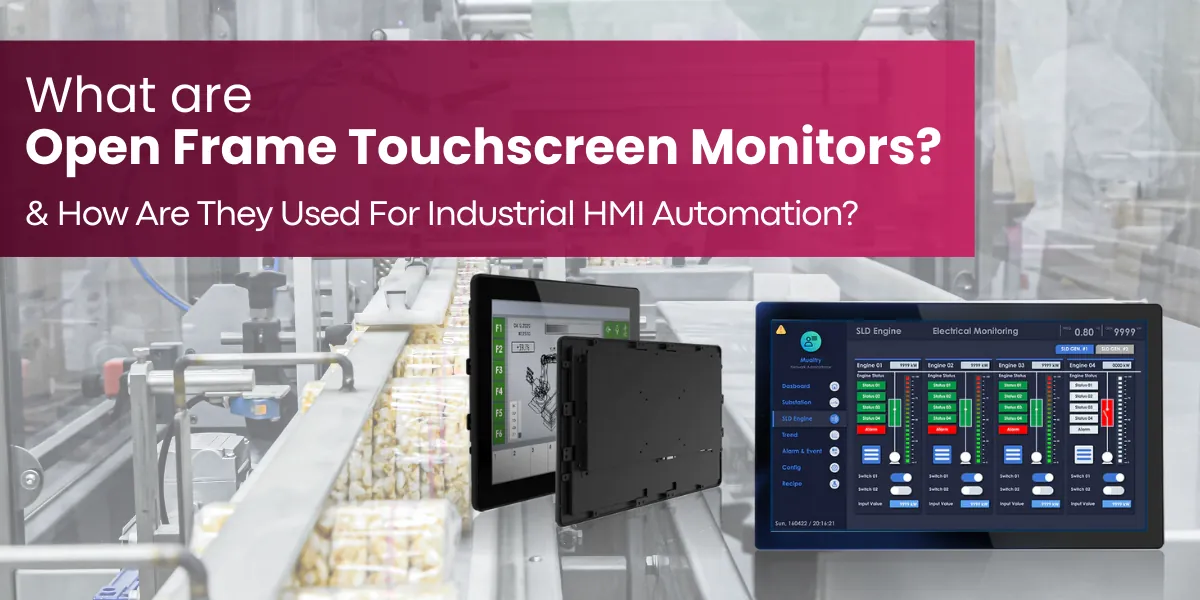
Several manufacturers dominate the HMI space, offering varying levels of software support, hardware durability, and integration capabilities.
- Siemens: Known for the Simatic range, which integrates seamlessly with their high-end PLC systems.
- Rockwell Automation (Allen-Bradley): A staple in North American manufacturing, offering the PanelView series.
- Schneider Electric: Famous for their Magelis line, which focuses on high-resolution graphics and ease of use.
- Mitsubishi Electric: Offers robust, cost-effective solutions for mid-sized factory automation.
- Maple Systems: A popular choice for smaller operations looking for reliable, budget-friendly hardware.
Related guides
- What Is Nomex Honeycomb and What Is It Used For
- How Patch Antennas Work and Where Theyre Used Explained
- What Is PVDC and Why Is It Used in Packaging for Shelf Life
Frequently Asked Questions
Is an HMI the same as a PLC?
No, they’re distinct components. The PLC is the “brain” that executes the logic and controls the physical inputs and outputs of the machine. The HMI is the “face” that allows the human to see what the PLC is doing and send commands to it. They work together as a team, but the HMI can’t function without the PLC’s processing power.
Can I use a tablet instead of an HMI?
While some modern systems support tablet-based monitoring, standard tablets often lack the ruggedization, port connectivity, and dedicated real-time operating systems of industrial HMIs. Tablets are generally used as secondary, mobile diagnostic tools rather than primary control interfaces for high-risk machinery. Industrial HMIs are built to withstand dust, moisture, and electromagnetic interference that would destroy a consumer-grade tablet.
How do I design a good HMI screen?
A good HMI screen should be uncluttered and logical. Place the most important information, such as emergency stops and system status indicators, in the center or top-left corner. Use a consistent color scheme where specific colors always mean the same thing, such as red for alarms and green for “running” status. Avoid excessive animation, which can distract operators and hide important data.
How often should HMIs be replaced?
Most industrial HMIs have a lifecycle of five to ten years. Replacement is usually driven by hardware failure, the need for updated software features, or the obsolescence of communication protocols. If your current unit is no longer supported by the manufacturer, it’s time to plan for an upgrade to ensure you can still source spare parts and receive security patches.
Are HMIs vulnerable to cyberattacks?
Yes, HMIs are increasingly targeted by cyberattacks, especially if they’re connected to a network that has internet access. Protecting them requires strong password policies, disabling unused communication ports, and keeping the firmware updated. It’s best practice to place HMIs on an isolated network segment that’s protected by a firewall, preventing direct access from the public web.
Conclusion
The integration of an HMI into your facility will transform how your team interacts with machinery, moving from reactive troubleshooting to proactive management. Start your journey by auditing your current manual controls and identifying one process that would benefit most from centralized digital monitoring, then contact a local systems integrator to discuss hardware compatibility with your existing PLC infrastructure.
