
When your machine stops mid-cycle, it’s frustrating to realize that your Samsung dryer keeps shutting off just as you’re settling in for the day. This behavior is typically a safety mechanism triggered by the internal computer to prevent overheating or electrical damage. Whether you’re dealing with a simple ventilation blockage or a more complex component failure, identifying the root cause is the first step toward restoring your laundry routine.
Key Takeaways
- Check your exterior vent hood for blockages or lint buildup that restricts airflow.
- Ensure your dryer isn’t overloaded, as excessive weight trips the thermal sensor.
- Inspect the moisture sensor bars inside the drum for detergent residue or film.
- Clean the lint filter after every load to maintain proper temperature regulation.
- Verify that your power cord is secure and not loose within the wall outlet.
Safety: Inside a mains-powered machine, the parts behind the outer cover can hold a dangerous electrical charge even after it has been unplugged — that’s why they sit behind a cover. Opening the housing, or testing or replacing anything behind it, is a job for a qualified technician, never a home repair.
Why Does My Dryer Stop Early?
Most modern dryers rely on a series of sensors to monitor heat, moisture, and airflow. If the system detects an anomaly, it will terminate the cycle to protect the unit from fire hazards. A common reason for a Samsung dryer to cut out is the activation of the thermal fuse or the high-limit thermostat. These components act as circuit breakers; if the heat exceeds a safe threshold, the power to the heating element or the entire motor is cut off.
Common Causes When a Samsung Dryer Keeps Shutting Off
| Component | Function | Failure Symptom |
|---|---|---|
| Thermal Fuse | Safety shut-off | Dryer stops completely |
| Moisture Sensor | Detects dampness | Dryer stops while clothes are wet |
| Control Board | Logic center | Erratic behavior or error codes |
| Drive Belt | Drum rotation | Drum stops, motor may hum |
Inspecting Your Ventilation System
The most frequent culprit for premature shutdown is a restricted exhaust path. When air can’t escape the drum, heat builds up rapidly. If you notice your clothes are still damp when the dryer stops, your venting system is the primary suspect. You should inspect the ductwork behind the machine and the exterior wall vent for heavy lint accumulation.
Warning: Always disconnect the power supply from the wall outlet before inspecting internal components or removing the back panel of your dryer to ensure your personal safety.
Cleaning the Moisture Sensors
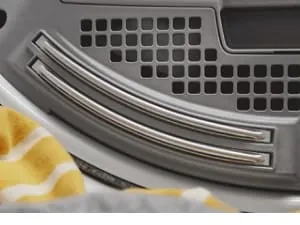
Samsung dryers use metal strips located inside the drum, usually near the lint filter, to measure the conductivity of your clothing. If these sensors are covered in a thin layer of fabric softener residue or dryer sheet chemicals, they may falsely report that the clothes are dry.
To resolve this, gently scrub the sensors with a cloth dampened with white vinegar or a mild rubbing alcohol solution. This removes the insulating film and restores the sensor’s ability to “feel” the moisture in your laundry.
Managing Your Laundry Load Size
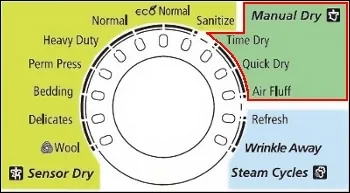
Overloading the drum prevents proper airflow and puts excessive strain on the drive motor. If the motor works too hard, it may overheat and trigger a thermal reset. Aim to fill the drum only three-quarters full to allow clothes to tumble freely. If you’re drying heavy items like comforters or thick towels, use a “timed dry” setting rather than a “sensor dry” cycle to prevent the machine from stopping too early.
Troubleshooting Error Codes
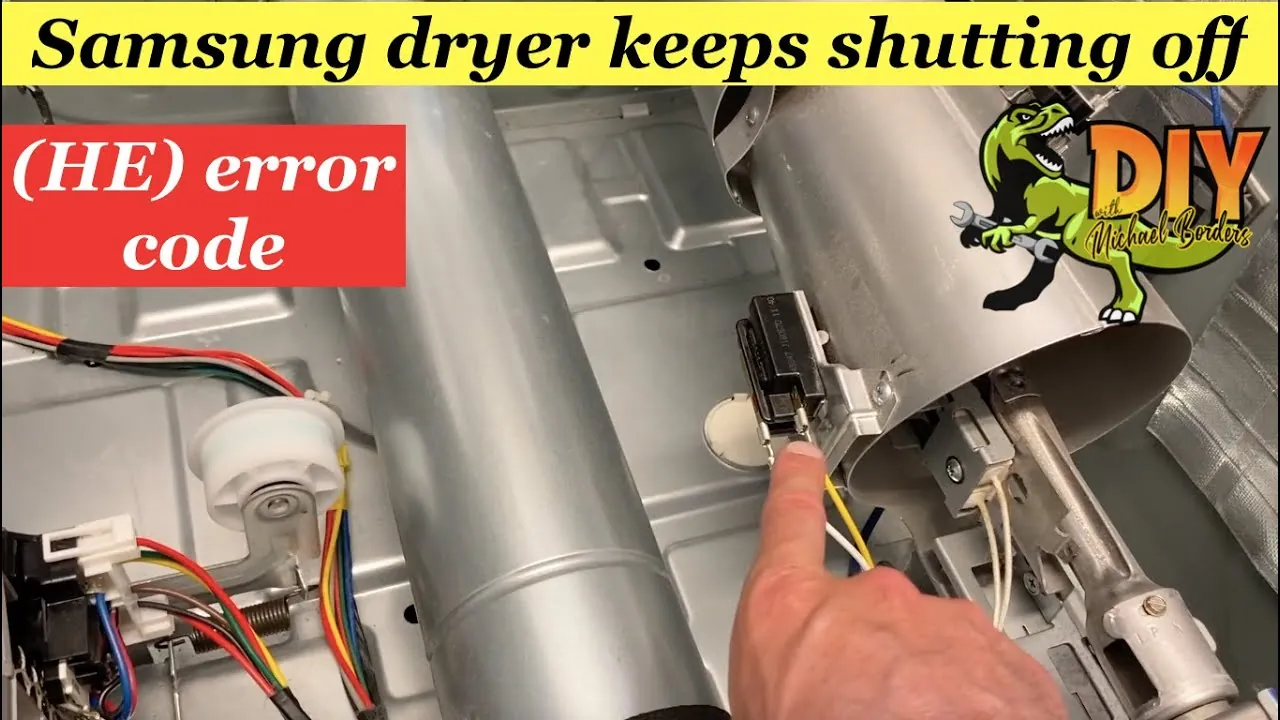
If your display shows a code like “tE” or “HE,” the machine is reporting a specific fault. A “tE” code usually indicates a temperature sensor issue, while “HE” often points to a heating element failure. Keep a manual handy or note the specific sequence of flashing lights. Resetting the control board by unplugging the unit for ten minutes can sometimes clear a temporary software glitch.
Typical Repair Cost Estimates
| Repair Service | Estimated Low Cost | Estimated High Cost |
|---|---|---|
| Thermal Fuse Replacement | $35 | $120 |
| Vent Cleaning Service | $90 | $220 |
| Moisture Sensor Cleaning | $0 | $45 |
| Control Board Replacement | $180 | $450 |
When to Call a Professional
If you have cleaned the vents, scrubbed the moisture sensors, and verified the power supply, but the dryer still shuts off, you may have an internal electrical fault. Professional technicians have the tools to test the continuity of the heating element and the integrity of the control board. Don’t attempt to bypass safety fuses, as this creates a significant risk of fire.
Maintaining Your Dryer for Longevity
To prevent future shutdowns, establish a monthly maintenance routine. This includes vacuuming the area behind the dryer, checking the exterior vent for obstructions, and wiping down the moisture sensors. Using fewer dryer sheets can also prevent the buildup of waxy residue on the drum and sensors, keeping your machine running smoothly for years.
Related guides
Frequently Asked Questions
Why does my dryer stop after five minutes?
A dryer that stops after only a few minutes is often triggered by the high-limit thermostat sensing an immediate airflow blockage. If the air can’t vent, the temperature spikes, and the safety switch cuts power to prevent overheating. Check your ductwork for clogs, as this is the most common cause of rapid cycle termination in Samsung models.
Can a dirty lint filter cause shutdowns?
Yes, a clogged lint filter restricts the flow of air through the dryer. When the air can’t circulate properly, the internal temperature rises quickly. The dryer’s computer detects this heat and shuts the unit down to protect internal components. You should clean the lint screen before every single load to ensure the air can move freely through the system.
Should I use dryer sheets?
While dryer sheets are popular for softening clothes, they leave behind a thin chemical film. Over time, this film coats the moisture sensors inside your dryer drum, causing them to misread the humidity levels. This leads to the dryer thinking the clothes are dry when they’re still wet, causing the cycle to end prematurely. Consider using wool dryer balls as a cleaner alternative.
Is it safe to reset the dryer?
Performing a power reset by unplugging the unit for ten to fifteen minutes is safe and often effective for clearing minor software errors. However, you should never attempt to bypass or bridge safety components like thermal fuses or thermostats. These parts are specifically engineered to prevent fire hazards in your home. If a reset doesn’t resolve the issue, deeper hardware troubleshooting is required.
Conclusion
If you have completed these checks and the machine still fails, it’s time to consult your user manual for specific error code definitions or contact a certified repair technician. Replacing a simple fuse or cleaning a blocked vent is often all that’s needed to get your laundry back on track and your dryer running reliably once again.

1 thought on “Samsung Dryer Keeps Shutting Off: 5 Easy Fixes to Restore Power”