
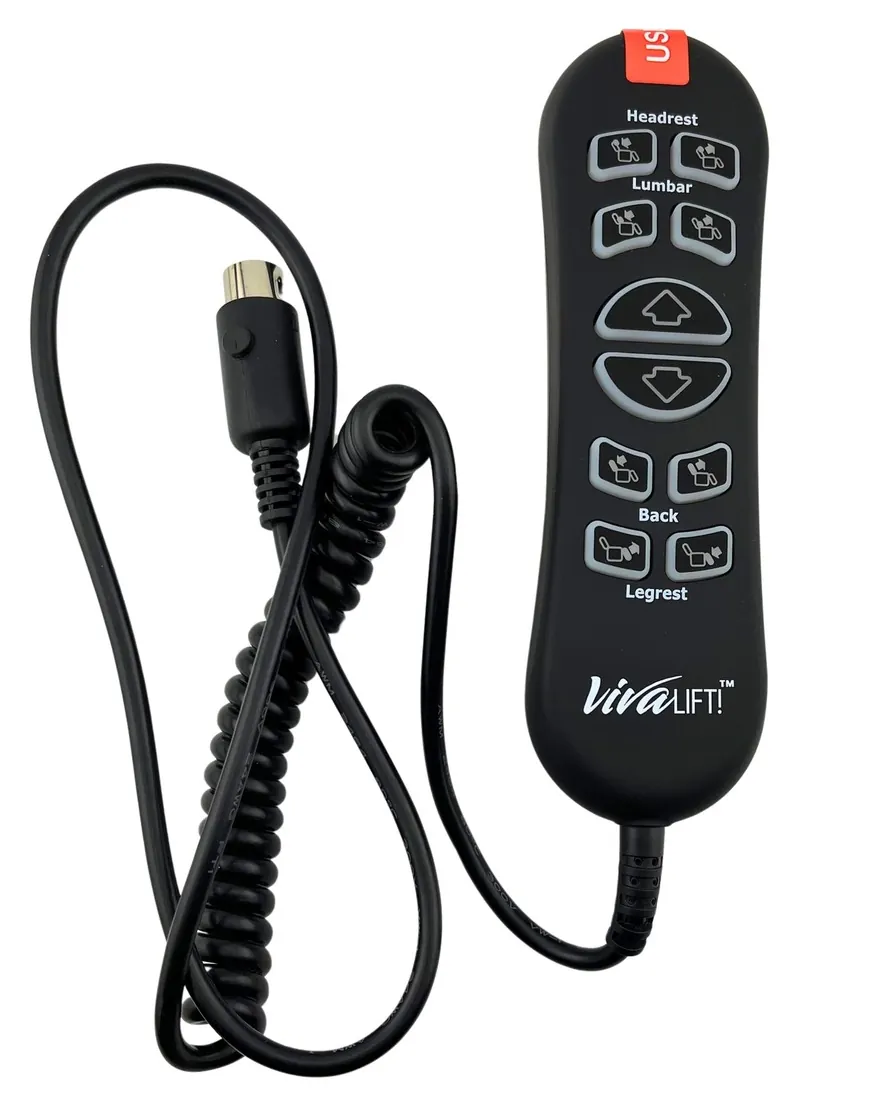
When your viva lift chair remote not working is the problem, check the connection at the base of the hand control first. This is most often caused by a loose cable or a broken wire near the plug. If the cable is firm, ensure the chair is plugged into a wall outlet that actually has power. You can test this by plugging a lamp into the same wall socket to see if it turns on.
Troubleshoot your Viva lift chair remote
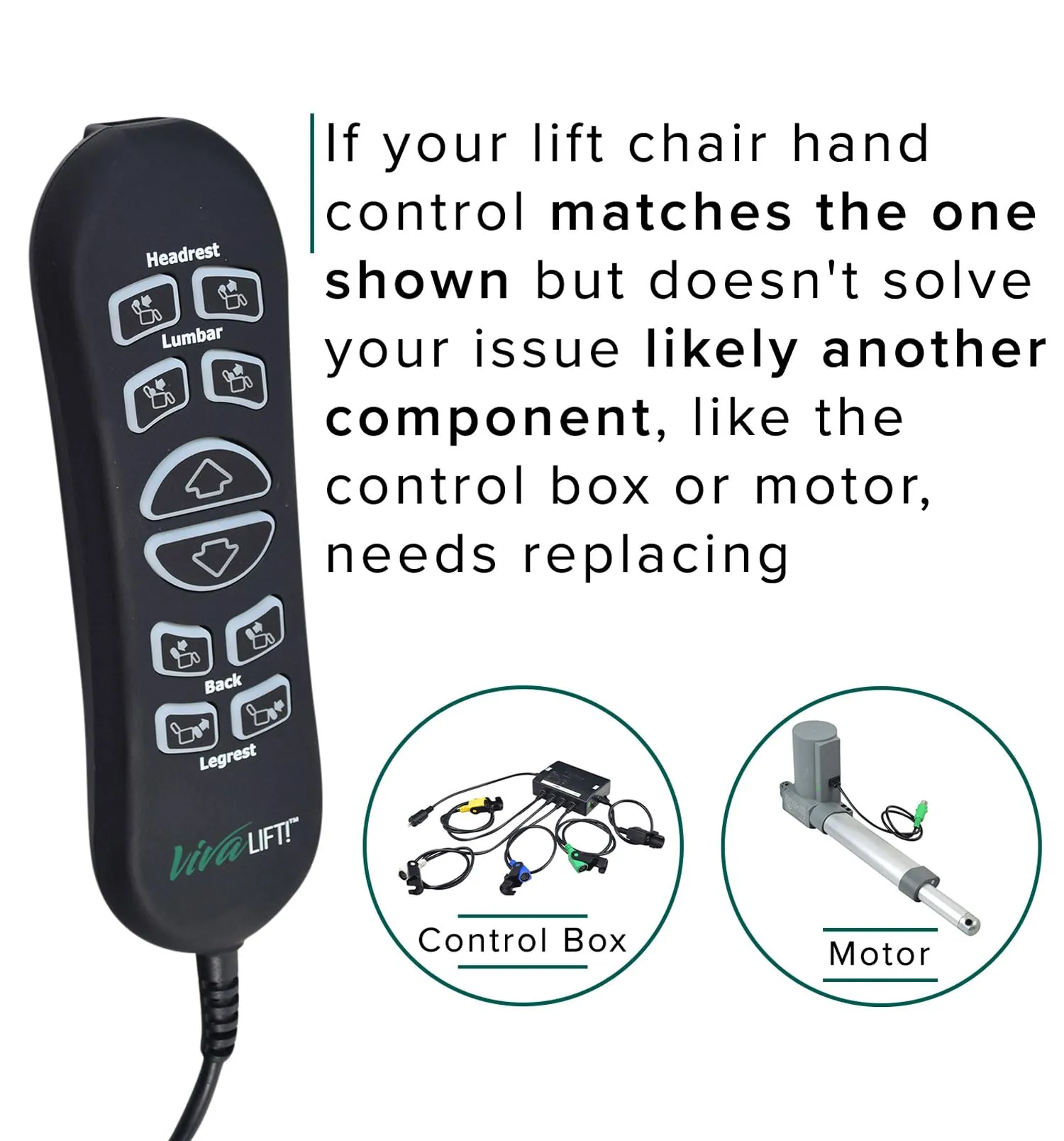
Most remote issues start with a physical break in the signal path. The hand control on a power lift chair is a simple device, but it relies on several connection points to send commands to the motor. If the cable is pulled tight or pinched in the chair’s metal frame, the internal wires can snap. This prevents the signal from reaching the control box, leaving the chair stuck in one position.
Another common cause involves the power supply itself. The control box under the chair needs a steady flow of electricity to process your remote’s commands. If the power cord is loose or if a circuit breaker has tripped, the entire system will go dark.
You can check the Pride Mobility power safety guidelines to see how your specific model should be connected to a wall outlet. These manuals explain that power lift chairs should be plugged directly into a wall outlet to ensure consistent power delivery.
Finally, internal hardware failure can occur. If the remote has been dropped or exposed to liquids, the buttons or the circuit board inside may stop sending signals. If you hear a click from the control box when you press a button but the chair doesn’t move, the issue is likely with the motor or the actuator, not the remote itself.
Safety: Inside a mains-powered machine, the parts behind the outer cover can hold a dangerous electrical charge even after it has been unplugged — that’s why they sit behind a cover. Opening the housing, or testing or replacing anything behind it, is a job for a qualified technician, never a home repair.
Secure the cable connections
If your remote is unresponsive, the first thing to check is the cable connection at the base of the hand control. Follow the cord from the remote to the point where it plugs into the chair’s control box. Unplug the cable, look for any bent pins, and then push it back in firmly until you hear a click. This is for users who want to rule out a simple mechanical disconnect before calling for help.
If the chair still doesn’t move, inspect the entire length of the cord for signs of fraying or sharp bends. If you find a spot where the cable was crushed by the chair’s metal frame, don’t attempt to splice or repair the wires yourself.
Electrical repairs on medical-grade equipment should be handled by a qualified technician to avoid fire risks or voiding your warranty. If you aren’t sure if your warranty is active, check the serial number on the frame and contact the dealer where you purchased the chair. They can confirm if a replacement remote or cable is covered under your current plan.
Check the power supply box
When the remote seems completely dead, the power supply box under the chair is the next place to look. Locate the transformer box and check if the green light is illuminated. If there’s no light, the box isn’t receiving power from the wall. This is a common issue if the power cord has been kicked or nudged, causing it to slip out of the wall outlet.
If the light is off, unplug the power cord from the wall and the transformer, then plug it back in firmly. If the chair is connected to a power strip or an extension cord, remove these and plug the chair directly into the wall. Lift chairs require a consistent power draw, and power strips often trip or fail to provide enough voltage for the lift motor.
If the light remains off after connecting directly to the wall, the transformer box itself may have failed. Don’t attempt to open the transformer housing, as it contains sensitive electrical components that can be damaged or cause injury. Contact an authorized service center to have the power system tested by a professional.
Evaluate the motor and actuator
In cases where the remote lights up but the chair remains still, the problem likely lies with the motor or the actuator. Listen closely to the base of the chair when you press a button on the remote.
If you hear a faint clicking sound, the remote is sending a signal, but the motor isn’t receiving enough power or has suffered an internal failure. This isn’t a task for a DIY repair, as the motor and actuator assembly involve complex electrical components and weight-bearing mechanics.
If you’re a heavy user or if the chair is used for many hours each day, the motor may simply be at the end of its life. If you don’t hear any sound at all, the issue could be a blown fuse or a disconnected wire inside the motor housing.
Because this involves heavy lifting and complex electrical components, it’s safer to hire a professional to inspect the internal mechanics. Attempting to force the chair to move while the motor is failing can damage the frame or cause injury.
Avoid harmful DIY mistakes
Some popular advice can actually make your chair’s problem worse or create a safety hazard. Always avoid these common mistakes:
Never use tape to hold a frayed power cord together. Tape doesn’t fix the broken internal wire and creates a fire hazard. If you see exposed copper, replace the entire cord immediately rather than attempting a patch.
Don’t attempt to jump-start the motor using external batteries, as the voltage difference can destroy the chair’s delicate electronic control board. A professional technician confirms whether the part has failed.
Avoid spraying contact cleaner or any liquid inside the remote housing. This moisture corrodes the circuit board and makes a repair impossible. If your remote is sticky or unresponsive, use a dry microfiber cloth and compressed air instead.
Never try to force the lift mechanism by pushing or pulling the chair while the motor is engaged. This strips the gears. If the chair stops mid-lift, stop pushing and check the power connection first.
Keep the remote working properly
To keep your lift chair in good working order, you must protect the remote and its connection points. The most critical step is ensuring the cord remains clear of the chair’s moving metal frame. A single pinch can sever the internal wiring, rendering the motor unresponsive.
If the remote feels sluggish or the chair hesitates, check the connection port before calling for repairs. A loose plug is often the culprit, costing users unnecessary service fees. Push the connector firmly into the base until you hear a distinct click.
| If you’re doing this | Do this instead | Why |
|---|---|---|
| Letting the cord dangle | Hook it to the chair pocket | Prevents the cord from being pinched |
| Using an extension cord | Plug directly into the wall | Ensures the motor gets full power |
| Pulling the cord to move | Use the handle of the remote | Prevents internal wire breakage |
| Cleaning with wet cloths | Use a dry microfiber cloth | Protects sensitive electrical components |
If you have pets or small children, secure the excess cable length with Velcro ties. This simple habit prevents accidental tugs that can damage the handset’s delicate circuit board.
Related guides
Frequently asked questions
Can I replace the remote myself?
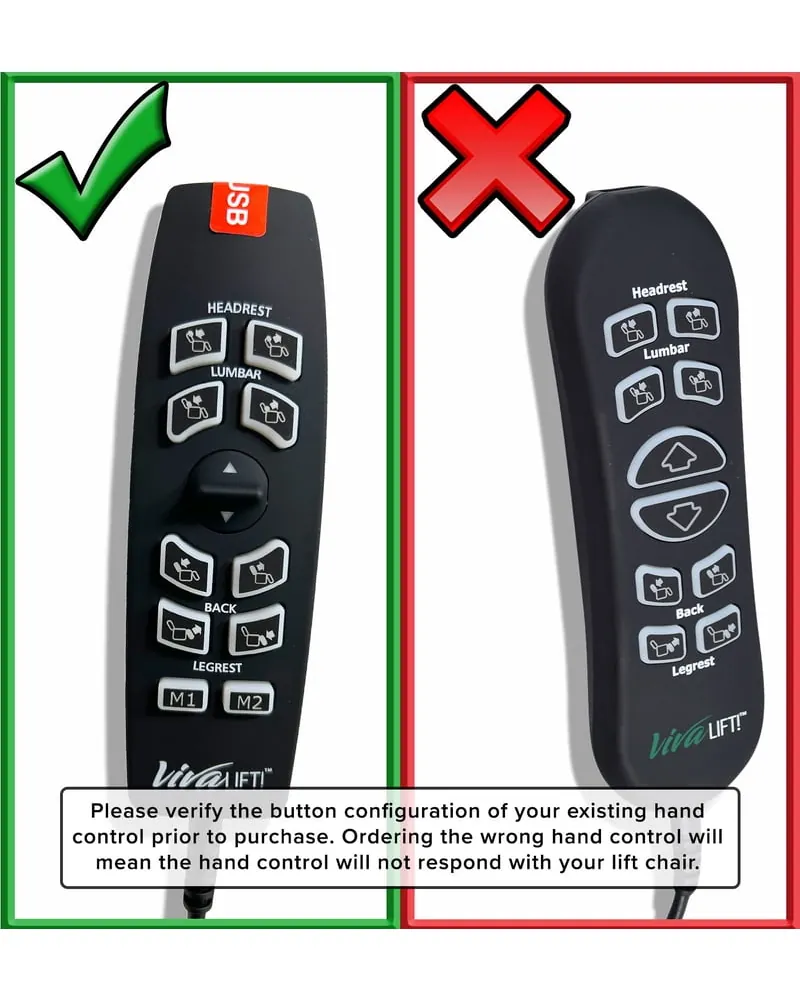
Yes, you can replace the hand control if it uses a standard plug-and-play connector, provided the replacement matches your chair’s specific serial number. Using a remote from a different model can cause the chair to move unexpectedly or damage the control box. Always verify the exact part number on the manufacturer’s label before purchasing.
Why does my remote click but the chair stays still?
A clicking sound usually means the remote is working, but the signal isn’t reaching the motor. This sound indicates the relay in the control box is trying to activate the motor. If all cable connections are tight and the chair still doesn’t move, the motor or actuator is likely broken and requires professional repair.
How long does a lift chair remote last?
A remote typically lasts 5 to 10 years depending on usage frequency and cord care. Buttons often wear out faster than internal electronics when the chair is used several times daily. You can extend the remote’s life by protecting the cord from hinge damage and storing the remote in its pocket when not in use.
Is it safe to use the chair if the remote cord is frayed?
No, it isn’t safe to use the chair if the cord is frayed, as exposed wires pose a serious fire and shock hazard. Even if the chair still functions, a damaged cord must be replaced immediately. Stop using the chair, unplug it from the wall, and contact the manufacturer for a compatible replacement cord.
What happens if I use the wrong remote?
Using the wrong remote can cause the chair to move incorrectly or fail to stop, creating a significant fall risk. Internal wiring is specific to your chair’s control box and motor configuration. Using an incompatible remote can short out the main control board, leading to expensive repairs for the entire electronic system.
How do I reset a lift chair remote?
Most lift chair remotes don’t have a reset button and will automatically sync once plugged into the control box. If your chair is stuck, unplug the power cord for 60 seconds to reset the system. If the chair doesn’t respond after this power cycle, the issue is likely a hardware failure.
Conclusion
If you have tried checking the connections and the power supply, and your chair still doesn’t move, it’s time to contact a local medical equipment repair service. Professionals have the tools to test the voltage at the motor and the control box safely. Don’t try to disassemble the motor housing or the control box yourself, as these parts are under high mechanical tension and carry electrical risks.
