
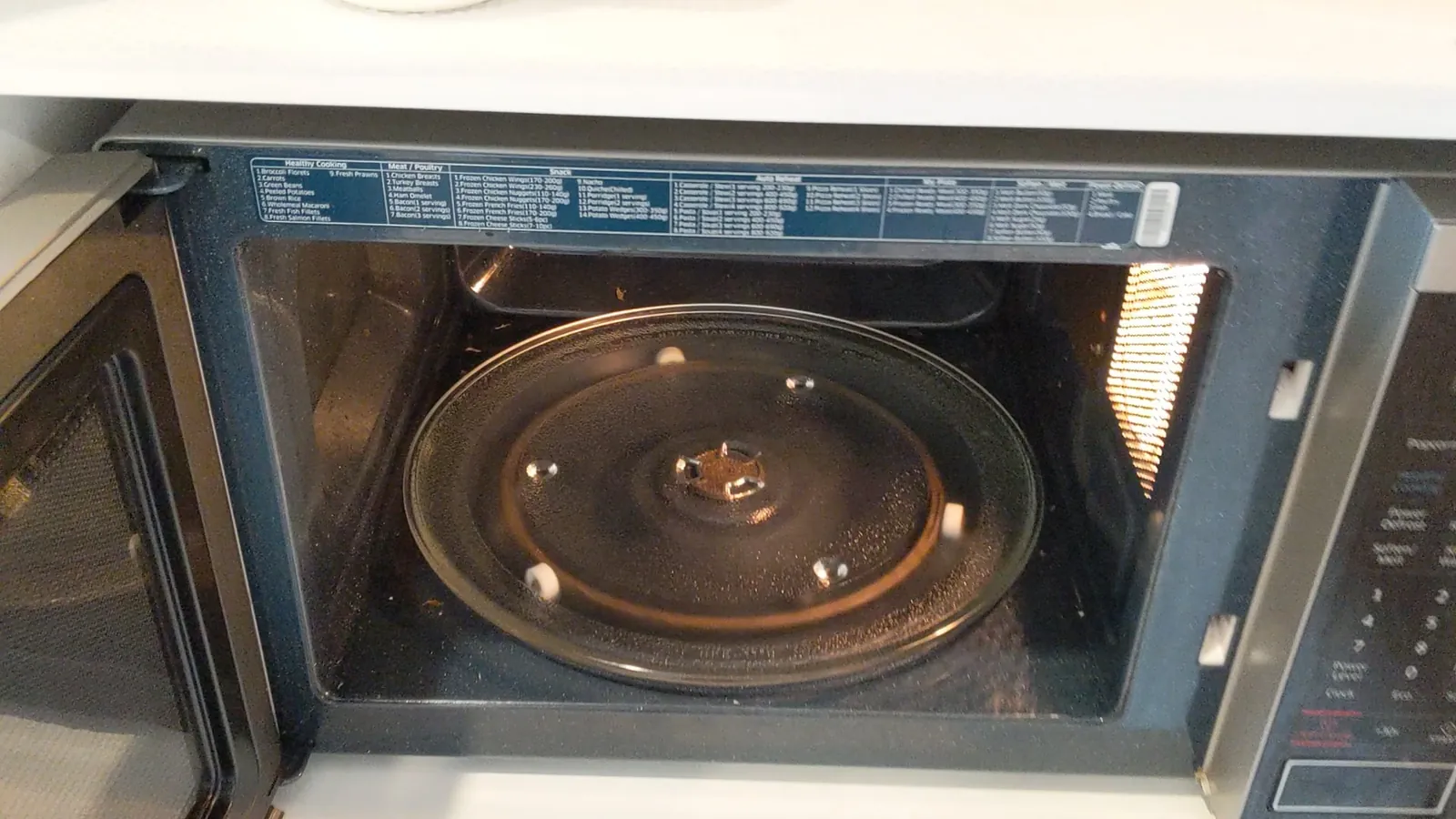
A simple obstruction or a dirty track is the most common reason for a microwave turntable isn’t turning, and this happens in the majority of service calls. You can usually confirm this by checking the glass tray for debris or checking if the plastic ring underneath is stuck. If the tray is clear, the issue likely sits with the drive motor or the coupling gear. Always check the official appliance safety guidelines from the CPSC to ensure your unit is unplugged before you try to clear any stuck food or debris.
Why your microwave turntable isn’t turning
| Cause | How common | How to confirm it | Fix it yourself? |
|---|---|---|---|
| Food debris | Very common | Check under tray | Yes |
| Misaligned ring | Common | Inspect plastic wheels | Yes |
| Worn coupler | Common | Check plastic gear | Yes with care |
| Motor failure | Less common | Listen for hum | No |
| Broken switch | Rare | Inspect door sensor | No |
| Control board | Rare | Check display lights | No |
Look for hardened crumbs or spills directly beneath the glass plate. If the tray rocks when you press the edges, debris is likely jamming the rotation path. Clear these obstructions with a damp cloth before forcing the tray.
Inspect the plastic guide ring for flat spots or cracks. If the ring doesn’t sit flush in the track, the tray will bind. Replace the ring if it shows visible warping.
Check the coupler teeth for rounding or stripping. If the motor spins but the tray remains stationary, the coupler has lost its grip. You can usually pry this piece off and snap on a replacement.
Listen for a low, grinding hum when you start a cycle. If you hear this but see no movement, the motor has likely seized. Don’t attempt to lubricate it, as internal electrical shorts are a fire hazard.
If the display lights flicker or remain dark, the control board is failing. Don’t attempt a repair, as high-voltage capacitors retain a lethal charge even when unplugged.
Safety: Inside a mains-powered machine, the parts behind the outer cover can hold a dangerous electrical charge even after it has been unplugged — that’s why they sit behind a cover. Opening the housing, or testing or replacing anything behind it, is a job for a qualified technician, never a home repair.
Food debris blocking the rotation
Small bits of food often fall under the glass tray and block the plastic ring. This creates enough friction to stop the motor from spinning the plate. If you see crumbs or burnt spills in the track, the motor can’t overcome that resistance.
To fix this, pull the glass tray out carefully and remove the plastic roller ring. Wash the ring in warm, soapy water to remove sticky residue. Clean the bottom of the microwave floor and the track where the wheels run. Dry everything thoroughly before putting the parts back.
If the tray still doesn’t move, the issue is likely an internal gear failure rather than a blockage. You can distinguish between the two by listening closely as the microwave runs. A grinding or clicking sound indicates the motor is straining against a physical obstruction, while total silence suggests the motor has burned out.
This fix takes about 5 minutes and costs nothing but a bit of soap. If you have a heavy glass tray, be careful when sliding it out so it doesn’t slip and chip on the counter. Always unplug the unit before reaching into the track to avoid accidental activation.
Misaligned roller ring or coupler
The plastic roller ring under the tray must sit perfectly centered on the drive shaft. If the ring is warped or the wheels are stuck, the tray will wobble or stop moving entirely. You can identify this by looking at the small plastic piece in the center of the microwave floor, called the coupler. If the coupler is loose or the notches are broken, it can’t grip the bottom of the glass tray.
Inspect the coupler for cracks. If it looks fine, pull it off the shaft and push it back on until it clicks. If the plastic is cracked, you can buy a replacement part online using your microwave’s model number. This part is inexpensive and usually slides right onto the motor shaft without tools.
If you hear a rhythmic grinding noise while the tray rotates, the ring itself is likely the culprit. Check the wheels for debris or melted plastic buildup. If the ring appears oval rather than circular, replace it immediately to prevent motor strain.
If the tray still sits unevenly after replacing the coupler, the floor of the microwave might be slightly bent. This is a structural issue that’s difficult to repair at home, often signaling that the internal support struts have failed.
Motor failure and electrical issues
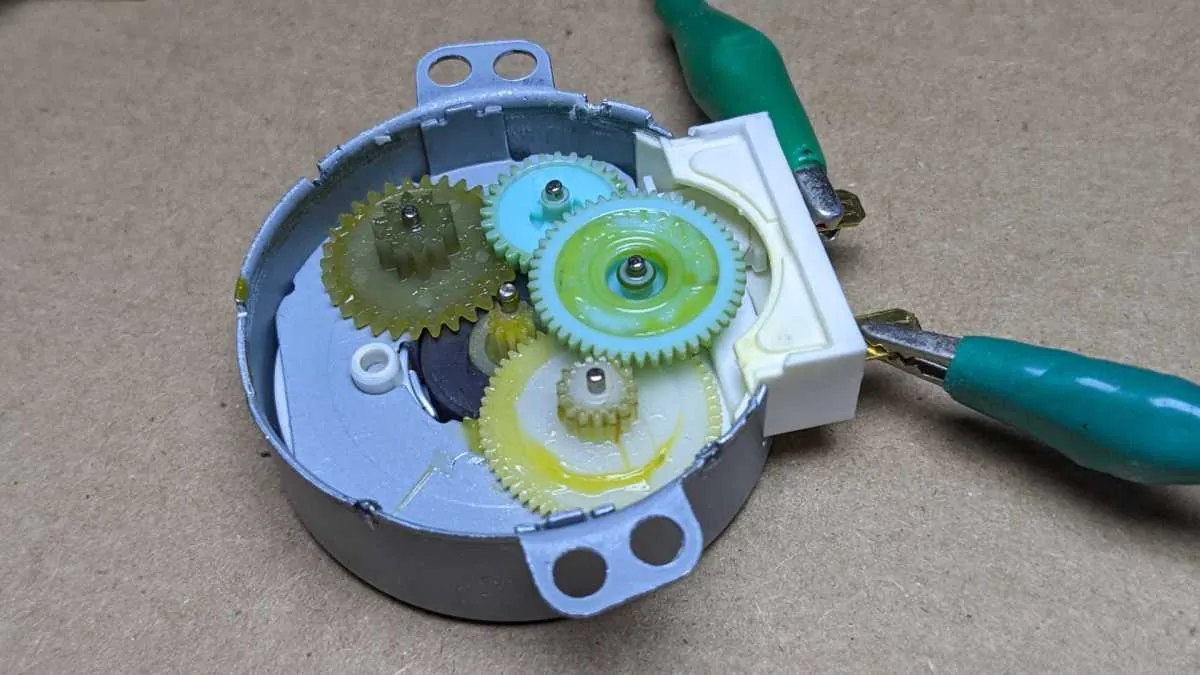
If the tray is clean and the coupler is tight, the drive motor itself has likely failed. The motor is hidden under the floor of the microwave and provides the torque needed to turn the tray. You can often tell if the motor is the problem by listening closely while the microwave runs. A faint humming sound without movement suggests the motor is trying to work but is jammed or burned out.
If you hear a grinding noise instead of a hum, the internal plastic gears have likely stripped. This happens when the tray is overloaded or jammed by a large dish. In this case, the motor is spinning, but it can’t transfer power to the coupler.
This isn’t a repair for a home user. The motor sits inside the high-voltage housing of the appliance. A capacitor inside the unit can hold a lethal charge even when the microwave is unplugged. Never attempt to remove the bottom panel or access the motor yourself.
If you confirm the motor has failed, you should contact a professional repair technician. If the cost of the service visit exceeds half the price of a new unit, replace the microwave entirely. Repairing a motor is often quite costly, which rarely makes sense for a budget countertop model.
Rare mechanical and electrical faults
If your food heats but the tray remains stationary, unplug the unit immediately. This indicates a safety circuit breach that requires a professional technician to replace the switch assembly.
Internal wiring can vibrate loose over many years of use, creating an open circuit. Check the spade connectors at the motor terminals for signs of heat discoloration or oxidation. If the connection feels loose, crimping the terminal slightly with needle-nose pliers often restores the circuit.
If the glass tray is the wrong size, it can bind against the walls. Always verify the tray diameter matches your specific model number.
What a professional repair involves
Fixing a turntable issue usually involves either cleaning, replacing a cheap plastic part, or a major service call. If the problem is just a dirty track or a misaligned ring, you spend only your own time and a little dish soap. These fixes are simple and require no special tools or mechanical skill.
If the coupler is the issue, you’ll spend a small amount of money on a replacement part. You can find the correct part by searching for your microwave’s model number on the manufacturer’s official website. If you can’t find the model number on the frame or the door, check the back panel.
A failed motor requires professional help. The cost depends on the age of your microwave and the local labor rates in your area. Before you call a technician, check if your unit is still under the manufacturer’s warranty. Many companies offer a one-year limited warranty, but you’ll need your original receipt to prove the purchase date. Always ask for a written estimate before the technician begins any work to ensure the cost is worth the repair.
Related guides
Frequently asked questions
Can I run the microwave if the turntable doesn’t turn?
Yes, you can still heat food, but your food may cook unevenly. The turntable is designed to move the food through the microwave’s energy fields to ensure even heating. Without it, you should pause the microwave halfway through the cooking time to stir the food or rotate the dish manually. This prevents cold spots and ensures the food reaches a safe internal temperature throughout.
How long should a microwave turntable motor last?
A motor typically lasts for the entire lifespan of the appliance, which is usually 7 to 10 years for most standard models. If it fails before this time, it’s often due to heavy use or frequent overloading of the glass tray. You can check the expected lifespan for your specific brand by looking at the warranty documentation provided by the manufacturer when you bought the unit.
Is it safe to use a microwave that makes a grinding noise?
No, you should stop using the microwave immediately if you hear a grinding or screeching noise. This sound often indicates that the motor is failing or that the coupler is stripping its plastic teeth against the drive shaft. Continued use can lead to a motor burnout or damage to the internal mounting bracket. Unplug the unit and check the tray and ring for any physical obstructions.
Does it matter if the glass tray is chipped?
Yes, a chipped or cracked glass tray should be replaced before further use. The glass is tempered to withstand heat, but a crack weakens its structure and can cause it to shatter during operation. A broken tray can also create an uneven surface that forces the motor to work harder than intended. Purchase a replacement tray that matches your exact microwave model number to ensure a safe fit.
How do I know if my microwave is worth repairing?
A repair is usually worth it if the cost is less than half the price of a new, similar unit. If your microwave is quite aged, the cost of a professional service call and parts often exceeds the value of the machine. Check the manufacturer’s website for the current price of a comparable model to help you decide if the repair is a smart financial choice.
What happens if I keep using it with a broken coupler?
The motor shaft may wear down or strip its plastic gears if the coupler doesn’t grip properly. Over time, this makes the motor work harder and can cause the drive mechanism to fail completely. Replacing a broken coupler immediately is an inexpensive way to prevent more costly damage to the internal drive motor. Always use parts specifically designed for your microwave model to ensure they fit correctly.
Conclusion
If these quick checks don’t get things moving again, it’s best to contact a local repair professional. They’ll have the right tools to replace the motor safely without damaging your unit. Don’t hesitate to reach out for help if you’re feeling unsure, as it’s better to stay safe than take risks.
