
Is your JVC TV remote suddenly unresponsive? You’re not alone.
That frustrating moment when you’re ready to relax, but your remote just won’t cooperate can really put a damper on your plans. Don’t worry, we’ve all been there. The good news is, most of the time, fixing a JVC TV remote that’s not working is surprisingly simple.
Before you go out and buy a new one, let’s explore some common culprits and easy fixes that can get you back to channel surfing in no time. You might be just a few steps away from enjoying your favorite shows again!
Why Jvc Remote Fails
A JVC TV remote can stop working for many reasons. This is frustrating for viewers. You want to change the channel. You want to adjust the volume. Your remote does not respond. Let’s explore common causes.
The Batteries Are Dead
This is the most frequent problem. Remote batteries lose power. They need replacement often. Old batteries cause no signal. Try fresh batteries first. This is an easy fix.
Obstructions Block The Signal
The remote sends infrared (IR) signals. Something might block this signal. Furniture can get in the way. A wall can stop the signal. Even a dust layer can interfere. Clear the path to the TV. Ensure nothing is in between.
The Remote’s Infrared (ir) Emitter Is Dirty
The small light on the remote is the emitter. This emitter sends the signal. It can get dirty. Dust and grime build up. This dirt blocks the IR light. Clean the emitter gently. Use a soft, dry cloth. A cotton swab works too.
The Tv’s Infrared (ir) Sensor Is Blocked
The TV has a sensor. It receives the remote’s signal. This sensor can also get dirty. It might be covered by dust. A sticker could also block it. Locate the sensor on the TV. Clean it carefully. A clean sensor receives signals better.
The Remote Is Damaged
Remotes can suffer damage. Dropping them is common. Liquids can spill on them. This can break internal parts. Physical damage stops function. Check for cracks or dents. Look for signs of water damage.
The Tv’s Ir Sensor Is Malfunctioning
Sometimes the TV sensor fails. It may not receive signals. This is a TV hardware issue. The sensor might be broken. The TV may need repair. This is less common than remotes. It requires professional attention.
Pairing Issues (for Bluetooth Remotes)
Some JVC remotes use Bluetooth. These need to pair with the TV. Pairing can sometimes fail. The connection might break. You may need to re-pair the remote. Check your TV manual for steps. This process is specific.
Credit: www.youtube.com
Simple Fixes First
Your JVC TV remote suddenly stopped working. Frustrating, right? Before you panic, try simple fixes. Many remote issues have easy solutions. You might not need a new remote at all.
Check Batteries
Batteries are the usual culprit. They often run out. Remove the old batteries. Put in fresh, new batteries. Ensure they are inserted correctly. Check the plus and minus signs. Sometimes, a loose battery connection causes problems. Give them a little push.
Inspect Remote
Look closely at your remote. Are there any visible damages? Check for cracks or dents. Dirt can get into buttons. Gently clean the buttons. Use a soft, dry cloth. You can also use a cotton swab. Avoid using liquids. Liquids can damage the electronics. Make sure the battery compartment is clean too.
Clear Obstructions
Something might block the signal. Remove any objects in front. This includes furniture or decorations. Ensure a clear line of sight. The remote needs to “see” the TV. Point the remote directly at the TV. Try again. Sometimes, a simple repositioning fixes it. Move closer to the TV. Test the remote again.
Troubleshooting The Tv
Your JVC TV remote is acting up. Don’t panic. Many common issues have simple fixes. We will guide you through troubleshooting steps. These steps help you get your remote working again. Let’s start fixing it.
Power Cycle Your Tv
This is a quick fix. Unplug your TV’s power cord. Wait for a full minute. Plug it back in. Turn your TV on. Try the remote again. This often resets glitches.
Check Tv’s Ir Sensor
Your TV has an IR sensor. This sensor receives remote signals. It is usually a small, dark window. It is on the TV’s front frame. Make sure it is clean. Remove any dust or debris. Check for obstructions. Something might be blocking the sensor. Ensure nothing is in the way. A clear path is important. Test the remote after cleaning.

Credit: www.youtube.com
Remote-specific Issues
Sometimes, the problem lies only with the remote. It might not talk to your JVC TV. Let’s check for remote-specific problems. This can save you a lot of trouble.
Test Remote Signal
Is the remote sending a signal? Point it at the TV. Press any button. Look for a small light on the remote. Does it blink? A blinking light means it is sending a signal. No light? The remote might be dead. Try new batteries first. This is a simple fix. It often solves the issue.
Pairing Remote (if Applicable)
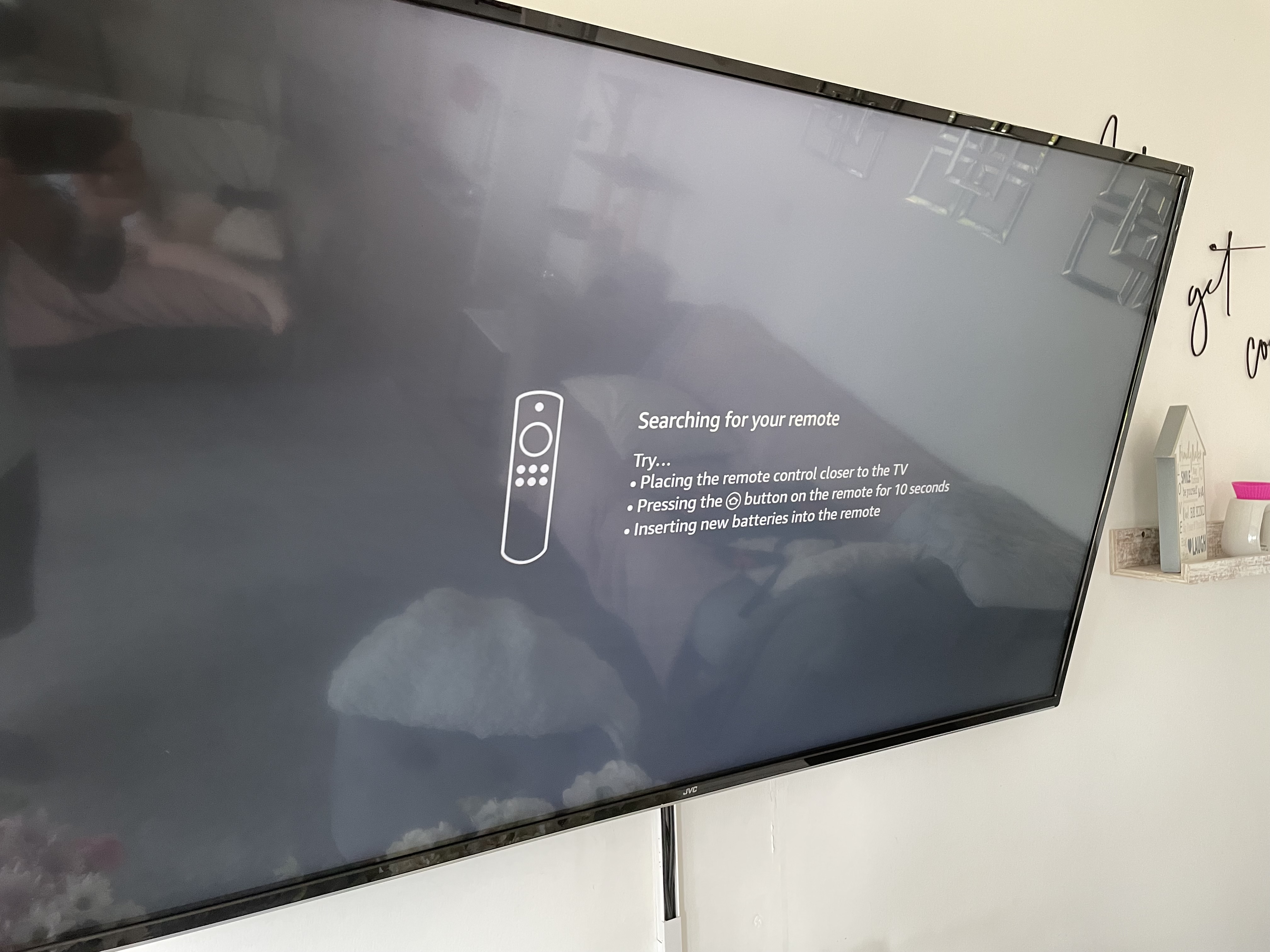
Some JVC remotes need pairing. This is like a special connection. Check your JVC TV manual. It will explain pairing. Usually, you press and hold buttons. Do this on the remote. Then, look at the TV screen. A message might appear. Follow the on-screen steps. This can fix connection problems. It makes the remote work again.
When To Replace
Sometimes, your JVC TV remote just gives up. It stops responding. You press buttons. Nothing happens. It is time to think about a new one. This section helps you decide.
Signs Of A Dead Remote
Buttons feel mushy. They do not click. The remote needs a strong push. Maybe it needs a new battery. You replace the battery. Still no luck. The remote is old. It might be broken. Lights do not blink. The TV does not turn on. This remote is dead.
Universal Remote Options
Your JVC remote is gone. Do not worry. You have choices. A universal remote works. It controls many devices. It can control your JVC TV. Buying a universal remote is easy. Many stores sell them. They are not very expensive. Setup is usually simple. You might need a code. The remote package has codes. It makes watching TV easy again.
Credit: www.amazonforum.com
Contacting Support
Sometimes, troubleshooting alone is not enough. You need expert help. Contacting support offers a direct path. They have the knowledge. They can guide you. It is the next logical step.
Why Contact Jvc Support?
Your JVC TV remote is still dead. You tried everything. Basic fixes did not work. It is time for professionals. JVC support knows their products. They understand common problems. They can offer specific solutions. They might have insider tips. They can save you time. They can prevent further damage.
What To Expect From Support
Support agents are ready to help. They will ask questions. They need details about your issue. Describe the problem clearly. Mention troubleshooting steps taken. They might ask for your TV model. They may request the remote’s model. Be patient with the process. They aim to resolve your problem. They offer solutions. Sometimes, they suggest replacement parts. They might arrange a repair.
How To Reach Jvc Support
Finding support is easy. Visit the JVC website. Look for a “Support” or “Contact Us” section. They usually list phone numbers. Email addresses are often available. Some offer live chat options. Choose the method that suits you. Prepare your information beforehand. This makes the interaction smoother. Get ready for a quick resolution.
Frequently Asked Questions
Why Is My Jvc Tv Remote Not Responding?
Check the batteries first. Fresh batteries are key. Make sure they are inserted correctly.
How Do I Reset My Jvc Tv Remote?
Remove the batteries. Wait for one minute. Then, reinsert the batteries. This often fixes issues.
What If My Jvc Tv Remote Is Still Not Working?
Point the remote directly at the TV. Ensure no objects block the sensor. Try pressing buttons firmly.
Can A Jvc Tv Remote Be Repaired?
Sometimes, yes. Minor damage might be fixable. For major issues, replacement is usually best.
Where Can I Buy A New Jvc Tv Remote?
Online retailers are a good option. Check JVC’s official website too. Many electronics stores also carry them.
How Do I Pair A Universal Remote With My Jvc Tv?
Consult your universal remote’s manual. It will have specific instructions. Usually, it involves entering a code.
My Jvc Tv Remote Is Blinking, What Does It Mean?
A blinking light often signals low batteries. It can also mean a connection issue. Try replacing the batteries first.
Conclusion
Your JVC TV remote can work again. Try these simple fixes. Check batteries first. Make sure nothing blocks signals. Resetting your TV helps too. Lost your remote? A universal remote is an option. You can also use a phone app.
These steps often solve the problem. Enjoy your TV viewing.
