
Finding that your bedtech adjustable base not working as expected can be a frustrating experience, especially when you’re ready to settle in for the night. Whether the motor is silent, the remote is unresponsive, or the platform is stuck in an elevated position, most issues stem from simple power interruptions or synchronization errors that you can resolve without professional help. By systematically checking the electrical connections, the remote pairing, and the physical clearance around the frame, you can usually restore full functionality to your sleep system in minutes.
Key Takeaways

- Always perform a hard power reset by unplugging the base from the wall outlet for at least 60 seconds.
- Check that the power cord is securely pushed into the control box, as vibrations can loosen these connections over time.
- Verify that your remote control has fresh, high-quality batteries, as low voltage often prevents the signal from reaching the receiver.
- Ensure that no obstructions, such as power cords or bed skirts, are caught in the moving hinge mechanisms.
- Re-sync your remote to the control box if the base fails to respond despite having a power supply.
Why Is My Base Not Moving?
The most common reasons for an adjustable base to malfunction involve the electrical supply chain. Even if the LED lights on your remote turn on, the base may not receive enough power to engage the actuators. Start by checking the wall outlet; you can test this by plugging a small lamp into the same outlet to ensure it’s receiving electricity. If the outlet works, inspect the power brick or the control box attached to the underside of your bed.
Pro Tip: Look for a small light on the control box itself. If this light is off, the issue is almost certainly the power supply, a tripped surge protector, or a loose cable connection rather than a faulty motor.
Troubleshooting Power and Connection Issues
When your bedtech adjustable base not working occurs, the first step is to isolate the power. Many adjustable bases use a surge protector or a power strip that may have tripped during a minor voltage fluctuation.
| Component | Check Action | Success Indicator |
|---|---|---|
| Wall Outlet | Plug in a lamp | Light turns on |
| Power Cord | Push in firmly | Snug, locked fit |
| Control Box | Check status light | Solid green or blue |
| Surge Protector | Press reset button | Click sound or light |
If the system remains unresponsive after checking the power, inspect the actuator cables. These are the thick wires that run from the motors to the control box. If one has become disconnected or pinched, the base won’t move. Ensure all plugs are pushed into their corresponding ports until you hear a distinct click.
How to Reset the Control Box
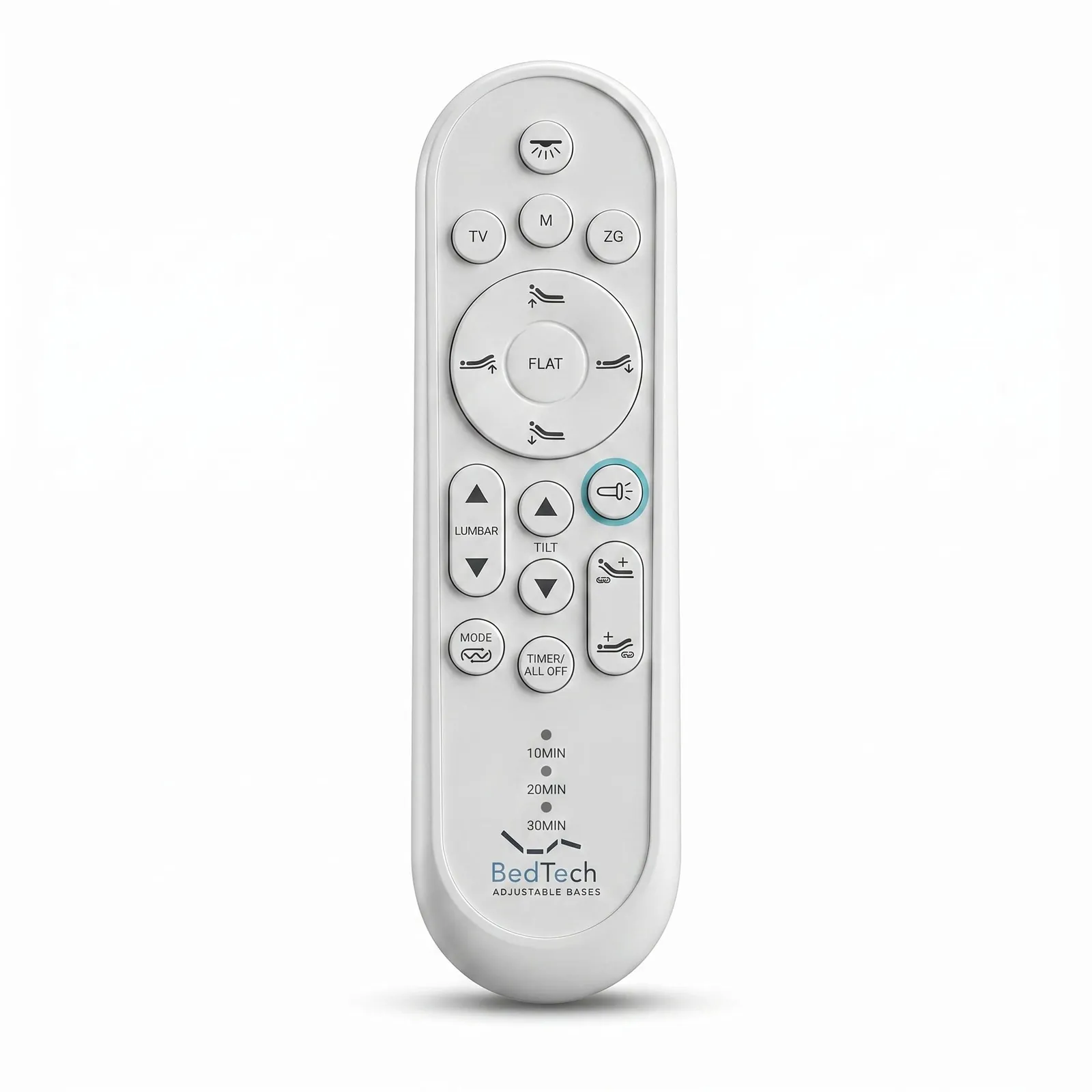
A system reset is often the magic bullet for electronic glitches in adjustable bed frames. To perform this, unplug the base from the wall power source entirely. Wait a full minute to allow the capacitors in the control box to discharge completely. While waiting, inspect the remote control.
If the remote has a “Pair” or “Sync” button, locate it for the next step. After sixty seconds, plug the base back into the wall. You should hear a faint click or see a light blink on the control box, indicating it’s ready to be paired.
Testing Your Remote Control

If the base has power but ignores your commands, the remote synchronization may have been lost. This often happens after a power outage or if the batteries were removed for an extended period. To re-pair, press the pairing button on the control box until the indicator light flashes. Then, hold the appropriate buttons on your remote—often the “Head Up” and “Foot Up” buttons simultaneously—until the light on the control box stops flashing or the base gives a confirmation beep.
Avoiding Common Mechanical Obstructions
Sometimes, the issue isn’t electronic but physical. The articulating joints of an adjustable base require a clear path to move. Check underneath the frame for items that may have fallen off the mattress, such as pillows, charging cables, or stray shoes.
- Check for tangled power cords near the hinge points.
- Remove heavy items stored under the bed that could block the base from lowering.
- Ensure the mattress is properly centered on the frame to prevent uneven weight distribution.
- Verify that the bed skirt isn’t caught in the metal frame tracks.
Understanding Motor and Actuator Failure
If you hear the motor running but the bed doesn’t move, there may be a mechanical gear failure. The motors are designed to lift heavy loads, but they have physical limits. If the motor sounds strained or makes a grinding noise, immediately stop trying to move the bed.
This could indicate that a gear has stripped or a pin has come loose in the lift mechanism. In this scenario, you should consult the manufacturer’s documentation for your specific model to see if the lift motor is covered under your limited warranty.
Is It Time for Warranty Service?
Most adjustable bases come with a tiered warranty structure. Typically, the first 1 to 3 years cover labor and parts, while the later years cover only the mechanical parts. Before calling for service, ensure you have your serial number ready, which is usually found on a sticker on the underside of the frame or the control box. You can find more information about these safety requirements and standards through the Consumer Product Safety Commission.
| Warranty Component | Typical Coverage | Requirement |
|---|---|---|
| Electrical Parts | 1–3 Years | Proof of purchase |
| Steel Frame | 10–20 Years | Serial number |
| Labor Costs | 1–2 Years | Authorized technician |
Can I Manually Lower the Bed?
If your base is stuck in an elevated position during a power outage or motor failure, you may be able to lower it manually. Some models feature a battery backup unit located on the underside of the bed. This unit typically takes two 9-volt batteries.
By inserting fresh batteries into this compartment, you can provide enough power to the motors to lower the bed to a flat position. Once the bed is flat, the base will remain in that position until you have resolved the main power issues.
Preventing Future Electronic Glitches
To keep your system running smoothly, avoid plugging the adjustable base into an overloaded power strip. These beds draw significant power when the motors are active, which can cause cheap power strips to shut down. Use a high-quality, dedicated surge protector that’s rated for high-wattage appliances. Additionally, keep the area under your bed clean and free of dust bunnies, which can accumulate in the motor casing and cause overheating over time.
Warning: Never attempt to open the control box or the motor housing yourself, as this will immediately void your warranty and poses a risk of electrical shock.
Frequently Asked Questions
Why does my remote light up but the bed doesn’t move?
This usually indicates that the remote is functioning but the signal isn’t being received by the control box. This is often caused by a loss of synchronization. Try the reset and re-pairing process mentioned earlier in this guide. If the base still doesn’t respond, the receiver inside the control box may have failed, which requires a replacement part from the manufacturer.
How do I know if the motor is burned out?
If you hear a loud humming sound when you press the remote, but no movement occurs, the motor may be stalled or burned out. If there’s absolutely no sound at all, the issue is likely a power supply problem or a faulty control box. Always check the power connections and the wall outlet before assuming the motor itself has reached the end of its life.
Can I use a universal remote for my adjustable base?
Most adjustable bases use proprietary radio frequency (RF) or Bluetooth protocols that are specific to the manufacturer. A generic universal remote won’t work with your bed. You must use the specific remote provided with your model, or a compatible replacement remote ordered directly from the manufacturer or an authorized dealer. Check the back of your remote for a model number to find the correct replacement.
What should I do if the bed is stuck in an upright position?
First, attempt to lower it using the emergency battery backup unit if your model is equipped with one. If that fails, check all electrical connections to ensure power is reaching the motors. If you can’t get the base to move, don’t force it manually, as this can damage the lift mechanism. Contact the manufacturer’s customer service department for instructions on how to safely lower the platform.
How often should I perform maintenance on my base?
You should perform a visual inspection of your adjustable base every six months. During this time, check for any loose bolts or screws, ensure that all power cables are securely plugged in and away from moving parts, and clear any dust or debris from under the frame. Regular inspections allow you to catch small issues, such as a fraying wire, before they lead to a total system failure.
Conclusion
If your troubleshooting efforts don’t resolve the issue, contact the manufacturer’s support line with your model and serial number handy. They can guide you through advanced diagnostics or help you order the specific replacement parts needed to get your adjustable base back in working order. Start by checking your purchase documentation to confirm your remaining warranty period today.
