
Smart ovens provide convenience through remote control and automated cooking programs, but they’re only a good value if you frequently cook complex meals or rely on precise, timer-based results. For busy professionals and tech-savvy enthusiasts, these appliances are worth the price because they save time by reducing manual monitoring and preventing overcooking, whereas they remain an unnecessary expense if you only use your oven for basic tasks like frozen pizzas or reheating leftovers.
Who benefits from connected cooking
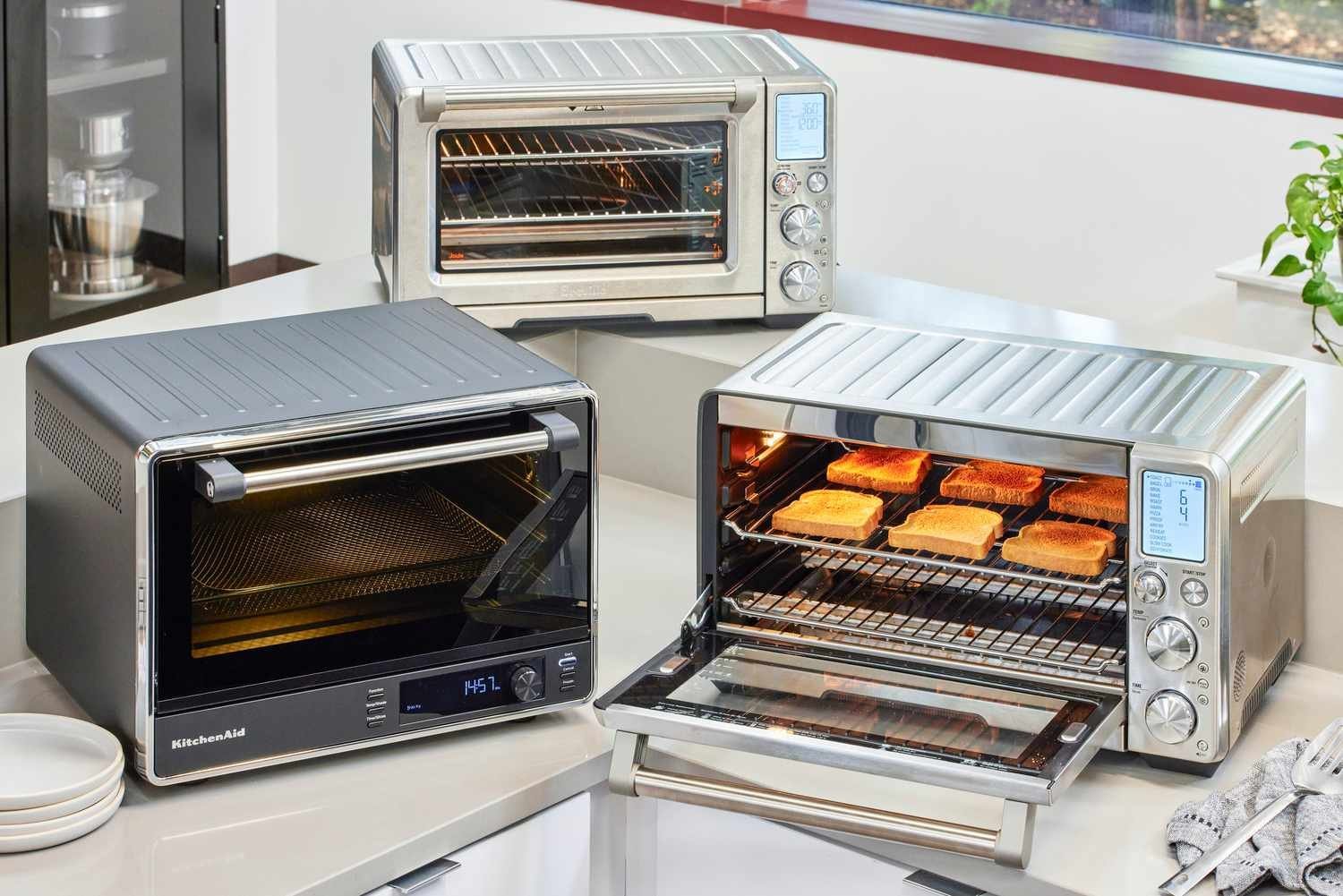
Home cooks who value multitasking and precision are the primary audience for these appliances. If you have a busy schedule and want to preheat your oven from your car or check the progress of a roast without standing in the kitchen, these features offer immediate utility. These users typically own other smart home devices and appreciate the integration of apps into their daily routines.
Another group includes people who enjoy trying new recipes but struggle with the timing of different stages. Smart ovens often include guided cooking modes that adjust temperature and time automatically, which helps beginners achieve results that usually require years of practice. If you’re someone who sets a timer and forgets about it, the notification alerts sent directly to your phone can prevent burnt meals.
However, this technology isn’t for everyone. If you prefer manual control and rarely change your cooking habits, you’ll likely find the extra cost hard to justify. A standard oven performs the same heating function perfectly well without the need for Wi-Fi or software updates. Before buying, consider if your current kitchen workflow actually includes steps that a smartphone app could simplify, or if you’re simply paying for features that will eventually become obsolete.
What decides the outcome
The primary factor in your decision is how often you cook meals that require multiple temperature changes or precise timing. If you perform these tasks daily, the automated features save significant effort. If you only use an oven twice a week for simple tasks, the extra cost—often several hundred dollars above a standard model—is difficult to recover.
Your existing kitchen ecosystem also matters. If you already use smart home platforms, adding a compatible oven allows for voice control and centralized monitoring. If you don’t have a stable Wi-Fi connection in your kitchen, many of the advanced features will be unusable, making a basic oven a more reliable choice.
The durability of the software is a hidden but important variable. Unlike a mechanical oven that can last twenty years, a smart oven’s life is tied to the manufacturer’s support for its app and firmware. If the company stops updating the software, your “smart” features may break or become inaccessible.
Finally, the most common mistake is assuming that a smart oven cooks food faster than a standard one. Most smart ovens use the same heating elements as traditional models. The speed advantage only comes from the automation of preheating or the use of specific convection modes, not from the “smart” connectivity itself.
How to use the smart features
- Connect the oven to your home Wi-Fi network using the manufacturer’s mobile app.
- Calibrate the oven’s temperature sensor by following the manual’s instructions to ensure the internal heat matches the digital display.
- Select a recipe from the integrated app library to let the oven set the initial temperature and duration.
- Place your food inside once the app sends a notification that the preheat cycle is complete.
- Monitor the internal temperature using a meat probe if your model includes one for precise results.
- Adjust the cooking time or temperature remotely if your app alerts indicate the food is browning faster than expected.
- Use the “keep warm” setting to hold the meal at a safe temperature until you’re ready to serve.
- Perform a system check through the app settings once every six months to ensure the firmware is up to date.
The judgement call here is knowing when to override the automatic settings. A smart oven follows a program, but it can’t see the actual browning or texture of your food. You must always verify the doneness of your meals visually, especially with meats, to follow FoodSafety.gov’s chart for safe internal temperatures.
Appliance capabilities comparison
| Situation | Recommended Action | Typical Effort | Watch For |
|---|---|---|---|
| Busy Professional | Use remote preheating | Low | Connection stability |
| Recipe Learner | Use guided cooking | Medium | App compatibility |
| Simple Home Cook | Stick to basic model | None | Wasted budget |
| Tech Enthusiast | Use voice integration | Medium | Software updates |
| Occasional Baker | Manual mode usage | Low | Learning curve |
Remote preheating saves roughly 15 minutes of active kitchen time per meal. If your Wi-Fi signal drops behind a thick pantry wall, however, the feature becomes a liability. Test your signal strength at the oven door before relying on this for your dinner schedule.
Guided cooking is a trap for those who already know their way around a recipe. If you follow a specific culinary technique, the software’s rigid temperature steps may actually ruin your crust or sear. Only use it when attempting a dish for the first time.
Many buyers assume “smart” means better, but a high-end appliance with complex sensors is 30% more expensive to repair. If you cook simple meals, avoid the premium models entirely. The extra cost rarely translates to better food quality for basic tasks like roasting vegetables or baking bread.
Voice integration sounds convenient until your router requires a reboot. If you rely on smart home commands, keep a physical manual override nearby. If the app fails to sync, the appliance should still function as a standard oven. Never purchase a model that locks its core heating functions behind a cloud-based software wall.
Factors affecting your cooking quality
Consistent heat distribution
Professional chefs prioritize consistent airflow, which is why most smart ovens include high-quality convection fans. A good result depends on the oven’s ability to circulate air evenly around the food, preventing hot spots that cause uneven browning. If you notice your food is consistently burnt on one side, check the fan settings or ensure you aren’t blocking the vents with large baking sheets. Beginners often overload the oven, which ruins the airflow and makes the “smart” features useless.
Reliable temperature monitoring
The accuracy of the built-in sensors determines whether your roast stays juicy or dries out. Experienced users check the oven’s calibration against a secondary, standalone thermometer at least once a year. If the oven’s digital display says 350 degrees but your manual thermometer reads 375, your results will suffer regardless of how smart the oven is. Always place your thermometer in the center of the rack to get a true reading of the ambient temperature.
Common issues and solutions
| What you notice | What it usually means | What to do first | How to stop it |
|---|---|---|---|
| App connection fails | Weak Wi-Fi signal | Restart your router | Move router closer |
| Uneven cooking | Airflow is blocked | Remove extra pans | Use smaller sheets |
| Incorrect temperature | Sensor needs reset | Recalibrate via app | Clean the sensor |
| App freezes | Software glitch | Update the app | Clear cache files |
| No notifications | Permissions disabled | Check phone settings | Toggle alerts on |
Most users assume a connection failure is a server outage. If you experience connection drops, ensure your oven is connected to a 2.4GHz network, as this frequency typically provides better range through walls than 5GHz.
Uneven cooking often stems from overcrowding. If you can’t see at least two inches of space around your baking sheet, the convection fan can’t circulate heat. Use smaller sheets to ensure the air flows freely.
Temperature drift is common after six months of heavy use. If your food finishes early, grease buildup on the sensor is likely the culprit. Wipe it gently with a damp cloth before recalibrating.
When the app freezes, users often delete and reinstall it. This is a mistake. It wipes your saved recipes and custom profiles. Simply clear the cache in your phone’s storage settings to restore functionality without losing your data.
Finally, if notifications stop, check your phone’s “Battery Optimization” settings. If the operating system puts the app to sleep to save power, you’ll miss alerts. Set the app to “Unrestricted” to ensure you receive real-time updates.
Legal and safety considerations
When using these appliances, you must adhere to the safety standards set by the manufacturer regarding electrical installation and clearance. Because these ovens connect to the internet, they’re subject to data privacy policies published by the manufacturer on their official website.
If your oven requires a hardwired connection, don’t attempt to install it yourself. Improper wiring can lead to fire hazards or void your home insurance policy. Always hire a licensed electrician to ensure the circuit meets the requirements found in your oven’s installation manual. If you see an error code related to the heating elements, stop using the unit immediately and consult the manufacturer’s official support page, as this indicates a potential electrical failure.
Check your local building codes before finalizing the location. Most municipalities require a minimum of six inches of clearance from combustible materials like wooden cabinetry. Ignoring these gaps often leads to heat damage that voids your manufacturer warranty.
If you live in an older home, verify your current circuit capacity. If your breaker trips during the initial preheat cycle, consult a licensed electrician to evaluate your circuit capacity and ensure your installation meets local building codes.
Real costs of ownership
The financial cost includes the initial premium, which is often two hundred to four hundred dollars more than a standard unit. However, the real cost is the time you spend learning the software interface. If you value your time at a high rate, the automation features may pay for themselves within a year by reducing the time spent monitoring the kitchen.
Consider the cost of potential repairs as well. Smart ovens contain complex circuit boards that are more expensive to replace than a simple mechanical thermostat. When the warranty expires, a single control board failure can cost nearly as much as a new basic oven.
The decision rule is simple: if you use the oven daily for complex tasks, the efficiency gains justify the premium. If you only use it for basic heating, the added digital complexity is a liability. A common mistake is ignoring the cost of proprietary sensors.
Always factor in the price of an extended warranty if you plan to rely heavily on the digital features. Check the manufacturer’s website for current pricing on spare parts to get an idea of long-term maintenance costs before you commit to a specific model. These hidden costs often turn a convenient purchase into a long-term financial burden for the average household.
Maintaining your appliance
To keep your oven working correctly, wipe the interior after every use once it has cooled down. Grease buildup on the sensors will eventually lead to inaccurate temperature readings and trigger error codes. If you see a persistent smell of burnt food, perform a deep clean using the manufacturer’s recommended cycle, but never use abrasive chemicals that could damage the digital display or touch controls.
Check the door seal every three months for signs of wear. A loose seal allows heat to escape, forcing the oven to work harder and increasing your energy usage. If you notice the oven taking significantly longer to reach temperature than when it was new, the seal is likely the cause. Replacing it’s a simple task that prevents the unit from overworking its internal components. If the screen stops responding to touch, try a hard reset by unplugging the unit for ten minutes, which clears temporary memory errors.
When to avoid this technology
If you live in an area with unreliable internet, a smart oven will frustrate you. When the connection drops, you lose access to the advanced programming features, and you’re left with an expensive, standard-looking appliance. In this case, save your money and buy a high-quality manual oven that doesn’t require a digital handshake to function.
Avoid these units if you’re uncomfortable with mandatory software updates. Manufacturers typically stop supporting older models after seven to ten years. Once the servers go dark, your device may lose its remote-start capabilities or custom recipe syncing entirely. If you want an appliance that will last for two decades without needing a software login, stick to a traditional, analog-controlled model.
A common mistake is assuming smart features are purely optional. If you can’t guarantee a stable 2.4GHz Wi-Fi signal in your kitchen, you’re essentially paying a premium for a brick.
If you’re ever unsure about the safety of an electrical connection or a display error, stop and call a professional technician. Don’t attempt to bypass a software lock by opening the control panel, as this voids your warranty and creates a significant fire hazard.
Frequently asked questions
Can I use a smart oven without Wi-Fi?
Yes, you can use all the basic cooking functions of a smart oven without a Wi-Fi connection. The unit will operate as a standard oven, but you’ll lose access to remote preheating, app-based recipe guides, and automated notifications on your smartphone.
How long do smart ovens last?
Smart ovens typically last seven to ten years with regular maintenance, though the mechanical parts may last longer than the internal computer. You can check the expected lifespan in your specific model’s manual, but remember that software support from the manufacturer usually ends sooner than the hardware lifespan.
Is it safe to leave a smart oven running when I am away?
No, you should never leave an oven unattended while it’s operating, regardless of its smart features. While remote control is convenient, you must be present to monitor the food and handle any emergencies that might arise, as recommended by fire safety guidelines for all cooking appliances.
What happens if the internet goes down while cooking?
Your oven will continue to cook according to the last program it received before the connection was lost. It won’t stop the cooking process or lose your food, but you’ll stop receiving status updates or notifications on your phone until the connection is restored.
Do smart ovens cook food better?
No, smart ovens don’t cook food better than standard ovens, as they use the same heating elements and convection technology. The “better” result comes from the precision of the automated timers and temperature adjustments, which help you avoid common mistakes like overcooking or uneven heating.
How much do these ovens cost to repair?
Repair costs for smart ovens vary by the specific component, but replacing a main control board typically costs between two hundred and four hundred dollars. You can find the exact price of parts for your specific model by searching the manufacturer’s official spare parts portal online.
Does the app collect my personal data?
Yes, smart oven apps collect usage data, such as your cooking frequency and preferred temperatures, to improve their services.
Smart ovens, in short
Start by identifying if your current cooking habits involve tasks that are repetitive or prone to timing errors. If you find yourself frequently checking the oven or forgetting to preheat, you’ll likely see an immediate benefit from the automation. If the oven displays an error code you can’t clear, stop using it and contact the manufacturer’s support line for a professional repair.
Related guides