
The best router for Xfinity depends on your internet plan, home size, and device count. Whether you need a standalone router or a space-saving combo, the right choice balances speed with coverage. The NETGEAR Nighthawk WiFi 7 offers advanced performance, while the ARRIS SURFboard SVG2482AC supports both voice and data.
As an Amazon Associate, we earn from qualifying purchases. This post contains affiliate links.
1. NETGEAR Nighthawk WiFi 7 Router

Best for: A large, busy home with many high-bandwidth devices connected simultaneously.
This router is built for homes that demand top-tier speeds and future-proof technology. With its dedicated tri-band WiFi 7 system, it provides a high-speed lane for your most important devices, ensuring that streaming and gaming remain smooth even as you add more smart home gadgets.
The device offers up to 2,500 sq. ft. of coverage and handles up to 100 devices. It includes multi-gig wired ports, which allow you to unlock the full potential of high-speed fiber or cable plans. It isn’t for users who only have basic, entry-level internet plans, as the advanced features would be underutilized.
Good if:
- You have a multi-gig internet plan.
- You need to connect many smart devices at once.
- You want the latest WiFi 7 standard.
Skip it if:
- You live in a small apartment.
- You don’t need or want a separate modem.
2. TP-Link BE6500 Dual-Band WiFi 7 Router (BE400)
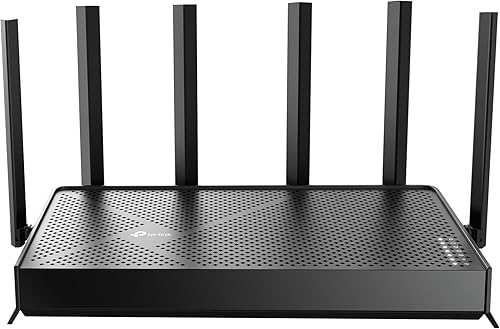
Best for: Someone upgrading to the latest wireless standards for gaming and streaming.
This router uses WiFi 7 technology to provide high throughput and low latency. It’s designed to work with newer devices that support these advanced protocols, making it a strong choice for users who prioritize future-ready connectivity for AR/VR and 8K streaming.
It covers up to 2,400 sq. ft. and supports up to 90 devices. The inclusion of multi-gig wired ports ensures your hardwired gaming rigs or PCs get the fastest possible data transmission. This router requires a separate modem to function.
Good if:
- You want to use Multi-Link Operation for stable connections.
- You have the latest generation of compatible laptops or phones.
- You need EasyMesh compatibility to expand your network.
Skip it if:
- You prefer a simple, all-in-one modem router combo.
- You have a very basic internet service plan.
3. NETGEAR Nighthawk Modem Router Combo (CAX30S) DOCSIS 3.1 Cable Modem
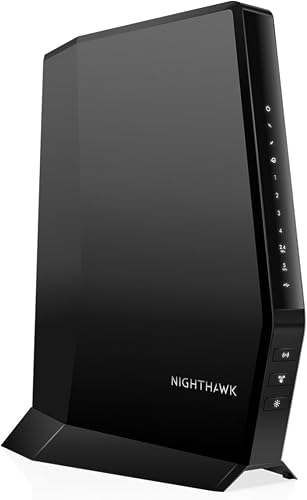
Best for: Users who want a reliable, all-in-one device to replace their ISP rental.
This modem router combo simplifies your setup by combining two devices into one. It’s specifically approved for many Xfinity plans, meaning you can stop paying monthly equipment rental fees to your provider.
It offers WiFi 6 coverage for up to 2,000 sq. ft. and supports 25+ devices. While it’s highly convenient, it isn’t suitable for users who have voice-bundled plans, as it lacks telephony ports.
Good if:
- You want to reduce monthly hardware rental fees.
- You have an internet plan up to 800 Mbps.
- You prefer having only one device on your desk.
Skip it if:
- You have a bundle that includes home phone service.
- You need a router with more than 2,000 sq. ft. of coverage.
4. NETGEAR Nighthawk WiFi 6 Router (RAX36)
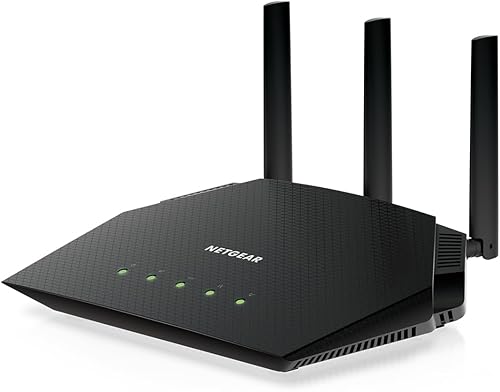
Best for: A standard home office or apartment needing a reliable WiFi 6 upgrade.
This router is designed for straightforward, high-speed wireless performance. It provides a solid foundation for streaming, video calls, and general web browsing without the complexity of higher-end, multi-gig systems.
It covers up to 2,000 sq. ft. and supports up to 25 devices. As a router-only unit, it doesn’t include a modem, so you must have a separate unit to connect to your service provider.
Good if:
- You need a reliable, mid-range WiFi 6 router.
- You have a standard-sized home or apartment.
Skip it if:
- You have a multi-gig internet speed plan.
- You need a modem and router in one box.
5. TP-Link Dual-Band AX3000 Wi-Fi 6 Wireless Gigabit Internet Router
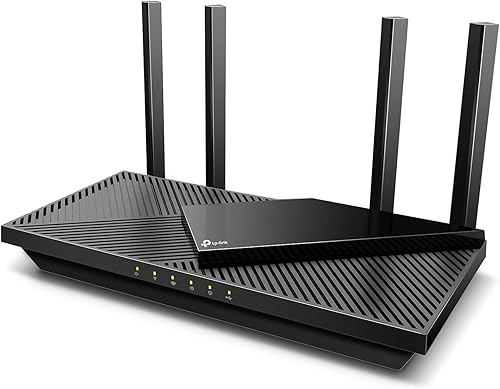
Best for: A user who wants a responsive, dual-band WiFi 6 experience.
This router focuses on efficiency, using OFDMA to reduce latency when multiple devices are active. Its design includes a large heat sink to maintain performance during heavy use, ensuring your network stays fast and stable.
It works with all major internet service providers, provided you have a separate modem. It isn’t for users who need the massive bandwidth of WiFi 7 or those who require a built-in modem.
Good if:
- You want voice control integration via Amazon Alexa.
- You have many devices sharing a single band.
Skip it if:
- You require a built-in modem.
- You need coverage for a very large, multi-story house.
6. Motorola MG7550 Modem Wi-Fi Router Combo with Power Boost

Best for: A user who needs a proven, reliable modem router combo.
This device functions as both a modem and a WiFi router. It’s specifically approved by major providers like Xfinity, making it a straightforward choice for those who want to set up their internet without dealing with separate hardware units.
As a combo, it’s limited by its specific hardware capabilities. It isn’t suitable for users who want to experiment with the latest WiFi 7 technology or who have ultra-fast internet plans that exceed the modem’s specifications.
Good if:
- You want a simple, plug-and-play setup.
- You want to stop paying monthly equipment rental fees.
Skip it if:
- You have a very high-speed internet plan.
- You want the most advanced wireless features currently available.
7. ARRIS SURFboard SVG2482AC DOCSIS 3.0 Cable Modem & AC2350 Wi-Fi

Best for: Xfinity customers who specifically need support for digital voice services.
This device is designed for homes that bundle internet and phone service. It combines a modem, an AC2350 WiFi router, and two telephony ports into one, which is a rare feature for standard consumer devices.
The unit is compatible with plans up to 800 Mbps. It isn’t for users who only need data services, as the telephony features might be unnecessary for their specific needs.
Good if:
- You use Xfinity Voice and need phone ports.
- You want to save on equipment rental fees.
Skip it if:
- You don’t have a home phone line.
- You have an internet plan faster than 800 Mbps.
8. NETGEAR Cable Modem Wi-Fi Router Combo C6250
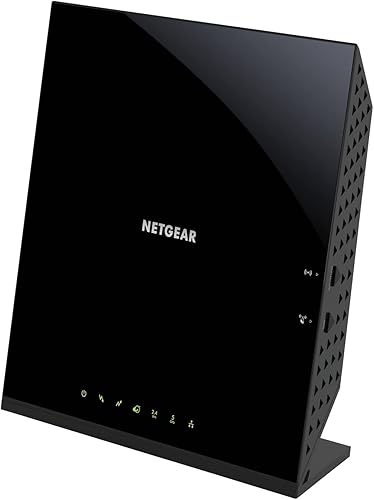
Best for: Someone with a smaller home who needs a compact, all-in-one solution.
This combo unit is built for efficiency and space-saving. It integrates a DOCSIS 3.0 modem and an AC1600 WiFi router, providing enough speed for typical home tasks like browsing and streaming.
It’s limited to plans up to 300 Mbps with Xfinity. It isn’t for users with high-speed, gigabit-level plans, as this device will act as a bottleneck for your speed.
Good if:
- You live in a smaller space, like an apartment.
- You want to save on rental fees for a basic plan.
Skip it if:
- You have a fast internet plan over 300 Mbps.
- You need to connect more than 25 devices.
9. NETGEAR Nighthawk WiFi 6 Router R6700AX

Best for: Small home or apartment dwellers needing a reliable entry-level WiFi 6 upgrade.
This router brings high-speed wireless performance to smaller spaces. It’s designed to handle common tasks like video calls and gaming for up to 20 devices across 1,500 sq. ft.
It includes four Gigabit Ethernet ports for wired connections, which is excellent for gaming consoles or desktop computers. It isn’t for large homes where the signal would struggle to penetrate multiple walls or floors.
Good if:
- You have a small-to-medium home.
- You want a simple, effective modern wireless router.
Skip it if:
- You have a very large house.
- You have more than 20 devices that need high-speed access.
Where These Overlap
Most of these products fall into two categories: standalone routers and modem-router combos. If you already have a modem you trust, the NETGEAR Nighthawk RAX36 and TP-Link AX3000 are very close in performance for general home use; your choice between them often comes down to brand preference or features like Alexa support. Conversely, the modem-router combos like the NETGEAR C6250 and Motorola MG7550 are nearly identical in their goal of saving you rental fees. The main difference between these combos is the maximum speed they can handle, so check your Xfinity plan’s speed tier before choosing one.
Still Not Sure?
How often will I really use it?
If you’re a heavy user who streams 4K video, plays competitive games, and has dozens of smart devices, you need the power of the NETGEAR Nighthawk WiFi 7. For casual browsing, email, and occasional streaming, a simpler unit like the NETGEAR Nighthawk R6700AX will be more than enough.
What do I already own?
If you have a modem from your ISP, you should choose a standalone router like the TP-Link BE6500. If you’re tired of renting equipment from your provider and want to simplify your setup, you should look at the NETGEAR Nighthawk CAX30S to replace your current hardware.
What am I most likely to regret?
The most common regret is buying a device that can’t keep up with your internet plan’s speed. Always verify your current plan’s Mbps before buying a modem or combo unit. If you need voice support, you must choose the ARRIS SURFboard SVG2482AC, or you’ll regret the lack of phone connectivity.
The choice is usually split between those who want maximum performance and those who want to save on rental fees with a modem-router combo. If you want the fastest WiFi, go with the NETGEAR Nighthawk WiFi 7. If you want to stop paying monthly equipment fees, choose the NETGEAR Nighthawk CAX30S. Check your plan’s speed before you buy.
Related guides
- How to Hide Wires in Home Office Setups: A Step-by-Step Guide
- How to Find IP Address for Camera: Quick Router Method
- 10 Best Light Bulbs With Google Home for Smart Control in 2026
Frequently Asked Questions
What does it ask of its owner week to week?
Most modern routers are designed to be set and forgotten. You’ll primarily use the manufacturer’s app, such as the Nighthawk app or TP-Link Tether app, to periodically check for firmware updates. According to the Federal Communications Commission, keeping your firmware updated is essential to protect your home network from vulnerabilities.
What has to be replaced or renewed?
Standalone routers generally require no replacements, but modem-router combos may require an upgrade if your ISP changes their network technology. Additionally, security services like NETGEAR Armor often start with a free trial and require a subscription to continue, though basic security features are usually included for free.
What happens when it’s outgrown?
If you add more devices than your router can handle or upgrade your internet plan to a speed the router can’t support, you’ll experience lag, slower speeds, or connection drops. At that point, you would need to upgrade to a router with higher capacity or a modem with a higher DOCSIS rating.
Would the more capable one have suited me better?
A more capable router is usually better for future-proofing. If you anticipate adding many smart home devices or upgrading your internet speed soon, buying a WiFi 7 router like the NETGEAR Nighthawk WiFi 7 now saves you from having to replace your hardware again in a year or two.
Final Thoughts
Choosing the right equipment doesn’t have to be a headache. Once you’ve picked your ideal setup, take a moment to check your home’s layout for any dead zones. You’ll be glad you did, as a little bit of planning now makes a huge difference in your daily connection’s stability and speed.