
You don’t need to pay for a myq subscription to operate your garage door opener using the standard wall-mounted button or the remote control that came with your unit. While the company offers a premium tier for extra features like IFTTT integration or automated scheduling, the basic functionality of opening and closing your door remains free for all users. If you only need to control your door through the app, you won’t have to pay any monthly fees.
Quick Facts About App Control
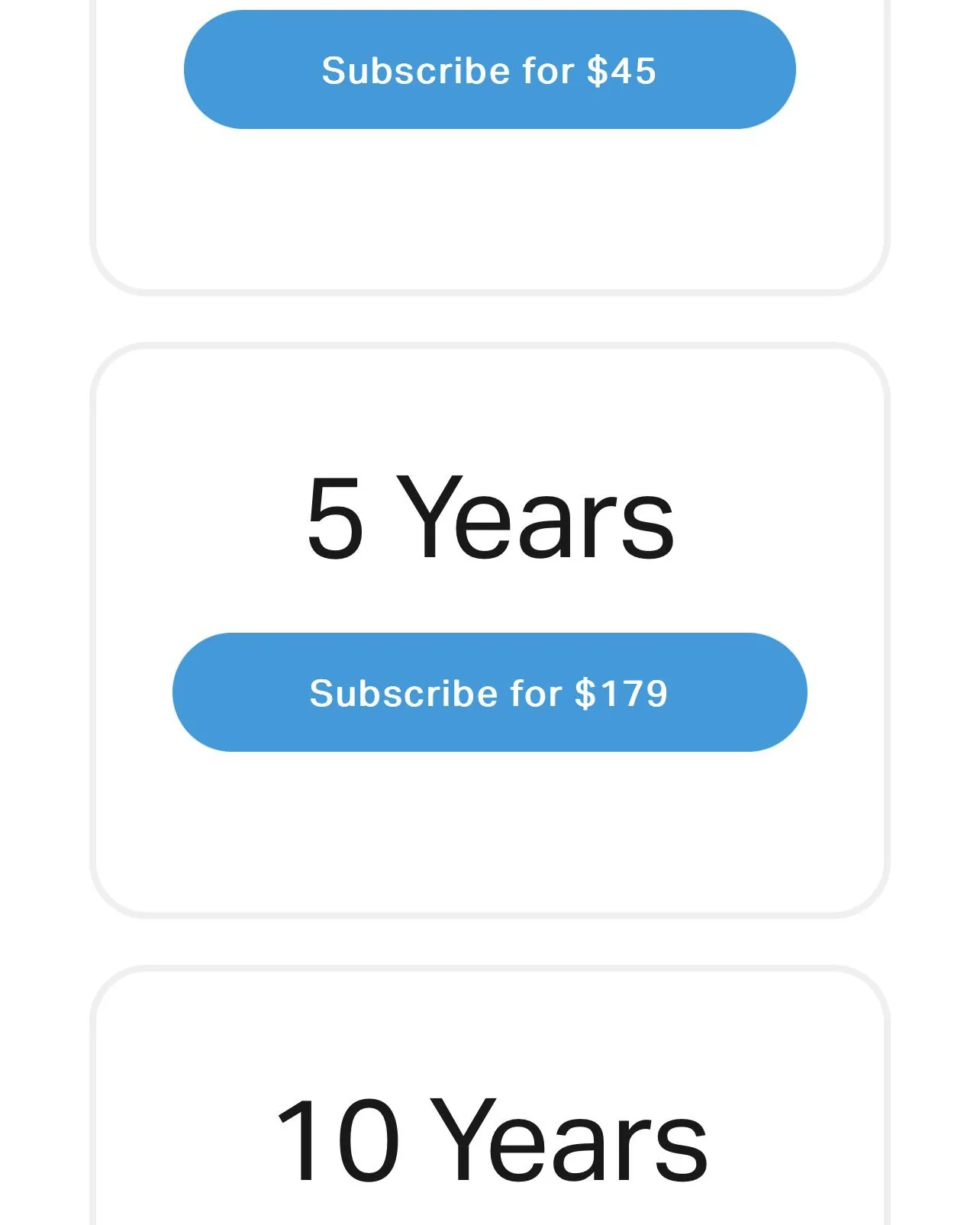
Basic remote access via the app is free for all compatible Chamberlain and LiftMaster openers. This includes the ability to open, close, and monitor your door from anywhere in the world using your smartphone.
Advanced smart home integrations, such as connecting your opener to IFTTT or certain automotive dashboard systems, often require a paid monthly or annual subscription. If you want to trigger your lights or home alarm system based on the door’s position, expect to pay a premium.
You can verify if your specific hardware requires a paid service by checking the device settings in the app. Look for the “Subscriptions” tab; if the menu is empty or shows “Active,” your device is currently supported by the base tier.
Multiple users can share access to a single garage door opener without needing separate paid accounts. Simply invite family members via the “Manage Users” menu to grant them their own login credentials. This avoids the security risk of sharing a single master password.
Notifications for door status changes are included in the standard, free version of the mobile app. You can toggle these alerts for every open or close event. If you fail to set these alerts, you risk leaving your home vulnerable for hours without realizing the door failed to cycle shut. Always test your Wi-Fi signal strength at the motor unit to ensure these notifications arrive in real time.
Why MyQ Subscription Plans Exist
The primary reason for a paid tier involves the costs of maintaining cloud-based integrations with third-party smart home platforms. When you connect your garage door to a service like IFTTT or automotive dashboard systems, your device must constantly communicate with external servers to trigger those specific actions. These services require ongoing server maintenance, security updates, and API management, which are costs the company chooses to offset through subscription revenue.
The hardware itself is designed to function as a standalone unit. The core mechanism is a radio frequency transmitter that talks directly to the motor unit in your garage. Because this connection is local and physical, it doesn’t rely on a subscription or even an internet connection to work.
You might consider paying for convenience rather than necessity. Some users prefer to have their garage door close automatically when their car’s GPS leaves a specific radius, or they want their lights to turn on when the door opens. These complex “if-this-then-that” scenarios require the cloud processing power that the paid subscription provides.
You can determine if you need a paid plan by checking your daily habits. If you manually tap a button in an app to open your door, you’re using local connectivity that remains free. If you require automated triggers—such as the door closing based on your phone’s proximity to your home—you’re crossing into cloud-dependent territory.
A common mistake is assuming that all smart features require a fee. Many users pay for a subscription only to realize they never actually utilize the advanced automation triggers. Before committing to a monthly charge, track your usage for thirty days.
If you find yourself ignoring the automated notifications or failing to set up complex routines, you’re paying for features that add zero value to your daily routine. Stick to the base tier if your primary goal is simple remote access.
Differences Based on Use Case
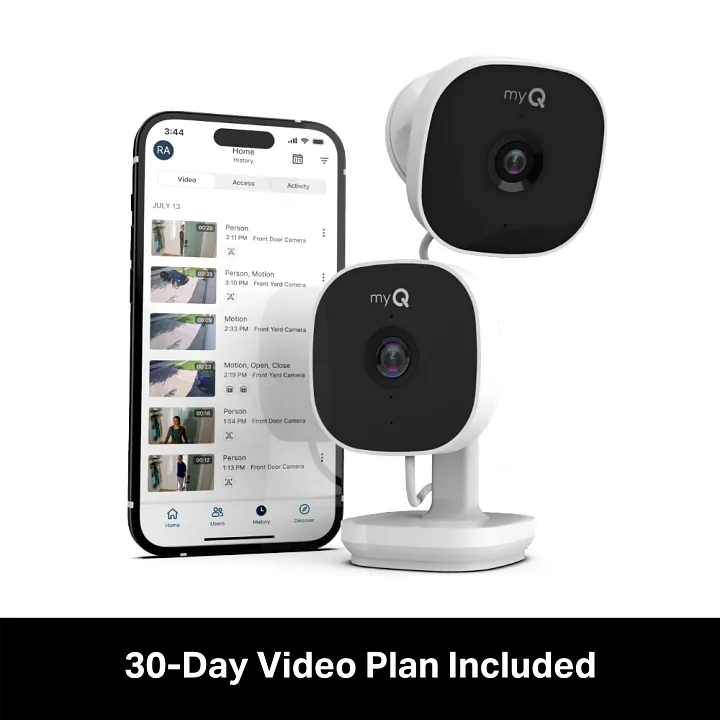
The need for a paid plan depends entirely on how you want your smart home to behave. If you simply want to tap a button on your phone to open the door, the free version is sufficient.
You should upgrade only if you require automated triggers that fire based on external data. If your goal is to have the door unlock automatically when your phone enters a specific geofenced radius, the cloud processing costs necessitate the premium tier. Users who attempt to bypass this by using third-party automation tools often find their credentials revoked or their accounts flagged for excessive API polling.
If you manage multiple properties, the free tier allows you to add up to five distinct doors under one login. Don’t create separate accounts for each location, as this prevents you from viewing a unified activity log. Simply navigate to the settings menu and select “Add New Device” to keep your dashboard consolidated.
Voice assistant integration is the most common point of confusion. If you use a native ecosystem like HomeKit or Alexa, the integration is typically free. However, if you rely on bridge software like Homebridge to force compatibility, the provider may charge a fee to maintain the necessary security certificates. Check your specific hub’s compatibility list before subscribing.
Finally, avoid paying for vehicle dashboard sync if you only drive one car. Most modern vehicles support a simple physical remote clip that attaches to your visor. This hardware solution is faster, more reliable, and completely eliminates the recurring monthly subscription cost for a feature you likely only use for three seconds a day.
Setting Up Your Garage Door
Download the official app from your phone’s app store. Ensure your smartphone is connected to your home’s 2.4GHz Wi-Fi network before starting, as many garage door controllers will fail to sync on 5GHz bands.
Create an account using your email address and a secure password. If you receive a verification email, click the link immediately; waiting more than ten minutes often forces a system timeout that requires you to restart the registration process from scratch.
Locate the “Learn” button on your garage door motor unit. You may need a sturdy stepladder to reach the housing, as this button is typically found near the antenna wire.
Press the button until the LED light blinks to enter pairing mode. If the light turns solid rather than blinking, you have held the button too long and triggered a factory reset, which clears all existing remote controls.
Follow the on-screen prompts in the app to connect your door. If the app stalls at 99%, toggle your phone’s Bluetooth off and back on to force a handshake.
Test the connection by tapping the app button once to close the door. Stand clear of the path, as the automatic reverse feature may not be calibrated until the first full cycle completes.
Common Mistakes That Ruin Control
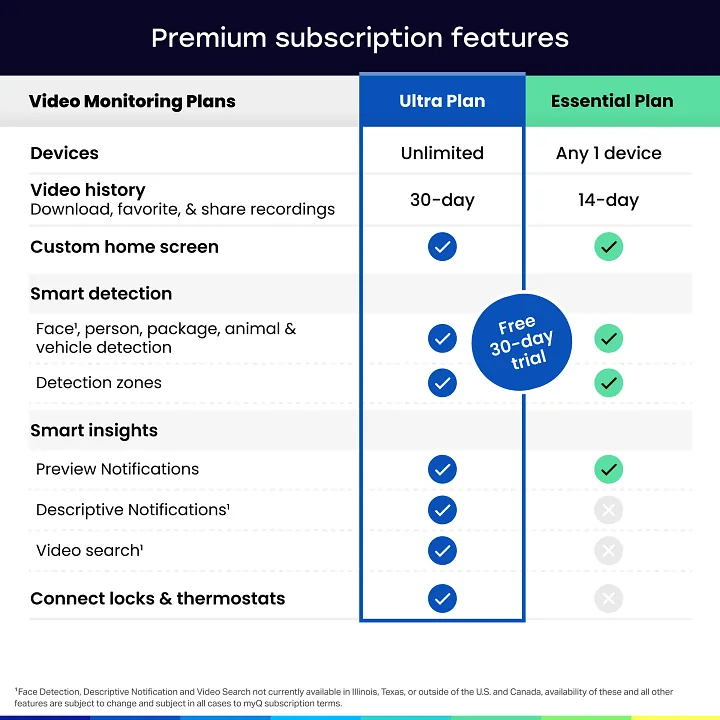
Trying to link third-party smart home hubs that require a paid API key without checking compatibility first often leads to a dead end. Check the manufacturer’s integration list before purchasing a subscription. If the hub isn’t explicitly supported, you’ll waste both time and money on a service that can’t bridge the connection.
Misplacing the original remote control forces a reliance on the app for every single entry. Keep a physical remote in your glove box or a secure drawer as a hardwired backup. If your internet connection drops or the app server undergoes maintenance, you’ll be locked out without this physical redundancy.
Changing your Wi-Fi password without updating the app settings disconnects the door from the cloud immediately. When the device loses its handshake with the router, it defaults to an offline state. You must manually reset the network credentials within the app to restore remote access.
Failing to secure the physical “Learn” button allows unauthorized users to pair their own remotes. If your garage door opener is mounted in an accessible carport, cover the button with a locking plastic shroud. This simple barrier prevents strangers from gaining entry by syncing their own transmitters to your system.
Related guides
- VNC Connect Raspberry Pi Not Working: 5 Fixes for Remote Access
- 5 Best Reptile Tank With Sliding Doors Picks for Easy Access in 2026
Frequently asked questions
Can I use the app without paying?
Yes, you can use the app to open and close your door for free. The standard version of the app includes remote access, real-time alerts, and guest sharing without any monthly charges. You only need to pay if you want to unlock advanced smart home integrations that require the company’s cloud-based processing services.
Is it safe to leave my garage door connected to the internet?
It’s safe as long as you use a strong, unique password for your account and enable two-factor authentication. Always keep your garage door opener firmware updated through the app to ensure you have the latest security patches. If you’re worried about security, you can always disconnect the motor from your Wi-Fi, though this will disable all app-based remote features.
How long does the free account last?
The free version of the account doesn’t have an expiration date. You can continue to use the standard remote control features of the app for as long as you own the compatible hardware. The company doesn’t limit the duration of the free service, so you don’t need to worry about the app suddenly locking you out after a certain period.
Does it matter which garage door model I have?
Yes, the specific model of your opener determines whether it can connect to the app at all. Older models manufactured before the integration of Wi-Fi technology will need an external bridge device to communicate with the internet. You should check the serial number of your motor unit against the official compatibility list on the manufacturer’s website to see if your hardware supports app connectivity.
What happens if my internet goes down?
Your garage door will continue to work perfectly fine using the manual wall button or your handheld remote control. The internet connection is only required for the app-based features, such as remote opening or status notifications. If the power or internet is out, the physical radio frequency connection between your remote and the motor unit remains completely functional and independent of your home network.
Can I share access with family members?
Yes, you can share access with family members through the guest feature in the app. Each person creates their own account, and you grant them permission to operate your specific garage door. This allows everyone to have their own login credentials while maintaining your role as the primary administrator, and you can revoke their access at any time through your account settings.
Conclusion
The ability to manage your garage door remotely is a standard feature that doesn’t require a recurring payment. By sticking to the provided app functions, you can monitor and control your home securely without adding another monthly bill to your household budget.
