
If you’re currently frustrated because your 2023 f150 120v outlet not working as expected, you’re certainly not alone. The Pro Power Onboard system is one of the most innovative features Ford has introduced to the F-150 lineup, but like any sophisticated electrical system, it can encounter intermittent faults that leave you without power when you need it most. Whether you’re at a job site or camping, troubleshooting these outlets requires a systematic approach to identify whether the issue is a simple user error, a tripped breaker, or a more complex electronic failure within the truck’s integrated inverter module.
Key Takeaways
- Ensure the truck engine is running or the ignition is in accessory mode, as the system won’t activate while the vehicle is completely off.
- Check the Pro Power Onboard screen in your infotainment display to verify the system is toggled to the “On” position.
- Inspect the physical outlet for debris, moisture, or damage that could trigger the internal ground fault circuit interrupter.
- Verify that your power load doesn’t exceed the wattage capacity of the specific outlet or the overall system limit.
- Reset the system by turning the truck completely off, opening the driver’s door, and allowing the vehicle modules to enter a sleep state.
Why Is My Outlet Not Working?
The most frequent reason for a 120V outlet failure is a simple system lockout or a triggered safety protocol. Ford’s power system is designed with multiple layers of protection, including thermal monitoring and ground fault detection. If the system detects a potential short circuit or an imbalance in the electrical current, it will immediately cut power to the outlet to prevent damage to the truck’s wiring or your plugged-in device.
Before assuming there’s a hardware failure, you must verify the system status indicator. On your dashboard screen, navigate to the Pro Power Onboard menu. If the system shows a “Fault” or “Not Available” message, the vehicle’s computer has detected an issue that requires a reset or professional diagnostic.
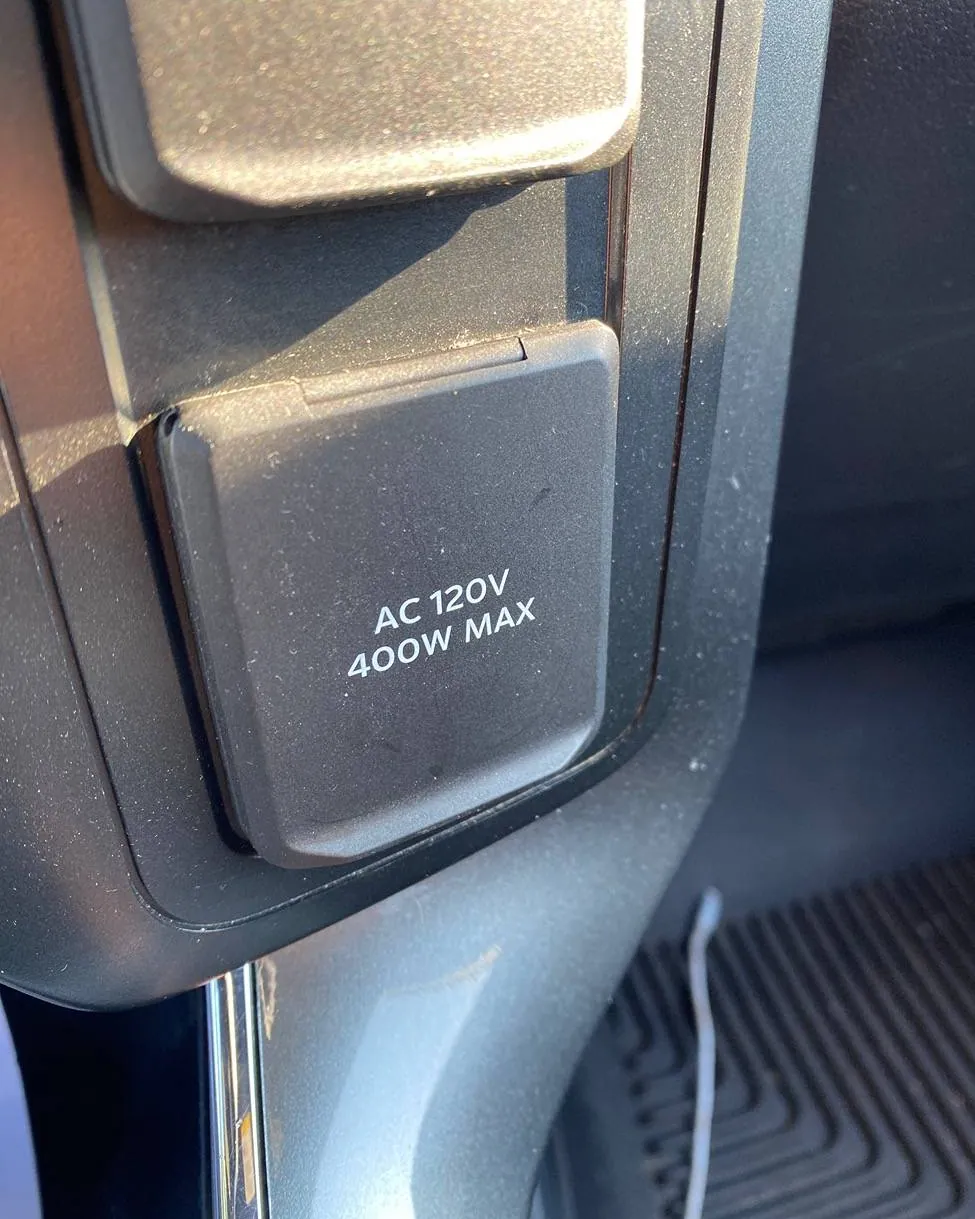
Often, this is caused by a device that draws too much power upon startup, commonly known as an inrush current spike, which can briefly exceed the 400W or 2000W limits of the onboard outlets.
Troubleshooting Your Power System
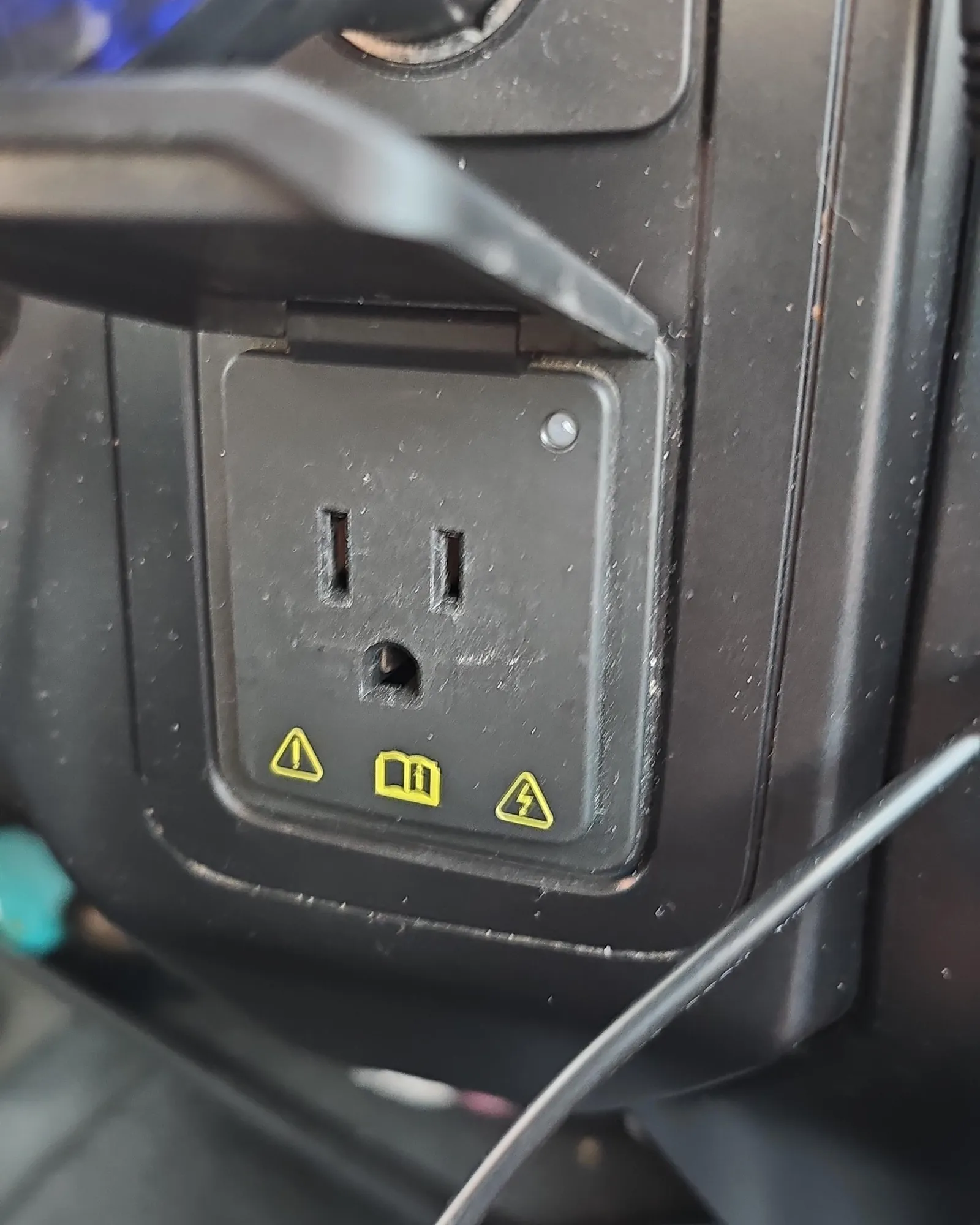
When you encounter power loss, start with the basics. Ensure the plug is firmly seated in the socket. It’s common for vibration during driving to loosen the connection, especially if you’re using a heavy power brick or a bulky adapter. If the plug is secure, look at the LED indicator on the outlet itself. If the light is off, the outlet isn’t receiving power from the inverter module.
| Step | Action | Potential Outcome |
|---|---|---|
| 1 | Check Infotainment Status | Verifies system is enabled |
| 2 | Cycle Power Switch | Resets the inverter logic |
| 3 | Inspect for Debris | Removes physical blockages |
| 4 | Test Different Device | Rules out appliance failure |
| 5 | Verify Engine Status | Confirms power availability |
Checking the System Settings
Your truck’s computer must be told to send power to the outlets. Even if the engine is running, the system defaults to “Off” for safety reasons. Access the truck settings via the center touchscreen. Ensure the Pro Power Onboard toggle is set to the green “On” position.
If the button is greyed out, check your transmission; the system will often disable itself if the truck is in a specific gear or if the battery state of charge is too low to support the electrical load.
Identifying Tripped Circuits
Unlike a residential home, you don’t have physical push-button breakers in your truck. Instead, the Ford Pro Power Onboard system utilizes digital circuit monitoring. If a circuit trips due to an overload, the system will automatically attempt a reset after a short duration. If the load remains too high, it will lock out the outlet permanently until the device is removed and the system is power-cycled.
Common Causes of Power Failure
Several factors can lead to a sudden loss of power. Understanding these will help you prevent future occurrences. The most common culprit is overloading the circuit. If you have multiple devices daisy-chained into one outlet, the cumulative wattage might exceed the vehicle’s design threshold.
- Excessive Load: Trying to run a heater, microwave, or high-draw power tool simultaneously.
- Ground Faults: Moisture inside the outlet housing or a faulty power cord on your tool.
- Inverter Overheat: Using the system for extended periods in high ambient temperatures without sufficient airflow.
- Loose Connections: Vibrations causing the plug to lose contact with the internal outlet terminals.
- Software Glitches: A temporary hang in the vehicle’s communication bus requiring a hard reset.
How to Perform a Hard Reset
If the standard toggles don’t restore power, a hard reset is often the most effective solution. To do this, turn the ignition off completely. Remove the key fob from the cabin area or ensure it’s far enough away to prevent the vehicle from sensing your presence.
Open the driver’s side door and wait at least ten minutes. This allows the various electronic control units to fully power down and lose their residual charge. Once the time has elapsed, close the door, enter the truck, and restart the engine. This forces the modules to perform a fresh initialization check, which often clears temporary faults.
Understanding Wattage Limitations
The F-150 is equipped with different power tiers depending on your specific trim and package. A base 2023 model might be limited to 400W, while trucks equipped with the hybrid powertrain or specific generator packages can output up to 7.2kW. Always verify your specific truck’s maximum output rating printed on the label near the outlet or in your owner’s manual. Plugging a device that requires 1500W into a 400W outlet will cause an immediate shutdown.
| Outlet Location | Typical Max Wattage | Best Use Case |
|---|---|---|
| Interior Console | 400W | Laptops, phone chargers |
| Bed Outlet | 400W – 2400W | Power tools, coffee makers |
| High-Output Bed Socket | 7200W (Total System) | Welders, large compressors |
Inspecting the Physical Outlet
Physical damage to the outlet housing can prevent a solid electrical connection. Inspect the prongs inside the receptacle. If they appear bent, corroded, or covered in dirt, they may not be making contact with your device’s plug. Use a flashlight to look for signs of arcing or burning, which would indicate a major short circuit. If you see melted plastic or charred metal, don’t attempt to use the outlet, as this represents a significant fire hazard that requires professional repair.
Warning: Never insert metal objects, screwdrivers, or probes into the outlet to test for power. This can lead to severe electrical shock or permanent damage to the truck’s inverter module.
When to Contact the Dealer
If you have tried the hard reset, verified the infotainment settings, and confirmed that your appliance works on a standard wall outlet, but the truck still provides no power, you likely have a hardware failure. This could be a blown internal fuse, a failed inverter module, or a damaged wiring harness.
Because the Pro Power Onboard system is deeply integrated into the truck’s electrical architecture, repairs should be performed by a certified Ford technician. Attempting to bypass or repair these components yourself will likely void your factory warranty.
Frequently Asked Questions
Why does my outlet shut off when the engine is off?
The Pro Power Onboard system is designed to preserve your vehicle’s starting battery. To prevent the battery from draining completely, the system automatically disables the outlets when the engine isn’t running or when the battery state of charge falls below a safety threshold. This ensures you always have enough power to start your truck and drive away after using your tools or camping equipment.
Can I use an extension cord with the outlet?
Yes, you can use an extension cord, but you must use a high-quality, heavy-duty cord rated for outdoor use. Using a thin or damaged extension cord can increase resistance, which the truck’s computer might interpret as a short circuit or an overload. Always keep the extension cord as short as possible to minimize voltage drop and ensure the total wattage of your tools doesn’t exceed the outlet’s limit.
What does a flashing light on the outlet mean?
A flashing LED indicator on the outlet typically signals a fault state. This usually indicates that the system has detected a ground fault, an overload, or an overheating condition. When this happens, the system cuts power to protect the vehicle’s electronics. Try unplugging all devices, performing the hard reset procedure, and then plugging in a single, low-draw device to see if the outlet recovers.
Does the system work while the truck is moving?
Yes, the Pro Power Onboard system is designed to provide power while the vehicle is in motion. This is particularly useful for charging batteries or running equipment while driving between job sites. However, be mindful that heavy loads can impact your fuel economy. If the system detects a severe electrical fault while driving, it may disable the outlets for safety reasons until the vehicle is parked and restarted.
Is it safe to use the outlet in the rain?
The outlets are designed with weather-resistant covers and are generally safe to use in damp conditions, provided the plug is fully seated and the cover is properly positioned around the cord. However, avoid using the outlets during heavy downpours or in standing water. If the outlet housing becomes submerged or excessively wet, allow it to dry completely before attempting to use it again to prevent short circuits.
Conclusion
Solving electrical issues in your truck requires patience and a methodical approach to rule out external factors before assuming the vehicle is broken. Most issues are resolved by simply ensuring the system is enabled in the infotainment menu and that the load you’re placing on the inverter is within the rated specifications for your specific F-150 configuration.
If these steps don’t resolve your problem, document the specific error messages displayed on your dashboard and provide them to your local Ford service department to expedite the diagnostic process and get your power system back online.

2 thoughts on “2023 F150 120V Outlet Not Working: Simple Troubleshooting Fixes”