
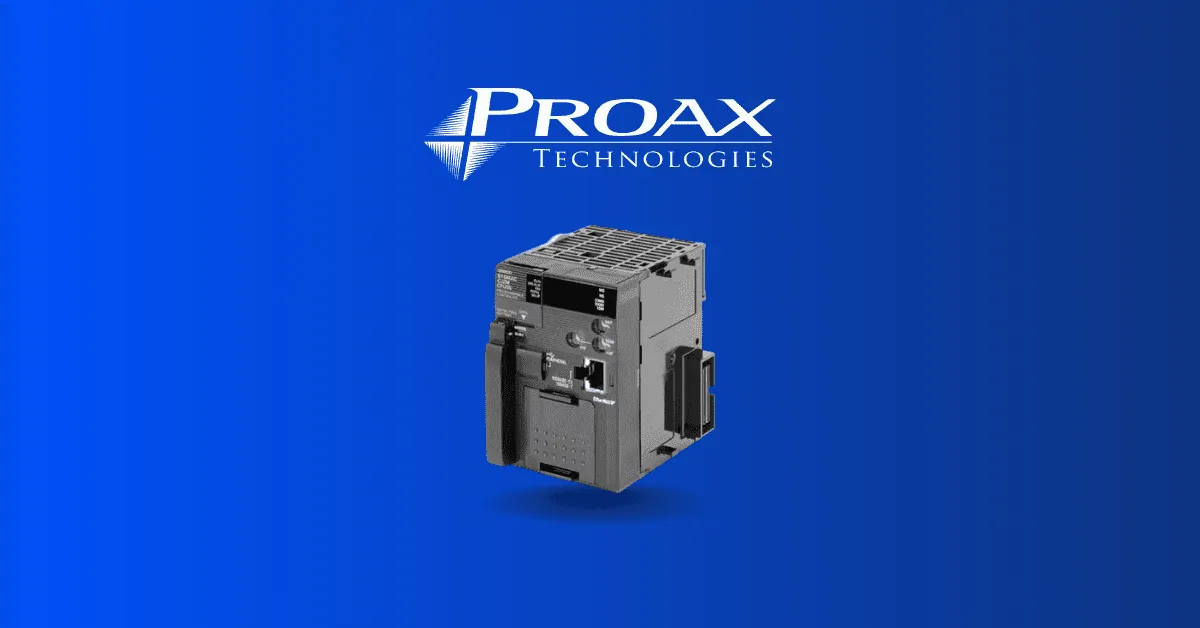
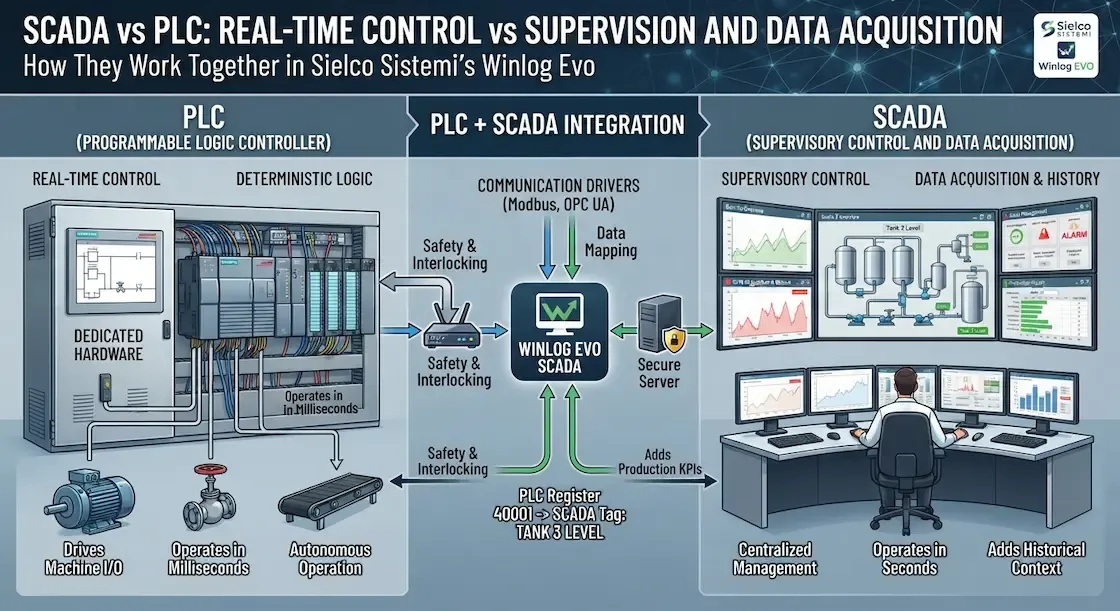
A plc is an industrial computer that controls machines and factory processes by how it is built to work. It reads inputs from sensors, runs a control program, and sends outputs to motors or valves. Unlike a regular computer, it is built for harsh conditions, runs continuously, and uses ladder logic that electricians can read and fix. Most factories rely on one for every production line.
What makes a plc different

A plc works in a tight loop. It checks every input, runs the program from top to bottom, then updates every output. That cycle repeats many times per second, so the machine never waits.
The program itself is usually ladder logic. It’s drawn to look like the electrical relay diagrams electricians already know. A technician can trace a fault by following the rungs on a screen instead of hunting through wires.
This scan cycle separates a plc from a standard computer running control software. A desktop operating system might pause your code to handle a background task or an update. A plc dedicates its processor entirely to that single repeating loop.
If a safety sensor trips, the plc sees it on the very next pass. That response happens in milliseconds, without waiting for a scheduler to grant permission.
The one thing that decides whether this goes well is matching the plc to the job. A small machine needs a compact controller with a few inputs and outputs. A packaging line with dozens of sensors needs a modular rack with room to grow.
The single most common mistake people make before they start is buying a plc based only on price. They discover later it can’t talk to the drives or sensors already on the floor. Check the communication protocol and the I/O count before anything else.
Choosing and installing a plc
- List every input and output. Count the sensors, push buttons, motor starters, and indicator lights the machine needs, then add twenty percent spare capacity for future changes.
- Pick the processor size. Match the program memory and scan speed to the machine’s complexity; a simple conveyor needs far less than a robot cell.
- Confirm the communication protocol. Make sure the plc can talk to your drives, operator panel, and any higher-level system before you order.
- Mount it in an enclosure. Install the controller in a cabinet that protects it from dust, moisture, and electrical noise, with enough clearance for cooling.
- Wire the field devices. Connect inputs to the input modules and outputs to the output modules, following the wiring diagram and the electrical code for your location.
- Load and test the program. Download the ladder logic, force each input on and off, and confirm every output does exactly what it should before running production.
Tip: Label every wire at both ends before you terminate it; tracing an unlabeled wire in a packed cabinet costs hours.
Tip: If the machine handles guarding doors or emergency stops, wire those safety functions through a safety-rated plc or safety relay, not a standard controller.
How long a plc project takes
| Situation | How long | What changes it | What to watch for |
|---|---|---|---|
| Simple single-machine control | One to two days | Number of I/O points and program complexity | Spare I/O for future additions |
| Medium packaging line | One to two weeks | Number of drives and operator screens | Communication protocol mismatches |
| Full production cell | Several weeks | Mechanical readiness and safety integration | Testing access before installation |
If the project is taking far longer than the table suggests, stop and verify if the mechanical equipment is fully assembled. A PLC can’t be tested against a machine that exists only in CAD files. You should expect to spend 40% of your total timeline on I/O checkout and safety validation alone.
If you’re working with legacy hardware, add three days to your estimate for unexpected wiring faults or rusted sensors. When the project involves more than five motion axes, reserve one full week for tuning the PID loops.
The most common mistake is failing to account for network latency in large systems. If you have multiple controllers communicating over a single switch, prioritize your traffic to prevent packet loss. Always build in a 20% buffer for commissioning; if you skip this, you’ll pay for it in weekend overtime.
How to tell when a plc is working right
The machine starts and stops when the operator presses the buttons, sensors register the right part in the right place, and motors and valves move on command. Fault lights on the PLC stay off, and the scan time remains steady.
If the signs disagree, force each input on and off from the programming software and watch the corresponding output change. This manual override isolates whether the failure is a physical sensor fault or a logic error in the code.
For machine safety in the United States, OSHA publishes the rules that apply. Always verify that your logic matches the NFPA 79 standard for industrial machinery. If the system stops during a cycle, check the diagnostic buffer for a watchdog timer fault before resetting the processor.
Mistakes that ruin a plc installation
Underestimating the I/O count. The machine runs out of inputs halfway through the build and you must add an expensive expansion rack. Count every device first, then add 20 percent spare capacity to handle future sensor additions or logic changes.
Ignoring the electrical environment. Voltage spikes and high-frequency noise scramble the program or lock up the controller. Mount the PLC in a NEMA-rated enclosure and keep signal wiring at least six inches away from high-voltage power lines. If you run them in the same conduit, the cross-talk will eventually cause erratic machine behavior.
Skipping the factory acceptance test. Faults appear only when production starts, costing thousands in downtime and emergency service calls. Force every input and verify every output state before the machine leaves the floor. If the logic fails under a simulated load, you have saved yourself a flight and a week of lost revenue.
Related guides
Frequently asked questions
What is a plc used for?
A plc controls industrial machines and processes such as assembly lines, packaging equipment, and water treatment plants. It reads sensors and switches, runs a control program, and switches motors, valves, and lights on and off.
How does a plc work?
It works in a repeating loop: read all inputs, execute the control program from top to bottom, then update all outputs. That cycle happens many times per second while the machine runs.
Can a plc replace a regular computer?
No. A plc is built for dust, vibration, heat, and continuous operation, while a regular computer is not. A plc also uses rugged I/O modules and ladder logic instead of a keyboard and monitor.
Is ladder logic hard to learn?
No for electricians, because it looks like the relay wiring diagrams they already know. It’s harder for someone without an electrical background, who should start with basic wiring and control concepts first.
How long does a plc last?
Many PLCs run for a long time in a clean, cool cabinet. Lifespan depends on the operating temperature, power quality, and how often the unit is replaced under a maintenance plan; check the manufacturer’s published rating for your model.
What happens if a plc fails?
The outputs usually switch off and the machine stops, which is the safe default. A spare controller with the latest program backup lets you swap it in and restart quickly, so keep that backup current.
Conclusion
A plc is the workhorse of modern factory automation, chosen because it runs reliably where an ordinary computer would not. Match the controller to the machine’s I/O count and communication needs, test every input and output before production starts, and keep a current program backup so a failure doesn’t become a long shutdown.
