
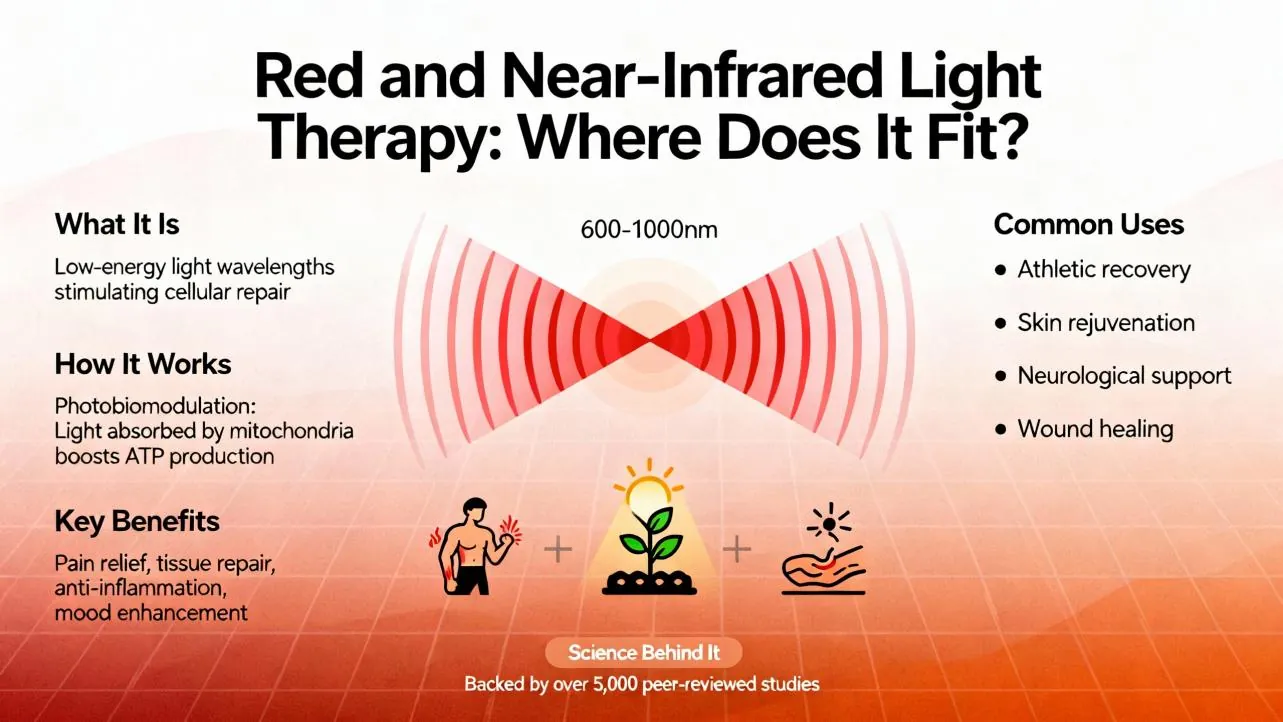
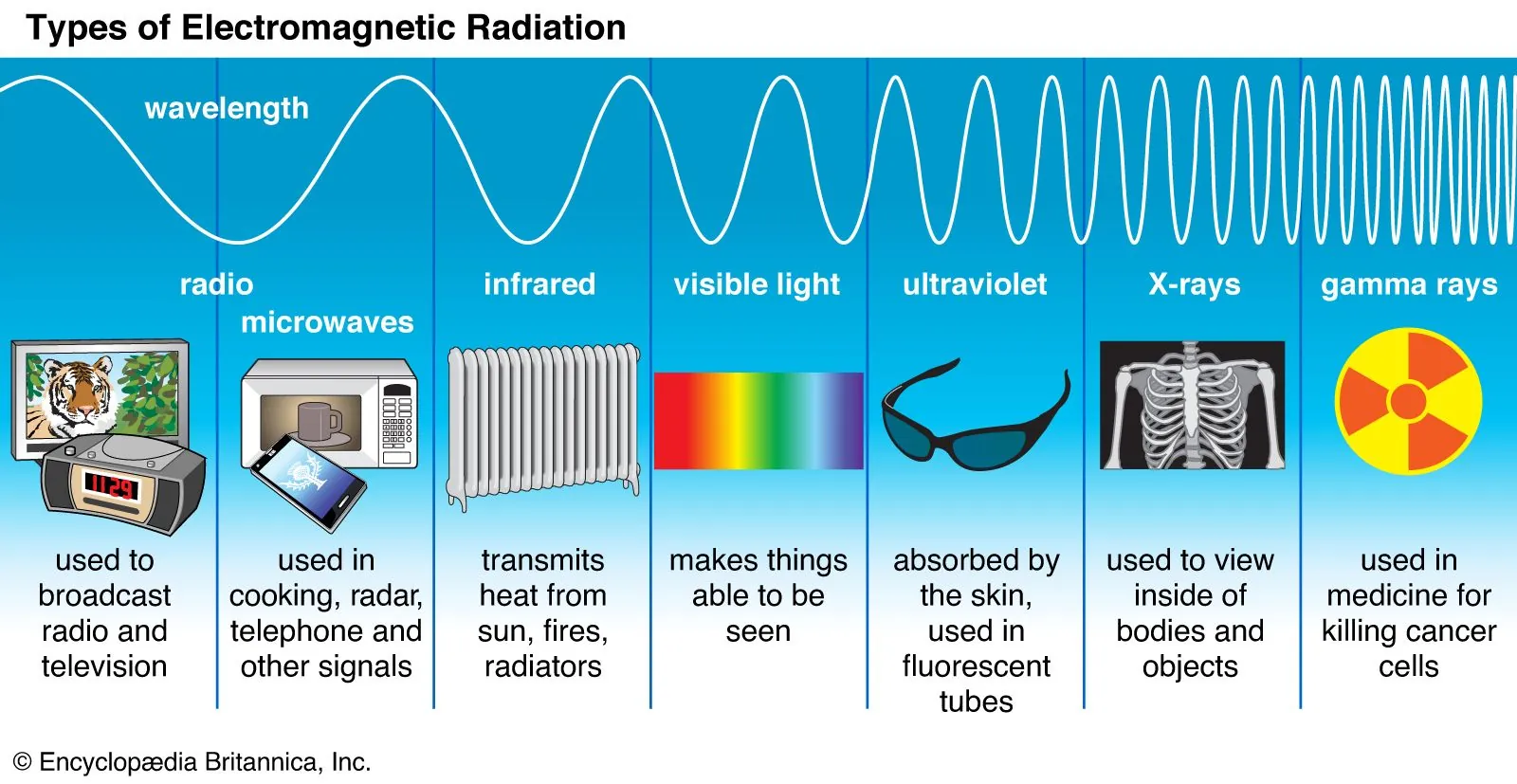
Infrared light is a form of electromagnetic radiation with a longer wavelength than visible light, and it is used in devices ranging from television remotes to medical thermal imaging. This energy travels in invisible waves that are perceived as heat. Because objects warmer than their environment naturally emit this radiation, sensors can detect it to transmit digital signals or generate images.
Components of infrared light technology
The following table outlines the components that make an infrared system function, regardless of whether it’s a simple remote or a high-end camera. If you notice a loss of function, check the device manual to see if these parts are user-replaceable or require a professional repair.
| Part or input | What it does | What you notice when it goes wrong |
|---|---|---|
| Infrared LED | Emits the light signal | Remote doesn’t send commands |
| Sensor / Receiver | Detects incoming radiation | Device fails to respond to input |
| Optical Lens | Focuses infrared radiation | Thermal image appears blurry |
| Detector Array | Converts energy to data | Image shows static or black screen |
| Power Source | Provides electrical current | Device won’t turn on at all |
Most users mistake a dead battery for a broken sensor. If your device is unresponsive, point the transmitter at a smartphone camera. You should see a faint purple glow on the screen when you press a button. If the light appears, the LED is functional, and the issue likely lies with the receiver or the internal logic board.
When the detector array fails, you often see “dead pixels” or fixed-pattern noise across the screen. If the image is entirely black, ensure the lens cap is removed. A common error is leaving the device in a high-temperature environment, which can permanently damage the detector sensitivity. If the output remains static after a hard reset, the sensor has likely reached its thermal limit and requires factory recalibration.
How infrared devices function
The process for using infrared technology is generally consistent across most consumer electronics. Follow these steps to ensure your device operates correctly and maintains a clear signal path.
Activate the infrared emitter by pressing a button or starting the monitoring software on your device. Ensure there’s a clear line of sight between the transmitter and the receiver for the signal to travel. Infrared light travels in straight lines; if you can’t see the receiver from the emitter, the signal won’t reach its destination.
Keep the distance between the two points under 30 feet, as most consumer remotes lose signal strength beyond this range. If you’re operating in a room with high levels of ambient sunlight, reduce this distance to 15 feet to prevent interference.
Remove any physical barriers like glass or thick plastic, which can block or scatter infrared waves. While thin, clear plastic may allow some transmission, tinted or UV-coated glass will act as a total wall.
If the device is a camera, allow it to calibrate for 30 seconds to the ambient temperature before you record data. This prevents thermal drift from skewing your readings. Verify the connection by checking if the receiver lights up or acknowledges the input, which confirms the infrared link is active. If no signal registers, wipe the lens with a microfiber cloth to remove dust that may be scattering the beam.
Why infrared signal quality matters
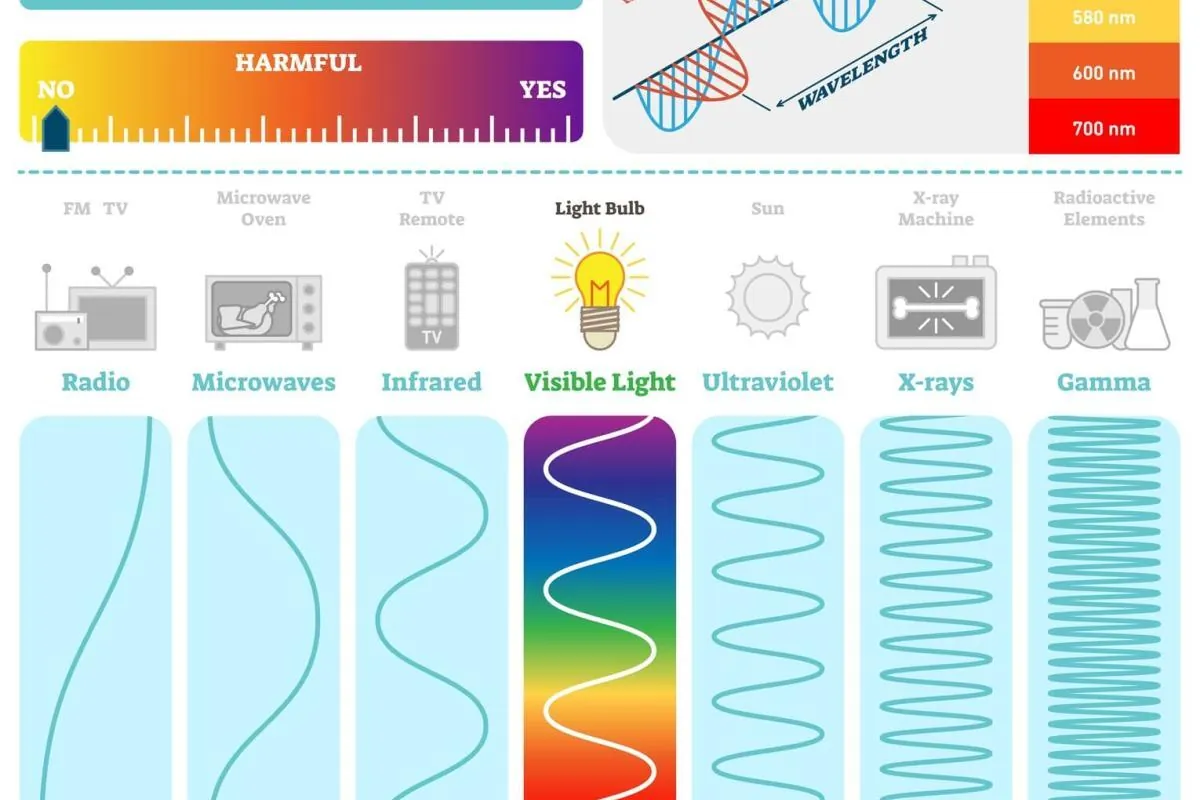
The reliability of infrared signals depends heavily on clear pathways and the absence of interference. Because infrared radiation behaves like light, it can’t pass through solid objects like walls or furniture. When a remote fails to control a device, the most common issue is a blocked path or a weak battery that can’t power the LED sufficiently. If you’re using a thermal camera, external heat sources like direct sunlight or heaters can overwhelm the sensor, leading to incorrect temperature readings.
Troubleshooting becomes more effective when you identify the mechanism at play. If the device isn’t working, check for physical obstructions first. If the path is clear but the device still fails, the problem likely lies in the power supply or the internal detector. Professional-grade thermal equipment often requires regular calibration to maintain accuracy; for public health or safety monitoring, follow the calibration standards from the National Institute of Standards and Technology.
Never try to open the internal housing of sensitive thermal sensors, as you risk damaging the delicate detector array or voiding your warranty. If the hardware is physically broken, contact the manufacturer for a repair service rather than attempting a DIY fix that could lead to electrical hazards.
Controlling infrared performance
What you can control
- Clean the lens or emitter cover to prevent signal scattering.
- Change batteries to ensure the LED has full power.
- Reduce the distance between the transmitter and the receiver.
- Remove physical objects from the line of sight.
What is fixed by design
- The wavelength range of the infrared light emitter.
- The sensitivity threshold of the internal detection sensor.
- The maximum range determined by the LED output power.
Improving your infrared experience
To get the most out of your infrared devices, you must treat the signal path as if it were a beam of light. If you’re using a TV remote, point it directly at the sensor; even a slight angle can cause the signal to miss the receiver. For thermal cameras, avoid pointing the lens at high-heat sources like the sun, as this can permanently damage the sensor pixels.
Most consumer remotes work best when the batteries are at least 80% capacity. When you notice a lag in response time, it’s usually a sign that the battery voltage is dropping. If you press a button and the device fails to respond on the first attempt, check for physical obstructions like glass or tinted plastic, which often block infrared frequencies. If the signal must pass through a cabinet door, you’ll need an infrared repeater kit to bridge the gap.
Regularly wipe the infrared window with a dry, soft cloth to prevent dust from blocking the transmission. If you use a device daily, replace the batteries as needed based on your usage patterns and the manufacturer’s recommendations in the owner’s manual to prevent corrosion and ensure consistent signal strength. Always store these devices in a cool, dry place to protect the sensitive internal electronics from moisture.
Related guides
- 10 Best Dimmer Switches for Precise Light Control in 2026
- 5 Best Light Bulbs for Pump House Lighting Solutions in 2026
- Pentair Jandy Pool Lights Not Changing Color: The Fix in 2026
Frequently asked questions
How far can an infrared remote signal travel?
The signal typically travels up to 30 feet, provided there’s a direct line of sight between the remote and the device. Beyond this distance, the infrared light disperses and becomes too weak for the receiver to detect, which varies based on the power output of the specific remote model.
Is infrared light harmful to human eyes?
Infrared light is generally safe because it’s a natural part of the light spectrum that we can’t see. However, high-intensity infrared lasers or industrial-grade heaters can cause thermal damage to the eyes or skin if you’re exposed to them at close range for an extended period.
Can infrared pass through glass?
Infrared light is often blocked or reflected by glass, depending on the specific wavelength being used. While some near-infrared signals can pass through thin glass, most thermal infrared radiation is completely stopped, which is why a thermal camera can’t see through a closed window to measure outside temperatures.
Why does my remote only work from close up?
The remote likely has weak batteries, which reduces the intensity of the infrared LED output. Check the battery voltage using a multimeter to see if it’s below the manufacturer’s recommended level, or simply replace them with fresh ones to restore the full operating range of the transmitter.
What happens if the infrared sensor gets dirty?
A dirty sensor blocks the incoming light, which prevents the device from interpreting the signal correctly. You can usually fix this by gently wiping the sensor window with a clean, microfiber cloth to remove dust or fingerprints that are interfering with the path of the infrared light waves.
Does infrared light work in total darkness?
Infrared light works perfectly in the dark because it doesn’t rely on visible light to transmit information. Thermal cameras and infrared sensors detect heat radiation, which is emitted by objects regardless of the surrounding light levels, making them ideal for night vision and security applications in dark environments.
Conclusion
Whether you’re using a remote to change channels or checking a thermal camera, this invisible energy is always working behind the scenes. It’s truly fascinating how much we rely on it every day. You’ll find it’s worth exploring how these sensors might improve home security in your own space soon.
