
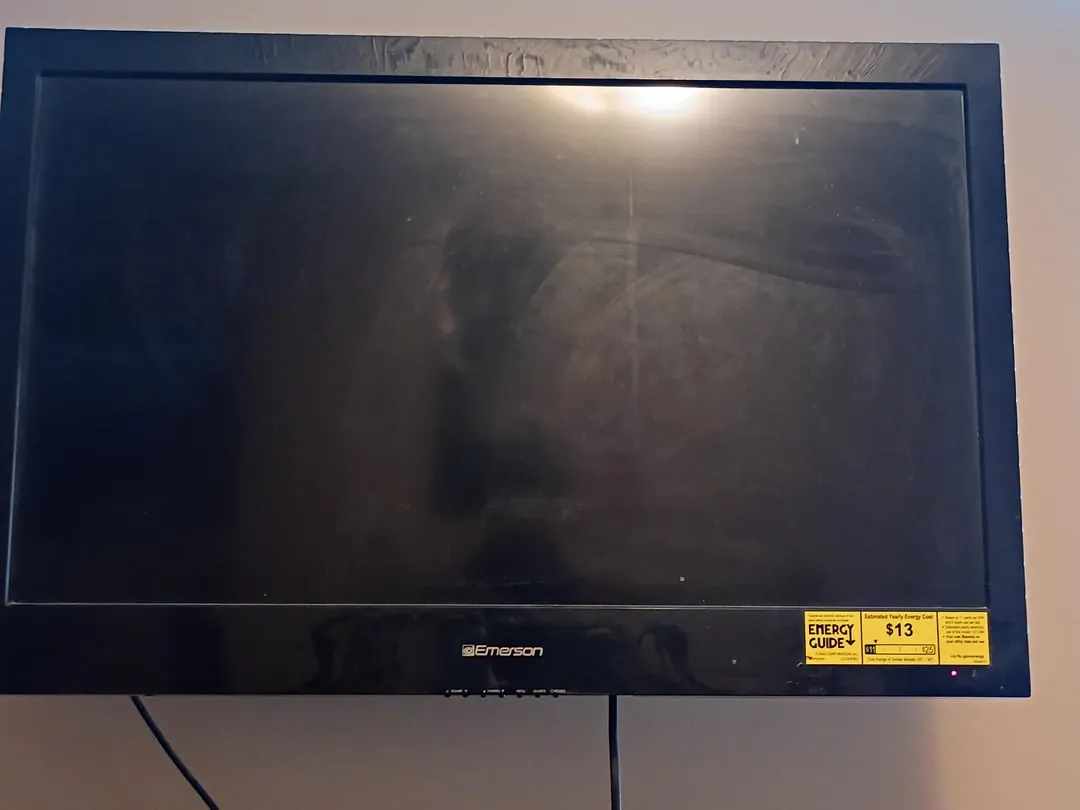
Finding your Emerson TV not turning on can be an incredibly frustrating experience, especially when you’re looking forward to a movie night or catching up on your favorite series. When a television fails to respond to the remote or the physical power button, it often feels like a major hardware failure, but the issue is frequently related to simple power delivery or minor electronic glitches. By systematically checking your connections and performing a few standard diagnostic resets, you can often restore functionality without needing professional repair services.
Key Takeaways
- Perform a hard power reset by unplugging the unit for at least sixty seconds.
- Inspect your power cables and surge protectors for physical damage or loose connections.
- Verify the functionality of your remote control by testing it with fresh batteries.
- Check for indicator lights on the front panel to identify if the TV has standby power.
- Ensure the wall outlet is providing active electricity by testing it with another appliance.
Safety: Inside a mains-powered machine, the parts behind the outer cover can hold a dangerous electrical charge even after it has been unplugged — that’s why they sit behind a cover. Opening the housing, or testing or replacing anything behind it, is a job for a qualified technician, never a home repair.
Steps for an Emerson TV Not Turning On
Before assuming that internal components have failed, you must rule out external factors that prevent electricity from reaching the television. Many Emerson units require a steady flow of voltage to maintain the standby state. If the internal fuse or the external power supply is interrupted, the unit will appear completely dead.
Checking the Wall Outlet
It’s common for homeowners to overlook the simplest explanation: a tripped circuit breaker or a faulty wall outlet. Even if the outlet worked previously, it might have lost power due to a surge.
- Unplug the Emerson TV from the current wall socket.
- Plug a small desk lamp or a phone charger into that same outlet to see if it receives power.
- If the test device doesn’t turn on, check your home circuit breaker panel for any tripped switches.
- Reset the breaker if necessary and test the outlet again before reconnecting the television.
Inspecting the Power Cable
The power cord itself can sustain damage if it’s pinched behind furniture or chewed by pets. Inspect the full length of the cable for fraying, exposed copper wires, or bent prongs at the plug. Ensure the connection where the cord meets the back of the Emerson TV is tight and secure. If you use a power strip, bypass it entirely and plug the cord directly into the wall to rule out a faulty surge protector.
Performing a Hard Power Reset
Electronic devices often suffer from “frozen” firmware states where the internal controller stops responding to input. A hard power reset drains the capacitors within the television, effectively clearing the temporary memory and forcing the unit to reboot its startup sequence.
Warning: Always ensure the television is completely disconnected from the power source before attempting to inspect the rear ports or cable connections to avoid any risk of electric shock.
- Disconnect the power cord from the wall outlet.
- Press and hold the physical power button on the television chassis for thirty seconds.
- Leave the television unplugged for a minimum of sixty minutes to ensure all capacitors are fully discharged.
- Reconnect the power cord directly to a known working wall outlet.
- Attempt to turn on the television using the physical button on the panel rather than the remote.
Troubleshooting Remote Control Issues
If the TV shows a standby light but refuses to react when you press the power button on the remote, the remote itself may be the culprit. Remote controls are prone to battery corrosion or simple signal blockage.
| Component | Common Issue | Quick Fix |
|---|---|---|
| Infrared Sensor | Signal blocked | Remove objects near the TV bottom |
| Battery Contacts | Corrosion | Clean with isopropyl alcohol |
| Remote Signal | Dead batteries | Replace with fresh alkaline cells |
| Remote Buttons | Stuck or dirty | Clean with a soft cloth |
Pro Tip: You can test if your remote is sending an infrared signal by pointing the top of the remote at a smartphone camera. Look at the camera screen while pressing the power button; if you see a faint flickering light, the remote is functional, and the issue lies with the television sensor.
Checking External Input Connections
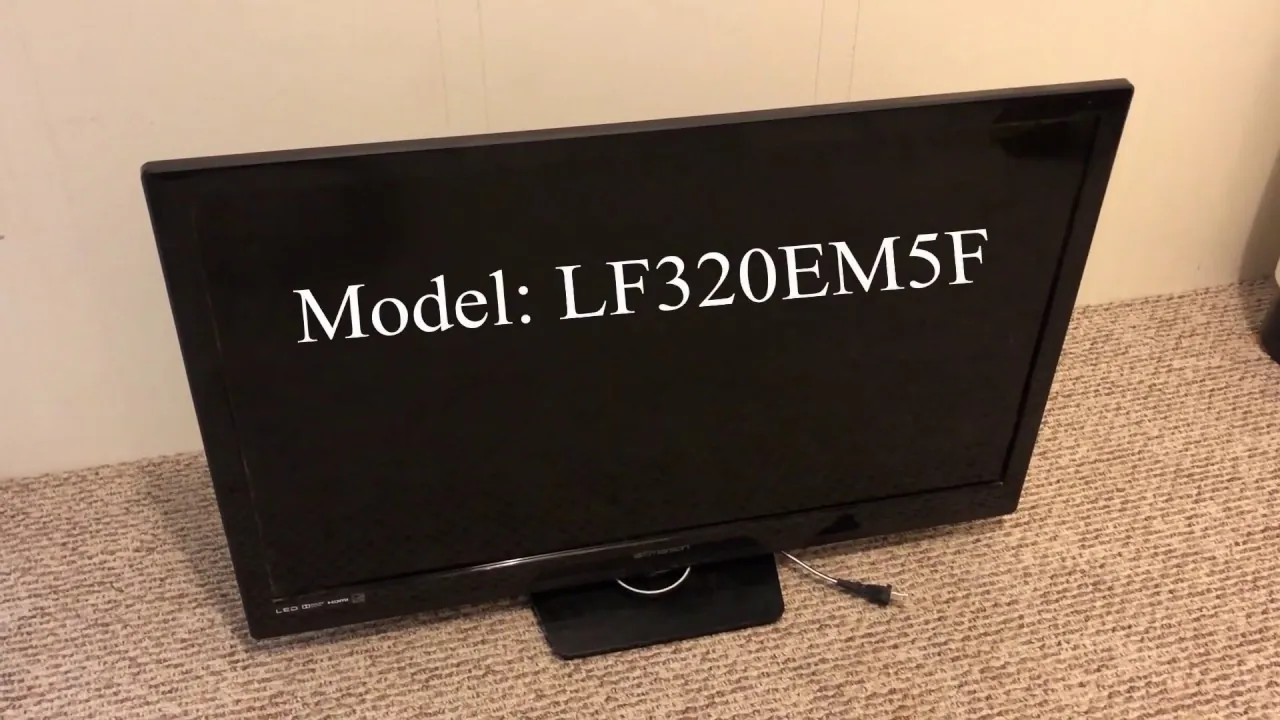
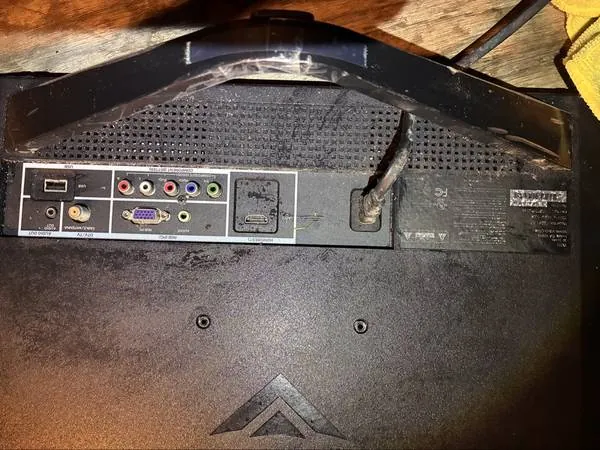
Sometimes, a television is actually on, but it’s displaying a black screen because the input source is inactive or faulty. If you suspect the TV is on but receiving no signal, check your HDMI cables.
- Unplug all HDMI, component, or coaxial cables connected to the back of the unit.
- Inspect the ports for bent pins or accumulated dust.
- Reconnect one device at a time to determine if a specific peripheral is causing a boot loop or display failure.
- Try a different HDMI cable to ensure the cable itself hasn’t failed.
Understanding Standby Light Indicators
The indicator light on your Emerson TV is a diagnostic tool provided by the manufacturer. Observing its behavior can reveal what the system is doing.
- No Light: Indicates the TV isn’t receiving any power.
- Solid Light: The TV is in standby mode and waiting for a signal.
- Flashing Light: This often signifies a hardware error or a failed firmware update.
- Dim Light: May indicate a failing power supply unit or a loose internal ribbon cable.
Is Your Emerson TV Hardware Damaged?
If you have performed the power reset and verified the outlet works, yet the TV remains unresponsive, there’s a high probability of an internal hardware fault. Common failures include:
- Power Supply Board: This component converts AC wall power to the DC voltage required by the TV. If this board fails, the unit won’t show any lights or signs of life.
- Main Logic Board: This acts as the “brain” of the television. If it fails, the TV may receive power but can’t process the command to turn on the display.
- Backlight Inverter: In some cases, the TV is actually on, but the LED or LCD backlight is broken. You can test this by shining a bright flashlight directly at the screen in a dark room; if you can see a faint image or menu text, the backlight is the broken component.
Professional Repair Versus Replacement
When deciding between repair and replacement, consider the age of your Emerson unit and the cost of parts. Typical professional repair costs for internal board replacement range between $150 and $450, depending on the model and the availability of components. Conversely, purchasing a new television of similar size typically ranges from $200 to $800.
| Repair Option | Estimated Cost Range | Difficulty Level |
|---|---|---|
| DIY Power Board Swap | $50 – $150 | Moderate |
| Professional Shop Repair | $150 – $450 | Expert |
| New Television Purchase | $200 – $800 | N/A |
If your Emerson TV is more than five years old, the cost of parts and labor often exceeds the current market value of the unit. In such cases, replacing the device is usually the more practical financial decision.
Preventing Future Power Failures
To extend the lifespan of your television and prevent future power-related issues, implement the following protective measures:
- Use a Surge Protector: Never plug your TV directly into a wall outlet if you live in an area prone to lightning strikes or inconsistent voltage. A high-quality surge protector absorbs excess energy.
- Ensure Proper Ventilation: Keep the television at least four inches away from walls or cabinets to allow heat to escape. Overheating is a leading cause of internal component failure.
- Regular Cleaning: Use compressed air to blow dust out of the ventilation ports once every few months. Dust buildup acts as an insulator, trapping heat inside the chassis.
- Manage Cables: Keep cables organized and free from sharp bends or heavy objects resting on them to prevent internal wire breakage.
Frequently Asked Questions
Why is my Emerson TV light blinking?
A blinking power indicator usually signals that the television has detected an internal error during its self-diagnostic startup phase. This often points to a failure on the main board or the power supply board. Try a hard power reset by unplugging the unit for one hour. If the blinking persists, it indicates a hardware component failure that likely requires professional service or a unit replacement.
Can a bad HDMI cable stop a TV from turning on?
A faulty HDMI cable typically causes a “no signal” error or a black screen, but it shouldn’t prevent the television from entering its power-on cycle. However, some malfunctioning devices connected via HDMI can cause a “boot loop,” where the TV attempts to start and immediately shuts down. Disconnect all external devices to see if the TV boots to its native menu screen.
How do I reset my Emerson TV without a remote?
You can perform a physical reset by unplugging the power cord from the wall while the TV is on. While it’s unplugged, hold the physical power button on the TV chassis for thirty seconds to drain residual energy. Plug it back in and press the power button again. If the unit has a menu button on the side, you can use that to navigate once it powers up.
Are Emerson TVs worth repairing?
Whether an Emerson TV is worth repairing depends on the cost of the repair versus the current value of the unit. If the repair cost is less than fifty percent of the price of a new, similar-sized television, it may be worth fixing. If the TV is an older model, the scarcity of replacement parts often makes professional repair prohibitively expensive, making replacement the better option.
How long should an Emerson TV last?
Most modern LED televisions, including Emerson models, are designed to last between 40,000 and 60,000 hours of use. If you watch your television for five hours a day, this translates to a lifespan of roughly twenty to thirty years. However, individual components like capacitors and power supplies often fail much sooner due to heat, power surges, or environmental factors, leading to the issues you’re experiencing.
Conclusion
If you have tried all the steps outlined above, including the hard reset and checking your power connections, and the screen remains completely dark, you’re likely dealing with an internal hardware failure. At this stage, your best next step is to consult your user manual for the warranty status or contact an authorized local electronics repair technician to get a professional diagnostic quote before deciding to purchase a new television.
