
You don’t need a paid service to use your hardware because a myq garage door subscription isn’t required for basic remote control or status monitoring features. Chamberlain Group provides the core connectivity features for free for most users. You only need to pay if you want to integrate your opener with specific third-party home automation platforms or advanced services. This status applies to the standard Chamberlain and LiftMaster openers currently sold in the United States.
Understanding Your Garage Door Subscription
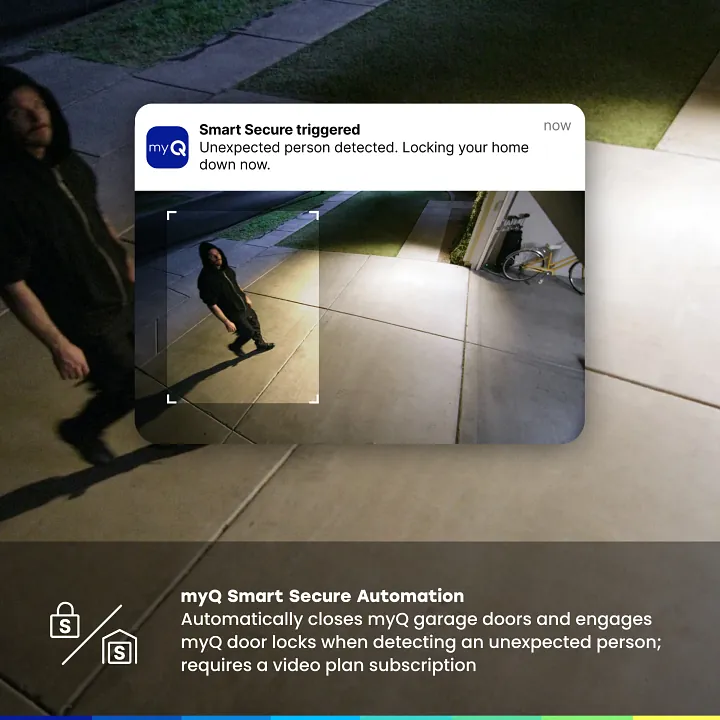
Basic smartphone control and monitoring are free for all compatible Chamberlain and LiftMaster garage door openers. You don’t need a monthly plan to open or close your door from the official app. These core features include real-time notifications for door activity and remote access from anywhere in the world.
Most users mistakenly assume that all smart home integrations remain free indefinitely. In reality, linking your garage to specific third-party hubs or automotive dashboards often triggers a paid subscription requirement. If you intend to use voice commands through platforms like IFTTT or certain vehicle-native interfaces, verify the current subscription status on the manufacturer’s portal before finalizing your setup.
Check your specific opener model on the Chamberlain support portal to confirm its compatibility with current app features. If your hardware predates 2017, you may require an external Wi-Fi hub to bridge the connection. Without this bridge, the app will fail to pair during the initial handshake process.
If you see a “device not supported” error during setup, check the serial number on the motor housing. Units manufactured before the MyQ era lack the internal radio transmitter necessary for cloud communication. In these cases, purchasing a standalone smart garage control kit is the only way to gain remote access.
Why Some Services Require Fees
The system operates on a freemium model where the hardware manufacturer covers the cost of basic server maintenance for core app functions. When you use the app to open or close your door, you’re sending a signal through their cloud servers. This is provided at no extra cost to ensure that every buyer can access the primary features they paid for when purchasing the opener.
Advanced integrations often involve different technical costs. When you link your garage door to a third-party ecosystem, that platform might require a different level of data exchange or API access. In some cases, these companies charge a licensing fee to maintain the connection between their software and the garage door hardware.
If you find that your specific smart home setup requires a subscription, it’s usually because the third-party provider is charging for the bridge service, not because Chamberlain is locking the door hardware itself.
If you’re wondering why your neighbor has a paid plan, they might be using a premium feature set or an older legacy system that required a different service model. Most modern hardware is designed to avoid these fees for the average user.
Always check the official app settings to see if your account is currently on a free or paid tier. If you don’t see a prompt to upgrade, you’re likely already using the full suite of free features available for your device.
The most common mistake users make is confusing native app notifications with third-party automation triggers. If you set up an automation through a platform like IFTTT or a smart home hub, you’re creating a secondary data path. This path often carries a monthly overhead that the manufacturer can’t absorb. If your automation relies on a cloud-to-cloud connection, expect a potential subscription requirement. If you prefer to avoid these costs, stick to the manufacturer’s native app for all scheduling and alerts.
When You Might Need a Paid Plan
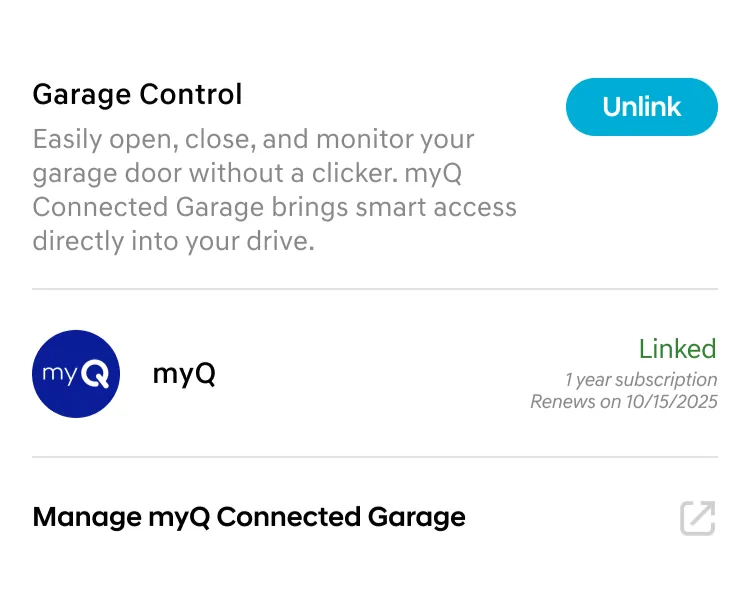
While basic use is free, certain setups or user preferences might lead you to consider a paid integration or service.
If you manage more than five connected devices, the free tier will eventually throttle your data refresh rate. You’ll notice a three-second delay between triggering a sensor and receiving an alert. If that lag disrupts your workflow, the paid plan restores real-time reporting.
| Situation | What changes | What to do instead |
|---|---|---|
| Smart home hubs | Direct integration often requires fees | Use the native app |
| Commercial accounts | Multiple users need advanced logs | Contact authorized dealer |
| Legacy hardware | Older hubs may lack free support | Upgrade the hub hardware |
| Third-party automation | Specific apps require API access | Use IFTTT or native tools |
| Enterprise security | High-level auditing is required | Use professional security software |
Many users mistakenly upgrade when they only need to clear their cache. If your dashboard feels sluggish, delete your browser cookies before committing to a monthly subscription. A paid plan won’t fix a local network bottleneck or a weak Wi-Fi signal.
Only switch to a paid tier if you require historical data exports longer than thirty days. If you need to prove compliance for insurance or business audits, the native export tool is insufficient. In those cases, the cost of the subscription is significantly lower than the cost of a manual data reconstruction.
How to Set Up Your Opener Properly
Download the official app from your device’s app store. Avoid third-party software, as these unauthorized interfaces often lack the encrypted handshake protocols required to keep your home network secure.
Plug in your internet gateway or connect your Wi-Fi-enabled opener according to the manual. If your router operates on both 2.4GHz and 5GHz bands, force your phone onto the 2.4GHz network during setup. Many openers fail to pair if the phone stays on the faster 5GHz band.
Create an account using your email address and verify it through the link sent to your inbox. Use a unique, complex password here. If you reuse a password from a compromised site, a hacker could gain physical access to your garage within seconds.
Follow the in-app prompts to add your device by scanning the serial number found on the motor housing. If the app fails to find the unit, check the LED indicator on the opener. A blinking amber light usually signals a pairing mode timeout; press the learn button once to reset the sequence.
Test the connection by opening and closing the door while standing in the garage. If the door moves but the app shows a “communication error,” your signal strength is insufficient. Move your router closer or install a Wi-Fi range extender.
Check the app settings to confirm you’re on the standard user plan. You should see no pending invoices. If you see a subscription prompt for basic remote operation, you have likely selected a premium fleet-management tier designed for commercial properties.
Common Mistakes That Ruin Your Setup
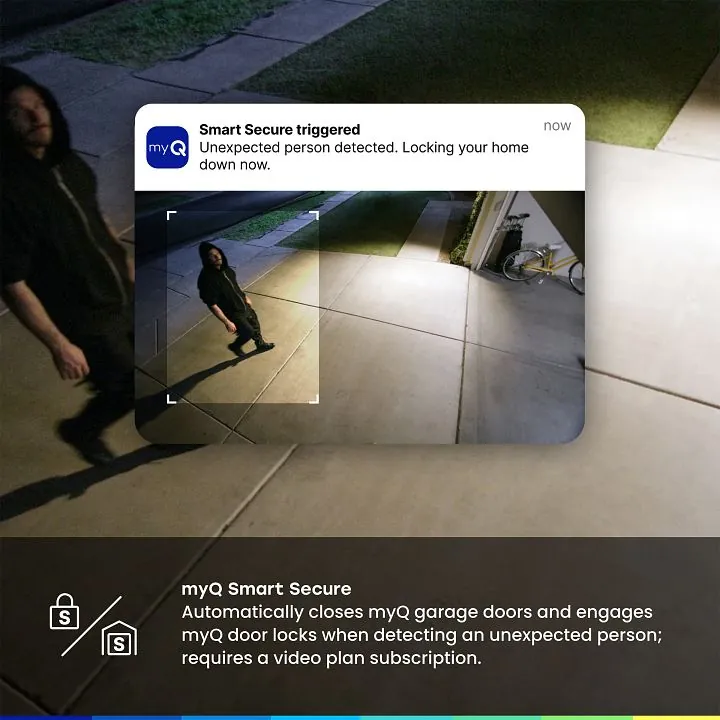
Using unauthorized third-party apps to control the door introduces security vulnerabilities that bypass your encryption. These bridges often store your credentials in plain text, turning a convenience tool into a backdoor for intruders. If you suspect a breach, check your account activity logs immediately for unrecognized IP addresses.
Failing to update your firmware causes persistent connection drops that users frequently mistake for a subscription paywall. Before assuming your service has expired, navigate to the device settings menu and verify the version number against the manufacturer’s latest release. A simple manual refresh often resolves the handshake errors that trigger these false alerts.
Linking your device to an unsupported smart home hub generates cryptic error messages that mimic payment prompts. If your hub doesn’t explicitly list your model in its compatibility matrix, stop the integration process. Forcing the connection will lock the device in a loop that requires a factory reset to clear.
Creating multiple accounts for a single device confuses the server and restricts your primary user profile. Assign one owner account to manage permissions, and use the built-in guest invitation feature for everyone else. This prevents the system from flagging your hardware as a duplicate or unauthorized unit.
Related guides
- Garage Door Cable Came Off Drum: How to Fix It Safely
- Chamberlain Garage Door Opener Troubleshooting: Easy Fixes
- LiftMaster vs Chamberlain: Which Garage Door Opener Is Best
Frequently asked questions
Does myq charge a monthly fee for basic access?
No, the manufacturer doesn’t charge a monthly fee for basic access to the app’s primary features. You can open, close, and monitor your garage door status without any ongoing costs. The free tier is designed to support the standard functionality provided with the purchase of your hardware. If you see a request for payment, you’re likely attempting to enable a specialized third-party integration that sits outside the core product offering.
How do I know if my garage door opener is compatible?
You can verify compatibility by checking the model number printed on the motor housing of your garage door opener. Visit the manufacturer’s official support website and enter this number into their compatibility tool to see if it supports Wi-Fi or gateway connectivity. If your opener has a “MyQ” logo or a Wi-Fi sticker, it’s designed for use with the free mobile application and doesn’t require a paid subscription.
Can I use my garage door with Apple HomeKit without paying?
You can use the garage door with Apple HomeKit without paying, provided you have the correct hardware bridge. Some older openers require a specific Home Bridge accessory to translate the signal for Apple’s platform. Once this hardware is installed and paired, the integration itself doesn’t incur a monthly fee from the manufacturer. Always ensure you’re using the official hardware bridge to avoid potential connection issues or security risks.
What happens if I don’t pay for a subscription?
Your basic garage door access isn’t tied to a paid subscription, so nothing happens if you don’t pay. You’ll retain full control via the official app, including real-time notifications and remote operation. The system remains fully functional for its primary purpose regardless of your subscription status, ensuring you never lose the ability to open your door.
Is it safe to use third-party smart home integrations?
It’s safe to use third-party integrations only if you use official, verified connections provided through the app’s settings menu. Avoid using “hacked” or unauthorized software, as these can bypass security protocols and leave your garage vulnerable to unauthorized access. When you connect via the approved channels, the data remains encrypted and managed through the manufacturer’s secure cloud, protecting your home and your privacy from external threats.
How long does the free service last?
The free service is included for the lifetime of your compatible hardware and doesn’t have an expiration date. You aren’t on a trial period, and you don’t need to worry about the service turning off after a specific number of years. As long as the manufacturer continues to support the app and the cloud servers, your basic access will remain free of charge for your registered devices.
Conclusion
If you’re still unsure about your specific model’s capabilities, check the official app settings to see which features are enabled for your home. Don’t worry about extra costs unless you’re looking to connect with specialized smart home systems. You’ll find that the free version works perfectly for your daily routine.
