
Dealing with a shark self propelled vacuum not working can be incredibly frustrating, especially when you’re in the middle of a deep cleaning session. These machines rely on a sophisticated combination of motorized brush rolls, drive belts, and complex sensor systems to create that signature “self-propelled” feel. When the assist mechanism fails, the vacuum suddenly feels heavy, difficult to push, and inefficient at picking up debris. Fortunately, most of these issues stem from common maintenance oversights or simple mechanical blockages that you can resolve at home without needing a professional technician.
Key Takeaways
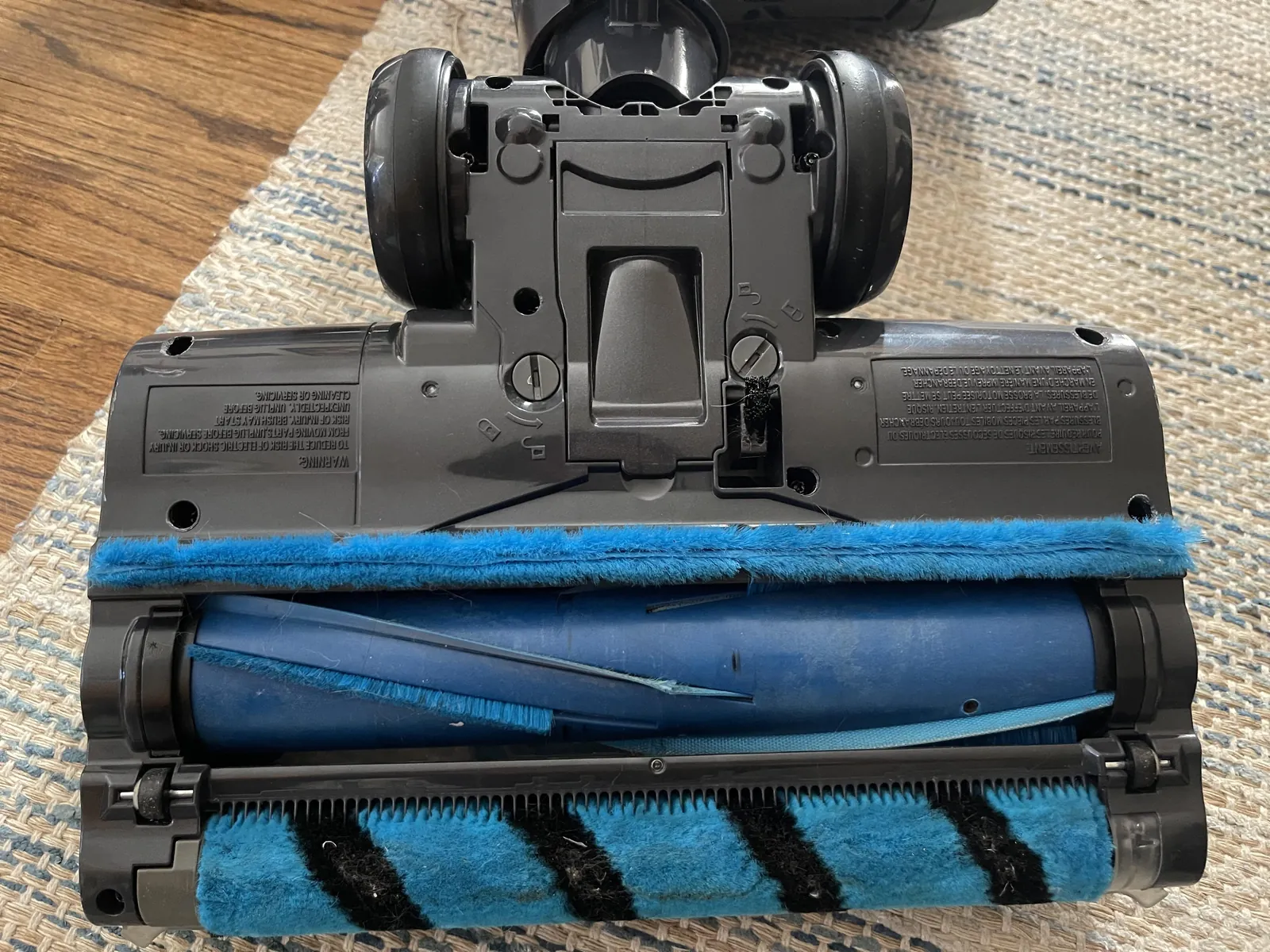
- Check the brush roll for hair wraps or debris that prevent the motor from spinning freely.
- Inspect the drive belt for signs of stretching, cracking, or snapping, as this transmits power to the wheels.
- Verify that the vacuum is set to the correct floor height or suction mode for your specific surface.
- Clear all intake hoses and pathways to ensure the suction motor isn’t struggling against a clog.
- Reset the vacuum’s internal thermal protector by unplugging the unit and letting it cool down for 45 minutes.
Why Is The Assist Mechanism Failing?
The “self-propelled” feature in many Shark vacuum models isn’t a separate engine but rather a system that coordinates the rotation of the brush roll with the drive wheels. When this system stops working, the primary culprit is often a mechanical obstruction. If the brush roll is jammed with pet hair, carpet fibers, or a rogue sock, the internal clutch may disengage to prevent motor damage. This safety feature stops the “self-propelled” movement entirely.
Another common cause involves the drive belt assembly. Over time, the rubber belt that connects the motor to the brush roll or the wheel transmission system can lose tension or slip off its pulleys. If the belt is loose, the motor will spin, but the power won’t be transferred to the wheels, leaving you to push the full weight of the machine manually.
Troubleshooting Your Shark Vacuum
When you notice your vacuum is no longer assisting your movement, follow this systematic approach to identify the fault. Start by turning off the power and unplugging the unit from the electrical outlet. Never attempt to inspect or repair the internal components while the machine is connected to a power source, as the automated restart sensors could trigger the brush roll unexpectedly.
Common Troubleshooting Steps
| Step | Action | Objective |
|---|---|---|
| 1 | Inspect Brush Roll | Remove hair, strings, and carpet fibers |
| 2 | Check Drive Belt | Ensure the belt is seated correctly |
| 3 | Clear Hose Clogs | Remove debris from the primary air path |
| 4 | Reset Thermal Switch | Allow the motor to cool down fully |
| 5 | Adjust Height Setting | Ensure wheels aren’t stuck on carpet |
How To Inspect The Brush Roll
The brush roll is the most frequent point of failure. To inspect it, flip the vacuum over to reveal the underside. If your model has a removable floor nozzle, detach it first. Use a pair of scissors to carefully cut through any tangled hair or thread wound around the bristles.
Be mindful not to damage the bristles themselves. Once clear, rotate the roll manually with your fingers. It should spin with minimal resistance. If it feels gritty or stuck, the bearing assembly might be compromised.
Checking The Drive Belt System
If the brush roll turns freely but the vacuum still refuses to move on its own, the problem likely lies deeper within the drive belt system. On many Shark models, the belt is located behind a plastic cover near the base or the main housing.
You may need a Phillips-head screwdriver to remove the protective plate. Look for signs of dry rot or cracking on the rubber. If the belt is broken, you’ll need to source a replacement specific to your model number.
Pro Tip: Always replace the belt with an original manufacturer part rather than a generic substitute, as the exact tension and material thickness are vital for the proper engagement of the self-propulsion clutch.
Clearing Airway And Hose Obstructions
Sometimes, the vacuum feels heavy not because the drive is broken, but because the suction is so severely blocked that the vacuum creates a “suction lock” against the floor. When the airflow is restricted, the internal sensors may detect a stall and cut power to the drive motor to prevent overheating. Check the primary intake hose, the wand connection, and the dust cup inlet. A blockage here can drastically increase the force required to move the machine across high-pile carpets.
Resetting The Thermal Protection Switch
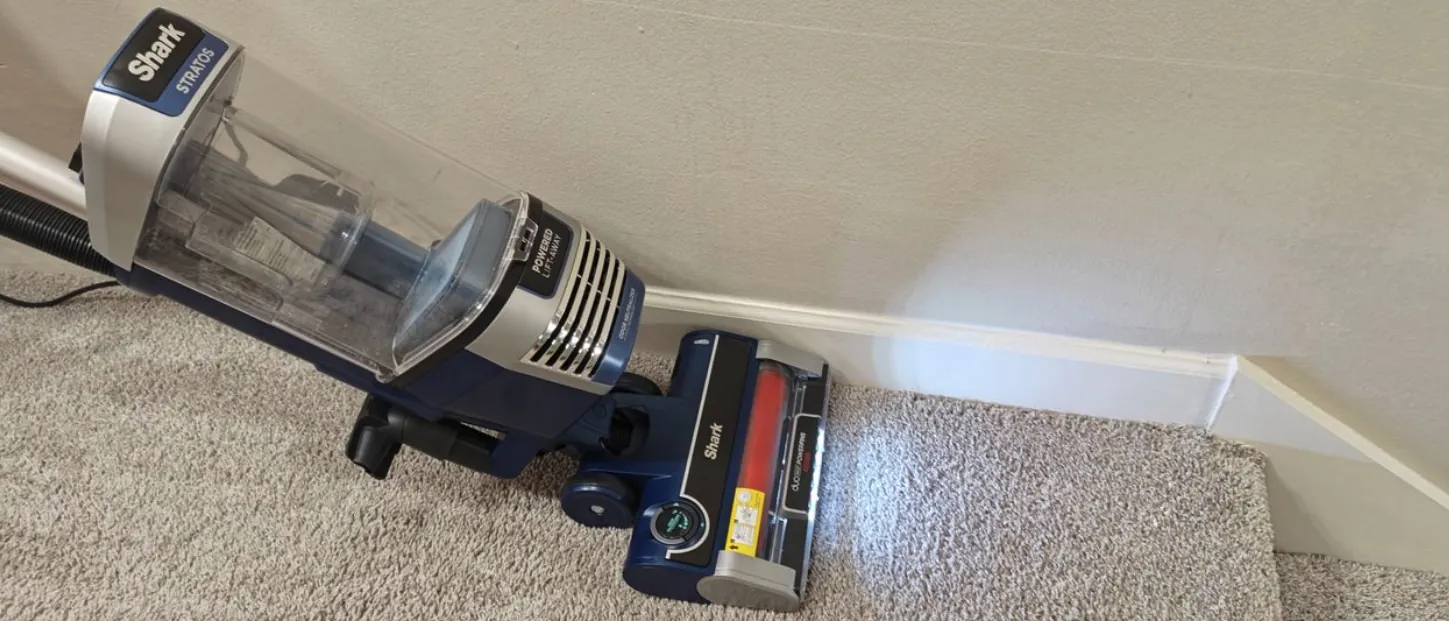
Shark vacuums are equipped with a thermal cutoff switch that prevents the motor from burning out. If the vacuum has been running for a long time or if the airflow has been restricted, the motor will naturally get hot. According to the official Shark Clean support guidelines, you must unplug the vacuum and wait at least 45 minutes for the motor to cool down completely before it will reset and resume normal operation.
Is The Height Setting Correct?
Many users forget that the self-propelled feature relies on the vacuum being at the correct height relative to the floor. If the height adjustment dial is set too low for a thick carpet, the brush roll will dig into the fibers, causing the motor to work harder than intended. This creates a drag effect that makes the vacuum feel like it isn’t working. Try moving the adjustment dial to a higher setting to see if the “self-propelled” movement returns.
Comparing Vacuum Maintenance Costs
Repairing a vacuum at home is almost always cheaper than replacing the entire unit or taking it to a repair shop. The costs below represent the typical range for common DIY repairs versus professional service fees.
| Repair Type | DIY Cost Range | Professional Cost Range |
|---|---|---|
| Belt Replacement | $8.00 – $15.00 | $50.00 – $90.00 |
| Brush Roll Cleaning | $0.00 – $5.00 | $30.00 – $60.00 |
| Hose/Clog Removal | $0.00 – $10.00 | $30.00 – $70.00 |
| Motor Replacement | $40.00 – $80.00 | $100.00 – $180.00 |
When To Contact Customer Support
If you have cleaned the brush roll, replaced the belt, cleared the hoses, and allowed the motor to reset, but the vacuum still fails to move, there may be an electrical fault in the motor controller or the drive sensor. At this stage, it’s best to contact the manufacturer. If your vacuum is still within the warranty period—which typically spans from one to five years depending on the model—you may be entitled to a free repair or a replacement unit.
Can A Clogged Filter Cause Issues?
Yes, a clogged filter is a silent killer for vacuum performance. When the HEPA or foam filters are packed with dust, the vacuum can’t pull air through the system. This leads to reduced suction and often triggers the safety shut-off sensors.
If the vacuum is struggling to move, remove the filters and check if they’re discolored or caked with fine dust. Washing them in warm water and allowing them to air dry for 24 hours can often restore power and movement.
Warning: Never operate your vacuum without all filters installed, as this can allow debris to enter the motor housing and cause permanent mechanical failure that isn’t covered by the manufacturer’s warranty.
Maintenance Schedule For Longevity

To keep your Shark vacuum running smoothly, follow this maintenance schedule. Regular care prevents the buildup of debris that leads to mechanical failure.
- After Every Use: Empty the dust cup and check the floor nozzle for large debris.
- Monthly: Clean the brush roll of hair and thread; check for hose blockages.
- Every 3 Months: Wash the foam and felt filters; inspect the drive belt for wear.
- Annually: Deep clean the entire intake path and check the wheel bearings for smooth rotation.
Frequently Asked Questions
Why does my vacuum feel like it’s stuck to the floor?
This usually indicates an issue with suction regulation. If the suction is too strong for the floor surface, the vacuum creates a vacuum seal. Try adjusting the suction control slider on the handle, if your model has one, or change the floor type setting on the nozzle. This releases the seal and allows the wheels to regain traction and move freely.
How do I know if the drive belt is broken?
If the vacuum is powered on but the brush roll isn’t spinning, the belt is likely broken or slipped. You can verify this by looking at the brush roll while the machine is running. If it remains stationary despite the motor running, the belt has failed. Turn off the vacuum immediately to prevent further damage to the motor or the plastic housing.
Can I fix the self-propulsion myself?
Yes, most self-propulsion issues are caused by debris or worn belts, which are user-serviceable. If you’re comfortable using a screwdriver and following basic maintenance steps, you can resolve the majority of these problems without professional help. Always consult your specific model’s user manual to ensure you’re accessing the internal components correctly without voiding any active manufacturer warranties.
What should I do if the vacuum smells like burning rubber?
A burning rubber smell is a classic sign of a jammed brush roll or a slipping drive belt. The friction between the belt and the pulley generates heat, which melts or burns the rubber. Turn the vacuum off immediately, unplug it, and inspect the brush roll for obstructions. If the belt is damaged, replace it before attempting to use the machine again.
Is it worth repairing an older Shark vacuum?
Whether a repair is worth it depends on the age and cost of the vacuum. If the repair requires a simple part like a belt or a filter, it’s almost always cost-effective. However, if the motor or the main electronic board has failed on a vacuum that’s more than five years old, you might find that the cost of parts approaches the price of a new unit.
Conclusion
Maintaining your vacuum is the best way to ensure it lasts for years to come. Start by inspecting your brush roll and drive belt today, as these two components are responsible for the vast majority of movement issues. If these parts look healthy, proceed to clear your filters and airways to ensure the motor is operating at peak efficiency. Should the problem persist, consult your model’s manual for specific sensor reset procedures.
