
Is your Pentair Intellichlor system not working as it should? The flow switch plays a key role in keeping your pool’s chlorine generator running smoothly.
When it malfunctions, your pool water can quickly become unbalanced, leading to costly repairs or unsafe swimming conditions. But don’t worry—you’re in the right place. This guide will help you troubleshoot common flow switch problems step-by-step, so you can get your pool back to perfect condition without hassle.
Keep reading to learn how to spot issues early and fix them fast. Your pool—and your peace of mind—depend on it.
Common Flow Switch Issues
Flow switches in Pentair Intellichlor systems ensure proper water flow for safe operation. Problems with these switches can stop the system from working correctly. Understanding common flow switch issues helps in quick diagnosis and repair. This keeps your pool system running smoothly and avoids costly downtime.
No Flow Switch Activation
No flow switch activation means the system does not detect water movement. This issue can stop the Intellichlor from producing chlorine. Check for blockages in the pipes or filters that may reduce water flow. Inspect the flow switch wiring for loose or damaged connections. A faulty flow switch sensor can also cause no activation signals.
Intermittent Flow Switch Signals
Intermittent signals cause the Intellichlor to turn on and off randomly. This creates inconsistent chlorine production and pool water quality problems. Dirt or debris near the flow switch sensor can trigger false readings. Loose wiring or connectors can cause signal interruptions. Regular cleaning and tightening connections help reduce these issues.
Flow Switch Stuck Open Or Closed
A flow switch stuck open may not detect flow even when water moves. This stops the system from operating properly. A switch stuck closed may falsely indicate water flow without actual movement. Both cases require inspection of the switch mechanism. Replace the flow switch if mechanical parts are worn or damaged.
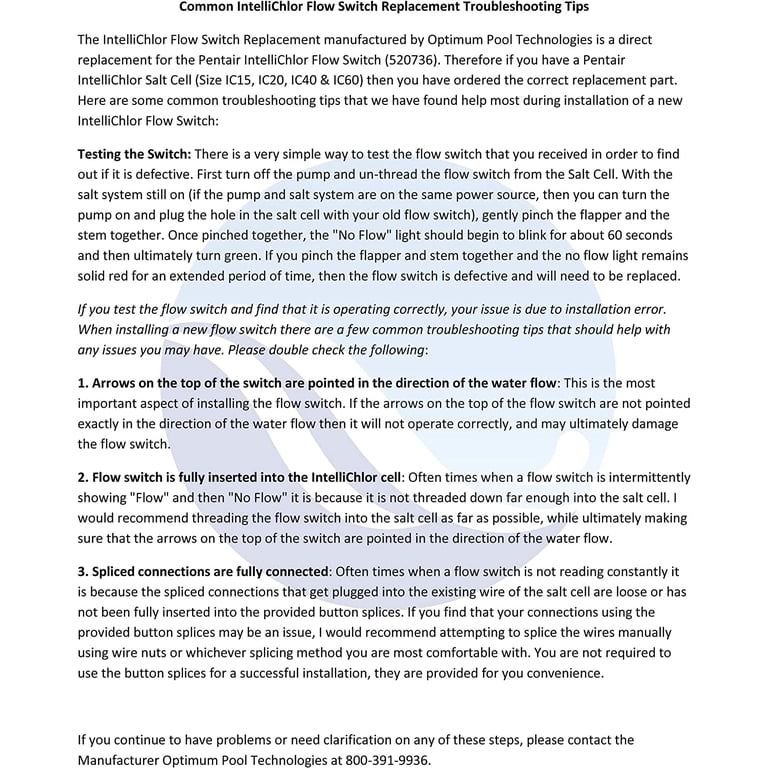
Credit: www.walmart.com
Tools And Materials Needed
Before starting Pentair Intellichlor flow switch troubleshooting, gather the right tools and materials. Having everything ready saves time and makes the process smoother. The tools help you check and fix the flow switch accurately. The materials protect parts from damage during troubleshooting.
Use tools that fit well and work properly. Poor tools can cause mistakes or break parts. Also, some materials protect you and the equipment while working. Safety is important for a successful repair.
Basic Hand Tools
Prepare screwdrivers, pliers, and a wrench set. These tools help open covers and adjust fittings. Choose tools with comfortable grips for easier handling.
Multimeter
A multimeter measures electrical signals in the flow switch. It checks voltage, current, and resistance. This tool finds electrical faults fast and clearly.
Cleaning Supplies
Keep soft cloths and mild cleaners nearby. Clean parts remove dirt that blocks the flow switch. Avoid harsh chemicals that can cause damage.
Replacement Parts
Have spare fuses and flow sensors ready. Old parts may need swapping to fix the problem. Using genuine parts keeps the system reliable.
Protective Gear
Wear gloves and safety glasses. Protect your hands and eyes from sharp parts and chemicals. Safety gear reduces the risk of injury.
Checking Electrical Connections
Checking electrical connections is an important step in troubleshooting the Pentair Intellichlor flow switch. Faulty wiring or loose connectors can cause the flow switch to stop working properly. Careful inspection helps find problems early and keeps the system running smoothly.
Inspecting Wiring And Connectors
Start by turning off power to the system. Look closely at all wires connected to the flow switch. Check for any signs of damage, like cuts or frays. Make sure connectors are tight and secure. Loose connections can interrupt the signal and cause errors.
Look for corrosion or dirt on connectors. Clean any buildup carefully using a soft brush or cloth. Dirty contacts can block the electrical flow. Replace any damaged wires or connectors to ensure a strong connection.
Testing Voltage And Continuity
Use a multimeter to test voltage at the flow switch terminals. The reading should match the manufacturer’s specifications. No voltage means a power supply issue or broken wire.
Check continuity between wires to find breaks or shorts. Continuity means electricity flows freely. No continuity signals a broken connection inside the wire or switch. Replace any faulty components to restore proper function.

Credit: www.youtube.com
Cleaning And Inspecting The Flow Switch
Cleaning and inspecting the flow switch is key to keeping your Pentair Intellichlor system running well. Dirt and damage can stop the switch from working. Regular checks help catch problems early. This saves time and money on repairs.
Removing Debris And Build-up
Turn off the pool pump before cleaning the flow switch. Look for leaves, dirt, or algae around the switch. Use a soft brush or cloth to remove any build-up. Avoid harsh chemicals that can damage the parts. Clean gently to keep the switch working smoothly.
Checking For Physical Damage
Inspect the flow switch for cracks or broken pieces. Check the wiring for signs of wear or corrosion. Damaged parts can cause the switch to fail. Replace any damaged components right away. A good inspection helps avoid bigger problems later.
Flow Rate And Pressure Checks
Checking the flow rate and pressure is important when troubleshooting the Pentair Intellichlor flow switch. The flow switch needs the right water flow to work correctly. If the flow is too low or pressure is off, the switch may not activate. This can stop your chlorinator from working properly.
Regular checks help find problems early. It also keeps your system running smoothly. Start by measuring the water flow. Then, adjust the pump settings as needed. These steps ensure the flow switch gets the water it needs.
Measuring Water Flow
Use a flow meter to measure the water flow in your pool system. Attach it to the pipe near the flow switch. Turn on the pump and note the reading. Compare this to the flow rate recommended by Pentair. If the flow is too low, the switch might not activate.
Check for blockages or closed valves that reduce flow. Clean the filter and remove debris. This improves flow and helps the switch work right. Regular flow checks prevent long-term damage to your system.
Adjusting Pump Settings
Adjust the pool pump to change the water flow and pressure. Increase the pump speed if the flow is too low. This boosts water movement through the system. Lower the speed if the pressure is too high to avoid damage.
Check the pump’s pressure gauge for correct readings. Set the pump to a steady flow that matches Intellichlor’s needs. Watch the flow switch after adjusting. It should activate once the flow reaches the right level.
Resetting And Recalibrating The Flow Switch
Resetting and recalibrating the Pentair Intellichlor flow switch helps keep your system running smoothly. This process fixes issues with flow detection and ensures accurate readings. Regular maintenance prevents unexpected shutdowns and chemical imbalances.
The flow switch controls chlorine generation by sensing water flow. Errors in flow detection may cause the system to stop working or give false alarms. Resetting clears errors, while recalibration adjusts the switch to detect flow correctly.
Manual Reset Procedures
Start by turning off the Intellichlor cell and pump. Wait for two minutes to let the system fully power down.
Turn the power back on. Press and hold the reset button on the Intellichlor cell for five seconds.
Release the button and wait for the display to show normal operation. This clears the flow switch error.
If the error persists, repeat the reset process. Sometimes, a second reset is needed to clear faults.
Recalibration Steps
Turn off the system and close the water flow valve near the flow switch.
Turn the system back on while the flow is stopped. This sets the switch to zero flow.
Open the valve slowly to allow water flow. Watch the display for the flow switch status.
The switch should detect flow and show a normal status. If not, repeat the process or check for blockages.
Recalibration ensures the flow switch reads water flow accurately. It helps avoid false alarms and system shutdowns.
Replacing The Flow Switch
Replacing the flow switch in your Pentair Intellichlor system is key for proper pool function. A faulty flow switch can stop the chlorinator from working. It may cause the system to shut down or show errors. Changing the switch ensures your pool gets the right chlorine levels. It also helps avoid damage to the chlorinator.
Before starting, make sure to turn off the power and water flow. This prevents accidents and water leaks. Keep tools and the new switch ready. Follow steps carefully for a smooth replacement.
Choosing The Right Replacement
Use a flow switch made for the Intellichlor model. Check the part number on your old switch. Buy from trusted sellers or the official Pentair website. Avoid cheap, generic parts. They may not fit or work well. Using the correct switch keeps the system safe and efficient.
Installation Tips
Clean the pipe area before installing the new switch. Remove old seals and dirt. Place the new switch in the same spot as the old one. Tighten screws evenly to avoid leaks. Reconnect wires exactly as before. Turn the power on and test the system. Watch for error lights or strange sounds. Fix any issues before finishing. Proper installation helps the chlorinator run smoothly.
Credit: www.reddit.com
Preventive Maintenance Tips
Preventive maintenance helps keep the Pentair Intellichlor flow switch working well. It reduces unexpected problems and extends the device’s life. Small checks and care save time and money later. Follow simple steps to avoid common faults. Keep the flow switch clean and dry. Watch for any signs of damage or wear.
Regular Inspection Schedule
Check the flow switch at least once a month. Look for debris or dirt blocking the sensor. Ensure all wires and connections are tight and secure. Test the switch by running water through the system. Listen for unusual sounds or vibrations. Replace worn parts before they cause failure. Keep a log of all inspections and maintenance done.
Avoiding Common Pitfalls
Do not ignore small leaks or corrosion around the switch. Avoid using harsh chemicals that can damage the device. Do not force the switch or bend its parts. Make sure the switch is installed in the correct direction. Avoid exposing the unit to direct sunlight for long periods. Use only recommended replacement parts for repairs. Regular cleaning prevents buildup that affects performance.
Frequently Asked Questions
What Causes Pentair Intellichlor Flow Switch To Stop Working?
The flow switch may stop due to dirt buildup or clogging. Low water flow or electrical faults can also cause failure.
How To Test Pentair Intellichlor Flow Switch Functionality?
Turn off power, remove the switch, and use a multimeter to check continuity. Flow should trigger the switch to close the circuit.
Why Does The Flow Switch Keep Tripping The Intellichlor System?
Low water flow or air bubbles can cause frequent trips. Check for blockages or leaks in the plumbing system.
Can A Dirty Flow Switch Affect Intellichlor Chlorine Production?
Yes, dirt can block the flow sensor causing it to misread water flow. This reduces chlorine output or stops the system.
How Often Should I Clean The Intellichlor Flow Switch?
Clean the flow switch at least once every 3 months. More often if your pool has high debris or algae.
What Tools Are Needed For Intellichlor Flow Switch Troubleshooting?
Basic tools include a multimeter, screwdriver, and clean cloth. These help test electrical parts and clean the sensor.
When To Replace The Pentair Intellichlor Flow Switch?
Replace if the switch fails continuity tests or is physically damaged. Frequent trips and no improvement after cleaning also signal replacement.
Conclusion
Troubleshooting the Pentair Intellichlor flow switch can save time and money. Check the switch for blockages or dirt first. Make sure the water flows properly through the system. Test the wiring and connections for any loose parts. Resetting the system often clears minor errors.
Regular maintenance keeps your pool running smoothly. Simple steps can fix most flow switch issues. Stay patient and follow the guide carefully. Your pool’s health depends on proper flow switch function. Keep your pool safe and clean with these tips.