
If you own an Intex saltwater system, you know how important it is to keep it clean for smooth and safe swimming. But did you know there’s a simple feature called Self Clean that can save you time and effort?
You’ll learn exactly how to use the Self Clean function on your Intex saltwater system. Once you master this easy step, you’ll enjoy clearer water and a healthier pool without the hassle. Keep reading to discover the quick tips that will make your pool maintenance easier than ever.
Credit: www.walmart.com
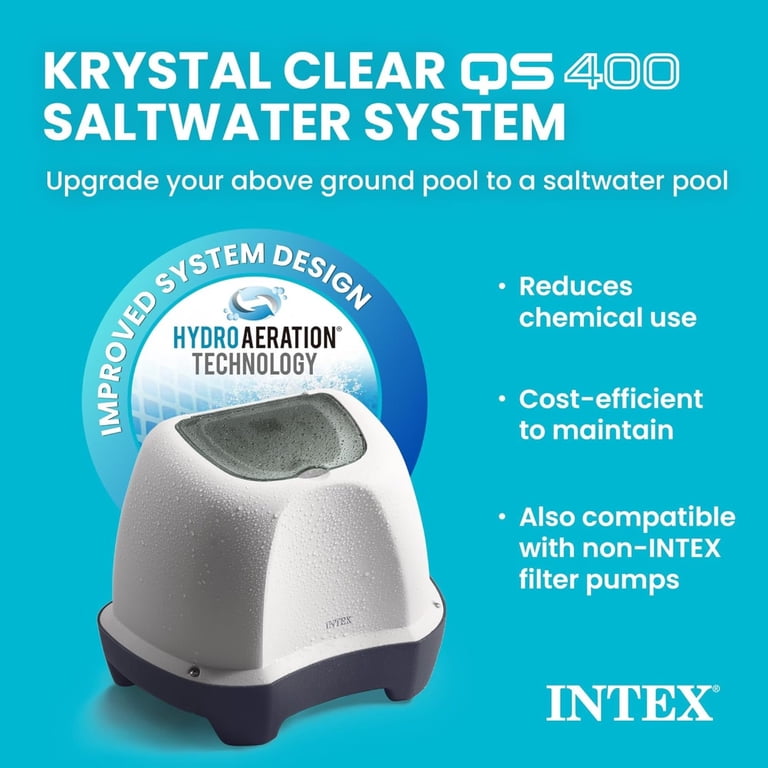
Intex Saltwater System Basics
The Intex Saltwater System Basics help users enjoy cleaner pool water. This system uses salt to create chlorine naturally. It keeps the pool fresh without harsh chemicals. Understanding its basics makes using the self-clean feature easier.
The system is simple to set up and operate. It fits most Intex pools. Saltwater systems are gentle on skin and eyes. They reduce the need for manual cleaning and chemical use.
Key Components
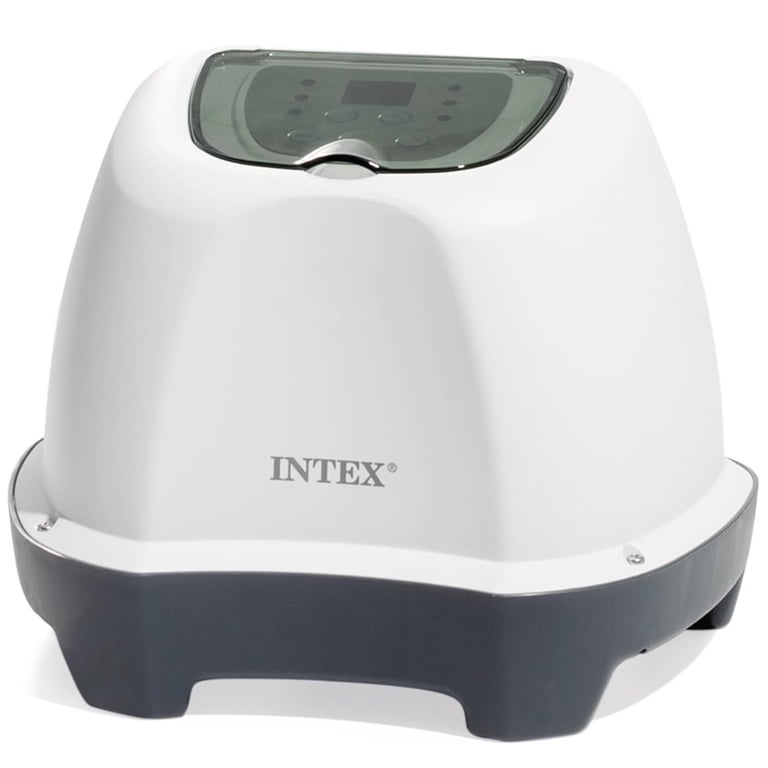
The Intex Saltwater System has a few main parts. The control unit manages the chlorine generation. The salt cell converts salt into chlorine. A filter pump circulates water through the system. These parts work together to keep water clean.
Salt is added to the pool water. The salt level is low and safe. The salt cell needs regular cleaning for best results. The system has a display to show status and errors.
Benefits Of Saltwater Systems
Saltwater pools need fewer chemicals than regular pools. They feel softer on the skin and eyes. Saltwater systems reduce strong chlorine smells. Maintenance is easier with fewer tasks.
Saltwater systems produce chlorine automatically. This keeps water fresh and safe. The system runs quietly and uses less power. It helps extend pool equipment life.
When To Use Self Clean
Use the self-clean feature when the saltwater system shows low chlorine output or after heavy use. It helps remove buildup and keeps the system working well. Regular cleaning improves water quality and extends the system’s life.
Signs Your System Needs Cleaning
Watch for cloudy or greenish pool water. This often means the saltwater system needs cleaning. Another sign is low chlorine output, even when the system runs long. You might also notice the salt cell looks dirty or has white buildup. These signs show minerals and debris block the system. Using self clean helps clear this buildup. Regular checks help keep your pool water clear and safe.
Recommended Cleaning Frequency
Clean the salt cell every three to six months. This schedule keeps it working well. Pools in hard water areas may need cleaning more often. Also, clean after heavy pool use or storms. Use the self clean function as suggested by the Intex manual. Regular cleaning prevents damage and extends the system’s life. Keeping to a routine saves time and money later.
Preparing For Self Clean
Preparing your Intex Saltwater System for a self clean is important. It helps keep your pool water clear and safe. Taking the right steps before starting the process saves time and avoids problems.
Check everything carefully to make sure the system works well. Follow these simple guidelines to get ready for the self clean feature.
Safety Precautions
Turn off the pool pump before starting any cleaning. This prevents accidents and protects the system parts. Wear gloves to keep your hands safe from chemicals and sharp edges.
Keep children and pets away from the pool area during cleaning. Avoid using harsh chemicals near the saltwater system. Read the user manual for any specific warnings or instructions.
Gathering Necessary Tools
Have a clean cloth or soft brush ready to wipe the cell. Use a garden hose with a spray nozzle to rinse off dirt and debris. Prepare a bucket with diluted vinegar if you need to remove buildup.
Keep a screwdriver nearby for opening the cell cover if needed. Make sure you have a dry towel to wipe the parts after cleaning. Having all tools at hand makes the process faster and easier.
Step-by-step Self Clean Process
Cleaning your Intex Saltwater System regularly keeps it working well. The self clean process is simple and helps remove salt build-up. Follow these steps to clean your system safely and quickly. This guide walks you through each part of the process. Take your time and follow the steps carefully.
Powering Down The System
Start by turning off the saltwater system. Locate the power switch and switch it off. Unplug the unit from the power outlet. This step stops the system from running during cleaning. It also protects you from electric shock. Wait a few minutes to let the system rest before moving on.
Activating Self Clean Mode
Find the control panel on your Intex Saltwater System. Press the button labeled “Self Clean” or “Clean Mode.” Hold the button for a few seconds until the system beeps. This beep means the self clean cycle has started. The system will now clean the cell automatically. Avoid turning the system on or off during this process.
Monitoring The Cleaning Cycle
Watch the control panel for progress updates. The self clean cycle usually lasts 5 to 10 minutes. Do not interrupt the cycle once it starts. If the system shows an error, check the manual for help. After the cycle ends, the system will return to normal mode. Plug the system back in and turn it on to finish.
Post-cleaning Maintenance
Post-cleaning maintenance is important to keep your Intex saltwater system working well. After using the self-clean feature, you must follow certain steps. These steps help the system run smoothly and extend its life. Careful attention to maintenance avoids common problems and keeps water clear.
Restarting The System
Turn the system off after cleaning. Wait a few minutes before turning it back on. This pause allows the system to reset. Press the power button to restart the saltwater system. Check that all lights and indicators are normal. A proper restart helps the system work efficiently.
Checking Water Quality
Test the water for salt levels and pH balance. Correct salt levels keep the system effective. Use a test strip or digital tester for accuracy. Adjust salt or chemicals if needed. Clear water means the system is working well. Regular checks prevent damage to pool equipment.
Troubleshooting Common Issues
If the system does not restart, check the power supply. Look for error codes on the display. Clean any debris from the cell and filter. Reset the system if errors continue. Call customer support for persistent problems. Quick action stops small issues from growing.

Credit: www.visitcini.com
Tips For Extending System Life
Extending the life of your Intex saltwater system keeps your pool clean and saves money. Proper care and smart habits prevent damage and improve performance. Follow simple tips to make your system last longer and work better.
Regular Maintenance Practices
Check the salt level in your pool often. Keep it within the recommended range to avoid stress on the system. Clean the salt cell regularly to stop build-up that reduces efficiency. Use the self-clean mode as instructed in the manual. Remove debris from the basket and filter to maintain water flow. Inspect the power supply and connections for any signs of wear. Replace parts promptly if they show damage or corrosion. Run the system daily during the swimming season to keep water balanced.
Avoiding Common Mistakes
Do not use the saltwater system in pools with low salt levels. Avoid running the self-clean cycle too often; this can wear out the cell faster. Never add salt directly on the salt cell; dissolve it in water first. Avoid turning the system on and off too frequently. Do not ignore unusual noises or error codes; check the manual or call support. Avoid using harsh chemicals near the salt cell. Keep the pool water balanced to prevent scaling and corrosion. Avoid letting the system run dry or with low water flow.
Credit: www.walmart.com
Frequently Asked Questions
What Does The Self Clean Function Do On Intex Saltwater System?
The Self Clean function helps remove salt and dirt buildup from the cell. It keeps the system running smoothly and extends its life. Use it regularly to avoid problems.
How Often Should I Use The Self Clean Feature?
Use Self Clean once every few weeks, depending on pool use. More use means more cleaning needed. Check your system’s manual for specific advice.
Can I Run Self Clean While The Pool Pump Is Off?
No, the pool pump must be running for Self Clean to work. The water flow cleans the cell properly. Always turn on the pump first.
How Long Does The Self Clean Cycle Last?
Self Clean usually runs between 30 minutes and 1 hour. The exact time depends on your model. Check your manual for the precise duration.
Will Self Clean Remove All Types Of Cell Buildup?
Self Clean mainly removes salt and light scale buildup. Heavy scale or dirt may need manual cleaning. Use Self Clean regularly to avoid tough buildup.
Can I Use Self Clean During Pool Swim Time?
It is best to run Self Clean when no one is swimming. It can cause water flow changes and affect chlorine levels. Choose a quiet time for cleaning.
What If The Self Clean Function Does Not Start?
Check that the pump is running and the system is powered on. Reset the system if needed. If it still won’t start, contact Intex support.
Conclusion
Using the self-clean feature on your Intex saltwater system keeps your pool clear and safe. It helps remove salt buildup and protects the system parts. Run the self-clean cycle regularly to avoid damage and keep water fresh. This simple step saves you time and money on repairs.
Clean water means better swimming fun for everyone. Remember to follow the instructions carefully for best results. Taking care of your system makes your pool last longer and work better. Keep your pool healthy with easy self-clean use.