
The standard myq plans cost is zero dollars, as the basic service for controlling your garage door opener is free for individual users. You’ll only pay a monthly or annual fee if you choose to subscribe to premium features, such as video storage or advanced automation integrations. These costs depend on the specific hardware you own and the region where you live, so check your account dashboard for the exact pricing available to your device.
What MyQ plans cost
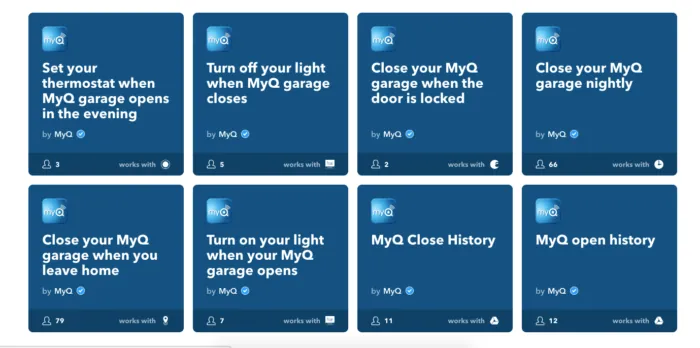
Basic control of your garage door through the app is free for all users. This includes remote opening, closing, and real-time status alerts.
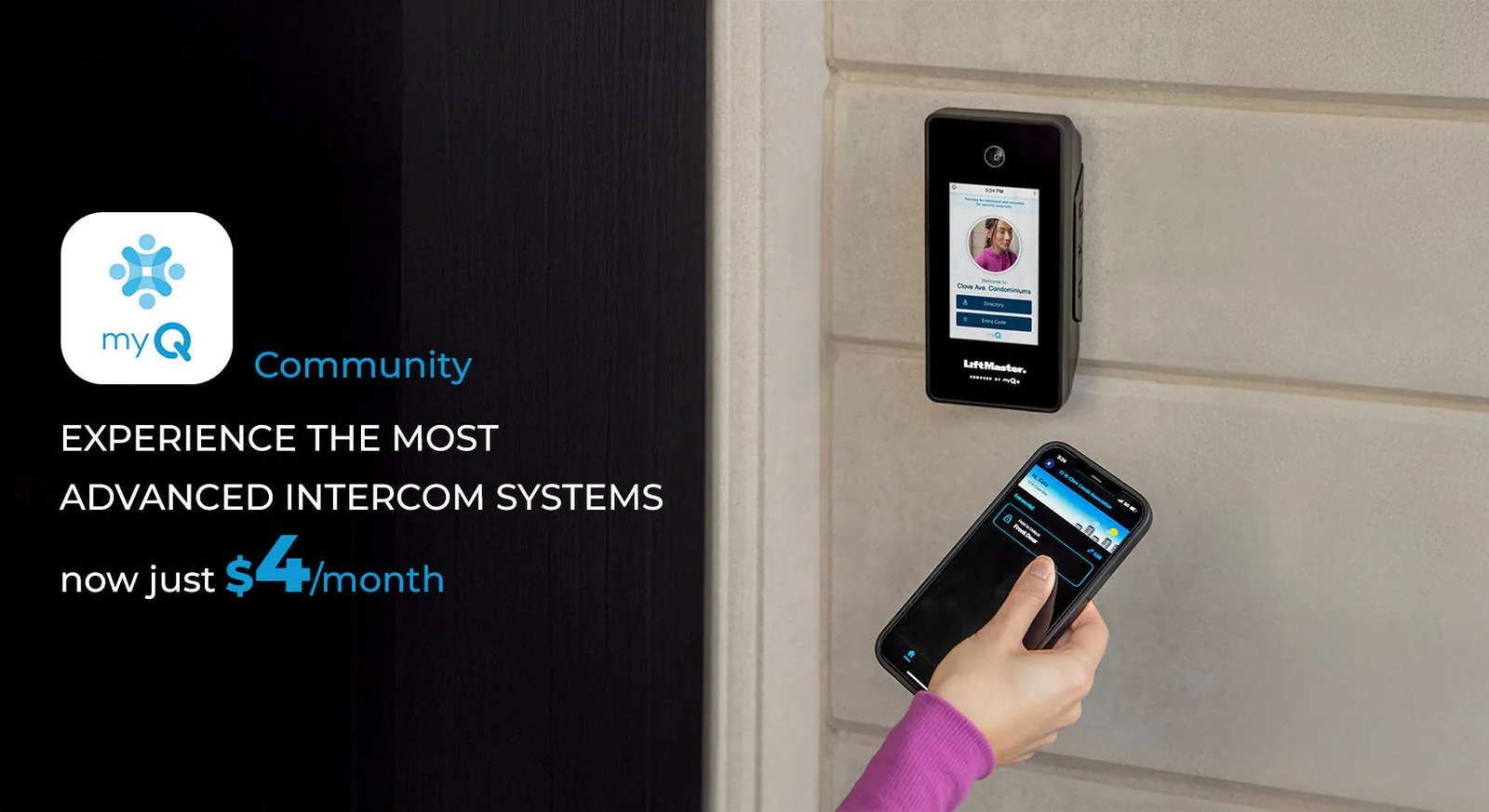
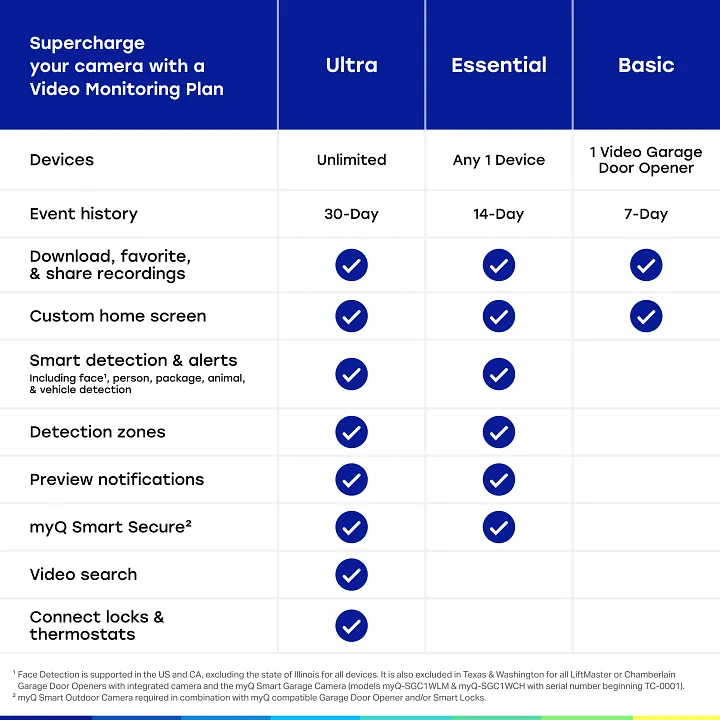
Video storage plans for cameras require a monthly fee starting at $3.99 per month. If you need to save footage for more than 24 hours, you must upgrade to a premium tier. These tiers typically scale based on the number of cameras connected to your account.
Annual subscriptions for video storage offer a discount compared to monthly billing cycles. You’ll generally save about two months of fees by paying for the full year upfront. Choose the annual plan only if you’re certain you’ll remain in your current home for the next twelve months.
Premium integrations with third-party smart home platforms may carry separate service fees. Some platforms charge a flat monthly access fee, while others require a one-time activation cost. Always check the official Chamberlain MyQ support page for current regional pricing updates before connecting a new ecosystem.
If you own multiple properties, you may need separate subscriptions for each location. A single account can manage multiple doors, but video storage is tied to the specific hardware at each address. Don’t attempt to link cameras from two different homes under one storage plan, as the system will fail to record events correctly.
Why Fees Exist for Premium Features
The primary reason for these costs is the ongoing expense of cloud hosting and data management for video streams. When you use a camera with your system, your device sends high-definition video to a secure server.
This requires large amounts of storage space and constant maintenance to ensure that your footage remains private and accessible only to you. Companies charge for this service because it involves real-time bandwidth and long-term cloud storage, which aren’t included in the purchase price of the physical hardware.
Advanced software features also require continuous updates to maintain compatibility with new smartphones and smart home ecosystems. As mobile operating systems change, developers must write new code to keep the app functional. If you’re wondering why you might pay for a subscription, it’s usually because you want to keep recorded video clips for more than the standard preview time. Without these fees, the infrastructure to support remote video viewing would be impossible to maintain for millions of users simultaneously.
If you’re a casual user who only needs to open and close your door, you never have to pay a cent. The business model relies on the fact that most people don’t need constant video recording for their garage. For the small percentage of users who require high-end features like motion alerts and long-term cloud storage, the subscription covers the specific server costs generated by their high usage.
A common mistake is assuming that hardware sales fund the long-term support of these digital services. In reality, the profit margin on a physical unit is often exhausted within the first year of cloud storage costs. If your household records more than ten minutes of motion-triggered footage daily, you’re consuming significant server resources that necessitate a paid tier.
If you rarely check your live feed, stick to the free version. If you rely on event history to track deliveries or security incidents, the subscription is a necessary utility cost. You’re essentially renting server space rather than buying a static product.
Variations in Service Costs
| Situation | What changes | What to do instead |
|---|---|---|
| Multiple cameras | Higher storage needs | Purchase a multi-camera plan |
| Annual billing | Lower monthly rate | Choose yearly payment option |
| Legacy hardware | Feature compatibility | Check app for device support |
| Promotional offers | Trial period ends | Monitor account expiry date |
| Regional taxes | Final checkout price | Review local tax rates |
Adding a second camera typically doubles your cloud storage consumption, not just your subscription fee. If your bandwidth is capped at 500GB per month, two high-definition streams will trigger overage charges within three weeks. Always verify your current data throughput before upgrading your hardware.
Most users ignore annual billing because the upfront cost feels steep. However, paying monthly often includes a hidden 15% convenience premium that compounds over a three-year hardware lifecycle. If you plan to keep the system for more than six months, the annual discount effectively pays for one month of service.
Legacy devices often lack the processing power for modern motion-tracking updates. If your unit was manufactured before 2021, check the “Compatibility” tab in your mobile app before renewing. Using unsupported hardware often forces the system to default to low-resolution recording, rendering your security footage useless during an incident.
Promotional pricing creates a false sense of long-term affordability. When your trial expires, the price usually jumps to the standard retail rate without a notification email. Set a calendar alert for 48 hours before the trial ends to decide if the features justify the full cost.
Finally, regional tax rates vary by zip code, sometimes adding 10% to the final invoice. If you’re ordering for a business, check if your local jurisdiction offers a tax exemption for security equipment. This simple step can save significant capital on large-scale installations.
How to Manage Your Subscription
Open the app on your smartphone and log into your account. If you can’t remember your credentials, use the “forgot password” link immediately rather than creating a duplicate account, which often leads to double billing that takes weeks to reconcile.
Navigate to the settings menu by tapping the icon in the top corner. Select the subscription or billing section to see your active plans. If you see two active subscriptions under different email addresses, cancel the one with the lower storage limit first to avoid overlapping charges.
If you want to upgrade, choose the plan that fits your storage needs. Most users overestimate their requirements; check your current usage percentage in the dashboard before committing to a higher tier. If you’re currently using less than 60% of your space, a mid-tier plan is usually sufficient.
Enter your payment details if you’re starting a new paid tier. Confirm the selection and check your email for the receipt. Keep this confirmation number stored in a secure folder. If the charge doesn’t appear on your bank statement within 48 hours, contact support immediately with that receipt number to prevent service interruption.
Mistakes That Cost You Money
Signing up for a monthly plan when an annual plan is cheaper wastes money over time. Most services offer a 15% to 20% discount for upfront annual commitments. If you plan to use the service for more than eight months, the annual rate is almost always the smarter financial choice.
Forgetting to cancel a trial subscription before it ends leads to an automatic charge. Set a calendar alert for 48 hours before the trial expires. This buffer gives you enough time to test the final features without risking an unwanted debit.
Buying an expensive premium plan when you only use the basic remote features is an unnecessary expense. Audit your usage logs every quarter. If your data consumption or feature access sits below 30% of your plan’s capacity, downgrade immediately to the base tier. You can always upgrade again if your needs change.
Ignoring price changes in your region causes you to miss out on updated service bundles. Companies often roll out localized pricing or loyalty discounts that aren’t applied to existing accounts automatically. Check your billing statement against the current public offer page every six months. If the new price is lower, contact support to request the adjustment. If they refuse, cancel your current subscription and sign up again using a different email address to capture the new rate.
Related guides
- How to Choose a Standing Desk: Features and Frame Types
- How Much Does a Foosball Table Cost? Price Guide in 2026
- Best Free Calorie Counter Apps for Every User Type in 2026
Frequently asked questions
Can I use the app without paying anything?
Yes, you can use the app for free because the basic functionality of opening and closing your garage door doesn’t require a paid subscription. You’ll only encounter costs if you decide to add premium services like cloud video storage or specific third-party integrations. For most homeowners, the free version provides all the essential tools needed to monitor and control their garage door from anywhere in the world.
How much does video storage cost?
The cost for video storage typically starts at $3.99 per month for a single camera, though this can change based on your location and chosen plan. You can often lower this cost by choosing an annual billing cycle, which reduces the total price compared to paying month by month. Check your specific account settings to see the exact rates available for your hardware and region.
Is it safe to enter my payment details?
Yes, the payment system uses industry-standard encryption to keep your credit card information secure during the transaction process. Companies that manage smart home devices follow strict privacy protocols to ensure that billing data is stored separately from your device control data. If you have concerns, you can verify the security measures by reviewing the privacy policy found within the app settings.
What happens if I stop paying for my plan?
If you stop paying for a premium plan, your account will revert to the free tier, and you’ll lose access to premium features like cloud video history. Your garage door control will continue to work normally, as that’s a standard feature included for free. You’ll simply be unable to view or store recorded video clips once the subscription period expires.
Does the price change if I have many cameras?
Yes, the price often increases if you need to add more cameras to your account, as each camera uses more cloud storage space. Some plans offer a flat rate for a certain number of devices, while others charge per camera. You should always look at the summary page in your account settings to see how your specific device count affects your monthly bill.
How do I cancel my subscription?
You can cancel your subscription at any time by going to the billing or subscription section within your account settings. Once you initiate the cancellation, your premium access will remain active until the end of your current billing cycle. After that date, you won’t be charged again, and your account will automatically downgrade to the free service level.
Conclusion
If you’re still unsure whether an upgrade is worth it, don’t feel pressured to sign up right away. You can easily test the free version for a few weeks to see how it fits your daily routine. If you decide you need more features later, you’ll find it’s simple to switch plans.
