
Is your Hayward salt system refusing to calibrate? You’re not alone, and this problem can be frustrating when all you want is clear, clean pool water.
Calibration issues can stop your system from working properly, leaving you confused and unsure of what to do next. But don’t worry—understanding why your system won’t calibrate and how to fix it is easier than you think. Keep reading, and you’ll discover simple steps to get your Hayward salt system back on track quickly.
Common Causes Of Calibration Issues
Calibration issues with the Hayward Salt System can stop your pool from working well. These problems often come from a few common causes. Understanding these causes helps you fix the system faster and keep your pool clean and safe.
Sensor Contamination
Sensors in the salt system can get dirty or coated with minerals. This stops them from reading salt levels correctly. Clean the sensors regularly with a soft cloth and mild cleaner. Avoid harsh chemicals that might damage the sensor surface.
Power Supply Problems
A weak or unstable power supply can cause calibration to fail. Check that the system is plugged in correctly and the outlet works. Look for loose wires or damaged cords. Sometimes, power surges can also affect the system’s electronics.
Incorrect Salt Levels
Salt levels that are too high or too low make calibration impossible. Use a salt test kit to check the pool’s salt concentration. Add salt or water as needed to reach the recommended level. The system only works well within a specific salt range.
Software Glitches
Software issues can disrupt calibration. Restart the system to clear minor glitches. Check for software updates from Hayward that fix bugs. Resetting the system to factory settings may also help if problems continue.

Credit: lesliespool.com
Preparing For Calibration
Preparing your Hayward salt system for calibration is important to ensure accurate readings. Proper preparation helps avoid errors and saves time. Follow these steps carefully before starting the calibration process.
Checking Salt Concentration
Check the salt level in your pool first. The salt concentration must be within the recommended range. Use a salt test kit to measure it accurately. Low or high salt levels affect calibration. Adjust the salt level if needed and retest before calibrating.
Cleaning The Sensor
Salt sensors can get dirty over time. Dirt or buildup causes false readings. Clean the sensor gently with a soft cloth. Avoid harsh chemicals that can damage the sensor. A clean sensor ensures better contact with the water and more accurate calibration.
Resetting The System
Reset the salt system before calibration. This clears any previous errors or settings. Follow the user manual for the reset procedure. Usually, this involves turning off the system and turning it back on. Resetting helps the system start fresh and improves calibration results.
Step-by-step Calibration Fixes
Step-by-step calibration fixes help solve common problems with your Hayward Salt System. Calibration ensures the system reads salt levels correctly. A wrong reading can cause the system to stop working. Follow these simple steps to fix calibration issues and keep your pool clean and safe.
Manual Calibration Process
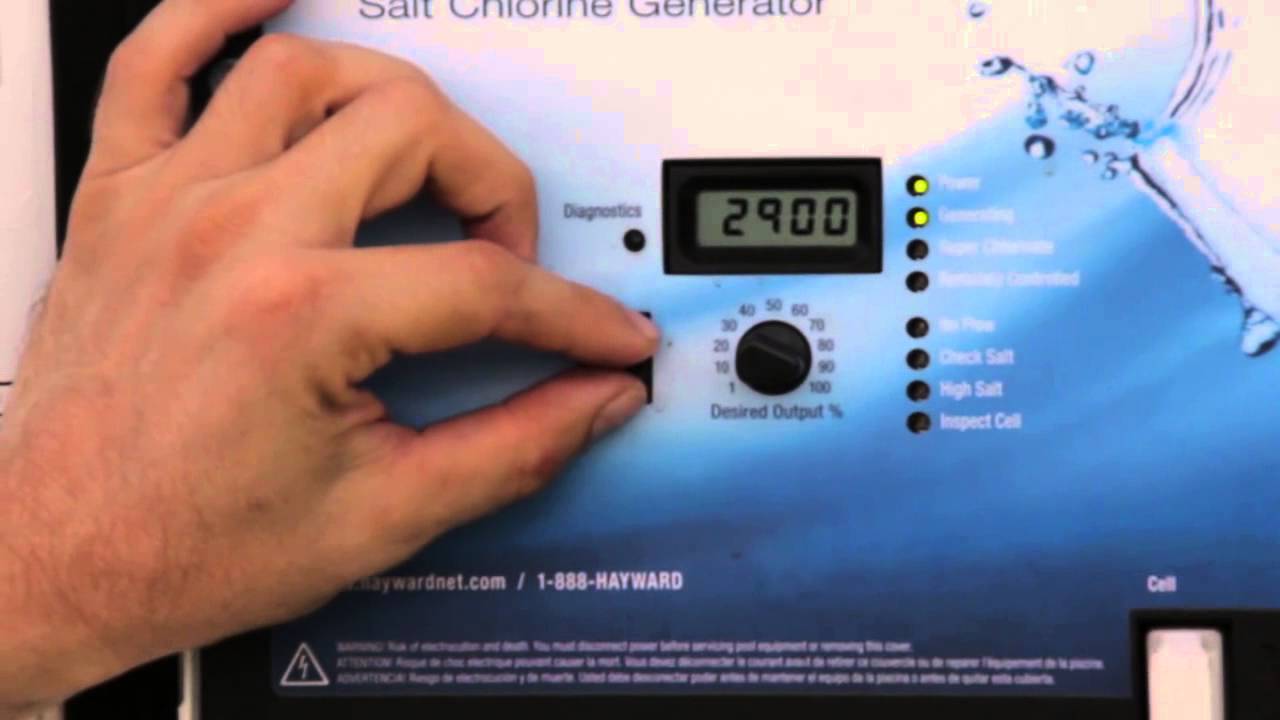
Start by turning off the salt system. Remove the sensor from the water. Use a clean cloth to wipe the sensor gently. Place the sensor in a salt test solution. Follow the system’s manual to enter calibration mode. Adjust the reading to match the test solution’s salt level. Save the settings and restart the system. Check if the reading stays stable over time.
Recalibrating After Cleaning
Cleaning the sensor can change its reading. After cleaning, the system may need recalibration. Turn off the system and remove the sensor. Clean it with fresh water and a soft brush. Avoid harsh chemicals that can damage the sensor. Dry the sensor carefully before placing it back. Enter calibration mode and adjust the salt level again. Confirm the system shows the correct reading.
Replacing Faulty Sensors
A sensor can wear out and fail to calibrate properly. If calibration does not work, the sensor might be faulty. Inspect the sensor for cracks or corrosion. Purchase a compatible replacement sensor from Hayward. Turn off the system before removing the old sensor. Install the new sensor and secure it properly. Calibrate the new sensor following the manual. Test the system to ensure accurate salt readings.
Credit: www.youtube.com
Preventing Future Calibration Failures
Preventing future calibration failures of your Hayward Salt System helps keep your pool safe and clean. Regular care and smart habits reduce errors. This saves time and avoids costly repairs. Follow these simple tips to maintain system accuracy and performance.
Regular Maintenance Tips
Clean the salt cell every few months. Check for scale buildup or debris. Replace worn parts like sensors or cables quickly. Inspect the system for leaks or damage often. Keeping the equipment clean and intact helps it work properly. Schedule routine checks to spot problems early.
Proper Salt Management
Maintain the right salt level in your pool. Too low or too high salt causes calibration issues. Use a quality salt product made for pools. Test salt levels weekly with an accurate meter. Add salt gradually and mix well. Correct salt balance supports stable system readings.
Updating System Firmware
Keep your Hayward Salt System firmware up to date. Manufacturers release updates to fix bugs and improve accuracy. Check the system’s control panel or website for updates. Follow instructions carefully to install new software versions. Updated firmware helps prevent calibration errors and boosts reliability.
When To Contact Professional Support
Knowing when to contact professional support is key if your Hayward salt system will not calibrate. Some problems need expert help to avoid damage or wasted time. Acting early can save money and keep your pool clean and safe.
Here are signs that show it’s time to call a professional. Understanding these helps you decide the best action for your salt system.
Identifying Hardware Faults
Hardware faults often cause calibration failures. Look for broken wires, loose connections, or damaged sensors. These issues stop the system from working properly.
Testing these parts requires tools and knowledge. Professionals can find hidden problems inside the control board or salt cell. They know how to fix or replace parts safely.
Warranty And Service Options
Check your system’s warranty before attempting repairs. Many Hayward salt systems come with coverage for parts and service.
Contacting an authorized service center protects your warranty. Professionals use original parts and follow correct procedures. This ensures your system stays covered and works well.

Credit: lesliespool.com
Frequently Asked Questions
Why Won’t My Hayward Salt System Calibrate Properly?
The system may have dirty sensors or low salt levels. Check and clean sensors, and ensure salt is at the correct level.
How Do I Reset The Calibration On My Hayward Salt System?
Turn off the system, wait a few minutes, then turn it back on. This often resets the calibration process.
Can Low Salt Cause Calibration Errors On Hayward Systems?
Yes, low salt can prevent proper calibration. Maintain salt levels between 2700 and 3400 ppm for best results.
What Should I Check If Calibration Fails Repeatedly?
Inspect the salt cell for damage and clean the sensors. Also, ensure water chemistry is balanced and stable.
Does Water Temperature Affect Hayward Salt System Calibration?
Water that is too cold or too hot can cause calibration issues. Keep pool temperature between 50°F and 104°F.
How Long Does Calibration Take On A Hayward Salt System?
Calibration usually takes 15 to 30 minutes. Avoid using the pool during this time to ensure accuracy.
Can A Faulty Power Supply Cause Calibration Problems?
Yes, inconsistent or low voltage can disrupt calibration. Verify the power source is stable and meets system requirements.
Conclusion
A Hayward salt system that won’t calibrate can be frustrating. Checking connections and cleaning sensors often helps. Make sure the salt level is correct too. Small issues can stop the system from working right. Taking these steps can save time and money.
Keep your pool water clear and safe by fixing calibration problems quickly. Don’t ignore warning signs or errors on the display. Regular maintenance keeps the system running smoothly. Your pool deserves proper care for the best swim experience.