
If you own a Hayward Omnilogic system, you know how important it is to protect your pool equipment from freezing temperatures. But are you sure your freeze protection settings are set up correctly?
Getting these settings right can save you from costly repairs and keep your pool running smoothly all winter long. You’ll discover exactly how to configure your Hayward Omnilogic freeze protection settings so your system stays safe, no matter how cold it gets outside.
Keep reading to ensure your pool is ready for the cold months ahead.
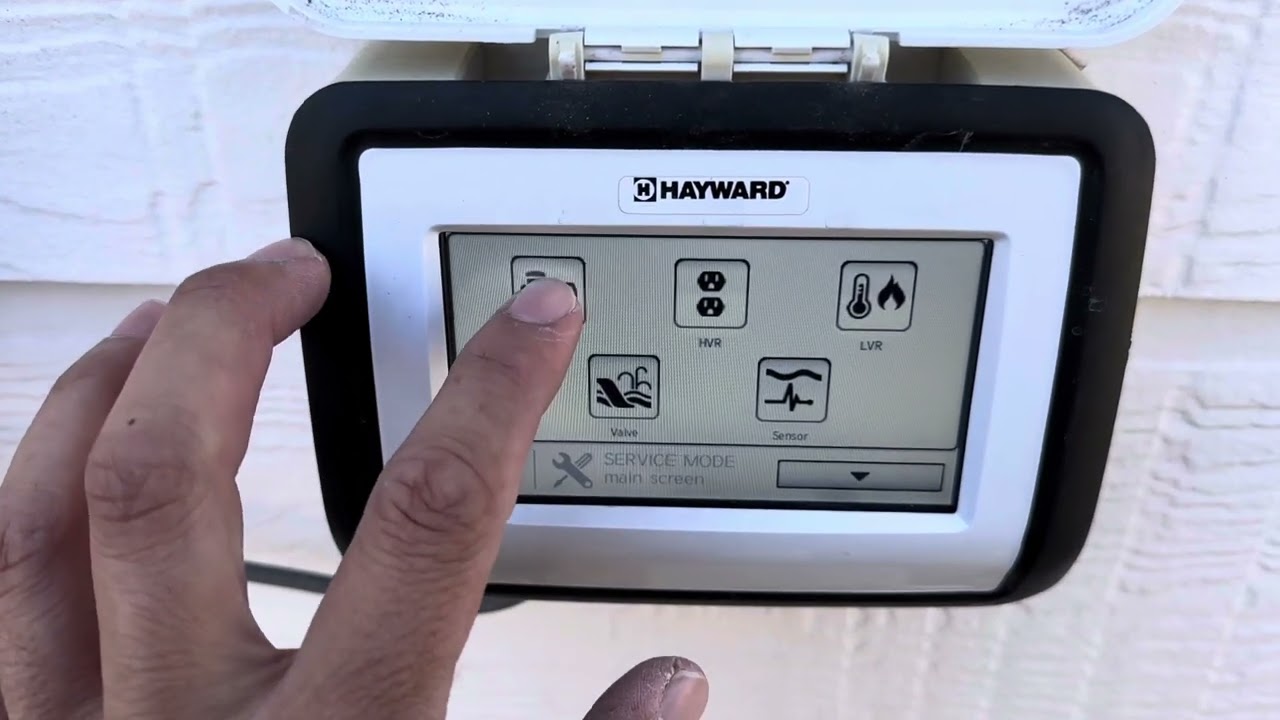
Credit: www.youtube.com
Hayward Omnilogic Features
The Hayward Omnilogic system offers advanced features for pool and spa control. It allows users to manage settings easily from a smartphone or tablet. This system improves convenience and ensures pool safety through smart automation.
Among its many features, freeze protection stands out. It helps protect pool equipment during cold weather. The system detects low temperatures and activates the freeze protection automatically.
Key Functions
The Omnilogic system controls pumps, heaters, lights, and cleaners. It also tracks water temperature and chemistry. Users can schedule operations to save energy and reduce costs.
The system sends alerts for maintenance and issues. It provides real-time status updates on devices. The interface is user-friendly and simple to navigate.
Freeze Protection Overview
Freeze protection prevents damage caused by freezing water. Omnilogic activates pumps or heaters when temperatures drop. This keeps water moving and avoids freezing inside pipes.
The system monitors outdoor temperature continuously. It turns on equipment only as needed. This saves energy and reduces wear on devices.
Users can customize freeze protection settings. They can set temperature thresholds and control response time. This flexibility ensures the pool stays safe in cold weather.

Credit: www.hayward.com
Freeze Protection Importance
Protecting your pool system from freezing temperatures is crucial. The Hayward Omnilogic freeze protection settings help maintain your equipment’s health during cold weather. Without proper freeze protection, water inside pipes and pumps can freeze and cause serious damage. This feature keeps your pool system safe and ready to use all year round.
Preventing Equipment Damage
Freezing water expands and can crack pipes and pumps. Damage like this leads to costly repairs. The Omnilogic system monitors temperature and activates heaters or pumps. This action stops water from freezing inside the equipment. It helps save money and avoids the hassle of broken parts.
Seasonal Considerations
Winter brings cold nights and frost that affect pool systems. The freeze protection settings adjust based on weather changes. It works automatically to protect your pool during chilly months. This ensures your pool stays safe even if you are away. Proper settings help keep everything running smoothly through winter.
Setting Up Freeze Protection
Setting up freeze protection on the Hayward Omnilogic system helps safeguard your pool equipment. It prevents damage caused by freezing temperatures. Proper setup ensures your system activates freeze protection at the right time. Follow these steps to set it up quickly and easily.
Accessing Omnilogic Settings
Start by opening the Omnilogic app on your smartphone or tablet. Sign in using your account details. Tap the menu icon to find the settings option. Select “Freeze Protection” from the list. This section allows you to customize freeze protection settings.
Temperature Thresholds
Set the temperature threshold to trigger freeze protection. The default is usually around 41°F (5°C). Adjust it based on your local weather conditions. Lower the threshold if you expect colder nights. This setting tells the system when to start protecting your pool.
Activating Freeze Mode
Freeze mode activates automatically once the temperature drops below the threshold. The system runs pumps and heaters to prevent freezing. You can also manually turn on freeze mode for testing. Make sure the mode is enabled before cold weather arrives.
Customizing Freeze Protection
Customizing freeze protection on the Hayward Omnilogic system helps keep your pool safe during cold weather. You can change settings to fit your local climate and your pool’s needs. This way, you avoid damage caused by freezing temperatures.
Adjusting the freeze protection settings lets you control how sensitive the system is to cold. You can also set specific times for the system to activate freeze protection. These options give you more control and peace of mind.
Adjusting Sensitivity
The sensitivity setting controls the temperature at which freeze protection starts. Lower sensitivity means the system reacts to colder temperatures. Higher sensitivity means it triggers earlier, at warmer temperatures. Adjust this based on your area’s typical winter weather. This helps avoid false alarms or late responses.
Scheduling Options
Scheduling lets you pick exact times for freeze protection to run. Set it to work during the coldest parts of the night or early morning. You can also choose specific days or weeks during winter months. This saves energy and avoids unnecessary activation during warmer periods.
Troubleshooting Freeze Protection
Freeze protection is important for your Hayward Omnilogic system. It helps stop pipes from freezing in cold weather. Sometimes, the system might not work right. Troubleshooting helps find and fix these problems fast. This keeps your pool safe during winter.
Common Issues
One common issue is the freeze protection not turning on. This can happen if the temperature sensor is dirty or broken. Another problem is the system turning on too late or too early. This may cause energy waste or pipe damage. Sometimes, settings may reset after a power outage. This stops the freeze protection from working correctly.
Resetting Settings
Resetting the freeze protection settings can fix many problems. Start by turning off the Omnilogic controller. Wait for about 30 seconds. Turn it back on and check the settings. Make sure the freeze protection is enabled. Adjust the temperature threshold if needed. Save the changes and watch the system for proper operation. Resetting can clear errors and restore normal function quickly.
Maintenance Tips
Proper maintenance helps the Hayward Omnilogic system work well. It protects your pool equipment during cold weather. Simple steps keep freeze protection settings effective and avoid costly repairs. Regular care ensures the system reacts quickly to temperature changes. Follow these tips to maintain the freeze protection feature.
Regular System Checks
Check your Omnilogic system often. Look for any alerts or error messages. Make sure sensors are clean and free of debris. Test the freeze protection feature before winter arrives. Confirm the system activates the heater or pump as needed. Regular checks prevent surprises during cold snaps. Catch problems early to keep your pool safe.
Firmware Updates
Keep your Omnilogic firmware up to date. Updates improve system performance and security. They may also fix bugs affecting freeze protection. Check for new versions on the Hayward website. Follow the instructions carefully to install updates. Updated firmware helps the system run smoothly. It ensures accurate temperature monitoring and timely action.
Integrating With Other Pool Controls
Integrating Hayward Omnilogic freeze protection settings with other pool controls creates a seamless system. It helps protect your pool from cold weather damage. The Omnilogic controller connects with various pool devices. This setup improves the overall efficiency of your pool management. It also offers convenience by centralizing control in one place.
Smart Home Compatibility
Hayward Omnilogic supports popular smart home systems. You can connect it with voice assistants like Alexa or Google Home. This allows you to control freeze protection with simple voice commands. It also works with smart home hubs for better automation. You can set schedules or receive alerts on your phone. This keeps you informed about your pool’s status anytime.
Additional Safety Features
The Omnilogic system adds extra safety to your pool. It monitors temperature and activates freeze protection automatically. It can turn on heaters or pumps as needed. The system also sends alerts if conditions become risky. This helps prevent costly damage to pipes and equipment. Safety features work silently in the background, offering peace of mind.

Credit: www.hayward.com
Frequently Asked Questions
What Is Hayward Omnilogic Freeze Protection?
Hayward Omnilogic freeze protection helps prevent pool damage from cold weather. It automatically activates heating or circulation to stop freezing.
How Do I Enable Freeze Protection On Omnilogic?
Go to the Omnilogic app or control panel. Find the freeze protection setting and turn it on.
At What Temperature Does Freeze Protection Activate?
Freeze protection usually triggers around 41°F (5°C). This helps keep water from freezing and damaging pipes.
Can I Adjust Freeze Protection Temperature On Omnilogic?
Yes, you can change the activation temperature in the settings. This lets you customize protection for your climate.
Does Freeze Protection Work Automatically Or Manually?
Freeze protection on Omnilogic works automatically once enabled. It monitors temperature and activates as needed.
Will Freeze Protection Increase My Energy Bills?
Freeze protection uses energy to keep water warm or moving. Costs may rise slightly but protect costly damage.
How Do I Know Freeze Protection Is Working?
Check the Omnilogic app or control panel for status alerts. You may hear the pump or heater running during cold.
Conclusion
Setting the Hayward Omnilogic freeze protection correctly keeps your pool safe. It stops pipes from freezing and breaking during cold nights. You can trust the system to turn on the heater when needed. This saves you money on repairs and keeps your pool ready to use.
Check your settings before winter starts. A little care goes a long way. Stay warm and enjoy your pool all year.