
If you own a Dyson vacuum, you know how powerful and efficient it is at keeping your home clean. But to keep it working like new, you need to clean your Dyson vacuum regularly.
If you don’t, dust and debris can build up, causing it to lose suction and work harder than it should. You’ll discover simple, step-by-step tips to clean your Dyson vacuum quickly and easily. By the end, your vacuum will be running stronger, lasting longer, and saving you time and effort on your cleaning tasks.
Let’s get started!
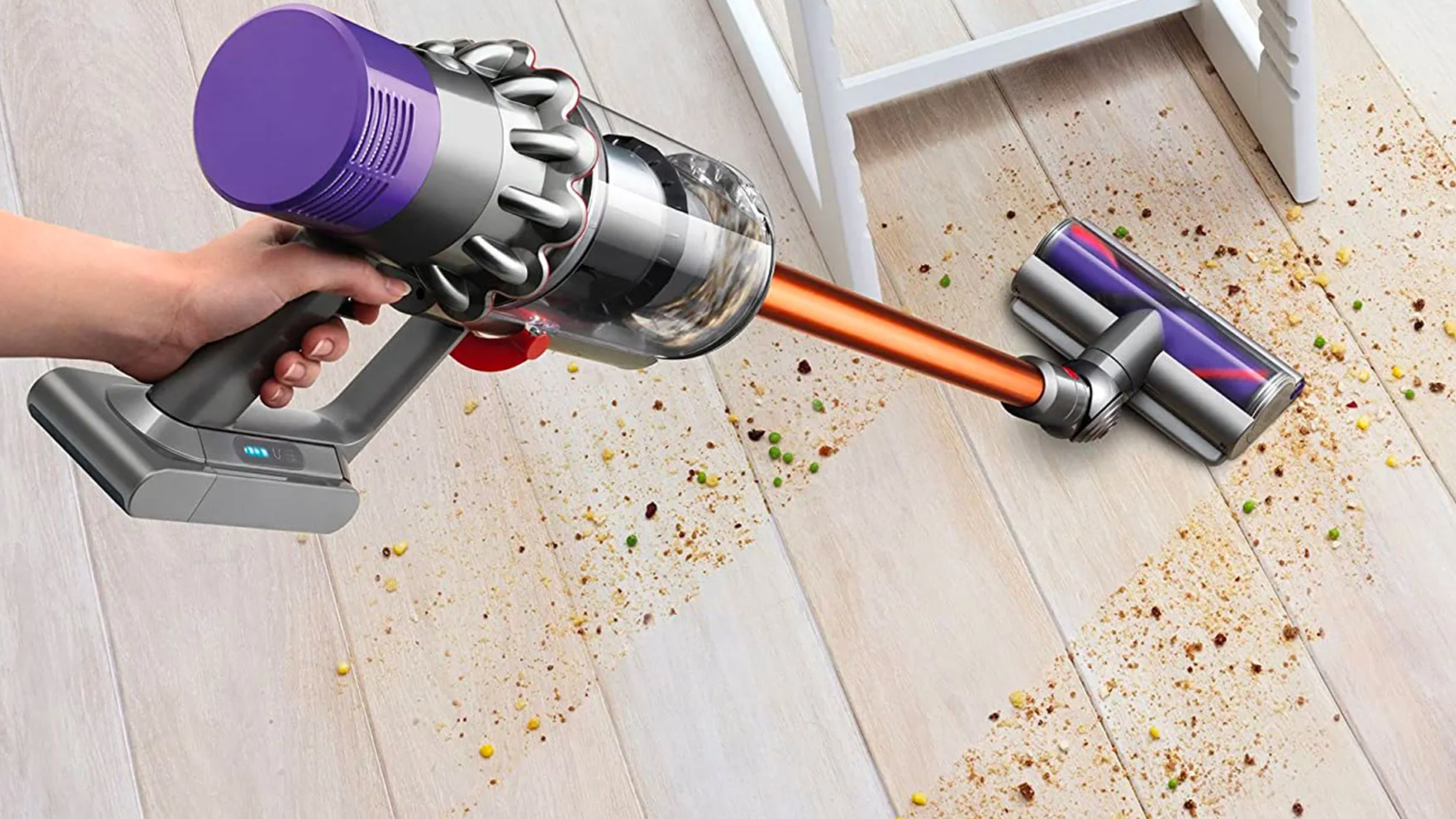
Credit: www.realhomes.com
Tools Needed For Cleaning
Cleaning your Dyson vacuum requires some basic tools. These tools help keep the vacuum working well. Using the right supplies makes cleaning easier and faster. Some tools are needed every time. Others are optional but can help with deep cleaning.
Essential Supplies
Start with a soft brush to clear dust and hair. A pair of scissors or a seam ripper helps cut tangled threads or hair. Use a clean cloth to wipe down the vacuum’s surfaces. A small screwdriver may be needed to open parts for cleaning. Have a trash bin nearby to throw away dirt and debris.
Optional Cleaning Tools
A can of compressed air helps blow out dust from small spaces. Use cotton swabs to clean tight spots and crevices. A mild detergent mixed with water can clean sticky or tough stains. Microfiber cloths are great for gentle cleaning without scratching. Gloves protect your hands while handling dirt and dust.
Preparing Your Vacuum
Preparing your Dyson vacuum is the first step to a thorough cleaning. Proper preparation ensures safe handling and better cleaning results. Take time to get your vacuum ready before starting the cleaning process. This section will guide you through the essential steps.
Unplugging And Disassembling
Always unplug the vacuum before cleaning. This prevents accidents and electrical shocks. Next, remove attachments like the wand and brush head. Detach parts carefully to avoid damage. Keep track of all pieces for easy reassembly. Follow your Dyson’s manual for specific disassembly instructions.
Emptying The Dust Bin
Empty the dust bin outside or over a trash can. Press the release button to open the bin. Avoid shaking the bin to reduce dust spread. Clean the bin with a damp cloth if needed. Let the bin dry completely before putting it back.
Cleaning The Filters
Cleaning the filters is key to keeping your Dyson vacuum working well. Filters catch dust and dirt, stopping them from going back into the air. Over time, filters get clogged and slow down your vacuum. Regular cleaning helps your vacuum stay strong and last longer. It also keeps the air in your home cleaner.
Removing The Filters
First, turn off and unplug your Dyson vacuum. Find the filter location. Most Dyson models have the filter near the dust bin or cyclone. Press the release button or twist the filter to remove it. Take care not to break any parts. Keep the filter separate from other vacuum parts. This step is simple but very important.
Washing And Drying Tips
Rinse the filter under cold water only. Do not use soap or cleaning products. Gently squeeze the filter to remove dirt. Repeat rinsing until water runs clear. Never wring or twist the filter hard. After washing, shake off extra water. Let the filter dry completely for 24 hours. Drying must be in a warm, dry place. Do not use a dryer or heater. A wet filter can damage your vacuum.
Cleaning The Brush Bar
Cleaning the brush bar of your Dyson vacuum helps keep it working well. The brush bar spins to pick up dirt and dust from floors. Over time, hair and debris can get stuck, making it less effective. Regular cleaning of the brush bar keeps your vacuum running smoothly and extends its life.
Removing Hair And Debris
First, unplug the vacuum for safety. Turn the vacuum upside down to see the brush bar. Use scissors or a knife carefully to cut through tangled hair. Pull out hair and debris by hand. Clean the brush bar until it spins freely without resistance.
Checking For Damage
Look closely at the brush bar for cracks or worn bristles. Damaged bristles reduce cleaning power and can scratch floors. Check the ends of the brush bar for loose parts. Replace the brush bar if it shows signs of heavy damage. A healthy brush bar keeps your vacuum efficient and safe to use.
Clearing The Hose And Attachments
Clearing the hose and attachments of your Dyson vacuum keeps it working well. Dirt and debris can block air flow. This lowers suction power and cleaning performance.
Regular checks and cleaning of these parts prevent build-up. It helps your vacuum last longer. The process is simple and takes just a few minutes.
Detaching And Inspecting
Start by turning off and unplugging the vacuum. Remove the hose from the main body carefully. Detach any attachments like brushes or nozzles.
Look inside the hose and attachments. Check for dirt, hair, or clogs. Use a flashlight if needed. Spotting blockages early saves time and effort.
Removing Blockages
Use a long, flexible brush or a straightened wire hanger. Gently push through the hose to clear debris. Avoid damaging the hose walls.
For attachments, remove stuck dirt with your fingers or a soft brush. Wash them with warm, soapy water if needed. Let them dry completely before reattaching.
Check again to ensure air flows freely. Reattach the hose and attachments to the vacuum. Your Dyson will now work at full power.
:max_bytes(150000):strip_icc()/how-to-clean-dyson-vacuum-6746404-01-b1e8e9b4a50f4b26a6db7218ccd7d12c.jpg)
Credit: www.thespruce.com
Wiping Down The Exterior
Wiping down the exterior of your Dyson vacuum helps keep it looking new and working well. Dust and dirt can build up over time. Cleaning the outside also prevents damage and keeps the vacuum hygienic.
Cleaning The Body
Use a soft cloth slightly dampened with water. Gently wipe the vacuum’s body to remove dust and dirt. Avoid using strong chemicals or soaking the cloth. These can damage the plastic parts. Focus on areas that touch the floor and walls often. Dry the body with a clean, dry cloth after wiping.
Maintaining The Display And Controls
Use a dry microfiber cloth for the display and controls. Avoid pressing too hard to prevent damage. Remove fingerprints and smudges carefully. Do not spray liquids directly on buttons or screens. Keep this area clean to maintain clear visibility and proper function.
Reassembling And Testing
After cleaning your Dyson vacuum, it is important to reassemble the parts correctly. Proper reassembly ensures the vacuum works well and lasts longer. Testing the vacuum after putting it back together helps find any issues early. Follow these steps carefully to get your Dyson vacuum ready to use again.
Putting Parts Back Together
Start by attaching the cleaned filters to their place. Make sure each filter clicks in securely. Next, fit the dustbin back onto the vacuum body. Check that the bin locks in tightly to prevent leaks. Reconnect the brush bar or any other removable parts. Align everything properly to avoid damage or poor performance.
Running A Performance Check
Plug in your vacuum and turn it on. Listen for any strange sounds or vibrations. Check the suction by placing your hand near the intake. Strong suction means the vacuum is working well. Test the brush roll to ensure it spins freely. If anything feels wrong, disassemble and check again.
Regular Maintenance Tips
Keeping your Dyson vacuum clean and well-maintained helps it work better and last longer. Regular care stops dirt from building up and causing problems. It also keeps suction strong and parts moving smoothly. Follow these simple steps to maintain your vacuum regularly.
Cleaning Schedule
Set a weekly time to check your Dyson vacuum. Empty the dustbin after every use or when it is half full. Clean the filter at least once a month. Wash the filter with cold water and let it dry for 24 hours. Remove hair and debris from the brush bar every two weeks. Check the hose for blockages once a month.
Avoiding Common Issues
Do not run the vacuum over large objects or sharp items. Avoid vacuuming liquids unless your model allows it. Clean tangled hair and threads from the brush bar to stop motor strain. Replace worn-out filters and parts promptly. Store the vacuum in a dry place to prevent damage. Keep the vacuum’s vents clear of dust and dirt.

Credit: natalieinthenorthwest.com
Frequently Asked Questions
How Often Should I Clean My Dyson Vacuum?
Clean your Dyson vacuum every 1 to 3 months. Regular cleaning keeps it working well and lasts longer.
What Parts Of Dyson Vacuum Need Cleaning?
Focus on the filter, brush bar, and dustbin. These parts collect dirt and need frequent cleaning.
Can I Wash Dyson Vacuum Filters With Water?
Yes, wash Dyson vacuum filters with cold water only. Let them dry completely for 24 hours before reuse.
How Do I Clean The Brush Bar On Dyson?
Remove the brush bar from the vacuum. Use scissors to cut and remove hair or threads wrapped around it.
What Is The Best Way To Clean The Dustbin?
Empty the dustbin after each use. Wipe it with a damp cloth to remove stuck dirt and dust.
How Do I Fix Suction Loss In Dyson Vacuum?
Check for blockages in the hose and brush bar. Clean the filter and dustbin to restore suction power.
Can I Use Cleaning Sprays On Dyson Vacuum Parts?
Avoid using sprays or harsh chemicals on vacuum parts. Use only water and mild soap if needed for cleaning.
Conclusion
Cleaning your Dyson vacuum keeps it working well and lasting longer. Regular care stops clogs and keeps suction strong. Take a few minutes to clean the filters and brush roll often. This simple habit saves money on repairs and makes cleaning easier.
Your vacuum will pick up dirt better and keep your home fresh. Stay consistent with these steps to enjoy a cleaner, healthier space every day. Simple, quick care makes a big difference.
