
A battery backup liftmaster garage door opener typically operates for 24 hours on a full charge during a power outage. This device allows you to open and close your garage door when the main electricity is off. You can expect the system to complete about 20 cycles on a single charge if the battery is in good condition. The exact performance depends on the weight of your door and the age of the battery unit.
Maintaining your LiftMaster garage door opener battery backup
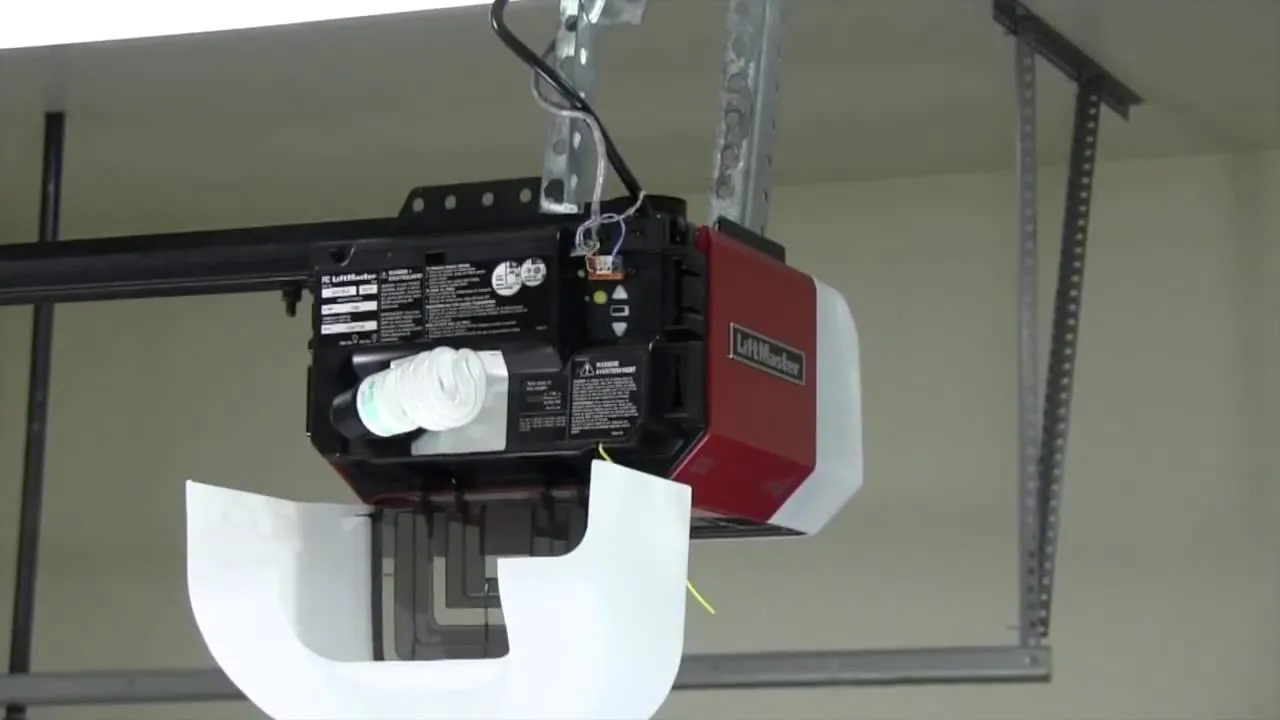
You need a few simple items to care for your backup system. Keep these tools near your garage door opener to ensure you can perform checks or replacements when needed.
| Item | How much | Why it’s needed | A substitute |
|---|---|---|---|
| Screwdriver | 1 piece | Removing the battery cover | None — don’t swap this |
| Step ladder | 1 piece | Reaching the opener safely | Sturdy chair |
| Replacement battery | 1 unit | Replacing a dead battery | None — don’t swap this |
| Soft cloth | 1 piece | Cleaning battery terminals | Paper towel |
| Flashlight | 1 piece | Seeing dark battery ports | Phone light |
Use a standard Phillips-head screwdriver for the cover screws. If you strip the screw heads, you’ll likely need to drill them out, which risks damaging the plastic housing of the opener.
Clean the battery terminals using a soft cloth dampened with a mixture of baking soda and water. This neutralizes acidic buildup that prevents proper electrical contact. Don’t use steel wool or abrasive pads, as these leave behind metal shards that cause short circuits. If you notice white, powdery corrosion on the terminals, wear gloves to prevent skin irritation.
Preparing your garage door system
Unplug the main power cord from the ceiling outlet to avoid electrical shocks. If your opener lacks a standard plug, flip the corresponding circuit breaker in your home’s electrical panel to the “off” position. Use a voltage tester on the motor housing to confirm the power is truly dead before touching any internal components.
Clear all items from the floor area directly under the garage door to prevent accidents.
Consult the LiftMaster installation manual to verify your specific model requirements before you start. Different models require distinct mounting brackets for battery backups. If your unit is aging, check the manufacturer’s website to ensure the backup kit remains compatible with your logic board.
Check that your ladder is stable on a flat surface. If you see frayed wires or cracked housing, stop immediately. Attempting a DIY repair on high-voltage capacitors can be fatal. Call a professional technician to handle the electrical work.
Installing and testing the backup power

Locate the battery compartment on the side or back of your motor housing. Use your screwdriver to remove the battery door screws by turning them counter-clockwise.
Slide the old battery out gently and disconnect the two wire terminals carefully. If the terminals are corroded or show green, fuzzy buildup, clean them with a small wire brush before proceeding. Neglecting this step creates resistance that prevents the backup from triggering during an actual outage.
Connect the new battery by matching the red wire to the positive terminal. Match the black wire to the negative terminal to ensure proper electrical flow. Slide the new battery into the housing until it clicks or sits flush. Replace the cover and tighten the screws until they’re snug but not overtightened.
Plug the power cord back into the wall outlet to start the charging process. Wait 24 hours for the battery to reach its full capacity before testing. If you test before this window, the unit may fail to lift the door, leading you to believe the battery is defective when it’s simply uncharged.
Pull the emergency release cord and manually operate the door to ensure movement. Finally, unplug the wall cord while the door is closed and press your remote to verify the battery takes over.
Confirming the system is operational
Successful installation shows a steady green light on the battery status indicator found on the motor housing. If the light is solid green, the battery is fully charged and ready for use. A flashing orange light indicates the system is currently charging or the battery is low. If the light flashes red, the battery is failing and needs an immediate replacement.
You should test the system once every six months to ensure it holds a charge. To do this, unplug the opener and run the door through two full cycles. If the door moves slowly or stops halfway, the battery is likely weak. If the door doesn’t move at all after unplugging the unit, check that your wire connections are secure. If the connections are correct and the door stays still, the battery is likely at the end of its life.
Troubleshooting common backup issues
| What happened | Why | What to do |
|---|---|---|
| No lights on | Power is disconnected | Plug unit into outlet |
| Beeping noise | Battery is low | Let it charge fully |
| Door moves slow | Battery is old | Install new battery |
| Unit won’t open | Wiring is loose | Tighten wire terminals |
| Red light stays | Battery error | Replace battery unit |
If the unit remains unresponsive after plugging it in, check the GFCI breaker on your wall outlet. A tripped circuit often mimics a dead battery, costing homeowners unnecessary repair calls. If the breaker is active, have a technician confirm the outlet provides the correct electrical current.
Don’t mistake a rapid, high-pitched chirp for a low battery warning. A rapid chirp usually indicates a short circuit in the wiring harness. If you hear this, disconnect the power immediately to prevent fire risks.
When replacing the battery, match the exact amp-hour rating printed on the original casing. Using a battery with a higher capacity than the charging circuit can handle will overheat the unit, eventually melting the internal housing.
If the door moves slowly despite a fresh battery, inspect the track for physical debris. Obstructions force the motor to draw extra current, which prematurely drains even new cells. Clear the track before assuming the motor is failing.
Frequency of battery replacement
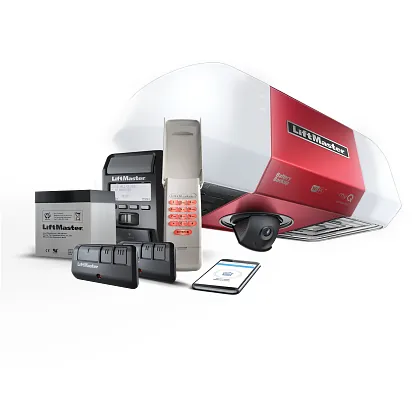
You should replace the battery in your backup system for the best reliability. The necessary interval depends on your usage and the local environment; consult your owner’s manual for the authoritative schedule. If your garage gets very hot in the summer, the internal chemistry of the battery degrades faster.
Ambient temperatures consistently above 85 degrees Fahrenheit will shorten your battery’s lifespan by roughly 30 percent. If your area experiences frequent power losses, the battery will reach its cycle limit sooner than expected. A battery typically handles 200 to 300 full discharge cycles before it can no longer hold a sufficient charge.
You can check the date stamp on your current battery to see how long it has been in service. Many homeowners make the mistake of waiting for a total failure before acting, which often leaves them locked out during a storm. If you notice the system struggles to lift the door even when fully charged, replace the unit regardless of its age. Replace it immediately to prevent motor strain.
Frequently asked questions
How long does a liftmaster battery backup last?
A battery backup unit typically lasts for a certain duration under normal conditions. This assumes you store the unit in a climate-controlled environment and keep it plugged in. The actual lifespan varies based on how often your local power grid goes down. You can check the manufacturer date on the battery sticker to see if it’s time for a new one.
Is it safe to replace the battery myself?
It’s safe to replace the battery if you follow the manual and keep the unit unplugged. You only need to open the small battery compartment on the side of the motor. Never attempt to open the main motor housing, as a capacitor can hold a lethal charge even when the power is off. If you need internal repairs, call a licensed garage door technician.
What happens if the battery isn’t installed?
The garage door opener will function normally when electricity is present even without a battery installed. You’ll lose the ability to open your door during a power outage if the battery is missing. The system may show a constant warning light or beep to notify you that the backup component is missing. Installing a new battery will stop these alerts and restore your safety feature.
Does the garage door open faster on battery power?
The door usually operates at a slightly slower speed when running on battery backup power. This is a standard design feature to preserve the limited energy stored in the battery. You should expect the motor to move the door at about 50% of its normal speed. This change is normal and doesn’t indicate a fault with your motor or the backup unit.
Can I use a different brand of battery?
You should use only the specific battery model recommended by the manufacturer for your opener. Generic batteries often have different voltage outputs or terminal sizes that don’t fit the compartment. Using the wrong battery can damage the charging circuit inside the motor housing. Check the label on your existing battery or the owner’s manual to find the exact part number for your replacement.
Why does my garage door opener beep?
A beeping sound usually means the battery is low, disconnected, or has failed the self-test. The system performs a check every 24 hours to ensure the battery can handle a load. If the test fails, the unit will beep to warn you that you’re unprotected during a power outage. Check the status light to see if you need to replace the battery or just charge it.
Conclusion
Keeping your garage door opener in good shape ensures you’re never stuck outside during a storm. Regular testing and replacing the battery as needed will keep your home secure. Always keep the user manual in a safe place so you can reference the specific error codes for your model. If you ever feel unsure about a step, contact a professional to avoid damaging your equipment.
