
A samsung refrigerator blinking temperature display usually indicates that the appliance is struggling to reach or maintain its set cooling point. This often happens because the unit has been recently installed, the doors were left open for too long, or there’s a temporary power fluctuation. If the internal temperature rises significantly above your target setting, the display flashes to alert you that the food inside might be at risk of warming up.
How to fix your blinking Samsung refrigerator temperature
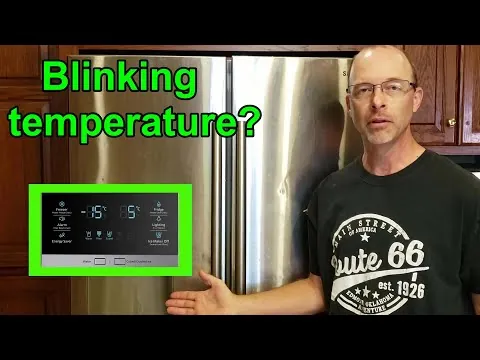
Check if the doors are closed fully and the seals are clean. If you see a gap larger than a credit card when the door is shut, the gasket has lost its suction and requires immediate replacement to prevent cooling cycles from stuttering.
Wait 24 hours after a new installation for the unit to stabilize. The internal compressor needs this full day to settle its refrigerant levels, or the display will flash an error code indicating an unstable temperature.
Clear away any items blocking the internal air vents to improve circulation. If you pack the freezer to the brim, the sensor can’t read the ambient temperature, causing the display to blink as it struggles to compensate for trapped heat.
Ensure the refrigerator is plugged directly into a wall outlet, not an extension cord. Extension cords create voltage drops that trigger electronic malfunctions.
Test the power supply by checking if other kitchen appliances work on the same circuit. If the lights dim when the compressor kicks on, you may have an overloaded circuit or a voltage drop issue.
Why Your Display is Flashing
A Samsung refrigerator blinking temperature display acts as a warning system when the internal sensors detect a heat level outside the normal operating range. This mechanism protects your food from spoilage by notifying you the moment the cooling system falls behind. When the unit is first plugged in, or after a power outage, it’s normal for the display to blink while the compressor works to bring the internal temperature down to your selected setting.
If the temperature remains high for an extended period, the blinking will continue as a persistent alert. This often happens if the condenser coils are covered in dust, which prevents heat from escaping efficiently. When the coils can’t release heat, the cooling system works harder but fails to reach the target temperature. You should vacuum these coils every six months to prevent a total cooling failure.
Another common reason for this alert is a faulty door switch or a damaged gasket. If the refrigerator detects the door is open, it stops the cooling fan to prevent cold air from escaping. If the air inside the fridge feels warm, inspect the rubber door seal for gaps or tears. A simple test is to close the door on a piece of paper; if you can pull the paper out with zero resistance, the seal is compromised.
If the display blinks but the fridge feels cold, the issue is likely a communication error between the control board and the display panel. In this case, perform a hard reset by unplugging the unit for exactly five minutes. If the blinking persists after the power returns, the control board may require a professional diagnostic.
When to Call a Professional
| Situation | What changes | What to do instead |
|---|---|---|
| Error codes appear | The display shows a specific letter | Check the manual for codes |
| No cooling at all | The compressor is silent | Call a certified technician |
| Ice build-up | Frost blocks the air vents | Manually defrost the unit |
| Burning smell | Electrical components are failing | Unplug and call service |
| Clicking sounds | The relay may be broken | Contact a repair professional |
If your unit displays an error code, cross-reference it with the manufacturer’s manual before paying for a visit. Many codes simply indicate a door left ajar or a clogged filter that you can fix in seconds.
If the compressor remains silent despite the thermostat being set to the lowest temperature, listen for a hum. If you hear a faint buzzing but no cooling, the start relay is likely the culprit. You can often replace this part yourself for a relatively low cost.
However, if you smell burning plastic or ozone, stop troubleshooting immediately. This indicates a failing circuit board or a shorted wire that poses a genuine fire risk. Unplug the device and keep it disconnected until a licensed professional confirms the wiring is safe.
Distinguish between normal operation and failure by the duration of the sound. A click that happens once every few hours is a standard cycle. A rapid, rhythmic clicking suggests the relay is struggling to engage the motor.
Steps to Reset the Cooling System
Check the door seals first to ensure no warm air is entering the cabinet. Run your hand along the rubber gasket; if you feel cold air leaking out, you must replace the seal to stop the temperature warning. A simple test is to close the door on a dollar bill. If you can pull the bill out with zero resistance, the magnetic strip has lost its tension and the seal is failing.
Clear all food items away from the interior air vents. The refrigerator needs open space to push cold air around. If the vents are blocked, the sensor will never record the correct temperature. Aim for a two-inch gap between your groceries and the back wall to allow for proper circulation.
Clean the condenser coils located at the back or bottom of the unit. Use a soft brush or vacuum attachment to remove dust. Thick layers of dirt act like insulation and trap heat, forcing the compressor to work harder and run more frequently.
Perform a power reset by unplugging the refrigerator from the wall outlet for exactly 60 seconds. This allows the internal control board to clear any temporary software glitches that might be causing the display to blink without a real cooling issue.
Plug the power cord back in and observe the display for 15 minutes. If it stops blinking, the system has successfully returned to normal operation and is currently cooling the air to your set point.
Monitor the temperature for 24 hours. If it starts blinking again, the issue is likely a mechanical failure in the cooling system. A faulty evaporator fan or a coolant leak requires professional repair. Don’t attempt to recharge the refrigerant yourself, as this requires specialized equipment and poses significant safety risks.
Common Mistakes That Cause Errors
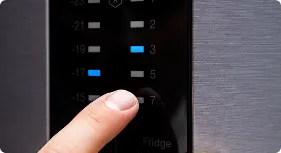
Overloading the shelves prevents air from moving, which makes the sensor think the fridge is failing to cool. Keep items at least two inches away from the back wall to ensure the internal thermostat receives an accurate reading.
Placing the refrigerator too close to a wall traps heat and ruins the efficiency of the condenser coils. Leave a minimum of four inches of clearance on all sides. Without this gap, the motor runs constantly to compensate for trapped heat, which can shorten the lifespan of the unit.
Ignoring a blinking light for days leads to spoiled food and puts unnecessary strain on the compressor. If the light flashes in a specific pattern, consult your manual immediately; these codes often identify a failing fan motor before the entire cooling system shuts down.
Using an extension cord causes voltage drops that confuse the control board and trigger false error alerts. Always plug the unit directly into a dedicated wall outlet. If you must use a surge protector, ensure it’s rated for high-draw appliances to avoid intermittent power failures.
Related guides
Frequently asked questions
Can I fix a blinking temperature light myself?
You can fix most issues by checking the door seals, cleaning the coils, and resetting the unit. If the blinking persists after these steps, it usually points to a failing compressor or a broken sensor. These parts require specialized tools and knowledge to replace safely. A capacitor inside the machine can hold a lethal electrical charge even when unplugged, so please don’t attempt to open the motor housing yourself.
How long does a reset take?
A power reset takes exactly 60 seconds of being unplugged from the wall. After you plug it back in, wait at least 24 hours for the refrigerator to reach its stable operating temperature. If you put warm food into the unit immediately after a reset, the display will likely keep blinking until the internal air temperature drops back down to the set point.
Is it safe to keep food in a blinking fridge?
It isn’t safe to keep perishable food in the fridge if the temperature has been above 40°F for more than two hours. The blinking light is your warning that the unit isn’t maintaining a safe temperature for meat, dairy, or cooked leftovers. You should use a separate thermometer to verify the actual internal temperature, as the blinking light is only an indicator that the target hasn’t been reached.
What happens if I ignore the blinking light?
Ignoring the light often leads to the total failure of the cooling system and the loss of all refrigerated food. The blinking is a sign that the compressor is running harder than it should, which can cause the motor to burn out prematurely. Fixing a simple door seal or cleaning the coils is much cheaper than replacing a compressor or a main control board after it has been damaged by overheating.
Does the blinking affect my energy bill?
The blinking display often signals that the refrigerator is running constantly to compensate for a heat problem, which significantly increases your monthly electricity usage. When the cooling system works at maximum capacity without reaching the target, it consumes more power than a unit that cycles on and off normally. Once you resolve the airflow or seal issue, your energy consumption should return to normal levels within 48 hours.
Why does my fridge blink after a power outage?
Your refrigerator blinks after an outage because it detects that the internal temperature rose while the power was off. The display is programmed to alert you that the food inside may have reached an unsafe temperature during the interruption. Once the power returns, the unit will continue to flash until the internal temperature drops back down to your selected setting, which usually takes several hours depending on the amount of food stored.
Conclusion
If the display keeps flashing after you’ve checked the seals and power, don’t hesitate to reach out to a professional technician. It’s better to be safe than sorry when it comes to your groceries. They’ll help you figure out if there’s a deeper issue that needs a quick, expert fix.
