
Environmental sensors work by using specialized hardware to detect physical changes in their surroundings and converting those signals into readable data for you to monitor. These devices track variables like temperature, humidity, air quality, or light levels by reacting to molecular or electrical shifts in the air. Once they process these changes, they send the information to a display or an app so you can see your current environment’s status clearly.
How environmental sensors measure data
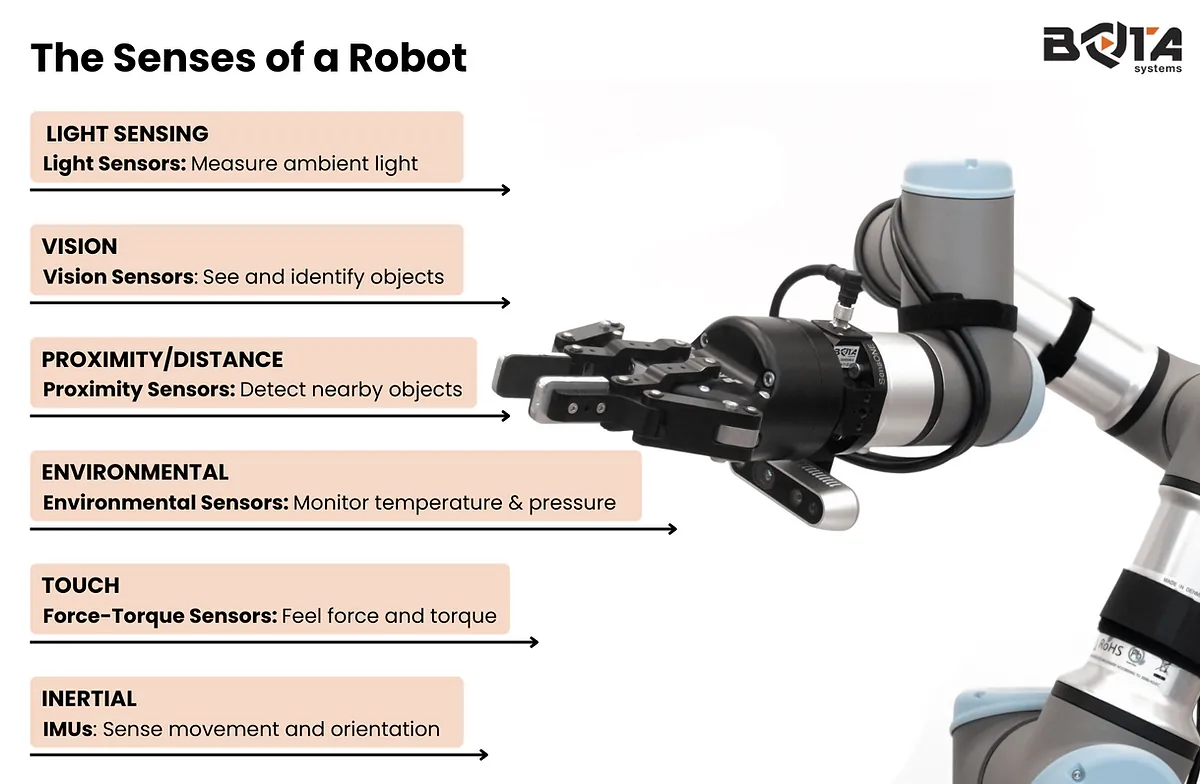
The effectiveness of your monitoring relies on the quality of the internal parts. Each component has a specific job, and when it fails, the data you receive becomes inaccurate or stops updating entirely.
| Part or input | What it does | What you notice when it goes wrong |
|---|---|---|
| Thermistor | Measures thermal resistance | Readings stay static or jump erratically |
| Humidity element | Detects water vapor | Percentage stays at zero or 100 |
| Gas sensor | Identifies volatile compounds | Device fails to trigger alarms |
| Power supply | Provides steady voltage | Screen dims or connection drops |
| Microcontroller | Processes raw signals | Sensor becomes unresponsive to input |
If your sensor readings drift from a calibrated reference tool, the internal element is likely degrading. Replace humidity sensors based on usage and the guidelines provided in your owner’s manual, as chemical saturation eventually renders them unreliable.
Many users mistakenly assume a total power failure means the microcontroller is dead. In reality, a faulty power supply often causes intermittent signal drops while the screen remains lit. If your device displays data but fails to transmit, prioritize having a technician test the power output before replacing the main board.
Check your user manual or the manufacturer’s official website if you suspect a component is faulty. These sources provide the exact diagnostic steps for your specific model.
Steps for monitoring environmental data
The process of tracking your surroundings follows a consistent path from the initial detection to the final readout. This cycle repeats continuously while the sensor is powered on.
- The sensor’s active element interacts with the air, capturing physical data such as heat or gas molecules. This happens in real-time, often updating every 5 to 60 seconds.
- The device converts these analog signals into digital values using an internal circuit, which usually takes less than one second to complete the translation.
- The microcontroller evaluates the new data against programmed thresholds to determine if the current environment is within safe or expected parameters for that specific setting.
- If the device has a wireless chip, it transmits the processed data to a cloud server or a local hub, which requires a stable Wi-Fi connection.
- Your smartphone app or local display receives the data packet and updates the interface to show the latest reading, usually within 2 to 5 seconds of transmission.
- The system logs the data into a history file if you have enabled reporting, allowing you to view trends over hours, days, or months on the device.
Why sensor accuracy matters for your home

Understanding how these parts function helps you identify why a sensor might provide false information. When you see a reading that seems impossible, it’s often because the sensor’s physical path to the air is blocked. Dust buildup on the air intake prevents the sensor from “sampling” the room accurately. If the sensor is placed too close to a heat source, it will report high temperatures even if the rest of the room is cool.
The Environmental Protection Agency explains that these tools help you identify pollutants that are otherwise invisible. When a sensor reports high levels of carbon dioxide or volatile organic compounds, it usually indicates poor ventilation in that specific area. If you ignore these readings, you might fail to address a buildup of harmful gases.
If your sensor gives you a reading that doesn’t match your experience, check its placement first. Sensors meant for open rooms often fail when placed inside small, enclosed cabinets. If the sensor is in a drafty area near a window, it will report outside conditions rather than the indoor air you’re trying to measure.
Settings you can change versus fixed design
You have control over how you use the device, but the internal hardware limits what the sensor can actually detect.
What you control
- Placement: Move the sensor away from vents, windows, or direct sunlight.
- Update frequency: Adjust the reporting interval in the app to save battery life.
- Alert thresholds: Set custom limits for when the device sends you a notification.
- Calibration: Use the app to offset readings if the sensor differs from a reference.
Fixed by design
- Sensor range: The physical limits of the hardware determine the maximum reading.
- Detection type: You can’t make a basic temperature sensor measure air quality.
- Response time: The speed of the internal chemical reaction is set at the factory.
If you need professional-grade data for legal or health reasons, hire a certified environmental inspector. They use calibrated equipment that goes beyond the capabilities of consumer-grade sensors.
Habits for better sensor performance
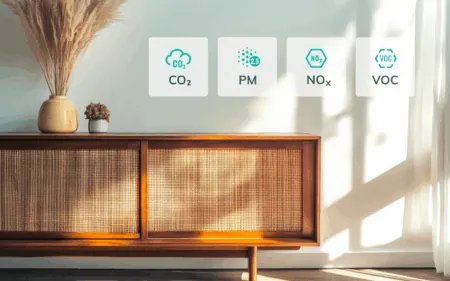
Maintaining your sensors ensures you get reliable data for the life of the unit. Clean the air intake vents monthly using a soft, dry brush to prevent dust from insulating the internal elements. If you notice the readings drifting upward, the vents are likely already clogged; use a burst of compressed air to clear the deeper channels.
Check your firmware updates every three months through the manufacturer’s app to ensure the processing software remains current. Keep the sensor at least 3 feet away from any heat-producing electronics like lamps or computers to prevent false high-temperature readings.
If you use battery-powered units, replace the cells when the voltage drops below the threshold listed on the battery compartment door. Ignore this, and the sensor may transmit erratic signals before failing entirely. Compare your sensor’s reading to a known accurate source, like a localized weather report, as often as recommended in your owner’s manual.
Related guides
- Foosball Table Room Size Calculator: How to Measure Space in 2026
- How to Measure Density Using a Pycnometer: Step-by-Step Method
Frequently asked questions
Can I use an indoor sensor outdoors?
No, most indoor sensors will fail because they lack the necessary weatherproofing to handle moisture and extreme temperature changes. Exposure to rain or humidity levels above the manufacturer’s specified range can permanently corrode the internal circuit board within a few days or weeks of outdoor use.
Why is my sensor showing a different value than my thermostat?
Sensors often show different values because they measure air in different locations of the room. Thermostats usually sit near a wall, while a standalone sensor might sit on a shelf; if the sensor is 2 feet higher or closer to a window, it will naturally report a different temperature.
How long do environmental sensors last?
Most consumer-grade sensors remain accurate for a period depending on the environment and the quality of the internal components. You can check the expected lifespan in your device’s technical specifications document, which lists the degradation rate of the specific gas or humidity sensing element used.
Is it safe to leave these sensors on 24/7?
Yes, these devices are designed to operate continuously for years without any risk to your safety. They consume very little power, and the internal components don’t generate enough heat to pose a fire hazard, provided you use the power adapter included in the box by the manufacturer.
What happens if the sensor loses Wi-Fi?
The sensor will continue to collect and store data locally if it has internal memory, or it will simply wait until the connection is restored to sync the new information. You won’t see updates on your app until the internet connection returns, but the device keeps tracking the environment.
Does the sensor need to be calibrated?
Most modern environmental sensors come factory-calibrated, but you may need to apply a manual offset if you notice a consistent error. Check the app settings for a calibration menu to adjust the reading by the difference you observed.
