
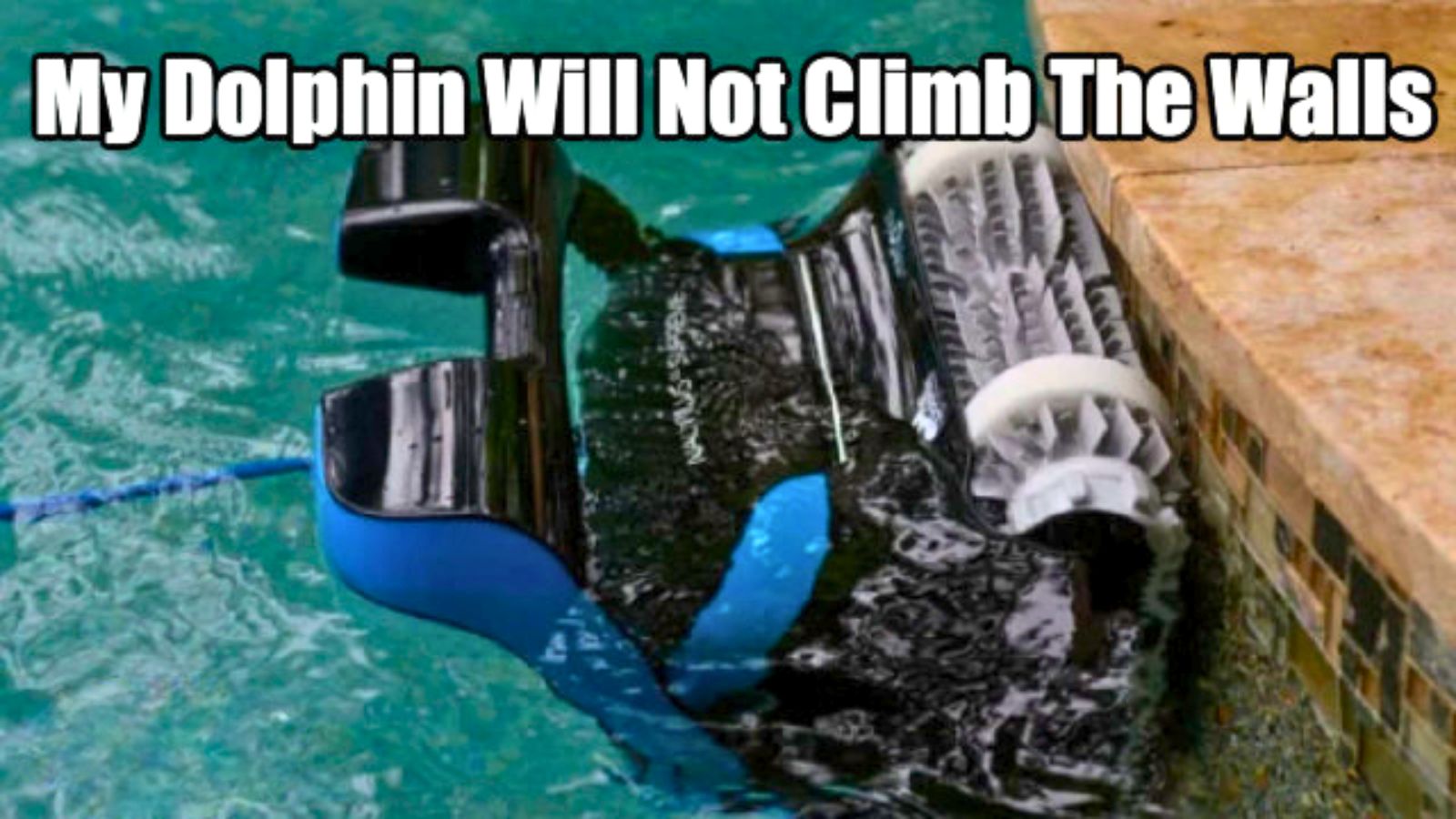
Is your Dolphin M400 struggling to climb walls like it used to? You’re not alone, and it can be frustrating to see your pool cleaner stuck or missing spots.
But don’t worry—there are simple reasons behind this issue, and even easier fixes you can try yourself. Keep reading to discover why your Dolphin M400 isn’t climbing walls and how to get it back to its top performance fast. Your pool deserves the best, and so do you.
Common Causes Of Wall Climbing Issues
The Dolphin M400 is designed to climb walls and clean pools efficiently. Sometimes, it may stop climbing walls properly. Understanding common causes helps fix the problem fast. Identifying these issues improves the robot’s cleaning performance and extends its life.
Dirty Or Worn Tracks
The tracks help the Dolphin M400 grip and climb walls. Dirt, debris, or wear can reduce traction. This causes the robot to slip or stop climbing. Regularly clean the tracks and check for damage. Replace worn tracks to restore proper climbing ability.
Obstructed Suction Inlets
Suction inlets pull water and debris into the cleaner. Blocked inlets reduce suction power and climbing force. Leaves, hair, or dirt can clog these areas. Remove any blockages to keep suction strong. Clear inlets help the robot stick to walls.
Battery And Power Problems
The Dolphin M400 needs enough power to climb walls. Low battery levels reduce motor strength. Weak batteries cause slow or failed climbs. Charge the battery fully before use. Replace old batteries to maintain climbing performance.
Software Glitches
Software controls the robot’s movements and sensors. Glitches can confuse the system and stop climbing. Restart the robot to reset the software. Update the firmware to fix bugs and improve function.
Credit: www.eztestpools.com
Step-by-step Cleaning Guide
The Dolphin M400 may stop climbing walls due to dirt or blockages. Cleaning the robot regularly helps keep it working well. Follow this step-by-step guide to clean the key parts. This guide is simple and easy to follow.
Removing And Cleaning Tracks
Turn off the robot and remove it from the pool. Flip the robot over to access the tracks. Gently pull the tracks off the wheels. Wash the tracks with fresh water and a soft brush. Remove any debris or buildup stuck on the tracks. Let the tracks dry before putting them back on. Reattach the tracks carefully to avoid damage.
Clearing Suction Inlets
Locate the suction inlets on the bottom of the robot. Remove any leaves, dirt, or debris blocking the inlets. Use a soft brush or cloth to clean the area. Check for small objects stuck inside the inlets. Clear any clogs to improve water flow. Rinse the inlets with clean water to remove leftover dirt.
Inspecting Brushes And Filters
Remove the brushes from the robot. Clean the brushes by removing hair and dirt. Use water to rinse off stubborn debris. Check the filter for dirt and clogs. Take out the filter and rinse it thoroughly. Replace the filter if it looks damaged or worn. Reinstall the brushes and filter carefully to ensure proper function.
Battery Maintenance Tips
Battery health plays a big role in the Dolphin M400’s ability to climb walls. Poor battery care can cause the cleaner to lose power quickly. This affects its climbing and cleaning performance. Proper battery maintenance keeps the cleaner working at its best.
Checking Battery Health
Check the battery regularly for signs of wear. Look for swelling or leaks on the battery pack. Test the cleaning cycle time to see if the battery holds charge well. Shorter runs may mean the battery is weak. Use a multimeter to measure voltage if you can. Healthy batteries usually show a steady voltage close to the rated value.
Proper Charging Practices
Charge the Dolphin M400 battery in a cool, dry place. Avoid charging in direct sunlight or extreme temperatures. Use only the charger that came with the cleaner. Unplug the charger once the battery is full. Overcharging can reduce battery life. Regular charging after each use keeps the battery ready. Do not let the battery drain completely before charging.
Replacing The Battery
Replace the battery if the cleaner stops climbing walls. Old batteries lose capacity and cannot hold charge well. Buy a battery designed for the Dolphin M400 model. Follow the manufacturer’s instructions for replacement. Dispose of the old battery properly to protect the environment. A new battery restores full power and climbing ability.

Credit: www.amazon.com
Resetting And Updating Firmware
Resetting and updating the Dolphin M400 firmware can fix many issues. Problems like not climbing walls often come from software glitches. A fresh start and the latest updates keep your robot cleaner working well. These steps help improve its ability to climb and clean efficiently.
Performing A Factory Reset
Start by turning off the Dolphin M400. Press and hold the reset button for 10 seconds. Release the button and turn the cleaner back on. The robot will restore to its original factory settings. This clears any errors or settings that block wall climbing. Factory reset often fixes software bugs and resets sensors.
Updating Software For Optimal Performance
Check the Dolphin app or website for the latest firmware update. Connect your cleaner to Wi-Fi for easy updating. Follow the instructions to download and install the update. New firmware improves climbing ability and fixes known problems. Regular updates keep the Dolphin M400 running smoothly and safely.
When To Seek Professional Help
The Dolphin M400 is designed to climb walls efficiently. Sometimes, it may fail to do so. This can be frustrating and affect your pool cleaning. Knowing when to seek professional help saves time and prevents further damage.
Identifying Hardware Failures
Hardware problems often cause the Dolphin M400 not to climb walls. Check the tracks and brushes for wear or damage. If the robot struggles to grip the wall, the tracks may be loose or broken. Motors that power the wheels can also fail. Strange noises or no movement often signal motor issues. Look for visible cracks or broken parts on the device. If you spot these signs, avoid trying to fix it yourself.
Authorized Repair Services
Professional repair services offer expert help for the Dolphin M400. Authorized centers use original parts to maintain quality. Technicians have training specific to this model. They can diagnose issues quickly and provide lasting fixes. Using an authorized service protects your warranty. It ensures your robot works safely and efficiently after repair. Always choose authorized service centers to keep your Dolphin M400 in top shape.
Credit: www.eztestpools.com
Frequently Asked Questions
Why Is My Dolphin M400 Not Climbing Pool Walls?
The Dolphin M400 may struggle with wall climbing due to dirty or slippery pool surfaces. Check and clean the pool walls to improve grip.
How Can I Fix Wall Climbing Issues On Dolphin M400?
Inspect the robot’s brushes and tracks for wear or damage. Replace worn parts to help it climb walls properly.
Does Pool Surface Type Affect Dolphin M400 Wall Climbing?
Yes. Rough or textured surfaces help the robot climb better. Smooth or slippery walls can cause climbing problems.
Can Low Water Levels Stop Dolphin M400 From Climbing Walls?
Yes, low water can reduce suction power, affecting wall climbing. Ensure the pool is filled to the recommended level.
How Often Should I Clean Dolphin M400 To Aid Climbing?
Clean the filter and brushes after each use. Regular maintenance keeps the robot working efficiently on walls.
Could Software Issues Cause Dolphin M400 Wall Climbing Failure?
Sometimes. Resetting the robot or updating its software can fix climbing problems. Check the user manual for instructions.
Is The Dolphin M400 Designed For All Pool Types?
No. It works best on concrete, fiberglass, and vinyl pools. Some surfaces may limit its wall climbing ability.
Conclusion
Dolphin M400 not climbing walls can be frustrating. Check the cleaner’s wheels and tracks for damage. Clean sensors and remove any blockages. Make sure the pool walls are smooth and free from algae. Restart the device after maintenance. Regular care helps keep your cleaner working well.
Small fixes often solve climbing problems quickly. Keep your pool sparkling with simple steps. Don’t let wall climbing issues stop your pool cleaning. Stay patient and follow these tips for best results.