
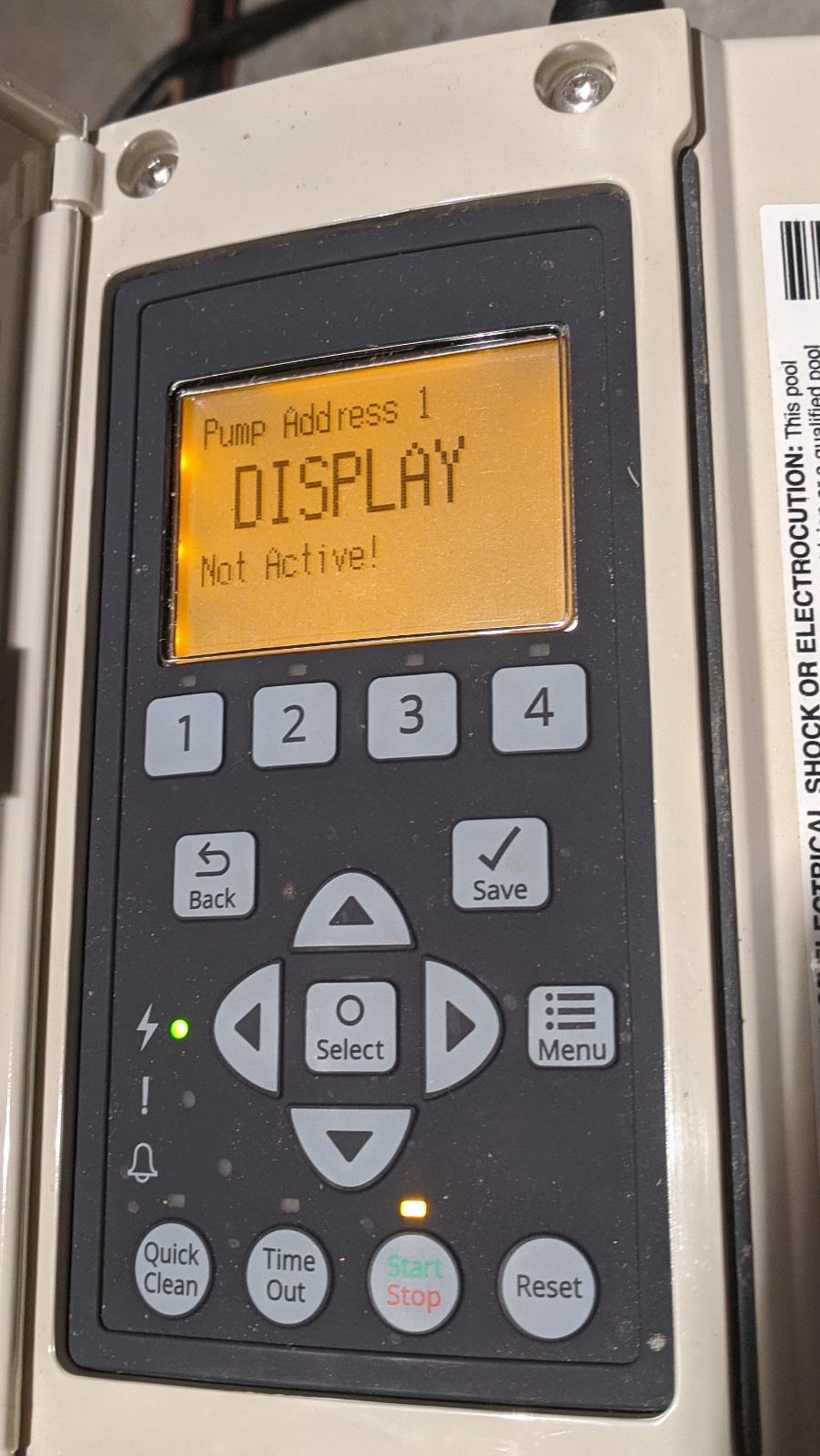
Is your Pentair Intelliflo display showing “Not Active” and leaving you frustrated? You’re not alone.
When this happens, it can feel like your pool system has suddenly stopped working, and you might be wondering what’s wrong or how to fix it quickly. The good news is, you don’t have to be a tech expert to get your display back up and running.
You’ll discover simple, clear steps to troubleshoot and solve the “Not Active” issue so you can enjoy your pool without delay. Keep reading—you’re just moments away from getting your Pentair Intelliflo working like new again.
Credit: www.troublefreepool.com
Common Causes Of Inactive Display
The Pentair Intelliflo display may go inactive for several reasons. Identifying the root cause helps fix the problem quickly. Common issues often relate to power, wiring, or the controller itself.
Each of these areas can stop the display from working. Understanding these causes helps you troubleshoot effectively. Below are the main reasons for an inactive display.
Power Supply Issues
The display needs a steady power source to work. A tripped breaker or blown fuse can cut power. Sometimes, the power cord may be loose or damaged. Without power, the display stays off. Check the power outlet and circuit first.
Wiring And Connections
Faulty wiring can stop the display from showing anything. Loose or corroded connections cause signal loss. Damaged cables or connectors interrupt communication. Inspect all wires for signs of wear or damage. Secure connections ensure proper display function.
Controller Malfunctions
The controller manages all display functions. Software glitches or hardware failures can cause inactivity. Overheating or water damage may harm the controller. Resetting the controller can sometimes restore the display. Severe faults might require professional repair or replacement.
Basic Troubleshooting Steps
Basic troubleshooting helps solve common issues with the Pentair Intelliflo display. It saves time and avoids unnecessary repairs. Follow simple steps to check the system and fix the display not active problem.
Checking The Power Source
Start by verifying the power connection to the Intelliflo controller. Ensure the power cord is firmly plugged into the outlet. Check the circuit breaker or fuse box for any tripped switches or blown fuses. Use a voltage tester to confirm power reaches the controller. No power means the display will remain inactive.
Inspecting The Display Screen
Look closely at the display screen for cracks or damage. Clean the screen gently with a soft cloth to remove dust or dirt. Dirty screens can appear blank or inactive. Check for moisture or condensation inside the display panel. Water can cause the screen to malfunction. Physical damage might require professional repair or replacement.
Resetting The Controller
Resetting the controller can clear minor errors. Turn off the power to the Intelliflo unit. Wait for about 30 seconds. Turn the power back on and observe the display. A reset often restores normal function and activates the display. Avoid pressing multiple buttons during reset to prevent further issues.
Advanced Fixes For Power Restoration
Advanced fixes for power restoration can help bring your Pentair Intelliflo display back to life. These steps go beyond basic checks. They involve careful handling of electrical parts and software updates. Follow the instructions carefully to avoid damage and ensure safety.
Replacing The Power Cord
The power cord is the main source of electricity for your pump. A damaged or frayed cord can stop the display from turning on. Check the cord for cuts, burns, or loose connections. Use a replacement cord made for your model. Unplug the old cord before removing it. Attach the new cord firmly to avoid loose connections. Test the display after replacement to confirm power is restored.
Testing And Replacing Fuses
Fuses protect the pump from electrical surges. A blown fuse can cause the display to go dark. Locate the fuse inside the control box. Use a multimeter to test for continuity. If the fuse shows no continuity, replace it with the same type and rating. Secure the new fuse properly. Power on the system to check if the display becomes active.
Updating Firmware
Firmware controls the pump’s software functions. Outdated or corrupted firmware can cause display issues. Download the latest firmware from Pentair’s official website. Connect your pump to a computer using a USB cable or follow the manual’s update instructions. Run the update carefully without interrupting power. After updating, restart the pump. Check if the display now works correctly.

Credit: www.youtube.com
Preventive Maintenance Tips
Preventive maintenance helps keep your Pentair Intelliflo display working well. It stops problems before they start. Regular care saves money and time on repairs. Follow these simple tips to avoid the “Display Not Active” issue.
Taking small steps often makes a big difference. Keep your system clean, safe, and checked regularly.
Regular Cleaning And Inspection
Dust and dirt can block the display or cause errors. Clean the screen gently with a soft cloth. Avoid harsh chemicals that might damage the surface.
Check the display and its connections for any loose parts. Tighten screws and connectors as needed. Early spotting of wear or damage helps prevent failure.
Protecting From Electrical Surges
Electrical surges can harm the display’s circuit board. Use a surge protector to guard against power spikes. Make sure the protector fits your system’s needs.
Unplug the unit during storms to avoid sudden power surges. Proper grounding also reduces the risk of electrical damage.
Scheduled System Checks
Set a routine to check the entire system monthly. Look for error messages or unusual behavior on the display. Note any changes and act quickly.
Test the pump and control functions to ensure they respond correctly. Routine checks catch problems early and keep your system reliable.
When To Contact A Professional
Knowing when to contact a professional is key to fixing Pentair Intelliflo display issues. Some problems need expert skills to avoid damage or safety risks. A professional ensures the pump and display work safely and correctly.
Identifying Complex Electrical Problems
Electrical issues can be tricky and dangerous. Faulty wiring or power supply problems need special tools and knowledge. A professional can find hidden faults and fix them safely. Attempting repairs without skills can cause more damage.
Avoiding Warranty Voidance
Self-repair may cancel your product warranty. Manufacturers often require certified technicians for service. Professionals follow proper steps and keep your warranty valid. This protects your investment in case of future problems.
Finding Certified Technicians
Choose technicians certified by Pentair or trusted organizations. Certified experts have training and experience with Intelliflo pumps. They use correct parts and methods for repairs. Ask for credentials and reviews before hiring help.
Credit: www.troublefreepool.com
Frequently Asked Questions
What Causes The Pentair Intelliflo Display To Show “not Active”?
The display may show “Not Active” due to power issues or communication errors. Check power supply and cable connections first.
How Do I Reset The Pentair Intelliflo Display?
Unplug the pump for 30 seconds, then plug it back in. This often resets the display.
Can Software Updates Fix The “not Active” Display Issue?
Yes, outdated software can cause display errors. Update your pump’s software using the Pentair app or website.
How To Check If The Intelliflo Pump Is Working Without The Display?
Listen for the pump running or check water flow. The pump may run even if the display is off.
What Wiring Problems Cause The Intelliflo Display Not To Activate?
Loose or damaged wires can stop the display from working. Inspect all wiring for breaks or loose connections.
Does Low Voltage Affect The Intelliflo Display Activity?
Yes, low voltage can cause the display to go inactive. Ensure the power supply meets the pump’s voltage needs.
When Should I Call Pentair Support For Display Issues?
Contact support if resets and checks don’t fix the problem. They can guide you through advanced troubleshooting steps.
Conclusion
Troubleshooting the Pentair Intelliflo display can save time and stress. Check power sources and connections carefully. Resetting the system often solves the problem. Keep the manual handy for quick reference. Regular maintenance helps prevent future display issues. Staying calm and following steps makes repair easier.
Your pool system will run smoothly again soon. Don’t let a small glitch stop your fun. Simple fixes bring the display back to life.