
Your automatic pool cover is designed to make pool care simple and safe. But what happens when it won’t close on its own?
Knowing how to manually close your automatic pool cover can save you time, protect your pool, and prevent costly repairs. In this guide, you’ll discover easy, step-by-step instructions to take control when the system lets you down. Keep reading to make sure you’re always ready to keep your pool covered, no matter what.
Preparing The Pool Area
Preparing the pool area is the first step in manually closing an automatic pool cover. A clean and clear space helps the cover roll smoothly and safely. Taking time to prepare avoids damage and ensures a quick process.
Clear The Pool Deck
Remove all items from the pool deck. Chairs, toys, and cleaning tools must be moved away. This prevents tripping and stops objects from blocking the cover. A tidy deck makes it easier to work around the pool.
Check For Obstructions
Look closely at the pool edges and cover tracks. Clear leaves, dirt, or debris that may block the cover. Check the cover itself for any tears or damage. Removing obstructions helps the cover close evenly and fully.
Gather Necessary Tools
Collect tools needed to operate the cover manually. Common items include a hand crank or key. Keep a flashlight nearby if working late. Having tools ready saves time and reduces hassle during closing.
Locating The Manual Override
Knowing how to find the manual override is key to closing your automatic pool cover. This step helps you take control if the motor or power fails. Start by locating the cover motor. It powers the cover’s movement. Then, find the override mechanism. This allows you to move the cover by hand. Understanding these parts makes closing the cover simple and safe.
Find The Cover Motor
The cover motor is usually near the pool edge. It sits inside a small box or housing. This box may be under a deck or beside the pool. Look for a rectangular shape with wires or cables. The motor connects to the pool cover’s reel or spool. It moves the cover automatically when powered.
Identify The Override Mechanism
The override mechanism is part of the cover motor system. It often looks like a small handle or key slot. This part allows manual control of the cover. You may need a special tool or crank handle. Check the motor housing or nearby panel for this feature. Using it lets you close the cover by turning the handle slowly.
Engaging The Manual System
Engaging the manual system is key to closing your automatic pool cover without power. This process allows you to operate the cover safely and smoothly. Knowing how to switch from automatic to manual mode helps avoid damage and keeps your pool protected.
Follow the steps carefully. This ensures the cover moves evenly and locks in place correctly. Manual operation is helpful during power outages or mechanical issues.
Disengage The Automatic Mode
Start by turning off the power to the automatic system. Locate the control panel or switch near the pool cover motor. Flip the switch to the off position. This stops the motor and prevents accidental movement.
Next, find the manual release lever or button. Pull or push it gently to unlock the drive system. This action frees the cover for manual movement. Avoid forcing parts to prevent damage.
Attach The Manual Crank
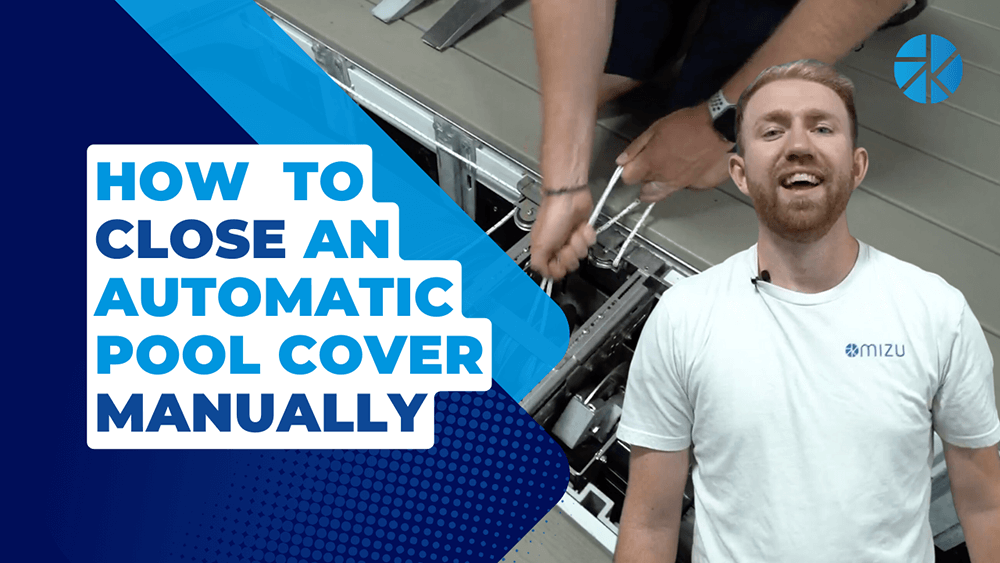
Locate the manual crank handle included with your pool cover kit. Find the crank socket near the cover’s edge or motor housing. Insert the crank handle firmly into the socket.
Turn the crank slowly in the direction the cover closes. Keep a steady pace to avoid jerking the cover. Continue until the pool cover is fully closed and secure.

Credit: www.youtube.com
Closing The Cover By Hand
Closing an automatic pool cover by hand is simple but needs care. This method helps when the motor fails or during power cuts. Doing it right keeps your pool safe and clean.
Turn The Crank Slowly
Find the manual crank handle on the pool cover system. Insert it firmly into the designated slot. Turn the crank slowly to avoid damage. Slow turns make the cover move smoothly. Quick turns can harm the cover or mechanism.
Monitor The Cover Movement
Watch the cover as you turn the crank. Check if it moves evenly across the pool. Stop if the cover sticks or feels tight. Uneven movement may mean a problem inside. Fix any issues before continuing.
Avoid Common Mistakes
Do not force the crank if it resists. Forcing can break the system parts. Avoid rushing to close the cover fast. Take your time to prevent damage. Keep children and pets away during the process.
Securing The Cover
Securing the automatic pool cover is key to keeping your pool safe and clean. This step stops dirt, leaves, and pets from getting in the water. It also helps protect the cover itself from damage. Taking time to secure the cover properly saves effort later.
Ensure Full Closure
Make sure the cover moves smoothly across the pool. Check that it reaches the edges completely. Gaps can let debris or water through. Gently guide the cover if it stalls or gets stuck. A fully closed cover keeps the pool protected.
Lock The Cover In Place
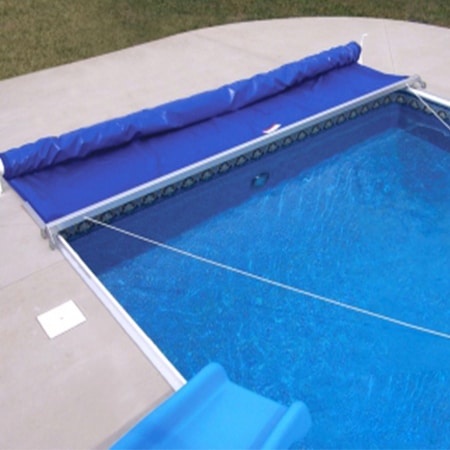
Use the locking mechanism to hold the cover tight. This prevents it from sliding back or opening in wind. Follow the instructions for your specific cover type. Double-check that the locks click or snap securely. Locked covers provide safety and keep the pool clean longer.
Credit: getmizu.com
Maintenance Tips After Manual Operation
After manually closing an automatic pool cover, some care is needed. This helps keep the cover working well and lasts longer. Simple maintenance steps prevent damage and ensure smooth operation next time.
Inspect The Cover And Tracks
Check the pool cover for tears or holes. Look closely at the tracks on both sides. Remove any dirt, leaves, or debris that may block the cover. Clean tracks help the cover move easily and prevent jams.
Reset The Automatic System
Turn off the power to the pool cover system. Wait a few minutes before turning it back on. This resets the controls and clears any errors. Resetting helps the system recognize the cover’s new position after manual use.
Schedule Professional Checkup
Book a service with a pool cover expert regularly. Professionals check the motor, sensors, and mechanical parts. They find small issues before they become big problems. Regular checkups keep the cover safe and reliable.
Credit: www.poolwarehouse.com
Frequently Asked Questions
How Do I Manually Close An Automatic Pool Cover?
Locate the manual crank or hand crank on the cover’s motor box. Turn it slowly to close the cover.
What Tools Are Needed To Close An Automatic Pool Cover Manually?
Usually, a hand crank or manual key is needed. Check your pool cover kit for the tool.
How To Know If The Pool Cover Motor Is Broken?
If the cover doesn’t move when you press the button, the motor may be faulty or disconnected.
Is It Safe To Close The Pool Cover Manually?
Yes, but do it gently and avoid forcing the cover to prevent damage or injury.
How Long Does It Take To Close The Cover Manually?
It usually takes a few minutes. The speed depends on the pool size and cover mechanism.
Can I Use The Manual Method Regularly?
Manual closing is for emergencies or motor failure. Use the automatic system normally to avoid wear.
Conclusion
Manually closing an automatic pool cover is simple and safe. Follow the steps carefully to avoid damage. Regular checks help keep the cover working well. Take your time and do not rush. This way, your pool stays clean and protected.
Enjoy your pool with peace of mind.