
Finding the best Dell desktop computer for home use depends on how much space you have, the tasks you perform, and whether you prefer an all-in-one setup or a traditional tower. Some buyers need a compact machine that fits on a crowded desk, while others prioritize raw power for multitasking or future hardware upgrades. These options range from space-saving displays to expandable towers. For most, the Dell 27-inch All-in-One is the top choice for a clean desk, while the Dell Tower Desktop Ultra 7 is the pick for those needing maximum performance.
As an Amazon Associate, we earn from qualifying purchases. This post contains affiliate links – if you buy through them, we may earn a commission at no extra cost to you.
1. Dell 27-inch All-in-One

Best for: Someone who wants a clean desk without extra wires or boxes.
This model integrates the computer and monitor into one unit, saving significant space. The narrow border and FHD IPS display provide clear visuals, while the adjustable tilt ensures you find the right viewing angle.
Its innovative stand hides the keyboard underneath, keeping your workspace tidy. With a 5MP+IR camera and spatial audio, it’s well-suited for video chats. It isn’t for someone who plans to upgrade internal hardware, as this design is fixed.
Good if:
- You want a clutter-free home office.
- You do frequent video calls.
- You appreciate integrated speakers.
Skip it if:
- You need to upgrade your graphics card later.
- You prefer using your own monitor.
2. Dell Tower Desktop Ultra 7
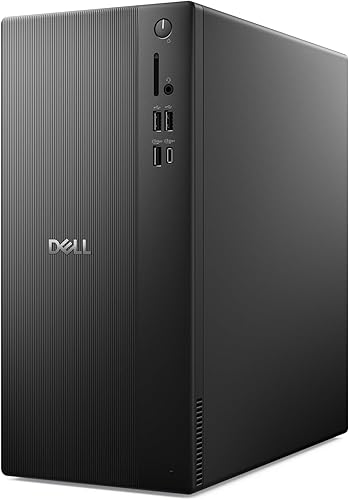
Best for: A user who needs high performance and plans to upgrade parts.
This tower uses powerful processors with built-in AI to handle demanding tasks easily. It supports up to four monitors, making it ideal for those who need a large digital workspace.
The tool-less entry makes it very easy to reach internal components for future upgrades. It also includes security features like a hardware TPM chip and a built-in lock slot. It isn’t for users with very limited desk space.
Good if:
- You need to connect multiple displays.
- You want to upgrade RAM or storage easily.
- You require high processing power.
Skip it if:
- You have a very small desk area.
- You want a pre-built display included.
3. Dell OptiPlex 7070 SFF Desktop Computer PC
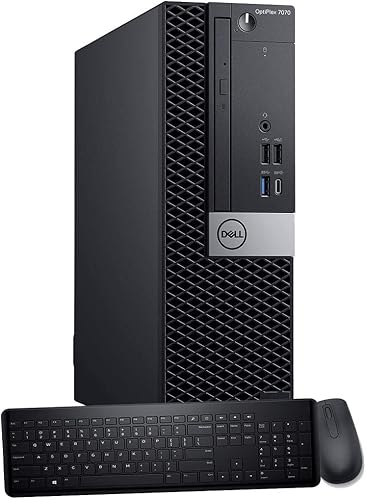
Best for: A home worker who needs a reliable machine for heavy multitasking.
This small form factor desktop uses a 9th Gen i7 processor and a fast NVMe SSD to keep apps running smoothly. It comes with Windows 11 Pro, which is designed for professional productivity.
The tower case allows for some expansion, providing flexibility as your needs grow. It includes a wireless keyboard and mouse, so you’re ready to start immediately.
Good if:
- You need Windows 11 Pro features.
- You want a fast SSD for boot speeds.
- You need many USB ports for accessories.
Skip it if:
- You want the absolute newest processor generation.
- You need a large tower for major hardware changes.
4. Dell 23.8-inch All-in-One
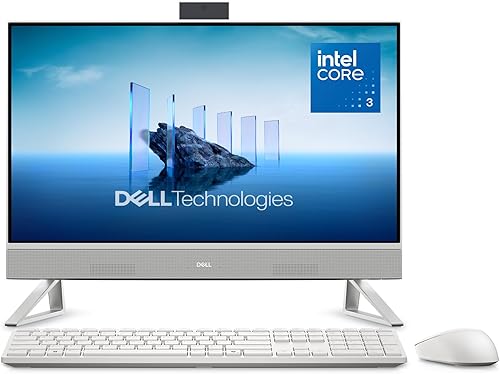
Best for: A student or home user with a small workspace.
Like its larger sibling, this all-in-one saves space by combining everything into one display. It features eye-comfort technology to reduce blue light during long study or work sessions.
The 5MP+IR camera and Dolby Atmos sound make it excellent for multimedia and remote learning. It isn’t for users who need a very large screen for professional design or video editing.
Good if:
- You have limited room on your desk.
- You want a simple, ready-to-use setup.
- You spend long hours looking at a screen.
Skip it if:
- You prefer a screen with a more expansive display area.
- You want to customize your monitor choice.
5. ECT1250 Tower Desktop Computer

Best for: Someone looking for the newest connectivity and AI features.
This tower features the Intel Core Ultra 5 processor with a dedicated AI boost. It supports modern standards like Wi-Fi 6 and Bluetooth 5.4 for faster, more stable wireless connections.
It comes with 16GB of DDR5 RAM, which is fast and handles modern software well.
Good if:
- You want the latest wireless standards.
- You want an AI-ready processor.
- You need a compact but fast tower.
Skip it if:
- You require a dedicated GPU for gaming.
- You’re on a strict budget.
6. DELL Optiplex 7060 SFF Desktop Computer PC
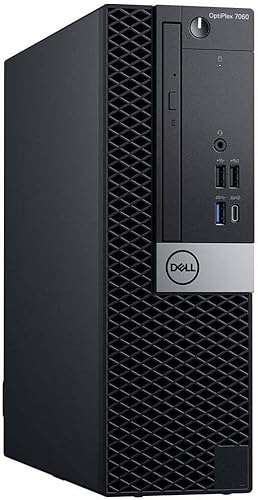
Best for: Someone needing a dependable workstation for office-style tasks.
This unit offers a 6-core processor that handles daily multitasking with ease. Its small form factor fits well on desks while still offering room for internal expansion.
With multiple USB ports and dual monitor support, it’s built for productivity.
Good if:
- You need a reliable, proven desktop.
- You want dual monitor support.
- You need a space-saving tower.
Skip it if:
- You need top-tier performance for 3D rendering.
- You want a brand-new, modern design.
7. Dell Slim Desktop

Best for: A professional who needs a secure and sleek workspace.
This slim model is designed to fit into tight spaces while offering modern Intel Core Ultra performance. It supports up to four monitors, which is excellent for data-heavy work.
The tool-less entry makes maintenance simple, and the inclusion of a hardware TPM chip ensures your data stays secure. It isn’t for users who need a tower with massive internal space for multiple bulky hard drives.
Good if:
- You need to run multiple monitors.
- You want a secure, business-ready PC.
- You have a small workspace.
Skip it if:
- You want a massive tower for many internal drives.
- You prefer a standard, larger tower design.
8. Dell Tower Desktop i7

Best for: A user who wants a capable tower for basic tasks.
This renewed model provides a strong i7 processor and a 1TB SSD for quick boot times. It’s a straightforward tower that handles home and business computing without complication.
It includes a keyboard and mouse, making it a complete starter package.
Good if:
- You need a simple, reliable tower.
- You want plenty of storage space.
- You want a complete setup with accessories.
Skip it if:
- You need the latest processor architecture.
Where These Overlap
The Dell OptiPlex 7070 SFF, 7060 SFF, and the Renewed i7 Tower all occupy the same space: reliable, small-form-factor machines that prioritize office productivity over sleek aesthetics. If you’re choosing between these, the decision comes down to the specific processor generation and the amount of storage you need. They’re all very similar in how they function, offering multiple ports and easy access for upgrades. If you don’t need the absolute newest CPU, these models provide a stable experience for daily tasks, word processing, and web browsing.
Still Not Sure?
How often will I really use it?
If you plan to use your computer for many hours every day for work, look at the Dell Tower Desktop Ultra 7. Its powerful processor and support for multiple monitors will help you work faster and more comfortably than a smaller, less capable machine would.
What do I already own?
If you already have a high-quality monitor you love, don’t buy an all-in-one. Instead, pick the Dell Slim Desktop or the Dell Tower Desktop Ultra 7. These towers let you keep your existing screen while upgrading the core computer hardware to something modern and fast.
What am I most likely to regret?
Many people regret buying a computer that can’t be upgraded. If you think your needs might grow, avoid the all-in-one models. Choose a tower, like the Dell ECT1250 Tower, which allows you to access internal parts easily and keep your machine useful for years to come.
The Dell 27-inch All-in-One is the best choice for a minimalist home office, while the Dell Tower Desktop Ultra 7 is the right pick for performance and expansion. Before you decide, consider the Energy Star guidelines for home electronics to understand how to keep your new system running efficiently.
Related guides
Frequently Asked Questions
What has to be replaced to keep it working?
Most of these machines don’t require regular part replacements. If you use a wireless keyboard and mouse, you’ll need to replace the batteries occasionally. Over many years, you might choose to add more RAM or a larger hard drive, but the base hardware is built to last.
What happens when it’s outgrown?
If your computer feels slow, you can often upgrade the RAM or storage in tower models. If you have an all-in-one, you’re more limited, so you would likely need to replace the entire unit. Towers allow for component upgrades as your software demands change.
Would the more capable one on this list have suited me better?
If you perform heavy multitasking or video editing, a more capable tower is always a better choice. The all-in-one models are fantastic for general tasks, but they can’t match the long-term flexibility and raw power of the higher-end towers like the Dell Tower Desktop Ultra 7.
Final Thoughts
Choosing the right computer doesn’t have to be overwhelming once you identify your primary needs. Since you’ll be using this machine for years to come, take a moment to look at your desk space today. You’ll find that picking the perfect setup makes your daily tasks feel much easier and more enjoyable.