
If you’ve noticed a red flow light on your Pentair Intellichlor, you might be wondering what it means and how it affects your pool. This little red signal can tell you a lot about your system’s health and performance.
Understanding it can save you time, money, and frustration. You’ll learn exactly why the flow light turns red, what steps you should take, and how to keep your pool running smoothly. Don’t ignore that red light—your pool’s clarity and safety depend on it.
Keep reading to find out what’s really going on with your Intellichlor.
Credit: www.inyopools.com
What The Red Flow Light Means
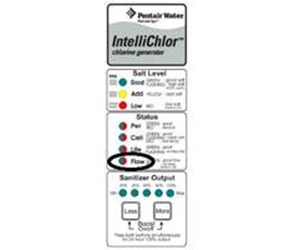
The red flow light on your Pentair Intellichlor signals a problem with water flow. This warning means the system is not getting enough water to work properly. The Intellichlor relies on good water flow to produce chlorine effectively. When the light turns red, your pool’s chlorine levels might drop. It’s important to understand what causes this light and how it affects pool chlorination.
Common Causes Of Red Flow Light
Low water flow often triggers the red flow light. Blocked or dirty filters can reduce water movement. A clogged pump basket also limits flow. Closed valves in the plumbing system may stop water from reaching the Intellichlor. Sometimes, air trapped in the system causes flow issues. Checking these parts helps find the problem fast.
Impact On Pool Chlorination
The red flow light means less chlorine is made. Chlorine helps keep pool water clean and safe. Without enough flow, the Intellichlor cannot produce chlorine properly. This can cause algae growth and cloudy water. Pool water may become unsafe to swim in. Fixing the flow issue is key to maintaining clean water.
Checking Water Flow Issues
Checking water flow issues is important for the Pentair Intellichlor system. The red flow light often signals a problem with water moving through the system. Without proper flow, the chlorine generator cannot work well. This can affect your pool water quality and safety.
Start by looking at the main parts that control water flow. These include the pump, filter, and pipes. Each part can cause blockages or reduce water pressure. Fixing these problems can clear the red flow light and improve system performance.
Inspecting The Pump And Filter
Begin with the pump. Check if it is running smoothly without strange noises. A weak or broken pump lowers water flow. Next, examine the filter. Look for dirt or clogs that slow water movement. Clean or replace the filter if needed. Both pump and filter must work well for proper water flow.
Clearing Blockages And Debris
Check all pipes and skimmers for debris. Leaves, dirt, or small objects can block water flow. Remove any visible blockages carefully. Backwash the filter system to clear unseen debris. Clean the pump basket regularly. Clear flow paths help the Intellichlor system run without errors.
Ensuring Proper Water Pressure
Water pressure affects flow through the system. Use a pressure gauge to check levels. Low pressure can cause the red flow light. Adjust valves to increase pressure if needed. Ensure no leaks exist in pipes or fittings. Consistent pressure keeps water flowing steady and strong.
Cleaning And Maintaining The Intellichlor Cell
Cleaning and maintaining the Intellichlor cell is important for its performance. A clean cell helps keep your pool water clear and safe. Dirt and calcium build-up can block the cell. This reduces chlorine production and affects water quality.
Regular care keeps the system working well longer. It also prevents costly repairs. The process is simple and takes little time. This guide helps you know when and how to clean the cell properly.
Signs Of A Dirty Cell
Look for a red flow light on the Intellichlor system. It signals low water flow or a dirty cell. Check for cloudy or green pool water. These signs mean the cell needs cleaning. Reduced chlorine output is another clue. Watch for a higher salt reading too.
Step-by-step Cell Cleaning
Turn off the pool pump first. Remove the Intellichlor cell from the system. Rinse it with a garden hose to remove loose debris. Prepare a cleaning solution using muriatic acid and water. Soak the cell in the solution for 15-30 minutes. Use a soft brush to gently scrub off calcium deposits. Rinse the cell thoroughly with fresh water. Reinstall the cell and turn the system back on.
Recommended Cleaning Frequency
Clean the Intellichlor cell every 3 to 6 months. Check the cell more often in hard water areas. Heavy pool use may require more frequent cleaning. Follow your pool system’s manual for best results. Keeping a cleaning schedule ensures clear, healthy water.

Credit: pooldial.com
Troubleshooting Electrical And Sensor Problems
Experiencing a red flow light on your Pentair Intellichlor system can signal electrical or sensor issues. These problems often stop the chlorinator from working correctly. Troubleshooting these issues early helps keep your pool water clean and safe. The steps below guide you through basic checks and fixes for common electrical and sensor errors.
Resetting The Intellichlor System
Start by resetting your Intellichlor system. Turn off the power to the chlorinator at the breaker. Wait about 30 seconds. Turn the power back on and watch the control panel. The red flow light should clear if the error was temporary. This simple reset often fixes minor glitches. If the light stays red, further checks are needed.
Inspecting Flow Sensors And Wiring
Next, check the flow sensor and wiring. Look for dirt or debris blocking the sensor. Clean the sensor gently with a soft cloth. Inspect the wiring for loose or damaged connections. Make sure wires are tight and not corroded. Faulty wiring or a dirty sensor can cause the red flow light. Replace any damaged parts to restore proper flow detection.
When To Call A Professional
Call a professional if problems persist after your checks. Complex electrical issues need expert tools and knowledge. A technician can test the system thoroughly and fix hidden faults. Avoid risking further damage by attempting advanced repairs yourself. Professional help ensures your Intellichlor system runs smoothly and safely.
Preventive Tips For Avoiding Flow Light Issues
The Pentair Intellichlor flow light can show red for several reasons. Most of these relate to water flow issues. Preventing this problem keeps your pool system running smoothly. Simple steps can avoid the red flow light and protect your pool equipment.
Following a few routine habits helps maintain proper water flow. Proper chemical use and regular checks support system health. These tips reduce the chance of flow light problems and ensure clear pool water.
Routine Pool Maintenance Practices
Clean the pool filter regularly to avoid blockages. Check and remove debris from skimmers and pump baskets. Inspect pump seals and impellers for wear or damage. Clear any clogs in pipes and valves quickly. These actions keep water flowing freely and prevent pressure drops.
Using Compatible Chemicals
Choose pool chemicals that work well with your Intellichlor system. Avoid mixing harsh or incompatible chemicals. Use chlorine and pH adjusters recommended by Pentair. Proper chemical balance keeps the cell clean and prevents scale build-up. This reduces stress on the flow sensor and stops false flow light alerts.
Monitoring System Performance Regularly
Check the control panel for any error codes or alerts. Test water flow rates and pressure often. Watch for unusual noises or vibrations in the pump. Schedule professional inspections at least once a year. Early detection of problems helps fix issues before the red flow light appears.
Credit: www.reddit.com
Frequently Asked Questions
What Does A Red Flow Light On Pentair Intellichlor Mean?
A red flow light shows low water flow through the chlorinator. It signals a problem with water circulation.
How To Fix Pentair Intellichlor Red Flow Light Issue?
Check for clogged filters or closed valves. Clean the system and ensure proper water flow.
Can A Dirty Cell Cause Intellichlor Red Flow Light?
Yes, a dirty cell restricts water flow and can trigger the red light. Clean the cell regularly.
Does Low Water Pressure Affect Intellichlor Flow Light?
Low water pressure reduces flow, causing the red light to appear. Maintain correct pump settings.
How Often Should I Clean The Pentair Intellichlor Cell?
Clean the cell every 3 to 6 months or when flow issues occur. Regular cleaning helps prevent errors.
Is Red Flow Light Harmful To The Intellichlor System?
It can cause the system to shut down to protect itself. Fix flow problems promptly to avoid damage.
What If Cleaning Doesn’t Turn Off The Red Flow Light?
Check for leaks or broken pipes in the system. Contact a professional if the problem continues.
Conclusion
The Pentair Intellichlor flow light red signals a problem in your pool system. Check the flow and clean the filter to fix it. This warning helps keep your pool safe and clean. Ignoring the light can cause damage to the chlorinator.
Stay alert and act quickly for smooth pool operation. Simple steps can save you time and money. Trust the flow light to guide your pool care.