
Is your Dolphin S200 pool cleaner not working like it used to? You rely on it to keep your pool sparkling clean, but when it stops running smoothly, it can be frustrating.
Don’t worry—you’re not alone, and help is here. In this guide, you’ll discover simple, effective troubleshooting tips to get your Dolphin S200 back in action fast. Keep reading, and you’ll learn how to fix common issues without spending a fortune or calling in a pro.
Your pool deserves the best, and so do you.
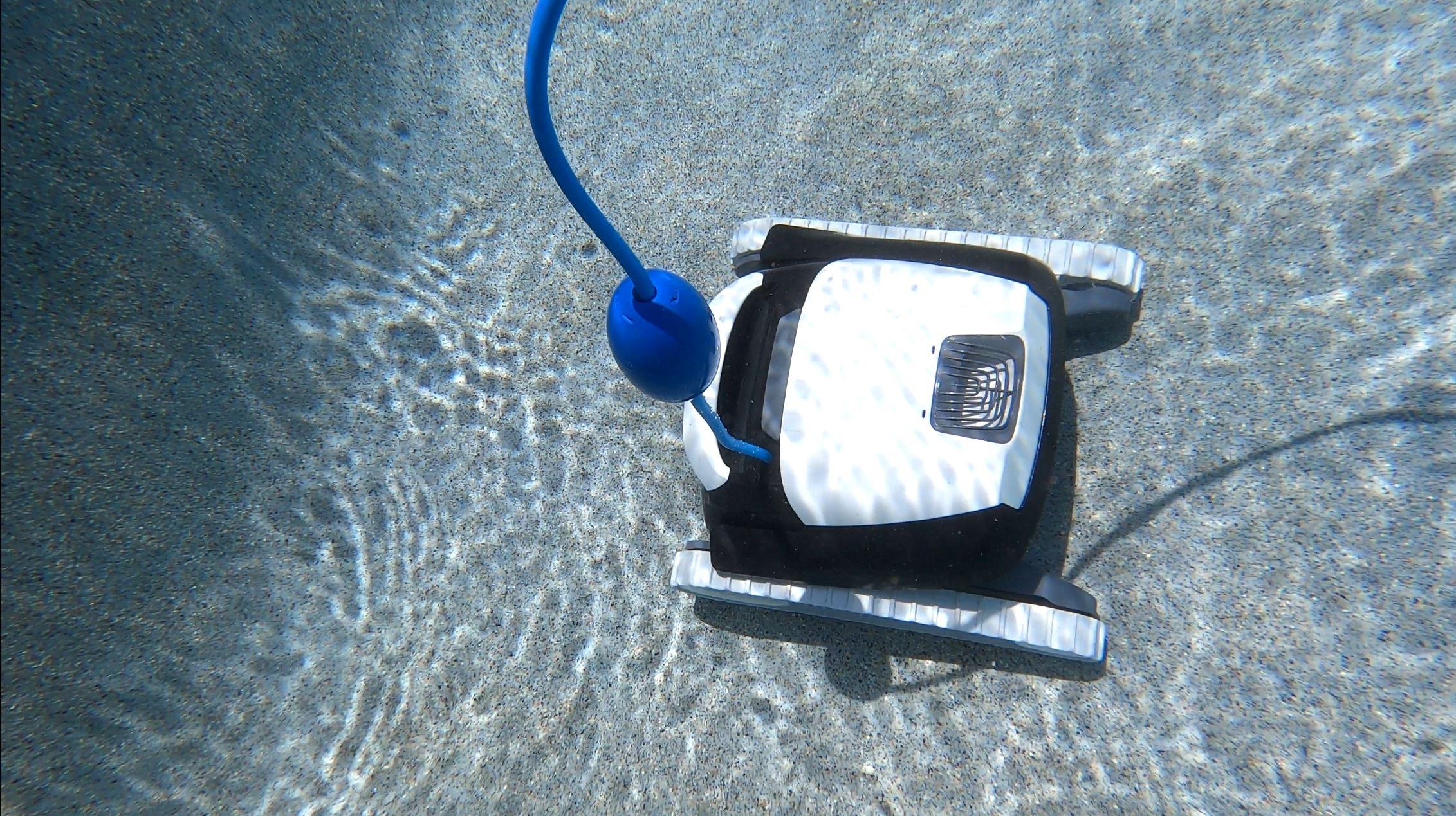
Credit: diy.inyopools.com
Common Issues
The Dolphin S200 pool cleaner is a great tool for keeping pools clean. Yet, users may face some common issues. These problems can affect its performance and ease of use. Knowing these common issues helps in quick fixes and better maintenance.
Power Problems
The cleaner may not turn on. Check the power supply first. Ensure the power cord is plugged in properly. Look for any damage to the cable. A reset of the power unit can help. Sometimes the cleaner overheats and stops working.
Navigation Errors
The Dolphin might get stuck or move oddly. Debris or pool shape can cause navigation errors. Inspect the wheels and brushes for blockages. Clear any leaves or dirt caught in parts. Resetting the cleaner can reset its path. Keep the pool walls clean for better movement.
Cleaning Performance
The cleaner may miss spots or leave dirt behind. Check the brushes for wear and tear. Replace them if they are old or damaged. Make sure the water flow is not blocked. Clean the filter regularly to maintain suction. Adjust the cycle length for thorough cleaning.
Filter Clogs
Filters can get clogged with dirt and debris. This reduces cleaning power. Remove and rinse the filter after each use. Use a hose to clear tough dirt. Replace the filter cartridge if damaged. A clean filter ensures better performance.
Unusual Noises
Strange sounds may mean a problem inside. Check for debris stuck in wheels or brushes. Inspect the motor for signs of wear. Loose parts can cause rattling or grinding. Stop use if noises continue and seek repair. Regular maintenance reduces noise and extends life.

Credit: www.youtube.com
Quick Fixes
Quick fixes help keep your Dolphin S200 pool cleaner working well. These simple steps save time and avoid big repairs. Regular checks and small actions can solve many common problems fast.
Resetting The Cleaner
Turn off the cleaner and unplug it from the power source. Wait about 30 seconds before plugging it back in. Press the reset button to restart the system. This can clear minor errors and improve performance.
Clearing Debris
Remove the cleaner from the pool and check for leaves or dirt. Clean the intake and brushes to stop clogs. Remove any stuck debris from wheels and tracks. This helps the cleaner move smoothly and clean better.
Replacing Filters
Open the filter compartment and take out the old filters. Rinse reusable filters with water or replace damaged ones. Clean filters trap dirt and keep the water clear. Replace filters regularly to maintain strong suction.
Checking Power Supply
Make sure the power cord is not tangled or damaged. Check the power outlet by plugging in another device. Use a surge protector for stable electricity supply. Proper power ensures the cleaner runs without interruptions.
Inspecting Tracks And Brushes
Look for wear or damage on the tracks and brushes. Replace worn parts to keep good grip on pool surfaces. Clean brushes help scrub dirt effectively. Regular inspection extends the cleaner’s lifespan.
Maintenance Tips
Maintaining your Dolphin S200 pool cleaner ensures it works well and lasts longer. Simple care routines stop problems before they start. Follow easy steps to keep it clean and smooth.
Regular Filter Cleaning
Clean the filter after every use. Remove debris and rinse it with water. A clean filter helps the cleaner pick up dirt better. Avoid letting the filter get clogged.
Storing Properly
Store the cleaner in a dry, shaded place. Avoid direct sunlight and wet areas. Proper storage stops damage to the parts. Keep it off rough surfaces to prevent scratches.
Routine Inspections
Check the cleaner for wear and tear regularly. Look at the brushes, wheels, and cords. Replace any broken or worn parts fast. Regular checks stop small issues from growing.
Lubricating Moving Parts
Apply lubricant to moving parts like wheels and joints. Use a silicone-based lubricant for best results. This keeps the parts moving smoothly. Avoid over-lubricating to prevent dirt buildup.
Seasonal Care
Before winter or long breaks, clean the cleaner thoroughly. Remove all water to avoid freezing damage. Store it in a cool, dry spot. Seasonal care protects the cleaner from harsh weather.
Advanced Troubleshooting
Advanced troubleshooting for the Dolphin S200 pool cleaner helps fix tough problems. These issues go beyond basic checks and need careful attention. Understanding these problems can save time and money. It keeps the cleaner working well and the pool spotless.
Motor Issues
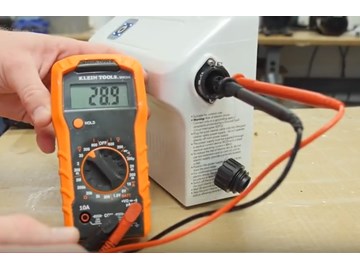
The motor powers the cleaner’s movement and suction. If the motor stops or runs weakly, check for blockages. Clean debris from the motor area carefully. Listen for unusual sounds like grinding or buzzing. These may show motor damage. Test the motor with a multimeter to find electrical faults. Replace the motor if it does not work properly after cleaning.
Circuit Board Problems
The circuit board controls the cleaner’s functions. Signs of circuit board issues include erratic behavior or no response. Inspect the board for burnt components or loose wires. Moisture can cause short circuits, so dry the board fully. Reset the cleaner by unplugging and plugging it back. If problems persist, the circuit board may need replacement by a professional.
Sensor Malfunctions
Sensors guide the cleaner around the pool. Dirty or broken sensors lead to poor navigation. Clean sensors gently with a soft cloth and water. Check sensor connections for corrosion or damage. Test sensors with a tool to ensure they work. Replace faulty sensors to restore proper operation.
Replacing Worn Components
Parts like brushes, tracks, and filters wear out over time. Inspect these parts regularly for signs of damage or wear. Replace worn brushes to maintain good cleaning power. Change tracks if the cleaner slips or moves unevenly. Clean or swap filters to keep water flowing freely. Using original parts ensures the best fit and durability.
When To Contact Support
Knowing when to contact support for your Dolphin S200 pool cleaner helps save time and effort. Some issues require expert help. Others might be covered by warranty. This section guides you on the right moments to reach out.
Warranty Considerations
Check your warranty before attempting repairs. Most Dolphin S200 cleaners come with a limited warranty. It covers parts and labor for a set period. Avoid opening the cleaner if it voids the warranty. Contact support for any issues under warranty to get free repairs or replacements.
Professional Repairs
Some problems need a trained technician. Strange noises, motor failure, or electronic faults are tough to fix alone. DIY repairs could cause more damage. Professional repairs ensure your pool cleaner works safely and properly again. Contact support to arrange expert service for complex issues.
Authorized Service Centers
Use authorized service centers for repairs and maintenance. These centers have genuine parts and skilled staff. They follow manufacturer guidelines for repairs. Using unauthorized services might void your warranty. Contact support to find the nearest authorized service center near you.
Credit: www.inyopools.com
Frequently Asked Questions
How To Reset The Dolphin S200 Pool Cleaner?
Unplug the cleaner and wait for 30 seconds. Plug it back in to reset the system. This often fixes minor errors.
Why Is My Dolphin S200 Not Moving Properly?
Check the wheels and brushes for debris or damage. Clean or replace parts to restore smooth movement.
How Do I Clean The Dolphin S200 Filter?
Remove the filter cartridge and rinse it with a hose. Clean after every use to keep it efficient.
What Causes The Dolphin S200 To Stop Mid-cycle?
Power interruptions or clogged filters can cause stops. Ensure steady power and clean filters before use.
Why Is The Dolphin S200 Not Climbing Pool Walls?
Dirty or worn brushes reduce grip. Clean or replace brushes and check for proper installation.
How To Fix Dolphin S200 Error Codes?
Refer to the user manual for specific error codes. Most issues can be solved by cleaning or resetting.
Can Low Water Flow Affect Dolphin S200 Cleaning?
Yes, low water flow limits suction and cleaning power. Check pump and filter settings for proper flow.
How Often Should I Service My Dolphin S200 Pool Cleaner?
Service every 3 to 6 months depending on use. Regular checks keep the cleaner working well and extend its life.
Conclusion
Dolphin S200 pool cleaner keeps your pool clean with less effort. Troubleshooting common issues helps maintain its performance. Check filters, brushes, and power supply regularly. Clean parts to avoid clogs and improve cleaning. Fix small problems early to save time and money.
Proper care extends the cleaner’s life. Enjoy a sparkling pool with simple maintenance steps. Keep your pool ready for fun anytime. Easy fixes make a big difference. Stay patient and follow the tips shared here.