
Is your Pentair pool pump control panel not working? This can be frustrating, especially when you want to keep your pool clean and ready to enjoy.
You rely on your pump to run smoothly, and when the control panel stops responding, it throws everything off. But don’t worry—you’re not alone, and there are simple steps you can take to fix the problem. Keep reading to discover easy solutions that will get your pool pump control panel back in action quickly.
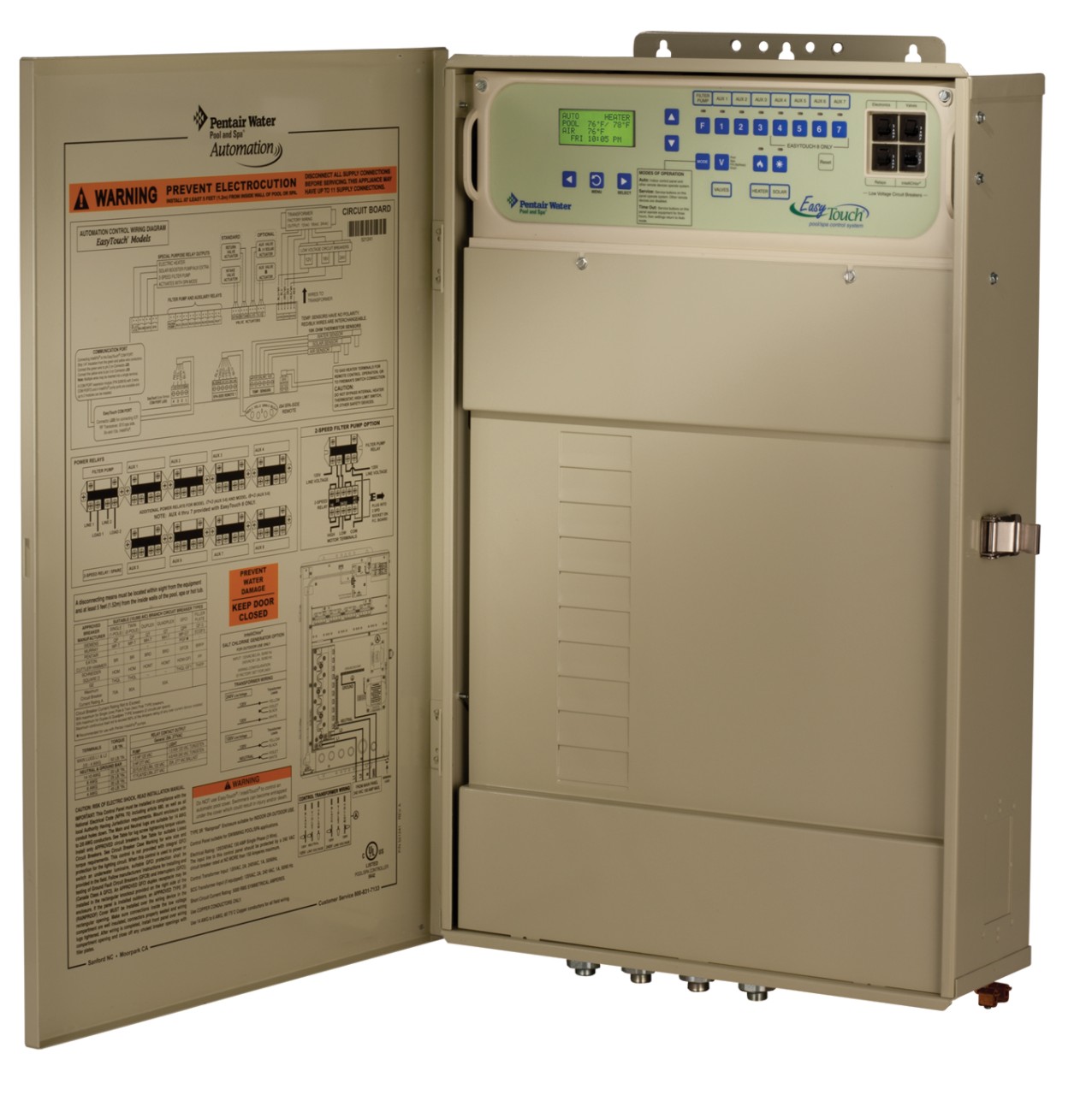
Credit: www.pentair.com
Common Issues With Pentair Pump Panels
Pentair pool pump control panels can face several common problems that stop them from working properly. Understanding these issues helps to fix them quickly. Many problems relate to power, display, buttons, or communication with other devices.
Knowing what to check first saves time and effort. It also keeps your pool pump running smoothly and your water clean.
Power Supply Problems
Power issues are a major cause of control panel failures. Loose wires or blown fuses cut off electricity to the panel. Sometimes, a tripped circuit breaker stops power flow. Without steady power, the panel will not turn on or respond.
Check the power source and connections before anything else. Make sure the outlet has power. Look for damaged cords or plugs. Fixing power problems often restores the panel’s function.
Display And Button Malfunctions
The control panel’s screen and buttons may stop working over time. Dirt, moisture, or wear can cause buttons to stick or fail. A dim or blank display makes it hard to use the panel.
Cleaning the panel gently can remove dirt and grime. Replacing worn buttons or the display may be necessary. These fixes improve usability and prevent further damage.
Communication Errors
The pump control panel talks to other pool devices to work correctly. Faulty wiring or software glitches can break this communication. When the panel cannot send or receive signals, it shows errors.
Check all connections between the panel and other equipment. Reset the panel to clear software faults. These steps often restore proper communication and pump control.
Troubleshooting Power Issues
Troubleshooting power issues is the first step when your Pentair pool pump control panel stops working. Power problems can cause the panel to lose function or show errors. Checking the electrical supply ensures the control panel gets the power it needs. Follow these simple steps to find and fix common power problems.
Checking Circuit Breakers
Start by checking the circuit breakers linked to the pool pump. A tripped breaker cuts off power to the control panel. Open the breaker box and look for any switches in the off or middle position. Flip any tripped breakers fully off, then back on. This can restore power to the control panel quickly.
Inspecting Power Connections
Next, inspect all power connections to the control panel. Loose or damaged wires can stop electricity flow. Turn off the power before touching any wires. Check the main power cable and internal wiring for signs of wear or corrosion. Tighten any loose connections. Replace damaged wires to ensure safe, steady power.
Testing The Transformer
The transformer changes voltage for the control panel. A faulty transformer can cause power loss. Use a multimeter to test the transformer’s input and output voltage. Compare readings with the specifications in the Pentair manual. Replace the transformer if it shows no or low output voltage. This step helps secure proper power for the pump control panel.
Fixing Display And Interface Problems
Fixing display and interface problems on a Pentair pool pump control panel is key to smooth operation. The display shows important information. The interface lets you control pump functions. Problems with either part can stop your pump from working right.
Simple steps often fix these issues. Start with basic resets. Check the buttons for dirt or damage. Replace the display if it is faulty. These actions can save time and money.
Resetting The Control Panel
Resetting the control panel can clear many errors. Find the reset button or unplug the pump for a few minutes. This stops the power and clears the system’s memory. After resetting, check if the display works properly. This step often fixes frozen or blank screens.
Cleaning And Inspecting Buttons
Dirty or stuck buttons cause interface problems. Use a soft cloth and mild cleaner to wipe the buttons. Avoid harsh chemicals that damage plastic. Press each button several times to check for sticking. Replace any button that feels loose or does not respond well.
Replacing Faulty Displays
A damaged display needs replacement for clear reading. Order a compatible Pentair display part. Remove the old display carefully by loosening screws or clips. Connect the new display and secure it. Turn on the pump to test if the new screen works well.
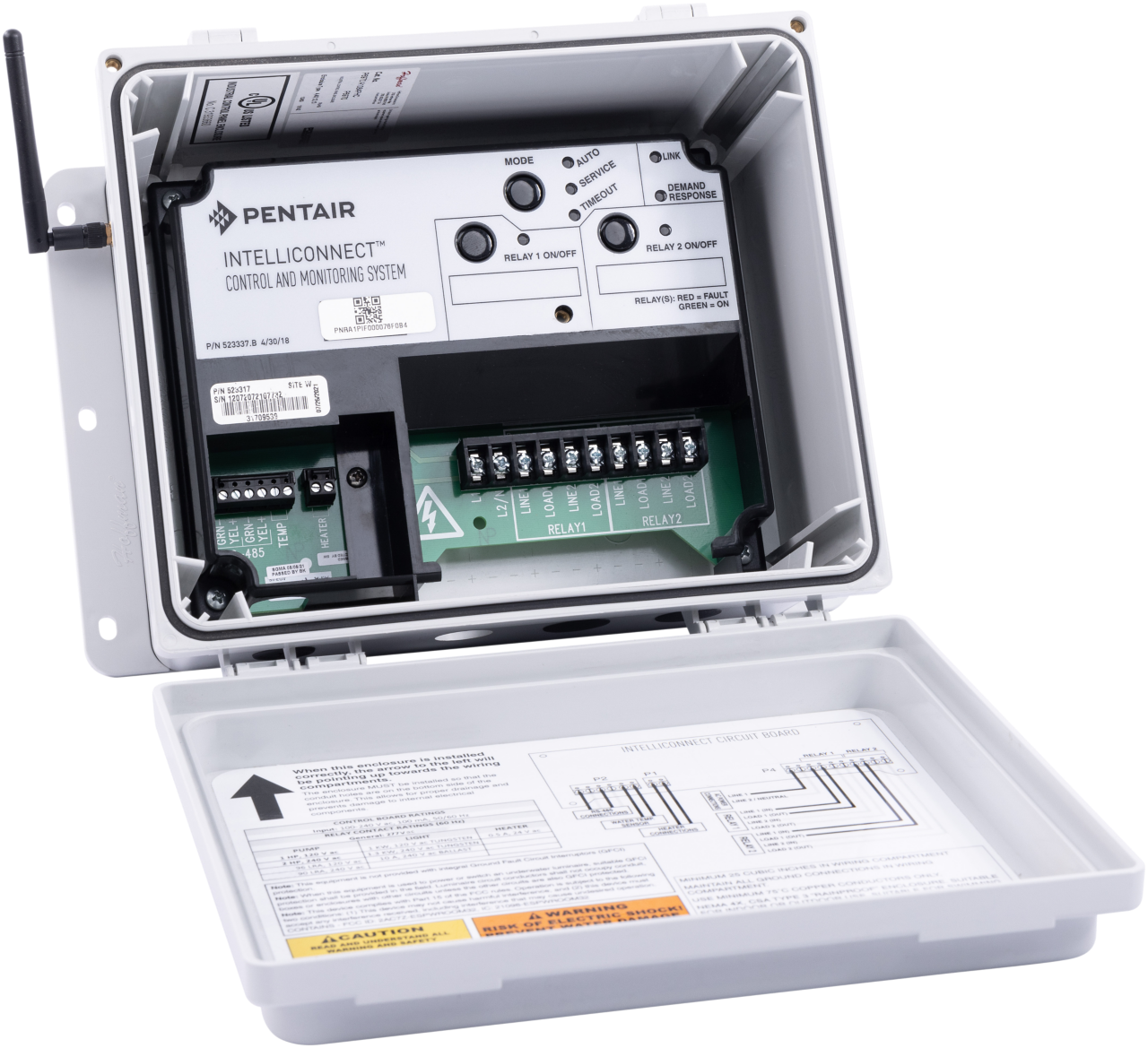
Credit: www.pentair.com
Resolving Communication And Sensor Errors
Communication and sensor errors can stop your Pentair pool pump control panel from working. These errors block important signals between parts. Fixing these issues helps your pump run smoothly. Focus on sensor connections, firmware updates, and communication modules for a fix.
Verifying Sensor Connections
Check all sensor wires for loose or broken connections. Sensors must be plugged in tightly. Dirt or water can cause bad contact. Clean connectors carefully and dry them well. Replace damaged wires to ensure proper signal flow.
Updating Firmware
Old firmware can cause communication problems. Visit Pentair’s website to download the latest software. Follow the update steps exactly as instructed. Updating firmware can fix bugs and improve sensor communication.
Rebooting Communication Modules
Turn off the control panel and unplug the pump. Wait about 30 seconds before plugging it back in. Power cycling resets the modules and clears errors. This simple step often restores communication and sensor function.
Preventive Measures For Reliable Operation
Keeping your Pentair pool pump control panel working well means taking steps before problems start. Regular care helps avoid breakdowns and keeps your pool running smoothly. Small actions can save you time and money later. Focus on simple habits to protect the control panel and ensure it lasts longer.
Regular Maintenance Tips
Check the control panel often for dirt and dust. Clean it gently using a dry cloth. Avoid using water or harsh chemicals. Make sure all buttons and displays work correctly. Replace any worn or damaged parts quickly. Keep the area around the panel clear of clutter. This helps prevent accidental damage and overheating.
Protecting The Panel From Moisture
Moisture harms electronic parts inside the control panel. Keep the panel dry by installing it in a covered spot. Use waterproof covers if the panel is outside. Seal any gaps or cracks where water might enter. Avoid spraying water directly near the panel. Dry hands before touching the controls to reduce moisture risk.
Scheduling Professional Inspections
Ask a pool technician to check the control panel yearly. Professionals spot hidden issues early before they grow. They test electrical connections and internal components. Experts can update software or firmware if needed. Regular inspections extend the life of your pool pump system. Trust skilled technicians to keep your control panel reliable.

Credit: www.youtube.com
Frequently Asked Questions
Why Is My Pentair Pool Pump Control Panel Not Responding?
The control panel may have a power issue or a blown fuse. Check the power supply first.
How Can I Reset The Pentair Pool Pump Control Panel?
Press and hold the reset button for 5 seconds to restart the panel.
What Causes Error Codes On Pentair Pool Pump Panels?
Error codes often appear due to wiring problems or sensor faults.
Can A Faulty Control Panel Damage My Pool Pump?
Yes, a bad panel can cause the pump to stop or run incorrectly.
How Do I Know If The Control Panel Needs Replacement?
If troubleshooting fails and the panel shows no signs of life, replacement may be needed.
Is It Safe To Fix The Pentair Control Panel Myself?
Only attempt fixes if you understand electrical work; otherwise, call a professional.
Conclusion
A Pentair pool pump control panel not working can disrupt pool care. Check power sources and connections first. Resetting the panel may solve simple issues. Clean any dirt or debris around the panel. If problems persist, contacting a professional helps avoid damage.
Regular maintenance keeps your pool pump running smoothly. Understanding basic fixes saves time and frustration. Keep your pool equipment in good shape for a pleasant swim. Small steps can prevent bigger problems down the line. Stay attentive and act quickly for best results.