
Keeping your Dolphin pool cleaner working at its best starts with one simple task: cleaning its filters. If you’ve noticed your pool cleaner slowing down or missing spots, the filter is likely clogged and needs your attention.
In this guide, you’ll discover easy, step-by-step ways to clean your Dolphin pool cleaner filters quickly and effectively. By following these tips, you’ll save time, improve your pool’s cleanliness, and get the most out of your investment. Ready to make your pool sparkle again?
Let’s dive in.
Dolphin Pool Cleaner Filters Basics
Dolphin pool cleaner filters play a key role in keeping your pool water clean. They catch dirt, leaves, and small debris. Understanding how these filters work helps you maintain them properly. Proper care extends the life of your pool cleaner and keeps your water clear.
Regular cleaning of these filters ensures your Dolphin pool cleaner works well. Dirty filters slow down the cleaning process and reduce efficiency. Knowing the types of filters and why cleaning matters helps you keep your pool sparkling.
Types Of Dolphin Filters
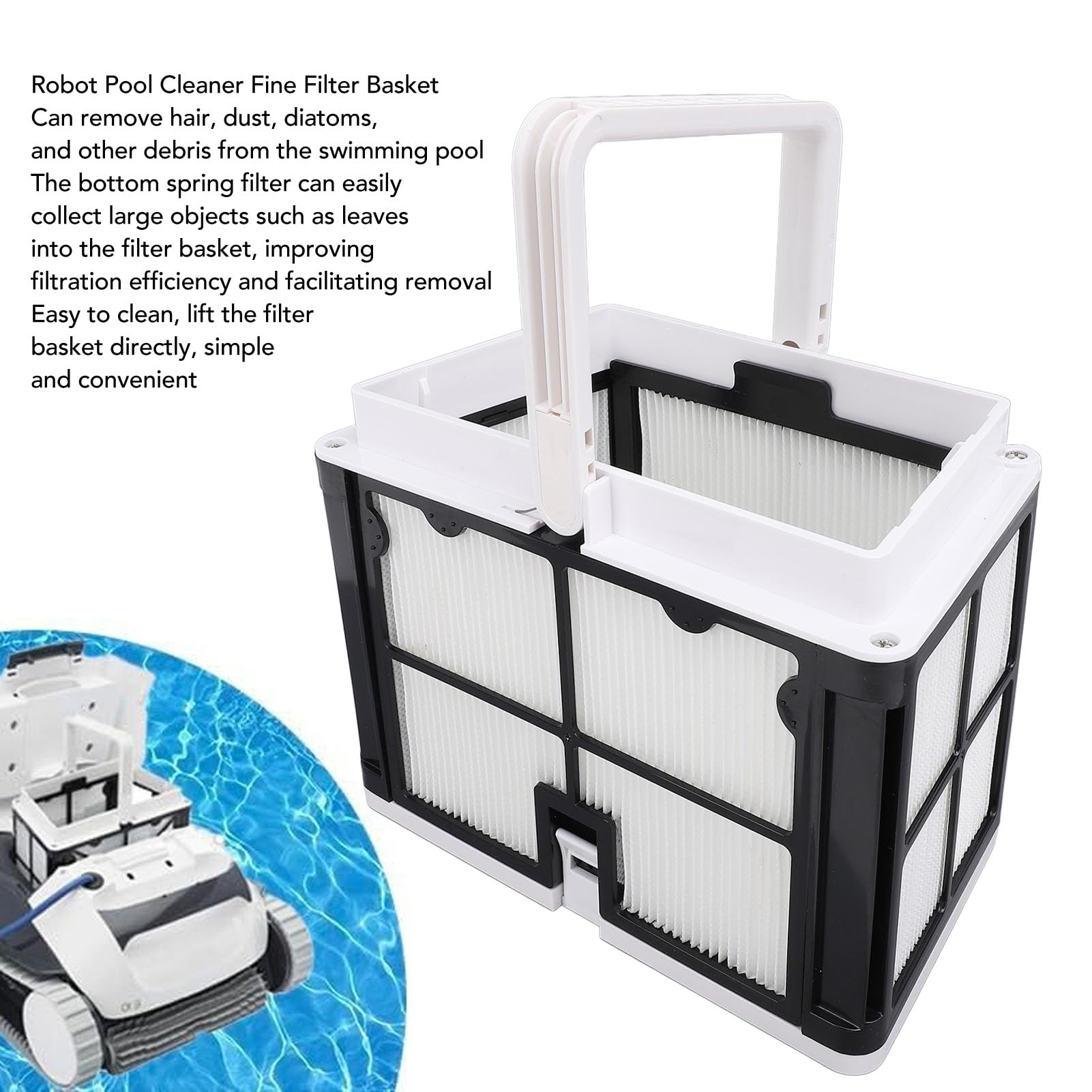
Dolphin pool cleaners use two main types of filters: cartridge and mesh bags. Cartridge filters are made of pleated material. They trap fine dirt and small particles effectively. Mesh bags have a net-like structure. They catch larger debris like leaves and twigs. Some models use both types to cover all cleaning needs. Identifying your filter type helps in choosing the right cleaning method.
Why Clean Filters Matter
Clean filters keep water clear and the pool cleaner efficient. Dirty filters block water flow, causing poor suction. This leads to longer cleaning times and higher energy use. Clean filters prevent damage to the pool cleaner’s motor. They also reduce the chance of spreading dirt back into the pool. Regular filter cleaning saves money on repairs and keeps your pool inviting.
Preparing For Filter Cleaning
Preparing for filter cleaning is an important step to keep your Dolphin pool cleaner working well. Taking time to get ready helps you clean filters quickly and safely. This also protects your pool cleaner from damage. Follow simple steps before starting the cleaning process.
Gathering Necessary Tools
Collect all tools before you begin. You will need a hose with good water pressure. A soft brush helps remove dirt without damage. Have a clean towel nearby to dry parts. Gloves protect your hands from grime and chemicals. Keep a bucket ready to catch debris. Getting these tools ready saves time and effort.
Safety Tips Before Cleaning
Turn off the pool cleaner and unplug it from power. This stops any accidental starting. Remove the cleaner carefully to avoid water spills. Wear gloves to protect your skin from dirt and chemicals. Work in a shaded area to avoid heat. Check the cleaner for any sharp parts before handling. Safety helps avoid injuries and keeps cleaning smooth.
Removing The Filter Cartridge
Removing the filter cartridge is a key step in cleaning your Dolphin pool cleaner. It helps keep the cleaner working well. Dirt and debris can clog the filter and reduce cleaning power. Taking out the cartridge allows you to wash it thoroughly. This keeps your pool water clear and fresh.
Follow simple steps to find and remove the filter cartridge safely. Handle it with care to avoid damage. Clean filters make your pool cleaner last longer.
Locating The Filter
First, turn off the pool cleaner and unplug it. Look for the top cover or lid on the cleaner. The filter cartridge sits inside this cover. It is usually easy to spot once the lid is open. Some models have a handle or latch to open the cover. Check the user manual if unsure.
Steps To Remove The Cartridge
Lift the cover carefully to avoid spilling water. Hold the filter cartridge by the handle or edges. Pull it straight up and out of the cleaner. Avoid twisting or forcing it. If stuck, wiggle gently to loosen. Place the cartridge on a clean surface for washing. Do not drop or bend the filter. Now it is ready for cleaning.
Cleaning The Filter Cartridge
Cleaning the filter cartridge of your Dolphin pool cleaner keeps your pool water fresh. Dirt and debris get trapped in the cartridge during cleaning. Over time, this build-up reduces the filter’s efficiency. Regular cleaning helps the pool cleaner work well and lasts longer.
Rinsing With Water
Start by removing the filter cartridge from the cleaner. Use a garden hose to rinse off loose dirt. Spray water between the pleats to remove trapped debris. Hold the cartridge at an angle to let water flow out. Rinse until the water runs clear and no dirt remains.
Using Filter Cleaner Solutions
For a deeper clean, soak the cartridge in a filter cleaner solution. Follow the instructions on the cleaner bottle carefully. Let the cartridge soak for at least an hour. This breaks down oils and fine dirt stuck inside. After soaking, rinse the cartridge thoroughly with water.
Handling Stubborn Debris
Some dirt may stick tightly to the filter. Use a soft brush to gently scrub the pleats. Avoid hard scrubbing to prevent damage to the cartridge. For tough spots, repeat soaking and rinsing steps. Make sure no debris is left before reinstalling the filter.
Drying And Reinstalling The Filter
After cleaning the Dolphin pool cleaner filter, drying it properly is important. A dry filter works better and lasts longer. Reinstalling the filter correctly ensures your pool cleaner runs smoothly. Follow these steps for drying and putting the filter back.
Proper Drying Techniques
Remove the filter from the cleaner carefully. Shake off any extra water gently. Place the filter in a dry, shaded spot. Avoid direct sunlight to stop damage. Let it air dry completely before reinstalling. Do not use heat or blow dryers. These can harm the filter material.
Reassembling The Filter
Check all parts of the filter for dirt or damage. Align the filter parts as they were before cleaning. Fit the filter mesh and frame together securely. Make sure no pieces are loose or out of place. Handle the filter gently to avoid tears or breaks. Proper assembly helps maintain strong suction power.
Checking For Proper Fit
Slide the filter back into the pool cleaner. Press firmly but carefully to lock it in place. The filter should fit snugly without gaps. Test by moving the filter slightly; it should stay secure. A loose filter can reduce cleaning efficiency. Double-check to ensure everything is sealed well.
Credit: battledental.com
Maintaining Filter Performance
Maintaining the filter performance of your Dolphin pool cleaner is key to keeping your pool clean. Clean filters trap dirt and debris effectively. This helps the cleaner work better and last longer. Without proper care, filters can clog and reduce cleaning power. Regular attention to the filters ensures smooth operation and clear water.
Regular Cleaning Schedule
Clean the filters after every use. Remove the filter cartridge carefully. Rinse it with a garden hose to wash away dirt. Avoid using harsh chemicals or brushes that can damage the filter. Let the filter dry before putting it back. Follow this routine to keep the filter in good shape.
Signs Of Filter Wear
Watch for holes or tears in the filter material. Notice if the cleaner misses debris or cleans slowly. A damaged or clogged filter reduces water flow. Check for discoloration or stiffness, which show aging. These signs mean the filter is losing its ability to clean well.
When To Replace Filters
Replace the filter if damage is visible. Also, change it if cleaning does not restore performance. Most filters last about one to two years. Replace filters regularly to keep your pool cleaner working well. Using a fresh filter improves water flow and cleaning power.
Tips For Extending Filter Life
Extending the life of your Dolphin pool cleaner filters saves money and keeps your pool clean. Proper care helps filters last longer and work better. Follow simple tips to protect your filters and avoid damage.
Avoiding Common Mistakes
Do not use harsh chemicals to clean filters. They can break the filter material. Rinse filters with clean water only. Remove debris gently to avoid tearing the mesh. Avoid running the cleaner without a filter. Dirt can damage the motor and reduce filter life.
Storing Filters Off-season
Clean filters thoroughly before storing them. Let filters dry completely to prevent mold growth. Store filters in a cool, dry place away from direct sunlight. Avoid folding or crushing filters to keep their shape. Proper storage keeps filters ready for the next season.

Credit: www.youtube.com
Credit: www.martinispa.com
Frequently Asked Questions
How Often Should I Clean Dolphin Pool Cleaner Filters?
Clean the filters after every 3-4 uses to keep your pool cleaner working well.
What Tools Do I Need To Clean Dolphin Pool Filters?
You only need water, a soft brush, and a clean cloth to clean the filters.
Can I Use A Pressure Washer On Dolphin Filters?
Avoid pressure washers; they can damage the filter mesh and reduce cleaning efficiency.
How Do I Remove Stubborn Dirt From The Filter?
Soak the filter in warm water, then gently scrub with a soft brush to remove dirt.
How Long Does It Take To Clean Dolphin Pool Filters?
Cleaning usually takes about 10-15 minutes depending on how dirty the filter is.
Can Dirty Filters Damage My Dolphin Pool Cleaner?
Yes, dirty filters reduce suction and can cause the cleaner to stop working properly.
Conclusion
Cleaning your Dolphin pool cleaner filters keeps your pool fresh and clear. Regular care stops dirt and debris from building up inside. It also helps your cleaner work better and last longer. Take a few minutes after each use to rinse and check the filters.
This simple step saves time and money in the long run. Keep your pool sparkling with clean filters. Easy to do, worth the effort.